
一款Python3终端应用程序,包含用于BloodHound数据集的Neo4j Cypher查询,并附带一个脚本,可自动将这些查询导入BloodHound CE。
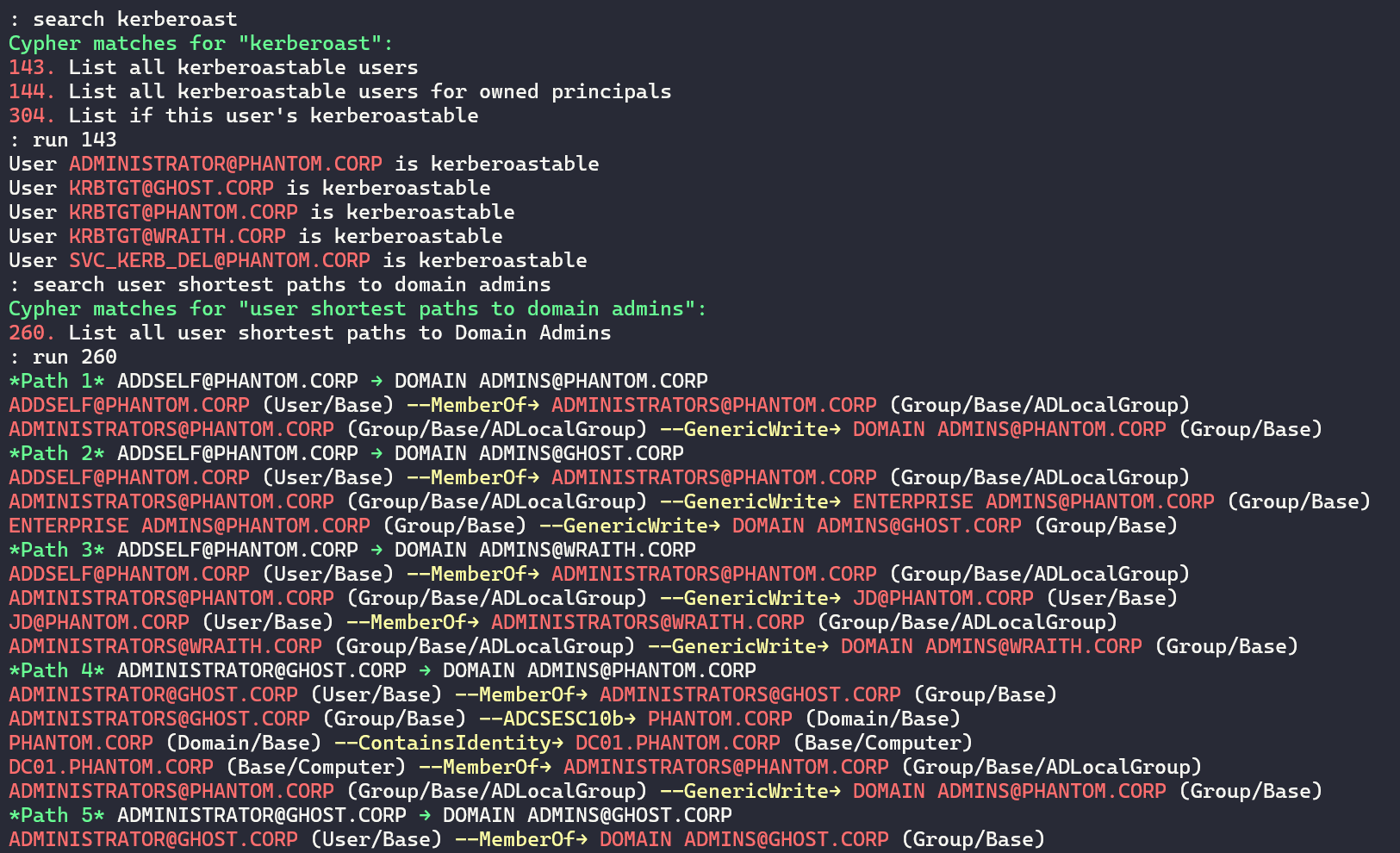
终端
HTML报表
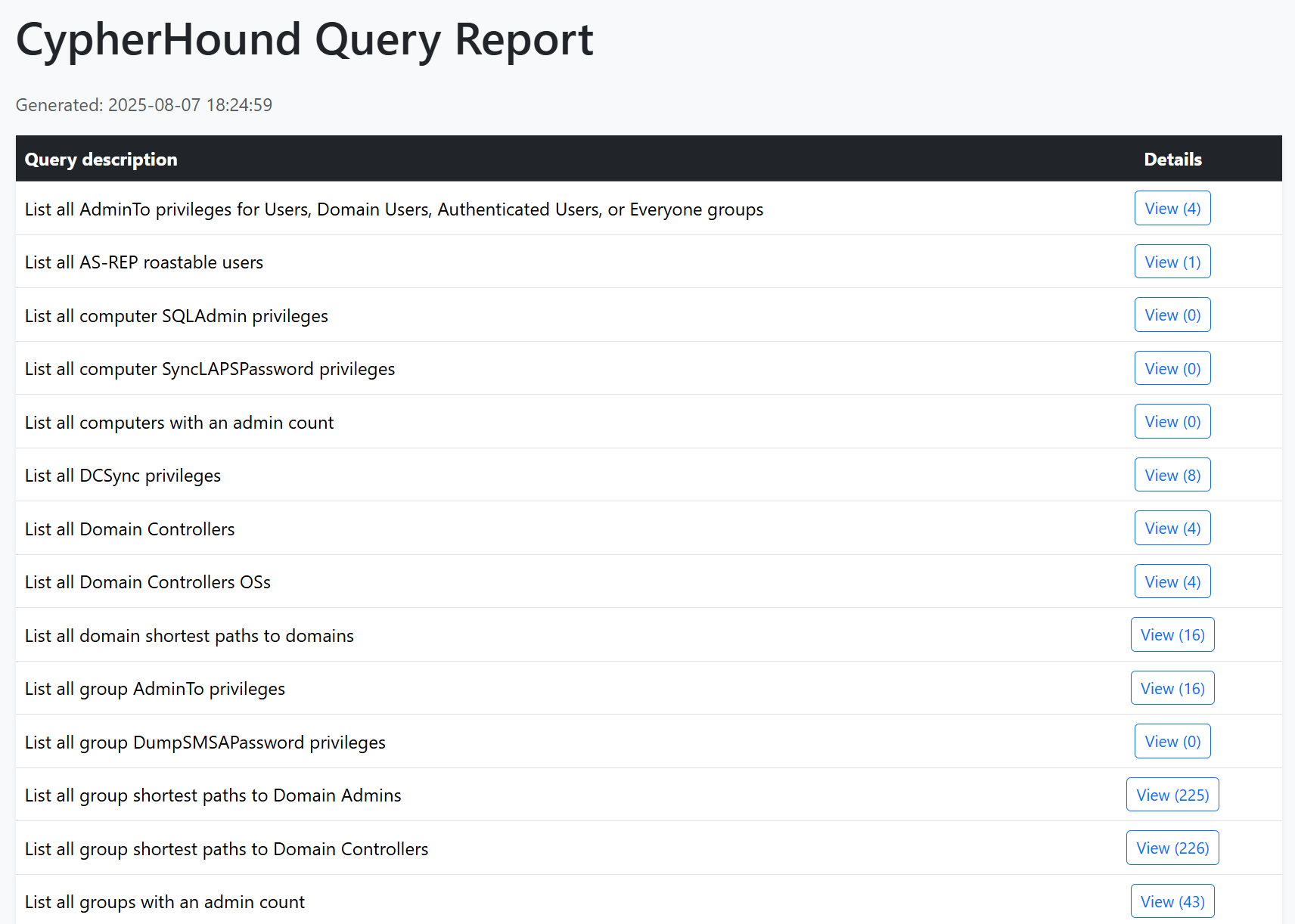
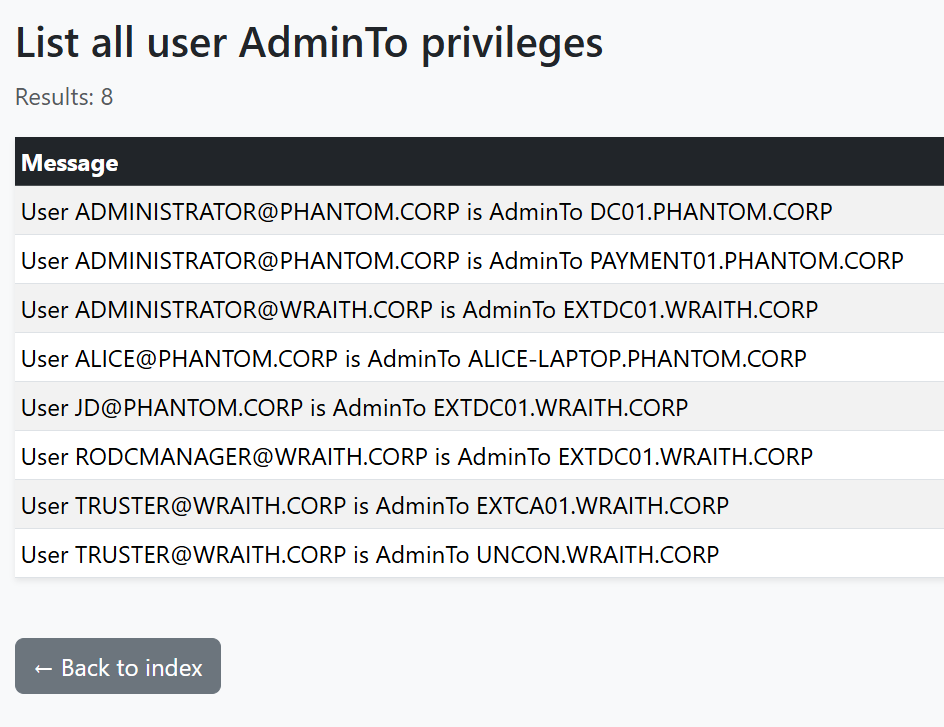
HTML报表(续)
BloodHound 是每位渗透测试人员的必备工具。然而,它的设计也带来了一些负面影响。以下是我遇到的最棘手的痛点,以及本工具旨在解决的问题:
JSON图之前,我需要将图结果以逐行格式的.txt文件呈现,才能从其他工具中实际攻击目标。本工具对红队和蓝队都极具价值。
用CypherHound重新掌控你的BloodHound数据!
grep/cut/awk友好格式的示例customqueries.json 导入脚本至BloodHound CE确保已安装python3并运行:
python3 -m pip install -r requirements.txt
启动程序:python3 cypherhound.py -c config.json -y queries.yaml
程序将读取json格式的配置文件。示例如下:
{
    "user": "neo4j",
    "pwd": "password",
    "database": "neo4j"
}
其中:
user 是你的Neo4j用户名pwd 是你的Neo4j密码database 是你的Neo4j数据库程序从以下格式的YAML文件中读取查询。ad-queries.yaml 已作为示例提供,包含与Active Directory相关的查询。对于最短路径查询,msg_template不是必需的,但查询必须返回包含路径的变量
queries:
- group: general
  desc: List all AddKeyCredentialLink privileges for owned principals
  cypher: |-
    MATCH (n {owned: true})-[r:AddKeyCredentialLink]->(m)
    RETURN n.name AS n_name, m.name AS m_name, labels(m) AS labels_m, labels(n) AS labels_n
    ORDER BY n.name
  msg_template: |-
    {{ n_name }} ({{ labels_n[0] }}/{{ labels_n[1] }}) has AddKeyCredentialLink over {{ m_name }} ({{
    labels_m[0] }}/{{ labels_m[1] }})
键/值对说明见下表:
| 键 | 描述 |
|---|---|
group | 该查询所属的分组,分组由用户自定义,例如"general" |
desc | 查询的描述 |
cypher | 查询本身,采用Neo4j格式 |
msg_template | 基于Cypher变量的终端输出Jinja2模板,请使用Neo4j变量的别名,避免Jinja尝试将其渲染为嵌套变量 |
params.*)程序使用Jinja2来渲染Cypher。使用set命令定义运行时参数,并在YAML中以{{ params.<键> }}引用它们。
CLI
set <键> <值...> # 例如:set user [email protected]
unset <键> # 可选
show # 可选
YAML示例
- group: user
  desc: List all privileges for this user
  cypher: |-
    MATCH (n:User)-[r]->(m)
    WHERE n.name =~ '((?i){{ params.user }})'
    RETURN n.name AS n_name, TYPE(r) AS rel_type, labels(m) AS labels_m, m.name AS m_name
    ORDER BY TYPE(r)
  msg_template: |-
    User {{ n_name }} has {{ rel_type }} over {{ m_name }} ({{ labels_m[0] }}/{{ labels_m[1] }})
常用参数模式
| 参数键 | 示例值 | 在Cypher中的使用 |
|---|---|---|
params.user | [email protected] | = {{ params.user }} |
params.user_regex | (?i)john\.doe(@example\.com)? | =~ '{{ params.user_regex }}' |
params.group | Domain [email protected] | = {{ params.group }} |
params.prefix | ACME- | STARTS WITH {{ params.prefix }} |
本仓库提供了一个query-importer.py脚本,用于从JSON文件自动将查询导入BloodHound CE UI。同时还提供了bh_query_converter.py,用于将面向终端应用程序的YAML文件转换为query-importer.py和BloodHound CE所期望的JSON格式。所需的JSON格式示例如下:
{
  "queries": [
    {
      "name": "List all AddKeyCredentialLink privileges for owned principals",
      "description": "List all AddKeyCredentialLink privileges for owned principals - General",
      "query": "MATCH p=(n {owned: true})-[r:AddKeyCredentialLink]->(m)\nRETURN p\nORDER BY n.name"
    },
    {
      "name": "List all AddKeyCredentialLink privileges for Users, Domain Users, Authenticated Users, and Everyone groups",
      "description": "List all AddKeyCredentialLink privileges for Users, Domain Users, Authenticated Users, and Everyone groups - General",
      "query": "MATCH p=(n:Group)-[r:AddKeyCredentialLink]->(m)\nWHERE (n.objectid =~ \"(?i)S-1-5-21-.*-513\" OR n.objectid =~ \"(?i).*-S-1-5-11\" OR n.objectid =~ \"(?i).*-S-1-1-0\" OR n.objectid =~ \"(?i).*-S-1-5-32-545\")\nRETURN p\nORDER BY n.name"
    }
  ]
}
完整命令菜单如下:
Documented commands (use 'help -v' for verbose/'help <topic>' for details):
======================================================================================================
alias                 Manage aliases
clear                 Clear the terminal.
cls                   Clear the terminal.
edit                  Run a text editor and optionally open a file with it
export                Run a query and save its results
help                  List available commands or provide detailed help for a specific command
history               View, run, edit, save, or clear previously entered commands
list                  List queries by group.
macro                 Manage macros
report                Run multiple queries and generate a HTML report
run                   Execute a query
run_pyscript          Run a Python script file inside the console
run_script            Run commands in script file that is encoded as either ASCII or UTF-8 text
search                Full-text search through stored queries.
set                   Set a dynamic search parameter (set <TARGET> <VALUE...>)
shell                 Execute a command as if at the OS prompt
shortcuts             List available shortcuts
show                  Show dynamic search parameters
unset                 Unset a dynamic search parameter (unset <TARGET>)

Undocumented commands:
======================
exit  q  quit  stop
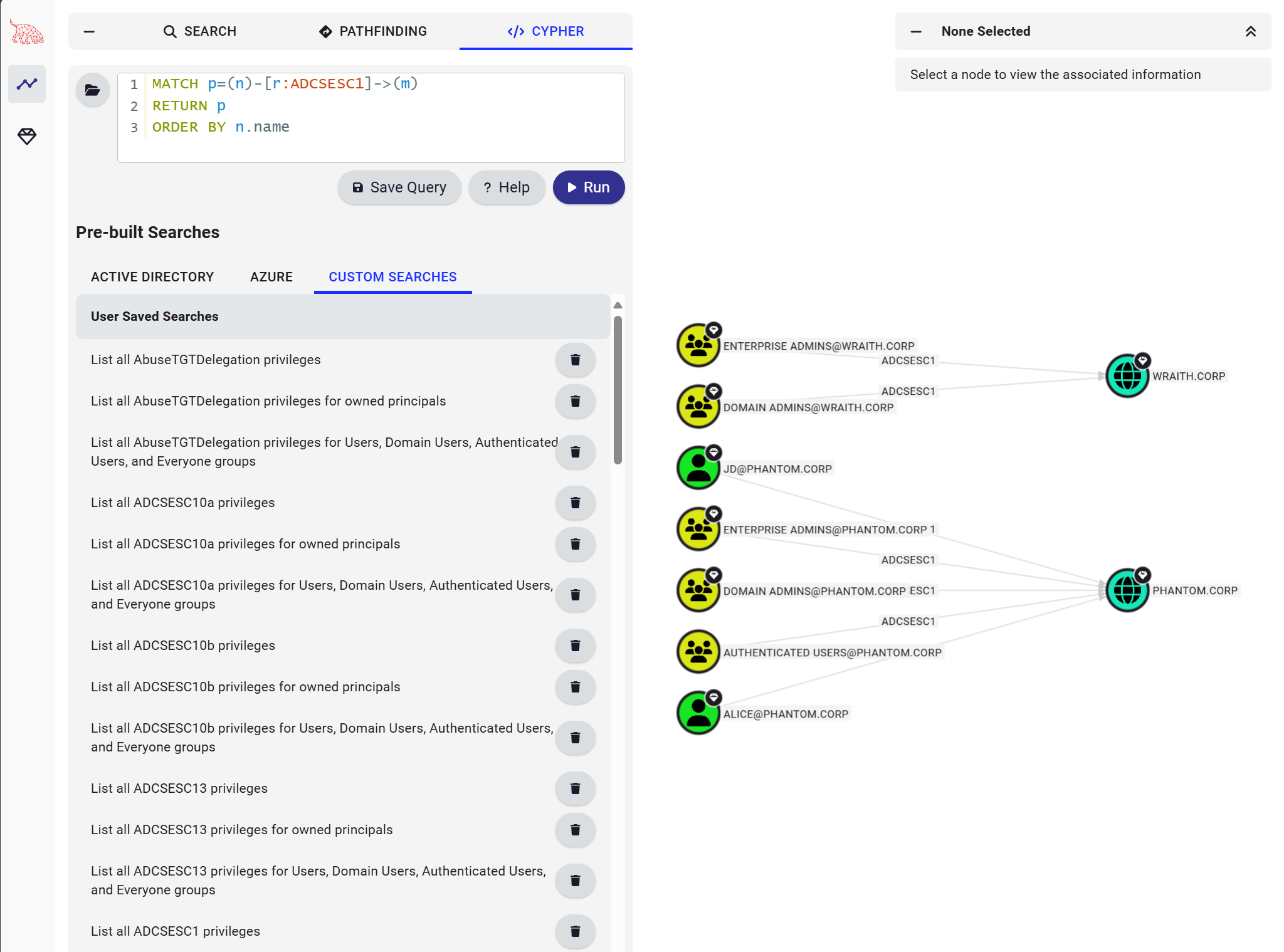
query-importer.py脚本将自动从JSON文件将查询导入BloodHound CE UI。同时还提供了bh_query_converter.py,用于将面向终端应用程序的YAML文件转换为query-importer.py和BloodHound CE所期望的JSON格式。