针对 Clawdbot/Moltbot 安装实例的安全加固工具,可检测并修复暴露的网关。
检测并修复暴露的 Clawdbot/Moltbot 网关
问题 • 功能 • 快速开始 • Docker • 命令行 • 修复内容 • 开发
目前有 900 多个 Clawdbot/Moltbot 实例暴露在互联网上(可在 Shodan 上看到,端口 18789),且没有任何身份验证。这使得任何人都可以:
| 风险 | 影响 |
|---|---|
| 获取 API 密钥 | 窃取 OpenAI、Anthropic 等凭据 |
| 执行命令 | 在您的机器上运行任意 shell 命令 |
| 控制浏览器 | 接管您的浏览会话 |
| 读取邮件 | 访问 Gmail、日历、联系人 |
| 读取聊天记录 | 查看您的所有聊天历史 |
| 劫持机器人 | 以您的名义发送消息 |
问题并非 bug,而是配置不当。用户将 gateway.bind 改为 0.0.0.0 或使用 Docker 的 -p 18789:18789 且未设置合适的身份验证时,便会完全暴露。
ClawdGuard 可以解决这个问题。
cargo install clawdguard

# 运行
clawdguard
# 克隆仓库
git clone https://github.com/fadidevv/clawdguard.git
cd clawdguard

# 构建(首次约需 2 分钟)
cargo build --release

# 运行
./target/release/clawdguard
# 克隆仓库
git clone https://github.com/fadidevv/clawdguard.git
cd clawdguard

# 构建镜像(首次约需 3-5 分钟)
docker build --no-cache -t clawdguard .

# 运行(挂载您的配置目录)
docker run -v ~/.moltbot:/root/.moltbot clawdguard
# 或用于旧版 Clawdbot:
docker run -v ~/.clawdbot:/root/.clawdbot clawdguard
clawdguard
就这么简单!ClawdGuard 将:
ClawdGuard 会生成一个安全令牌。请保存好它!
╭────────────────────────────────────────────────────────────────────╮
│  ⚠️  重要提示:请保存您的新网关令牌!                               │
│                                                                    │
│    clwd_a8f2k9x3m1p7v4q2b6n8...                                    │
│                                                                    │
│  您将需要此令牌从控制界面或 CLI 进行连接。                          │
╰────────────────────────────────────────────────────────────────────╯
针对未安装 Rust 用户的完整 Docker 文档。
# 1. 克隆仓库
git clone https://github.com/fadidevv/clawdguard.git
cd clawdguard

# 2. 构建镜像(首次约需 3-5 分钟)
docker build --no-cache -t clawdguard .

# 3. 运行扫描(挂载您的配置目录)
# 用于 Moltbot(较新版本):
docker run -v ~/.moltbot:/root/.moltbot clawdguard

# 用于 Clawdbot(旧版):
docker run -v ~/.clawdbot:/root/.clawdbot clawdguard

# 使用详细模式
docker run -v ~/.moltbot:/root/.moltbot clawdguard --verbose

# 仅扫描(不修复)
docker run -v ~/.moltbot:/root/.moltbot clawdguard --scan-only

# 自动模式(无交互提示)
docker run -v ~/.moltbot:/root/.moltbot clawdguard --auto

# 显示帮助
docker run clawdguard --help
使用 docker-compose 简化语法:
# 使用 docker-compose 运行
docker-compose run clawdguard

# 带详细模式
docker-compose run clawdguard --verbose

# 仅扫描
docker-compose run clawdguard --scan-only

# 自动模式
docker-compose run clawdguard --auto
| 命令 | 描述 |
|---|---|
docker build --no-cache -t clawdguard . | 构建镜像 |
docker run clawdguard --help | 显示帮助 |
docker run -v ... clawdguard | 运行扫描 |
docker run -v ... clawdguard --scan-only | 仅扫描 |
docker run -v ... clawdguard --auto | 自动修复 |
docker run -v ... clawdguard --verbose | 详细模式 |
docker-compose run clawdguard | 使用 compose 运行 |
| 挂载点 | 用途 |
|---|---|
~/.moltbot:/root/.moltbot | 您的 Moltbot 配置目录(较新版本) |
~/.clawdbot:/root/.clawdbot | 您的 Clawdbot 配置目录(旧版) |
./results:/app/results | 将结果保存到本地 |
# 创建别名以便使用(请使用您自己的配置目录)
alias clawdguard='docker run -v ~/.moltbot:/root/.moltbot clawdguard'
# 或用于旧版 Clawdbot:
alias clawdguard='docker run -v ~/.clawdbot:/root/.clawdbot clawdguard'

# 然后直接运行:
clawdguard
clawdguard --scan-only
clawdguard --verbose
clawdguard [选项]

选项:
    --scan-only         仅扫描问题,不应用修复
    --auto              自动应用所有修复,无需确认提示
    --backup-dir <目录>  备份文件的自定义目录
    --skip-firewall     跳过添加防火墙规则
    --skip-restart      跳过重启网关服务
    --token <令牌>      使用特定令牌而非生成
    -v, --verbose       显示详细输出
    --json              以 JSON 格式输出结果(适用于脚本)
    -h, --help          打印帮助
    -V, --version       打印版本
# 基本用法 - 扫描、修复、验证
clawdguard

# 仅扫描(不修复任何内容)
clawdguard --scan-only

# 自动修复所有内容(无提示)
clawdguard --auto

# 使用您自己的令牌
clawdguard --token "my-secure-token-here"

# 故障排除时使用详细输出
clawdguard --verbose

# 脚本中使用 JSON 输出
clawdguard --json

# 组合选项
clawdguard --auto --skip-firewall --verbose

# 自定义备份目录
clawdguard --backup-dir /tmp/backups
| 设置项 | 修复前(不安全) | 修复后(安全) |
|---|---|---|
gateway.bind | "0.0.0.0" / "lan" / "all" | "loopback" |
gateway.auth.mode | "none" / 缺失 | "token" |
gateway.auth.token | 缺失 | 已生成安全令牌 |
discovery.mdns.mode | "full" | "minimal" |
| 文件权限 | 644 / 755 | 600 |
ClawdGuard 计算 0-10 分的风险评分:
| 分数 | 等级 | 含义 |
|---|---|---|
| 0-3 | 🟢 低 | 小问题或已安全 |
| 4-6 | 🟡 中 | 存在一些安全问题 |
| 7-10 | 🔴 严重 | 已暴露到互联网,立即修复 |
风险评分计算规则:
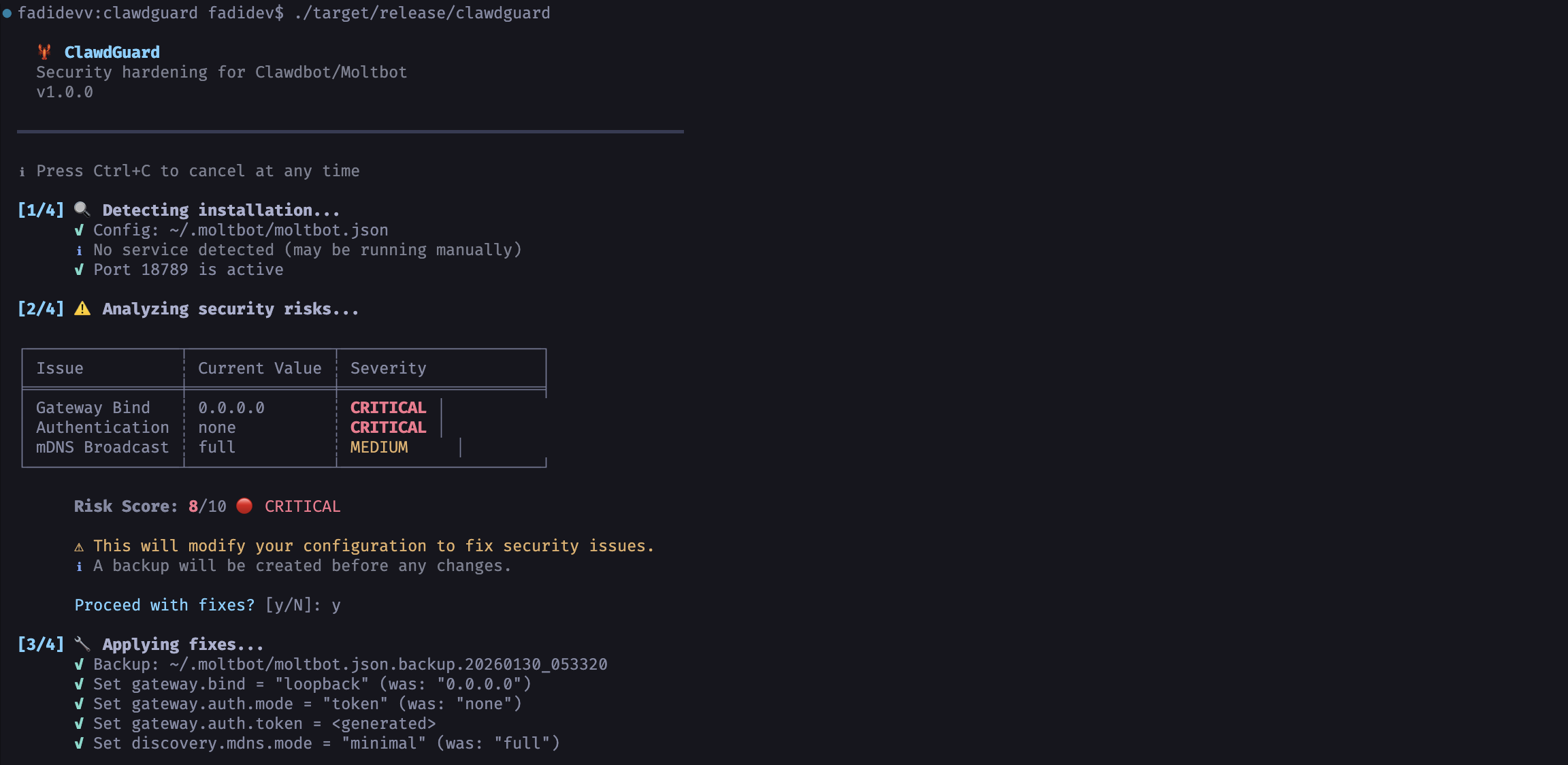
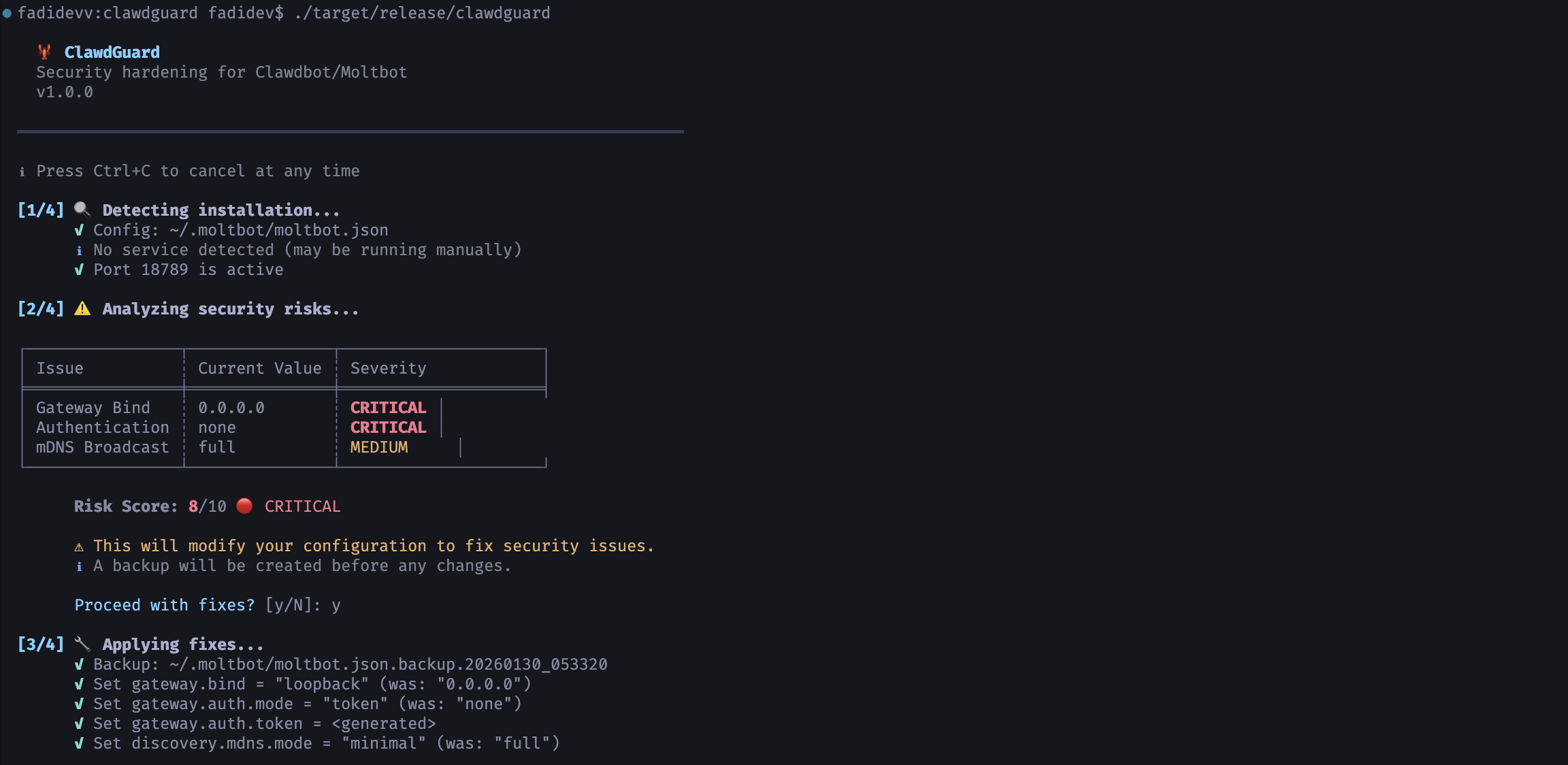
  🦞 ClawdGuard
  Security hardening for Clawdbot/Moltbot
  v1.0.0

━━━━━━━━━━━━━━━━━━━━━━━━━━━━━━━━━━━━━━━━━━━━━━━━━━━━━━━━━━━━━━━━━━━━━━

ℹ 随时可按 Ctrl+C 取消

[1/4] 🔍 检测安装...
      ✓ 配置文件: ~/.clawdbot/clawdbot.json
      ✓ 服务: bot.molt.gateway (运行中,PID 1234)
      ✓ 端口 18789 活跃

[2/4] ⚠️  分析安全风险...

╭──────────────────┬─────────────────────────┬──────────╮
│ 问题             │ 当前值                   │ 严重程度 │
├──────────────────┼─────────────────────────┼──────────┤
│ 网关绑定         │ 0.0.0.0                 │ 严重     │
│ 身份验证         │ none                    │ 严重     │
│ mDNS 广播        │ full                    │ 中等     │
╰──────────────────┴─────────────────────────┴──────────╯

      风险评分: 9/10 🔴 严重

      ⚠ 这将会修改您的配置文件以修复安全问题。
      ℹ 任何更改前都会创建备份。

      执行修复? [y/N]: y

[3/4] 🔧 应用修复...
      ✓ 备份: ~/.clawdbot/clawdbot.json.backup.20260128_143022
      ✓ 设置 gateway.bind = "loopback" (原值: "0.0.0.0")
      ✓ 设置 gateway.auth.mode = "token" (原值: "none")
      ✓ 设置 gateway.auth.token = <已生成>
      ✓ 修复文件权限 (600)

      已生成令牌: clwd_a8f2k9x3m1p7v4q2b6n8...

[4/4] ✅ 验证修复...
      ✓ 网关服务已重启
      ✓ 端口 18789 已无法从外部访问
      ✓ 网关在 localhost 上正常响应
      ✓ 现在需要身份验证

━━━━━━━━━━━━━━━━━━━━━━━━━━━━━━━━━━━━━━━━━━━━━━━━━━━━━━━━━━━━━━━━━━━━━━