工作原理 • 安装 • 模板 • 拦截器 • 使用 • 加入Discord
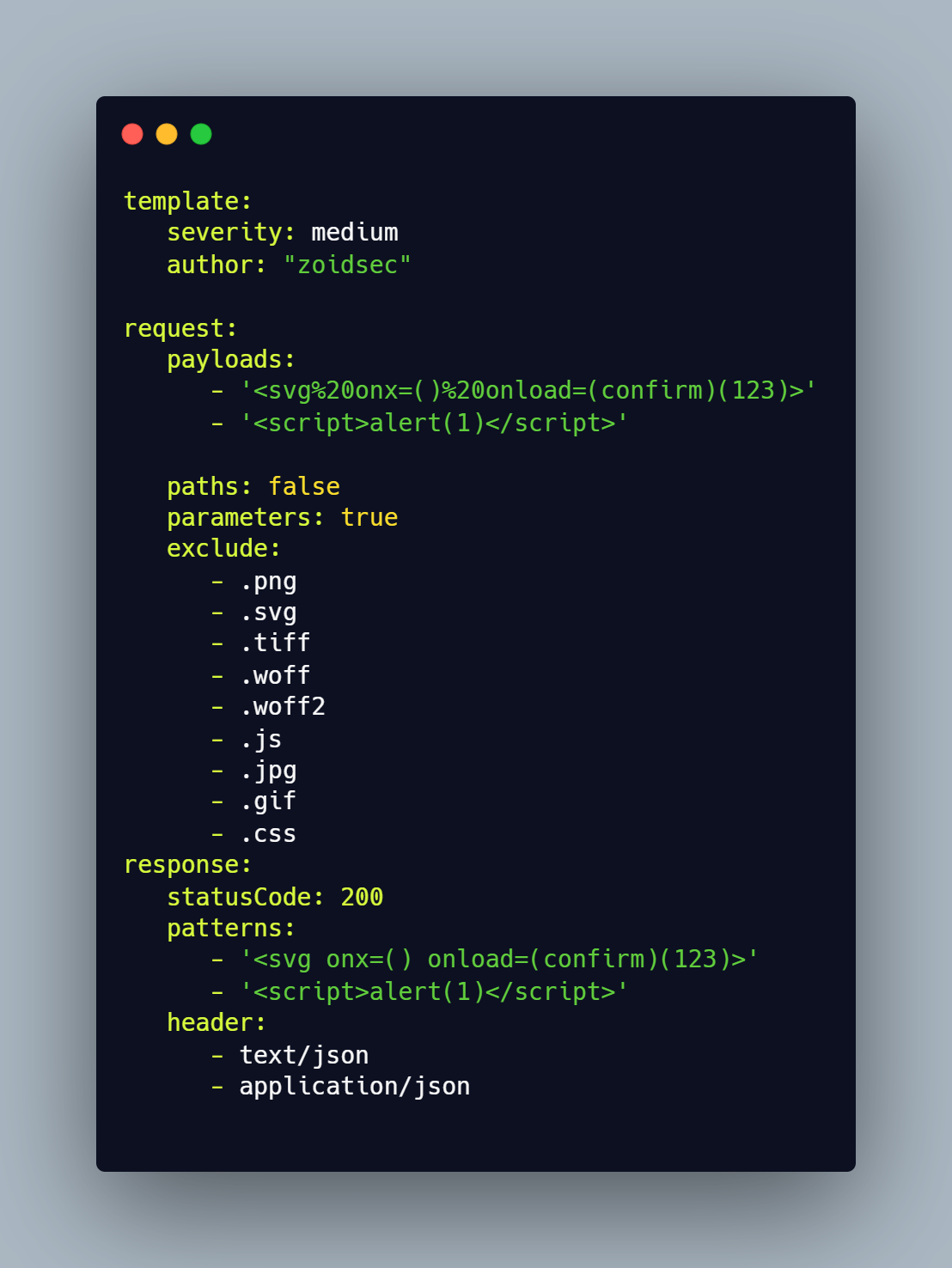
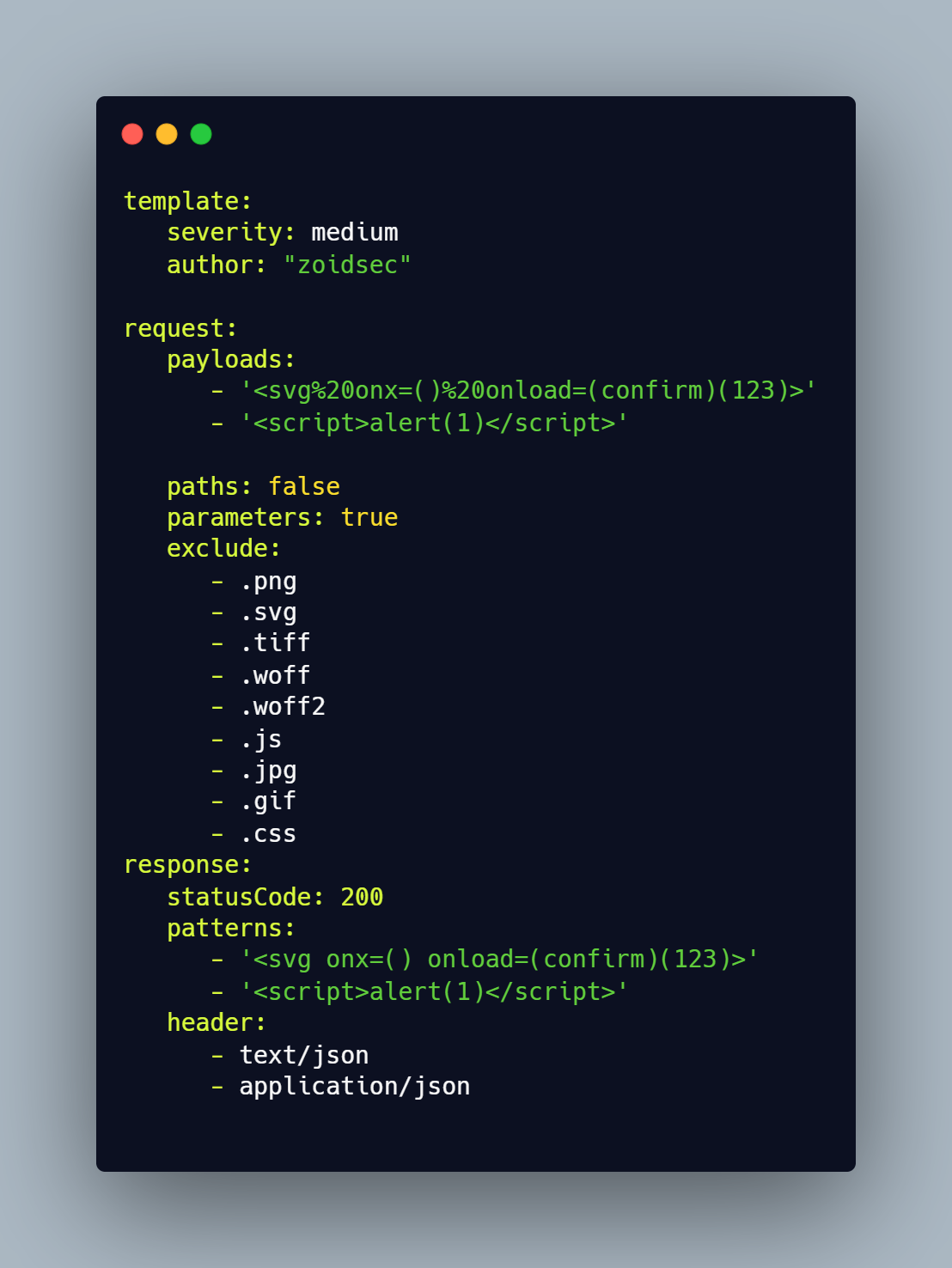
Erebus用于基于Yaml模板测试每个参数,实现零误报并提供对大量主机的快速扫描。Erebus提供许多有用的功能,包括一个拦截代理,允许研究人员浏览网页、点击链接,Erebus将测试通过代理的每个参数。
我们有一个专门的仓库,存放着各种类型的漏洞模板。
▶ GO111MODULE=off go get -u -v github.com/ethicalhackingplayground/erebus/erebus
▶ erebus -ut
Erebus模板Erebus内置支持自动更新/下载模板(https://github.com/ethicalhackingplayground/erebus/releases/latest)。[**Erebus-Templates**](https://github.com/ethicalhackingplayground/erebus-templates)项目提供了由社区贡献的即用型模板列表,可用于您的部分测试。 您可以使用 |
设置Erebus拦截器确保在使用Erebus拦截器之前,在浏览器中设置代理。对于Firefox,前往 ▶ 设置 ▶ 常规 ▶ 网络设置 ▶ 手动代理配置 在HTTP代理中输入127.0.0.1,然后在端口输入8080,确保勾选也为此代理使用FTP和HTTPS |
安装SSL证书以使用HTTPS我已提供证书供您用于HTTPS测试,您只需按以下步骤安装: ▶ 设置 ▶ 隐私与安全 ▶ 证书 ▶ 查看证书 ▶ 导入 ▶ 选择erebus目录中的**.crt**文件,然后信任并安装。 |
erebus -h
这将显示工具的帮助信息。以下是所有支持的选项。
Usage of erebus:
  -burp-sitemap string
        scan burp xml sitemap (without base64 decoded)
  -c int
        the number of concurrent requsts (default 100)
  -crawl
        crawl through each intercepted request
  -depth int
        the crawl depth (default 5)
  -interceptor
        intercept the requests through the proxy and test each parameter
  -o string
        output results to a file
  -p string
        the port on which the interception proxy will listen on (default "8080")
  -scope string
        the scope for the proxy intercetor
  -secure
        determaines if the connection is secure or not
  -silent
        silent (only show vulnerable urls)
  -t string
        use the templates with all our yaml rules instead
  -tc string
        Use other tools by executing an os command (default "qsreplace")
  -ut
        Install or update the erebus-templates
以下是使用Erebus扫描器进行部分测试的一些示例。
使用拦截代理扫描XSS漏洞,范围为所有paypal域名,并在HTTP域上爬取。
▶ erebus -t erebus-templates/xss-reflected.yaml -interceptor -crawl -scope ".*.\.paypal.com"
使用拦截代理扫描XSS漏洞,范围为所有paypal域名,并在HTTPS域上爬取。
▶ erebus -t erebus-templates/xss-reflected.yaml -interceptor -crawl -secure -scope ".*.\.paypal.com"
使用subfinder和Gau在多个子域名上扫描XSS漏洞
▶ echo "paypal.com" | gau | erebus -t erebus-templates/xss-reflected.yaml
从文件中扫描子域名,格式为https://或http://
▶ cat alive | gau | erebus -t erebus-templates/xss-reflected.yaml

Erebus基于GPL-3.0许可证发布