 endgamec2framework/endgame
ENDGAME C2 FRAMEWORK — AI-powered command and control for professional red team operations

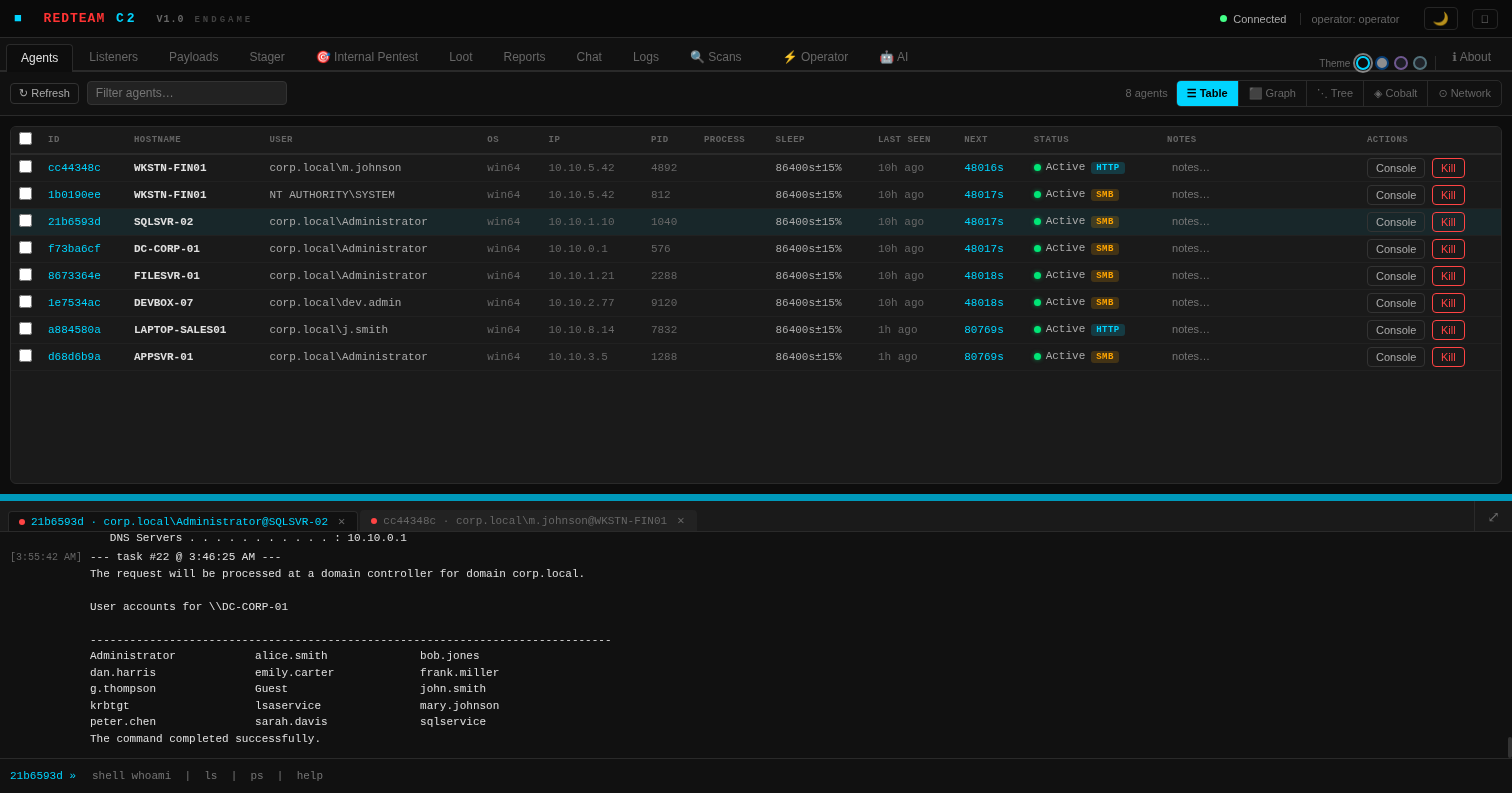
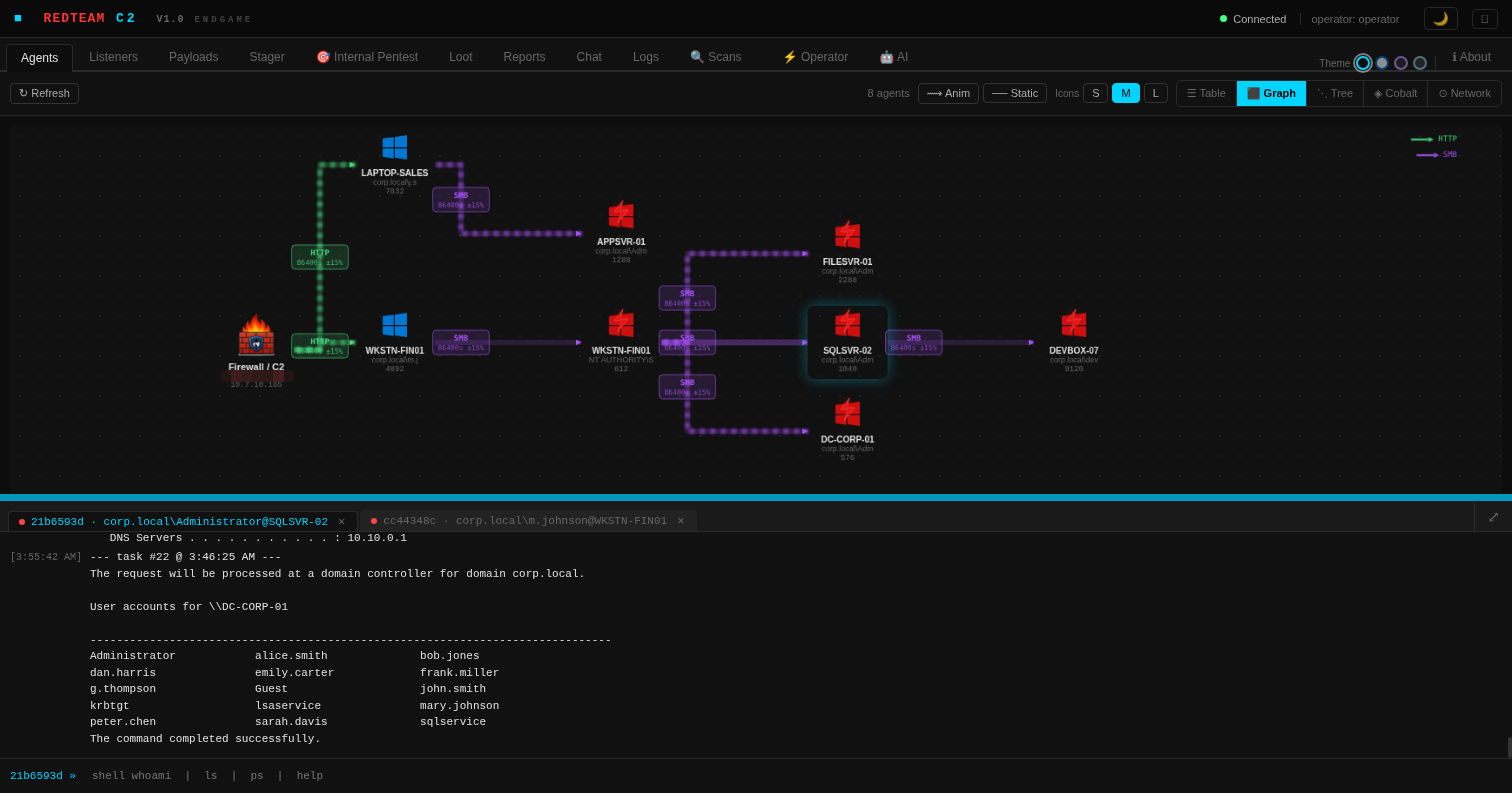
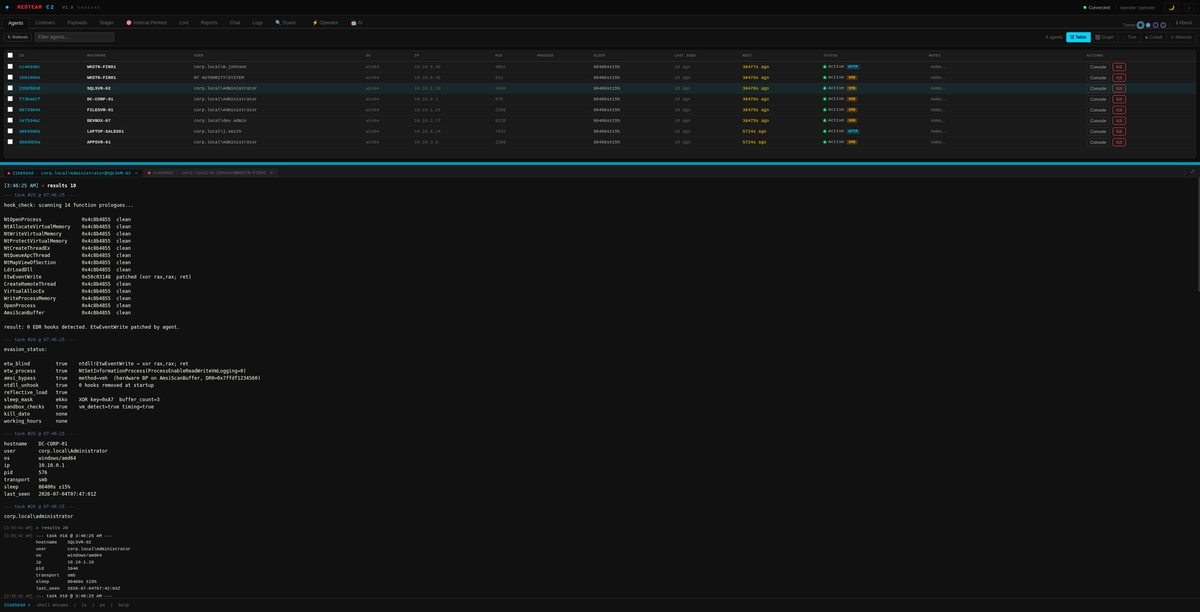
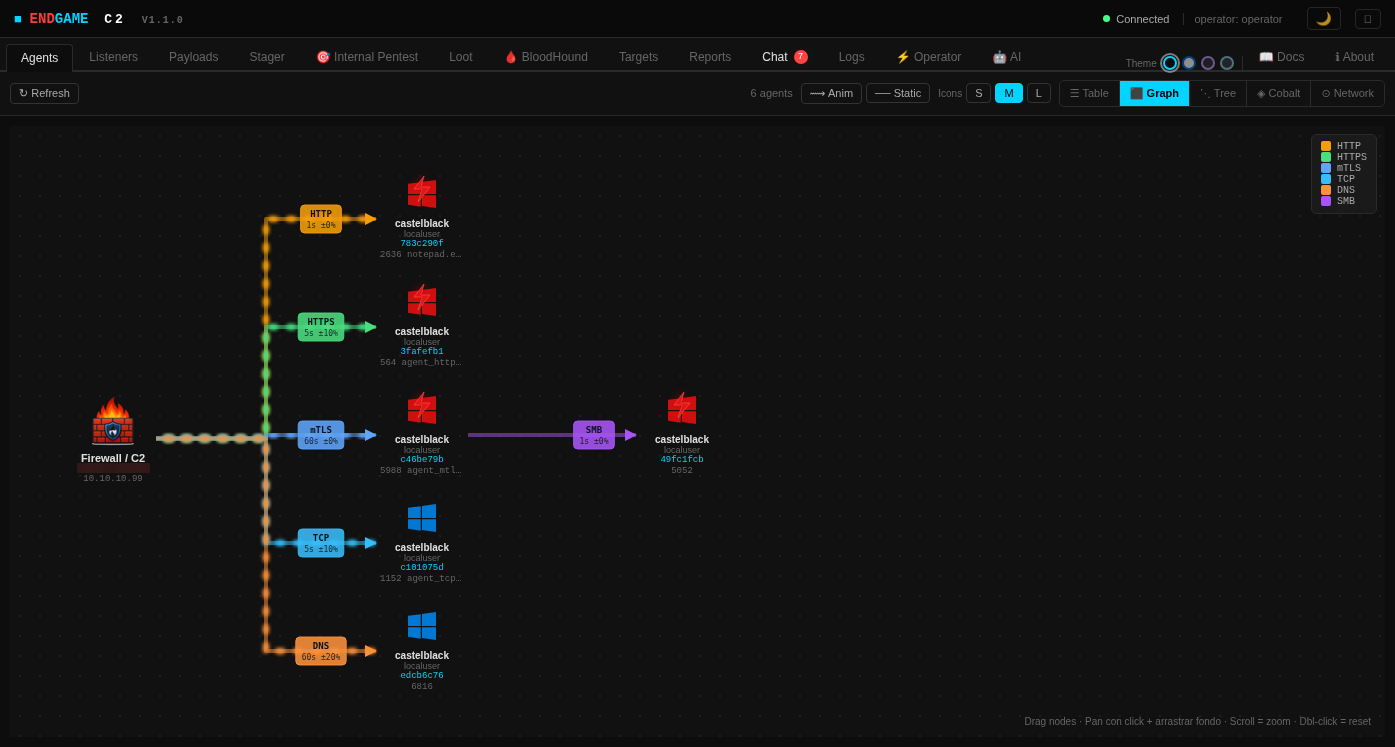
ENDGAME is a professional command and control framework built for authorized red team engagements, penetration testing, and educational security research. Designed to simulate realistic adversary techniques, assess detection coverage, and help security teams understand their defensive gaps — with a built-in AI Console that turns natural language into executed commands and automatically analyzes every result.
Made with AI, thought and directed by a human.
🌐 endgamec2framework.com · 📄 Documentation · 🔴 Professional Edition
git clone https://github.com/endgamec2framework/endgame
cd endgame
./install.sh
Re-run ./install.sh to update — it will pull the latest code and rebuild while preserving certificates and operator profiles.
Full setup guide: Documentation → Installation
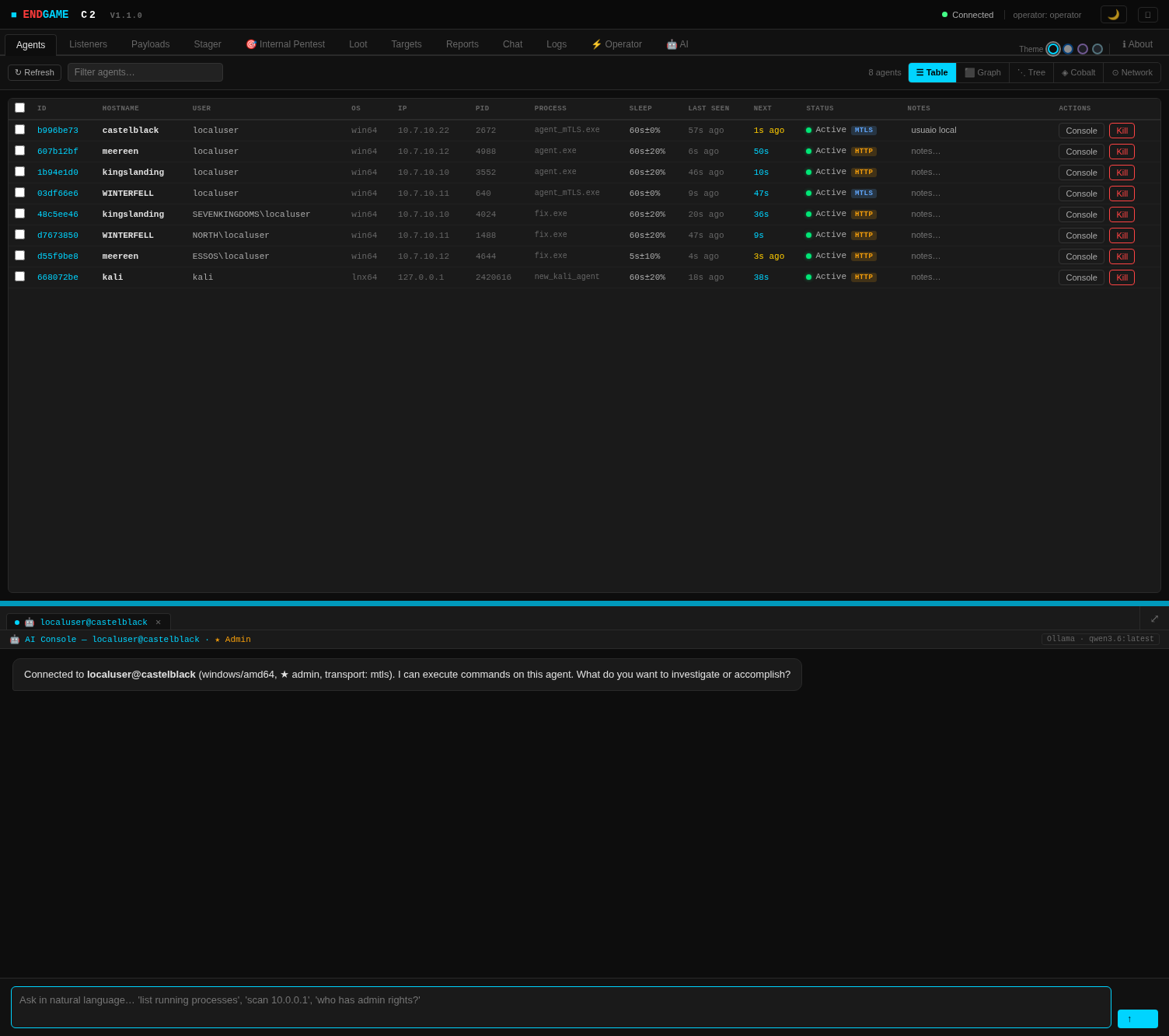
ENDGAME's AI Console is a first-class feature that brings an AI co-pilot directly into the operator workflow. It's not a chatbot tacked on the side — it lives in the same panel as your agent terminals, knows the full C2 command set, and has real-time context about the target: hostname, OS, user, privileges, and transport.
🤖 tab opens in the bottom console pane — side by side with your regular terminal tabs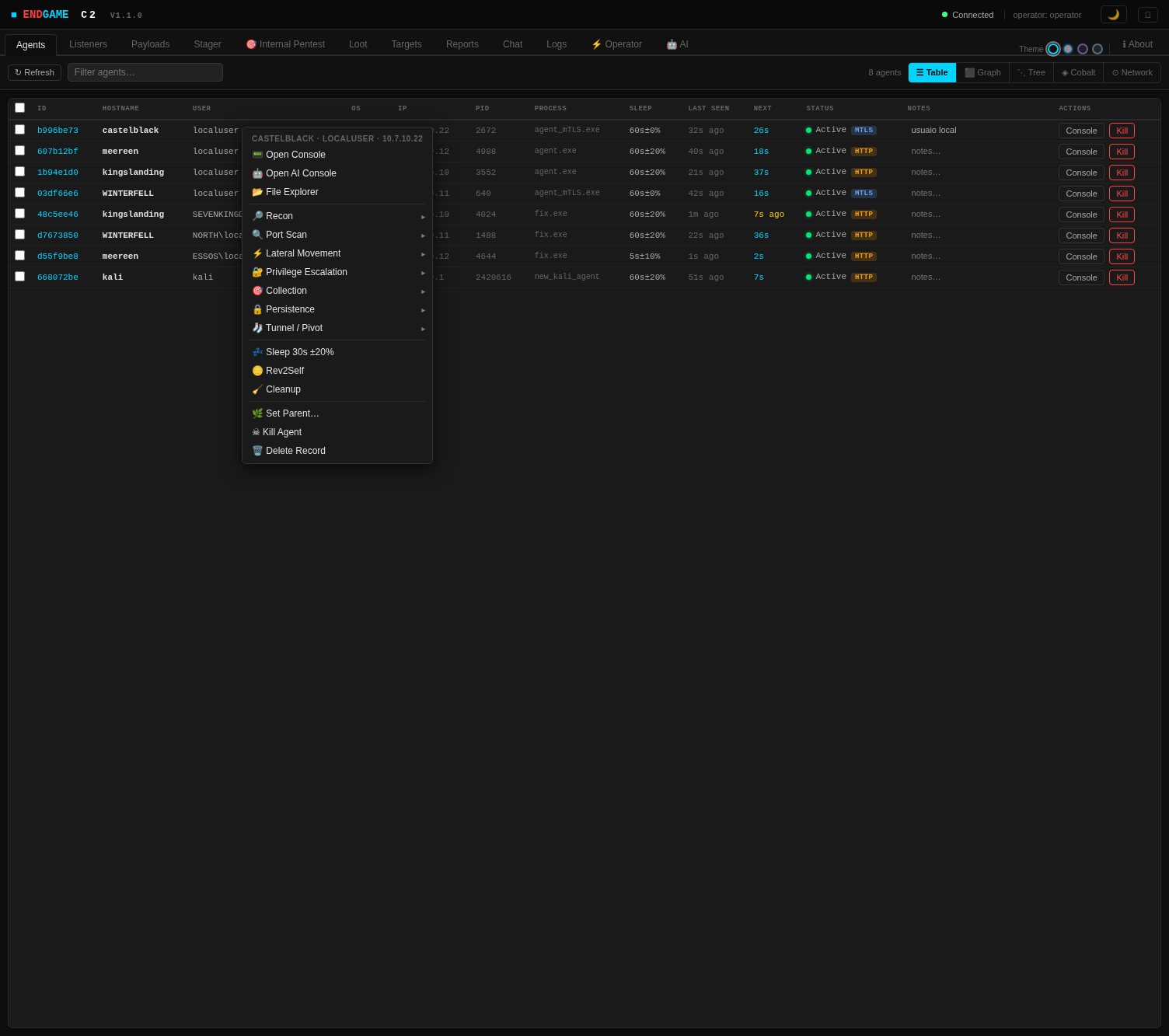
| Capability | Detail |
|---|---|
| Integrated into console pane | Opens as a tab — no floating modal, no context switch |
| Full C2 command awareness | System prompt includes every available command, the agent's OS/arch/privileges, transport, and current task queue |
| Streaming responses | Tokens stream in real time as the model generates them |
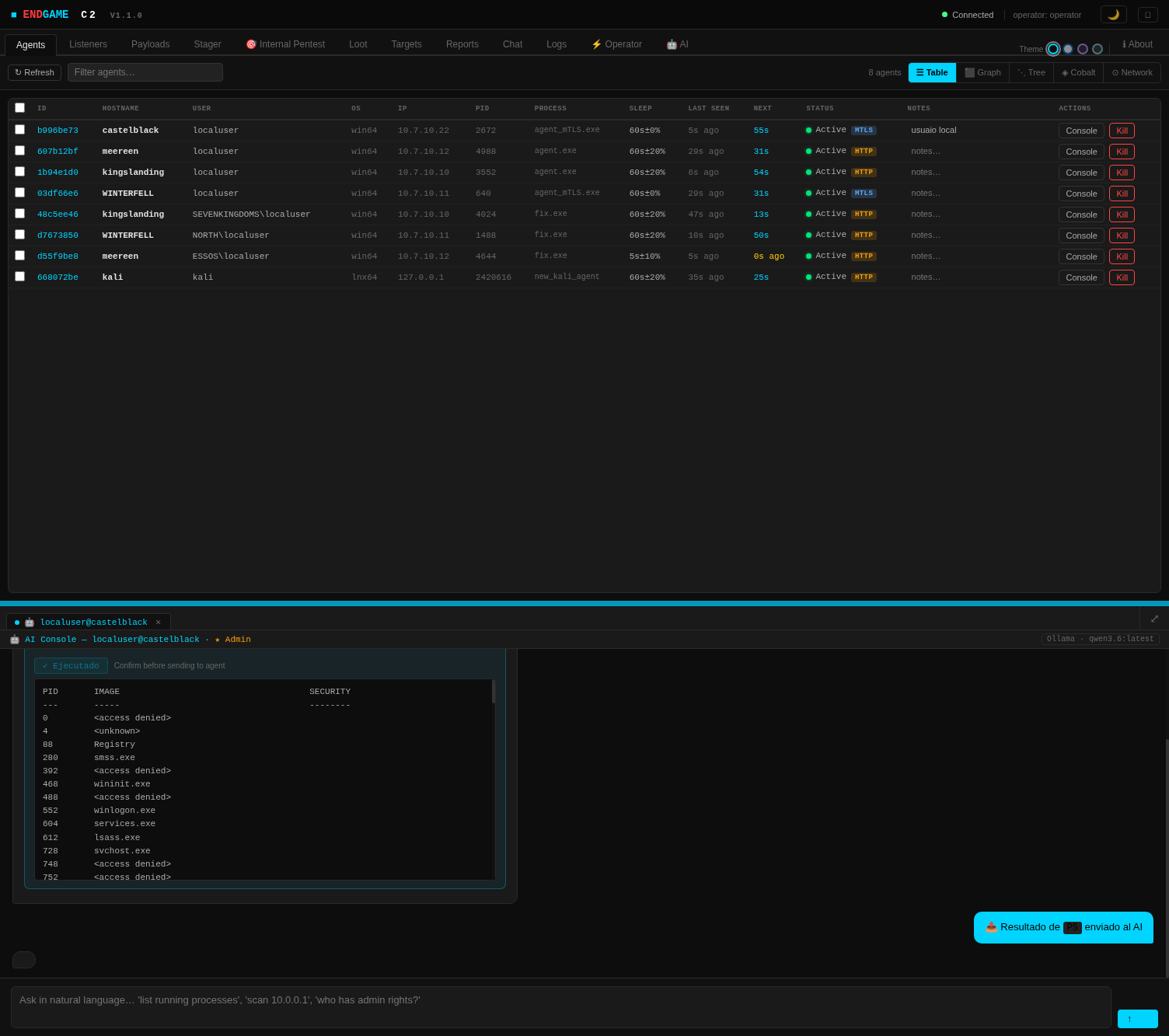
| Auto-analysis loop | After every command execution the output is automatically sent back to the AI for interpretation and next-step recommendation |
| Multi-session | Open AI Console for multiple agents simultaneously — each tab maintains independent chat history |
| Provider agnostic | Works with Ollama (local, offline) or Anthropic Claude API — whichever is configured in the AI tab |
| Confirm before execute | Every suggested command requires an explicit click — the AI never sends tasks autonomously |
Any model available in your Ollama instance works. Recommended for red team context:
qwen3.6:latest — default · fast · good instruction followingqwen3.6:35b-a3b-coding-mxfp8 — larger · stronger code/command reasoningdeepseek-r1:8b / deepseek-r1:32b — reasoning models · good at multi-step attack chainsENDGAME locates the Ollama server via the OLLAMA_HOST environment variable (default http://localhost:11434). When Ollama runs on a separate host — e.g. a Kali box with a GPU — tunnel its port to your operator machine over SSH and point OLLAMA_HOST at the local forward:
# 1. Forward the remote Ollama port (11434) to a local port (11435)
#    -N: no remote shell · -L: local forward so 127.0.0.1:11435 on your machine reaches Ollama
ssh -NL 11435:localhost:11434 [email protected]

# 2. Point the Ollama CLI and ENDGAME's AI Console at the forwarded port
export OLLAMA_HOST=http://127.0.0.1:11435

# 3. Verify the tunnel and the installed models
ollama list
-L 11435:localhost:11434 opens a local forward: connections to 127.0.0.1:11435 on your machine are relayed to localhost:11434 on the SSH target. This is what makes ollama list work from your operator host. Use -R instead only for the reverse case — when the remote host must reach your local Ollama.OLLAMA_HOST is read by both the Ollama CLI and ENDGAME's AI Console, so the same export works for ollama pull/ollama list and for the in-UI AI tab.11435) is arbitrary — pick any free port and keep it identical in the SSH forward and in OLLAMA_HOST.ssh session open for the duration of the engagement; closing it drops the forward.