<p align="center">
<img src="https://raw.githubusercontent.com/edoardottt/images/main/scilla/logo.png"><br>
<b>🏴☠️ 信息收集工具 🏴☠️ - DNS / 子域名 / 端口 / 目录枚举</b><br>
<br>
<!-- workflows -->
<a href="https://github.com/edoardottt/scilla/actions">
<img src="https://github.com/edoardottt/scilla/actions/workflows/go.yml/badge.svg" alt="workflows" />
</a>
<br>
<sub>
由 edoardottt 用 💙 编写
</sub>
<br>
<!--Tweet button-->
<a href="https://twitter.com/intent/tweet?url=https%3A%2F%2Fgithub.com%2Fedoardottt%2Fscilla%20&text=Information%20Gathering%20tool%21&hashtags=pentesting%2Clinux%2Cgolang%2Cnetwork" target="_blank">分享到 Twitter!
</a>
</p>
<p align="center">
<a href="#installation-">安装</a> •
<a href="#get-started-">快速开始</a> •
<a href="#examples-">示例</a> •
<a href="#changelog-">更新日志</a> •
<a href="#contributing-">贡献</a> •
<a href="#license-">许可证</a>
</p>
<!--[](https://asciinema.org/a/406707)-->
<p align="center">
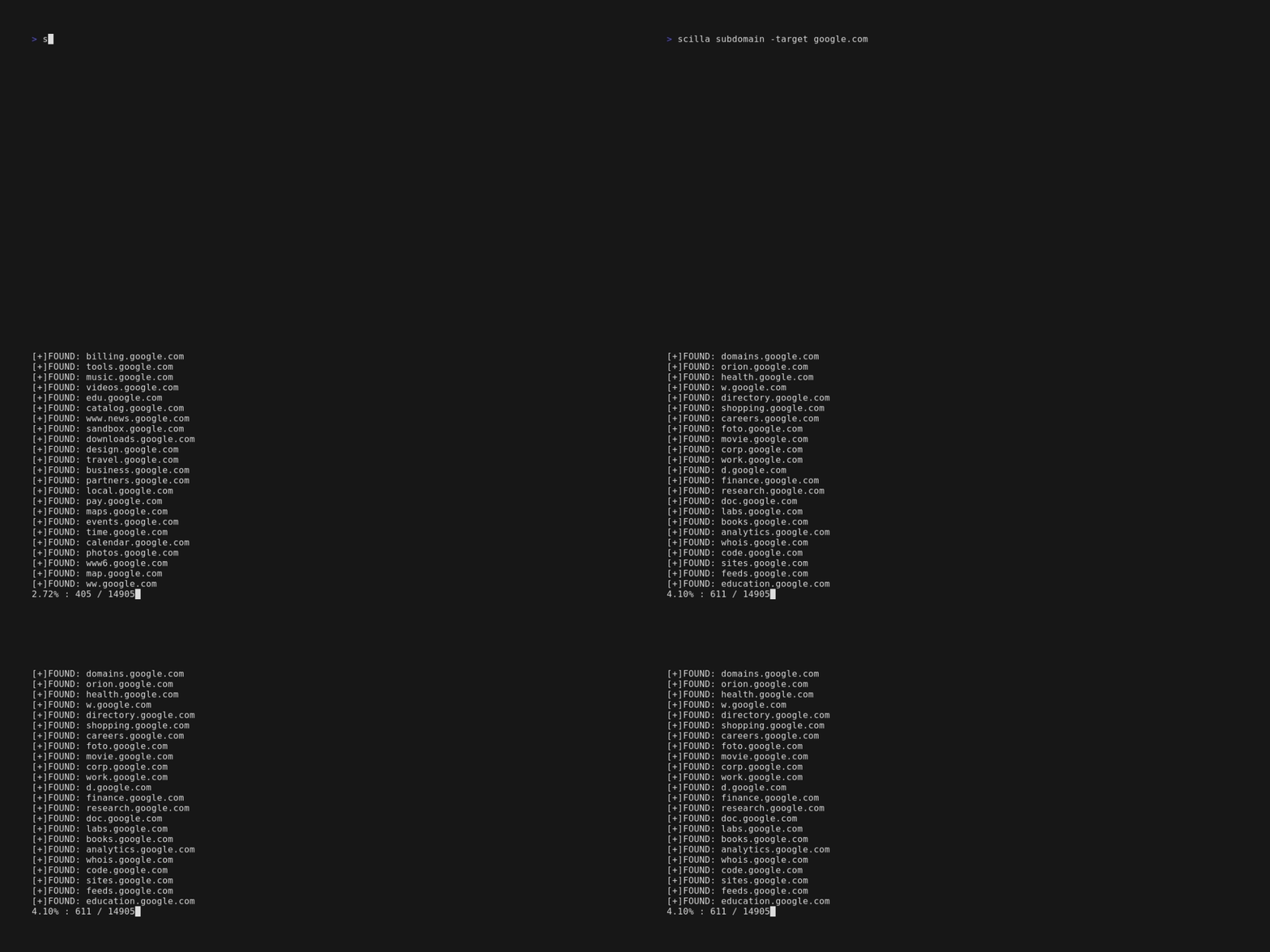
<img src="https://raw.githubusercontent.com/edoardottt/images/main/scilla/scilla.gif">
</p>
安装 📡
----------
### Homebrew
```console
brew install scilla
```
### Snap
```console
sudo snap install scilla
```
### Golang
```console
go install -v github.com/edoardottt/scilla/cmd/scilla@latest
```
### 从源码构建
你需要 [Go](https://go.dev/)(>=1.23)
<details>
<summary>在 Linux 和 Windows 上从源码构建</summary>
#### Linux
```console
git clone https://github.com/edoardottt/scilla.git
cd scilla
go get ./...
make linux # (to install)
make unlinux # (to uninstall)
```
如果你想使用 API 密钥,请编辑 `~/.config/scilla/keys.yaml` 文件。
一行命令:`git clone https://github.com/edoardottt/scilla.git && cd scilla && go get ./... && make linux`
#### Windows
请注意,该可执行文件仅在 cariddi 文件夹中才能正常工作([别名?](https://github.com/edoardottt/scilla/issues/10))。
```console
git clone https://github.com/edoardottt/scilla.git
cd scilla
.\make.bat windows # (to install)
.\make.bat unwindows # (to uninstall)
```
如果你想使用 API 密钥,请创建一个 `keys.yaml` 文件。
</details>
### 使用 Docker
```shell
docker build -t scilla .
docker run scilla help
```
示例 💡
----------
- DNS 枚举:
- `scilla dns -target example.com`
- `scilla dns -oj output -target example.com`
- `scilla dns -oh output -target example.com`
- `scilla dns -ot output -target example.com`
- `scilla dns -plain -target example.com`
- 子域名枚举:
- `scilla subdomain -target example.com`
- `scilla subdomain -w wordlist.txt -target example.com`
- `scilla subdomain -oj output -target example.com`
- `scilla subdomain -oh output -target example.com`
- `scilla subdomain -ot output -target example.com`
- `scilla subdomain -i 400 -target example.com`
- `scilla subdomain -i 4** -target example.com`
- `scilla subdomain -c -target example.com`
- `scilla subdomain -db -target example.com`
- `scilla subdomain -plain -target example.com`
- `scilla subdomain -db -no-check -target example.com`
- `scilla subdomain -db -vt -target example.com`
- `scilla subdomain -db -bw -target example.com`
- `scilla subdomain -ua "CustomUA" -target example.com`
- `scilla subdomain -rua -target example.com`
- `scilla subdomain -dns 8.8.8.8 -target example.com`
- `scilla subdomain -alive -target example.com`
- 目录枚举:
- `scilla dir -target example.com`
- `scilla dir -w wordlist.txt -target example.com`
- `scilla dir -oj output -target example.com`
- `scilla dir -oh output -target example.com`
- `scilla dir -ot output -target example.com`
- `scilla dir -i 500,401 -target example.com`
- `scilla dir -i 5**,401 -target example.com`
- `scilla dir -c -target example.com`
- `scilla dir -plain -target example.com`
- `scilla dir -nr -target example.com`
- `scilla dir -ua "CustomUA" -target example.com`
- `scilla dir -rua -target example.com`
- 端口枚举:
- 默认(所有端口,即 1-65635)`scilla port -target example.com`
- 指定端口范围 `scilla port -p 20-90 -target example.com`
- 指定起始端口(直到最后一个端口)`scilla port -p 20- -target example.com`
- 指定结束端口(从第一个端口开始)`scilla port -p -90 -target example.com`
- 指定多个端口 `scilla port -p 21,25,80 -target example.com`
- 指定常用端口 `scilla port -common -target example.com`
- 指定单个端口 `scilla port -p 80 -target example.com`
- 指定输出格式(json)`scilla port -oj output -target example.com`
- 指定输出格式(html)`scilla port -oh output -target example.com`
- 指定输出格式(txt)`scilla port -ot output -target example.com`
- 仅打印结果 `scilla port -plain -target example.com`
- 完整报告:
- 默认(所有端口,即 1-65635)`scilla report -target example.com`
- 指定端口范围 `scilla report -p 20-90 -target example.com`
- 指定起始端口(直到最后一个端口)`scilla report -p 20- -target example.com`
- 指定结束端口(从第一个端口开始)`scilla report -p -90 -target example.com`
- 指定单个端口 `scilla report -p 80 -target example.com`
- 指定多个端口 `scilla report -p 21,25,80 -target example.com`
- 指定输出格式(json)`scilla report -oj output -target example.com`
- 指定输出格式(html)`scilla report -oh output -target example.com`
- 指定输出格式(txt)`scilla report -ot output -target example.com`
- 指定目录字典文件 `scilla report -wd dirs.txt -target example.com`
- 指定子域名字典文件 `scilla report -ws subdomains.txt -target example.com`
- 指定在目录扫描中忽略的状态码 `scilla report -id 500,501,502 -target example.com`
- 指定在子域名扫描中忽略的状态码 `scilla report -is 500,501,502 -target example.com`
- 指定在目录扫描中忽略的状态码类别 `scilla report -id 5**,4** -target example.com`
- 指定在子域名扫描中忽略的状态码类别 `scilla report -is 5**,4** -target example.com`
- 同时使用 Web 爬虫进行目录枚举 `scilla report -cd -target example.com`
- 同时使用 Web 爬虫进行子域名枚举 `scilla report -cs -target example.com`
- 同时使用公共数据库进行子域名枚举 `scilla report -db -target example.com`
- 指定常用端口 `scilla report -common -target example.com`
- 不跟随重定向 `scilla report -nr -target example.com`
- 使用 VirusTotal 作为子域名来源 `scilla report -db -vt -target example.com`
- 设置 User Agent `scilla report -ua "CustomUA" -target example.com`
- 为每个请求生成随机 User Agent `scilla report -rua -target example.com`
- 设置用于解析子域名的 DNS IP `scilla report -dns 8.8.8.8 -target example.com`
- 同时检查子域名是否存活 `scilla report -alive -target example.com`
开始使用 🎉
----------
`scilla help` 在命令行中打印帮助信息。
```
usage: scilla subcommand { options }
Available subcommands:
- dns [-oj JSON output file]
[-oh HTML output file]
[-ot TXT output file]
[-plain Print only results]
-target <target (URL/IP)> REQUIRED
- port [-p <start-end> or ports divided by comma]
[-oj JSON output file]
[-oh HTML output file]
[-ot TXT output file]
[-common scan common ports]
[-plain Print only results]
-target <target (URL/IP)> REQUIRED
- subdomain [-w wordlist]
[-oj JSON output file]
[-oh HTML output file]
[-ot TXT output file]
[-i ignore status codes]
[-c use also a web crawler]
[-db use also a public database]
[-plain Print only results]
[-db -no-check Don't check status codes for subdomains]
[-db -vt Use VirusTotal as subdomains source]
[-db -bw Use BuiltWith as subdomains source]
[-ua Set the User Agent]
[-rua Generate a random user agent for each request]
[-dns Set DNS IP to resolve the subdomains]
[-alive Check also if the subdomains are alive]
-target <target (URL)> REQUIRED
- dir [-w wordlist]
[-oj JSON output file]
[-oh HTML output file]
[-ot TXT output file]
[-i ignore status codes]
[-c use also a web crawler]
[-plain Print only results]
[-nr No follow redirects]
[-ua Set the User Agent]
[-rua Generate a random user agent for each request]
-target <target (URL/IP)> REQUIRED
- report [-p <start-end> or ports divided by comma]
[-ws subdomains wordlist]
[-wd directories wordlist]
[-oj JSON output file]
[-oh HTML output file]
[-ot TXT output file]
[-id ignore status codes in directories scanning]
[-is ignore status codes in subdomains scanning]
[-cd use also a web crawler for directories scanning]
[-cs use also a web crawler for subdomains scanning]
[-db use also a public database for subdomains scanning]
[-common scan common ports]
[-nr No follow redirects]
[-db -vt Use VirusTotal as subdomains source]
[-ua Set the User Agent]
[-rua Generate a random user agent for each request]
[-dns Set DNS IP to resolve the subdomains]
[-alive Check also if the subdomains are alive]
-target <target (URL)> REQUIRED
- help
- examples
```
更新日志 📌
-------
每个版本的详细变更记录在[发布说明](https://github.com/edoardottt/scilla/releases)中。
贡献 🛠
-------
只需提交一个[issue](https://github.com/edoardottt/scilla/issues) / [pull request](https://github.com/edoardottt/scilla/pulls)。
在提交 pull request 之前,请下载 [golangci-lint](https://golangci-lint.run/usage/install/) 并运行
```bash
golangci-lint run
```
如果没有错误,就继续吧 :)
新闻 📰
-------
- [Kali Linux 教程](https://kalilinuxtutorials.com/scilla/)
- [GeeksForGeeks.org](https://www.geeksforgeeks.org/scilla-information-gathering-dns-subdomain-port-enumeration/)
- [Brisk Infosec](https://www.briskinfosec.com/tooloftheday/toolofthedaydetail/Scilla)
- [Kalitut](https://kalitut.com/scilla-nformation-gathering-tool/)
许可证 📝
-------
此仓库采用 [GNU General Public License v3.0](https://github.com/edoardottt/scilla/blob/main/LICENSE)。
联系我请访问 [edoardottt.com](https://edoardottt.com/)。