$docker-compose up
访问 http://[web-server ip]:port/typo3,忽略以下提示信息:
 Directory / is not writable
Path /var/www/html/typo3 exists, but no file underneath it can be created.
进入容器中部署的 typo3 站点,继续进行安装。 MySQL 数据库主机名为 db。
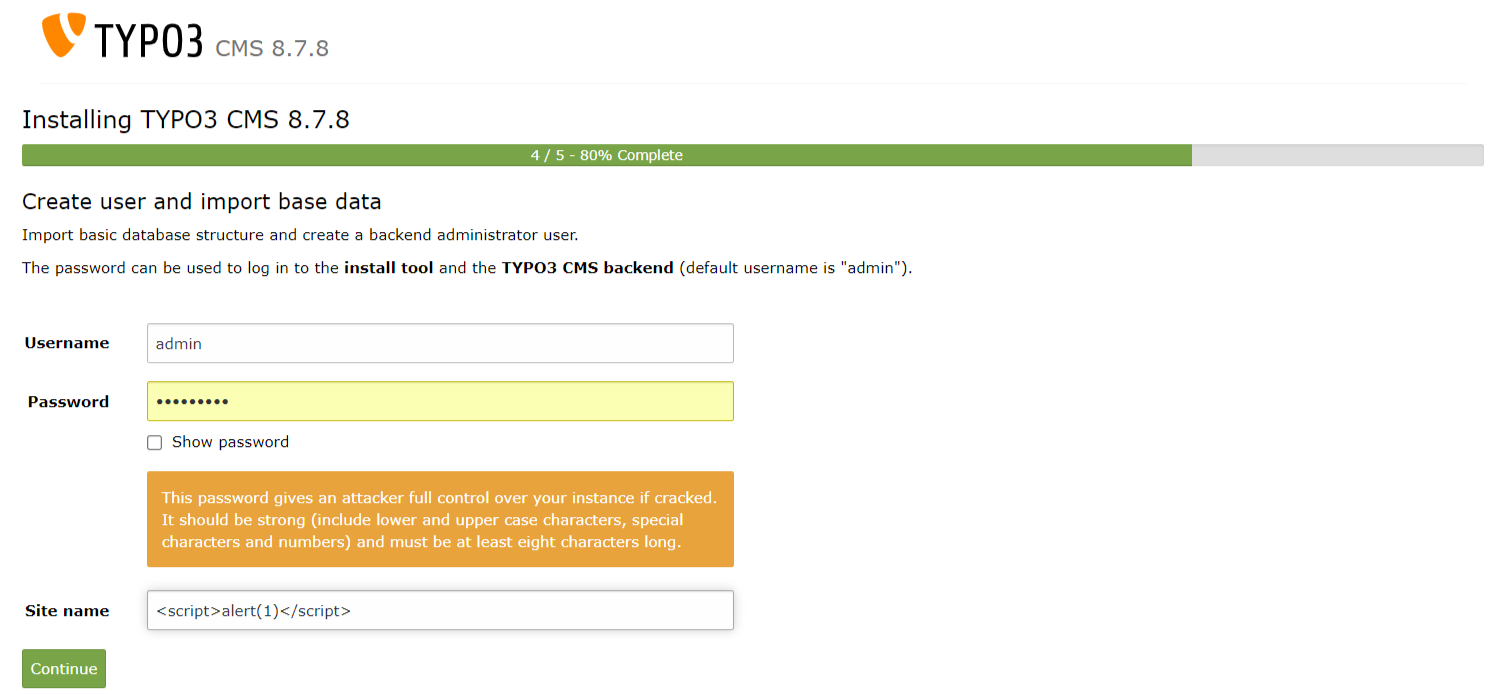
在安装过程中第4/5步时,在站点名称(site name)字段输入 XSS payload。
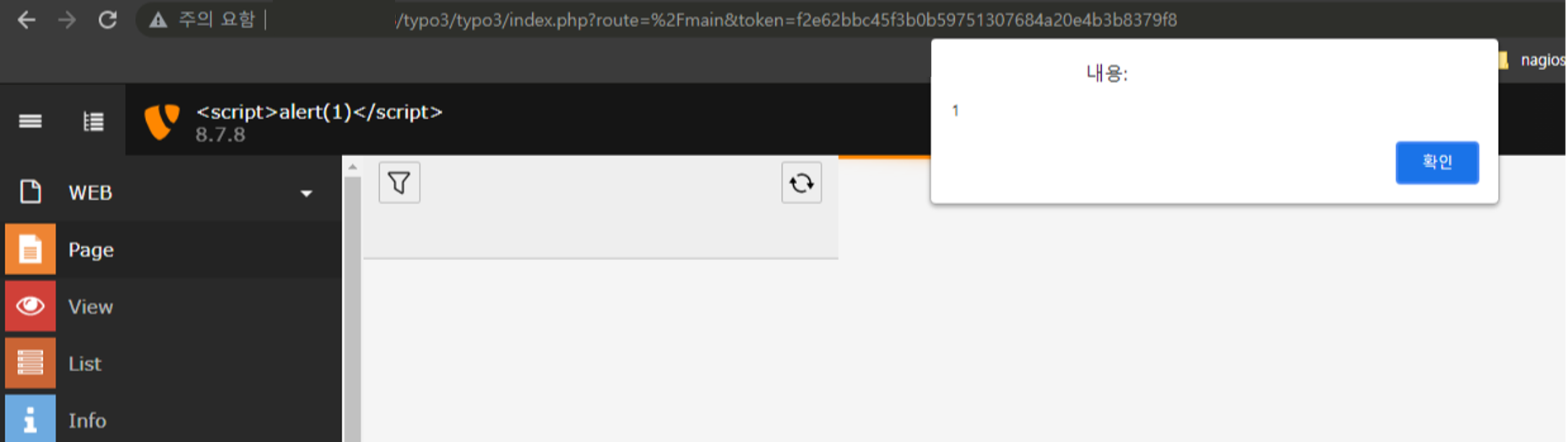
安装完成后登录,可以看到 XSS 被执行,如下图所示:
debconf: unable to initialize frontend: Readline
debconf: (This frontend requires a controlling tty.)
debconf: falling back to frontend: Teletype
RUN apt-get install -y debconf-utils
RUN echo 'debconf debconf/frontend select Noninteractive' | debconf-set-selections
RUN apt-get install -y -q [package]
由于 Apache2 服务器以 www-data 用户运行,因此使用 www-data 用户创建了 typo3 文件夹。
MySQL 镜像设置为 5.8 版本。
System Requirements
For more information as well as installation instructions see the Installation guide.
Operating System	Linux, Windows or Mac, or common cloud infrastructure setups
Webserver	Apache httpd, Nginx, Microsoft IIS, Caddy Server
Supported Browsers	Chrome (latest)
Edge (latest)
Firefox (latest)
Internet Explorer >= 11
Safari (latest)
Database	MariaDB >= 10.0 <= 10.3
Microsoft SQL Server
MySQL >= 5.0 <= 5.7
PostgreSQL
SQLite
Hardware	RAM >= 256 MB
PHP	PHP >= 7.2 <= 7.4
在 MySQL 容器中设置了 command 选项。
Invalid Charset
Your database uses character set "latin1", but only "utf8" is supported with TYPO3. You probably want to change this before proceeding.