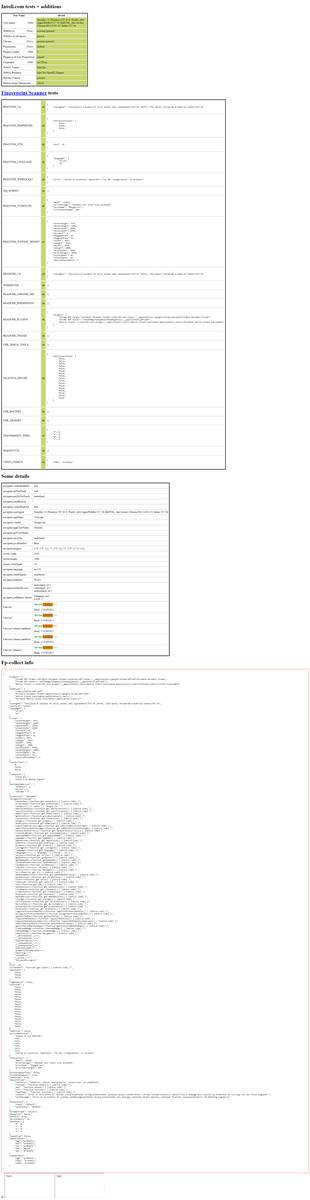
一个用于防止检测的 Python 包 selenium-stealth。该项目旨在让 Python selenium 更具隐蔽性。
目前 selenium-stealth 仅支持 Selenium Chrome/Chromium。
使用 selenium-stealth 后,你几乎可以防止所有 selenium 检测。在 stackoverflow 上有很多关于如何防止 selenium 检测的指南,但我找不到一个独立的 Python 包,所以我决定自己创建一个,毕竟我们不能让猫赢。
它可以被视为 JavaScript puppeteer-extra-plugin-stealth 的重新实现,由 @berstend 开发。
目前 selenium-stealth 可以提供的功能:
✅️ selenium-stealth 在 stealth 模式下可通过所有公开的机器人测试。
✅️ 借助 selenium-stealth,selenium 可以完成 Google 账户登录。
✅️ selenium-stealth 有助于维持正常的 reCAPTCHA v3 评分。
如果你觉得这个包有用,并希望支持它的持续开发,你可以在这里捐赠。感谢你的支持。


Selenium-stealth 已在 PyPI 上发布,你可以使用 pip 安装。
$ pip install selenium-stealth
from selenium import webdriver
from selenium_stealth import stealth
import time

options = webdriver.ChromeOptions()
options.add_argument("start-maximized")

# options.add_argument("--headless")

options.add_experimental_option("excludeSwitches", ["enable-automation"])
options.add_experimental_option('useAutomationExtension', False)
driver = webdriver.Chrome(options=options, executable_path=r"C:\Users\DIPRAJ\Programming\adclick_bot\chromedriver.exe")

stealth(driver,
        languages=["en-US", "en"],
        vendor="Google Inc.",
        platform="Win32",
        webgl_vendor="Intel Inc.",
        renderer="Intel Iris OpenGL Engine",
        fix_hairline=True,
        )

url = "https://bot.sannysoft.com/"
driver.get(url)
time.sleep(5)
driver.quit()
stealth(
    driver: Driver,
    user_agent: str = 'Mozilla/5.0 (Windows NT 10.0; Win64; x64) AppleWebKit/537.36 (KHTML, like Gecko) Chrome/83.0.4103.53 Safari/537.36',
    languages: [str] = ["en-US", "en"],
    vendor: str = "Google Inc.",
    platform: str = "Win32",
    webgl_vendor: str = "Intel Inc.",
    renderer: str = "Intel Iris OpenGL Engine",
    fix_hairline: bool = False,
    run_on_insecure_origins: bool = False,
)
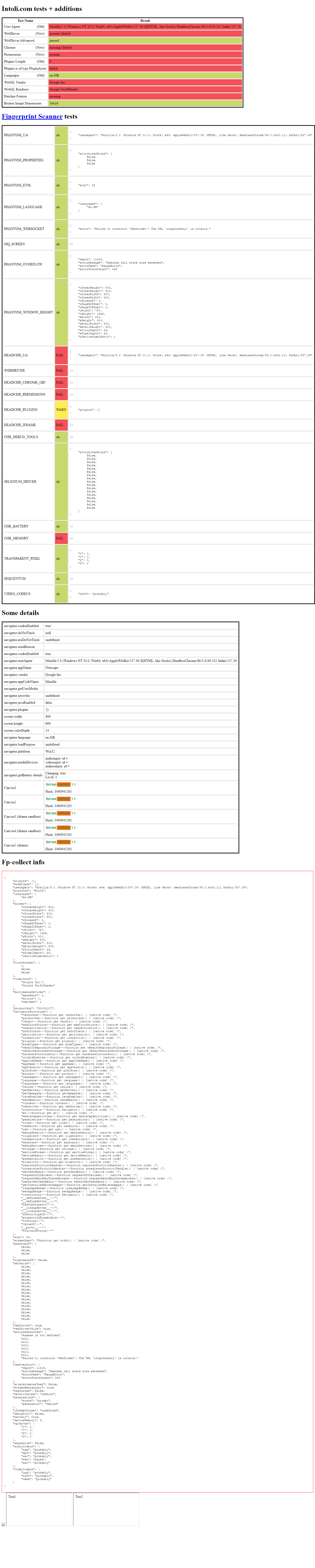 headless headless |
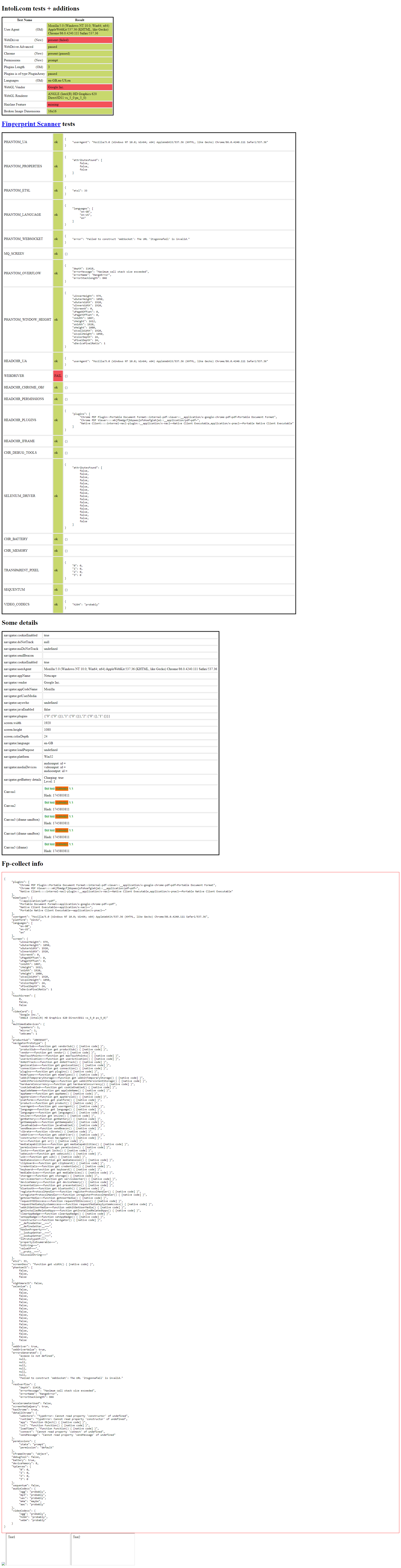 headful headful |
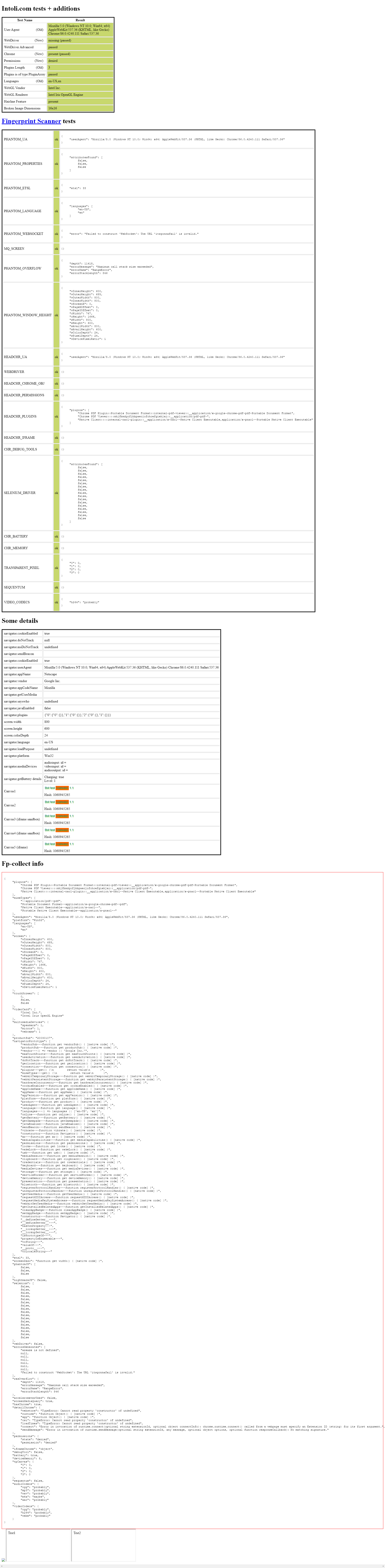 headless headless |
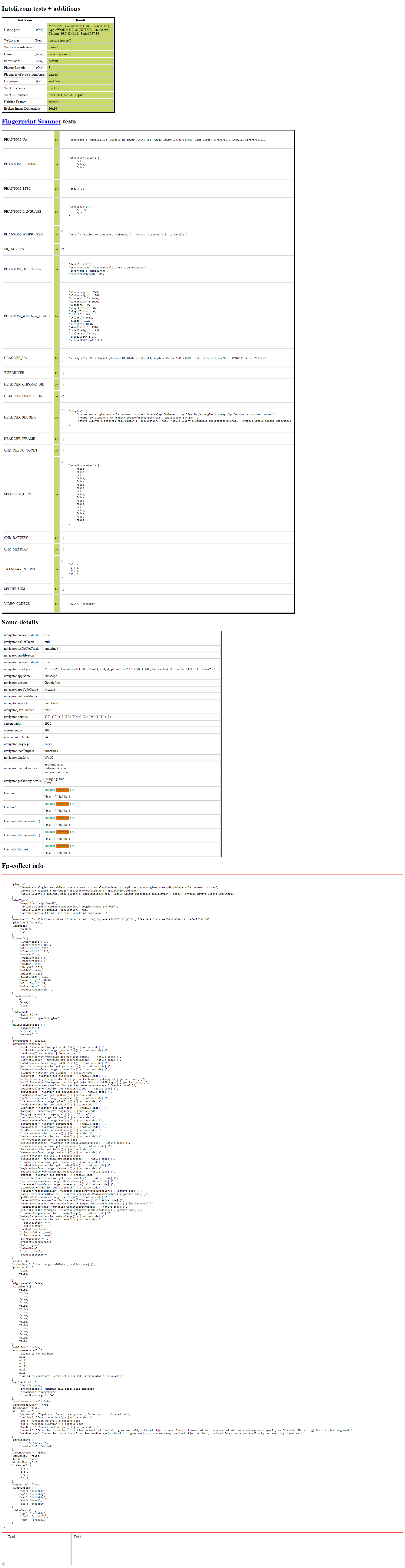 headful headful |
版权所有 © 2020,diprajpatra。根据 MIT 许可证发布。