C2Bridge 使开发人员能够创建新的自定义通信协议,并在 Covenant 中快速使用它们。
C2Bridge 用于开发出站命令与控制协议,而无需编辑任何 Covenant 代码。对于习惯于集成新监听器的开发人员来说,新的 C2 协议应作为一等公民的新监听器类型添加,并完全集成到界面中。然而,在某些情况下,在 Covenant 之外创建 C2Bridge,并将其与 BridgeListener 连接用于概念验证或测试新协议,可能会更快。
开发人员可以使用 C2Bridge 项目作为创建新 C2Bridge 的模板。在 C2Bridge 项目中,有一个抽象 C2Bridge 类。开发人员可以继承此类,并使用所选的新 C2 协议实现所需的函数,以在植入物与 BridgeListener 之间进行读写。
using System.Threading;
using System.Threading.Tasks;

namespace C2Bridge
{
    /// <summary>
    /// IC2Bridge is an interface implemented by the C2Bridge class.
    /// </summary>
    public interface IC2Bridge
    {
        Task RunAsync(CancellationToken token);
    }

    /// <summary>
    /// C2Bridge is an abstract class that new C2Bridges should inherit from.
    /// </summary>
    public abstract class C2Bridge : IC2Bridge
    {
        // The BridgeConnector handles communication between the Covenant server and the C2Bridge
        protected BridgeConnector BridgeConnector { get; set; }
        // The BridgeProfile handles parsing and formatting data passed between the implant and Covenant
        protected BridgeProfile BridgeProfile { get; set; }

        /// <summary>
        /// The constructor for the C2Bridge. New C2Bridges should use their own constructor that accepts
        /// any command line arguments needed for the C2Bridge to function.
        /// </summary>
        /// <param name="Connector">The BridgeConnector that handles communication with the Covenant server.</param>
        /// <param name="Profile">The BridgeProfile that handles the parsing and formatting of data.</param>
        protected C2Bridge(BridgeConnector Connector, BridgeProfile Profile)
        {
            this.BridgeConnector = Connector;
            this.BridgeProfile = Profile;
            BridgeConnector.OnReadBridge += OnReadBridge;
        }

        /// <summary>
        /// The RunAsync function is the main function that should start the C2Bridge and continue to run until you
        /// are done with your operation. C2Bridge developers should implement the logic to start and run the listener
        /// within this function.
        /// </summary>
        /// <param name="Token">The CancellationToken that will cancel the C2Bridge if the source of the token is cancelled.</param>
        /// <returns></returns>
        public abstract Task RunAsync(CancellationToken Token);

        /// <summary>
        /// The OnReadBridge function is called each time data is read from the Covenant server meant for an implant.
        /// C2Bridge developers should implement the logic to determine which implant this data is meant for and write
        /// this data to the implant.
        /// </summary>
        /// <param name="sender">
        /// Sender is the object that called the OnReadBridge function. C2Bridge developers can safely ignore this parameter.
        /// </param>
        /// <param name="args">Args contains the data that should be written from the Covenant server to the implant.</param>
        protected abstract void OnReadBridge(object sender, BridgeConnector.ReadBridgeArgs args);

        /// <summary>
        /// The WriteToConnector function handles writing data from an implant to the Covenant server. This logic should be the
        /// same for all C2Bridge types, but can be overloaded by the C2Bridge developer if custom logic is needed.
        ///
        /// When calling this function, the returned GUID string should be used to track implant GUID values by the C2Bridge.
        /// </summary>
        /// <param name="Data">The data read from the implant that should be written to the Covenant server.</param>
        /// <returns>
        /// Returns the GUID value parsed out of the Data. This value should be used to track implant GUID values by the C2Bridge.
        /// </returns>
        protected virtual string WriteToConnector(string Data)
        {
            var parsed = this.BridgeProfile.ParseWrite(Data);
            if (parsed != null)
            {
                _ = this.BridgeConnector.Write(this.BridgeProfile.FormatRead(parsed));
                return parsed.Guid;
            }
            return null;
        }

        /// <summary>
        /// The GetBridgeMessengerCode function should contain the code to be embedded in the implant for communication with
        /// the C2Bridge. This function is not actually used anywhere within the project, but is here so that the necessary
        /// implant code can be found along with the C2Bridge. C2Bridge developers should place the code here for use within
        /// a BridgeProfile's BridgeMessengerCode property.
        /// </summary>
        /// <returns></returns>
        protected abstract string GetBridgeMessengerCode();
    }
}
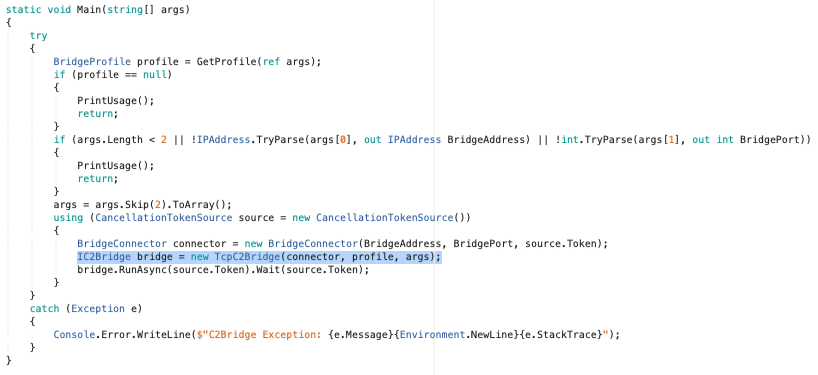
C2Bridge 项目包含一个示例 TCPC2Bridge 类,该类继承自此接口,并提供了如何实现一个的示例。
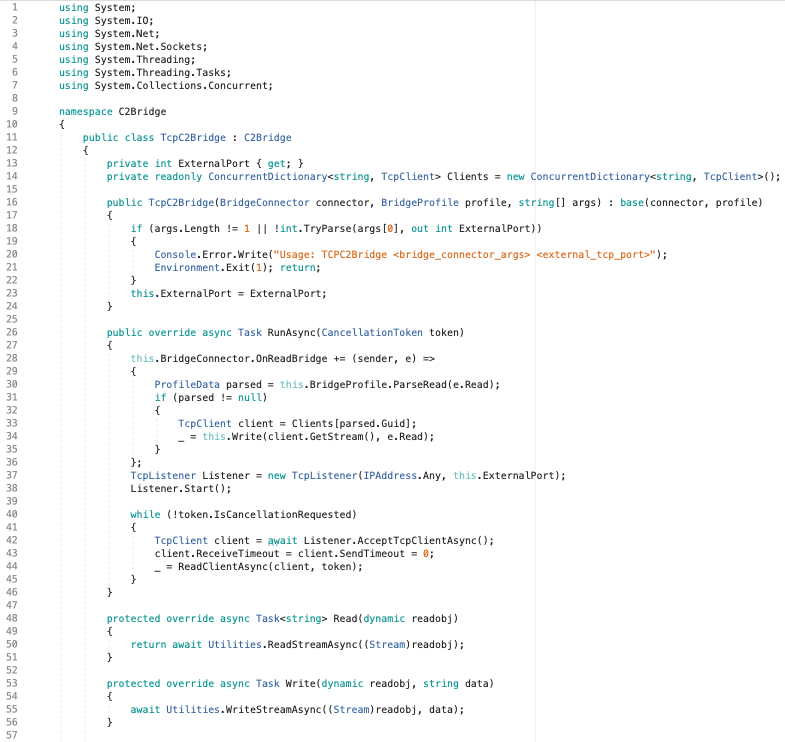
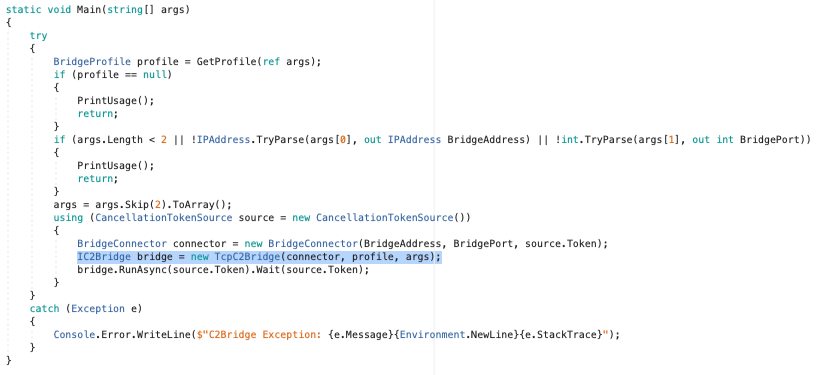
编写好新的 C2Bridge 后,可以将 Main() 函数中 TCPC2Bridge 的构造函数调用替换为新的构造函数:
抽象方法 GetBridgeMessengerCode() 实际上并未在 C2Bridge 项目中的任何地方使用,但它用于将 C2Bridge 与植入物关联起来。植入物需要能够对出站 C2Bridge 进行读写的代码。此代码特定于给定的 C2Bridge,应放置在继承的 GetBridgeMessengerCode() 方法中。使用 C2Bridge 的 Covenant 用户将从该方法中获取 BridgeMessengerCode,并在 BridgeProfile 中使用它。
使用 C2Bridge 的 Covenant 用户需要配置一个特定于该 C2Bridge 的 BridgeProfile。Grunt 植入物需要知道如何对出站 C2Bridge 进行读写。BridgeProfile.BridgeMessengerCode 属性表示将放置在植入物中并负责对出站 C2Bridge 进行读写的代码。此代码应位于 C2Bridge 的 GetBridgeMessengerCode() 方法中。
用户可以创建全新的 BridgeProfile,或使用正确的 BridgeMessengerCode 编辑 DefaultBridgeProfile。为此,您需要导航到监听器导航页面,并选择"Profiles"选项卡:
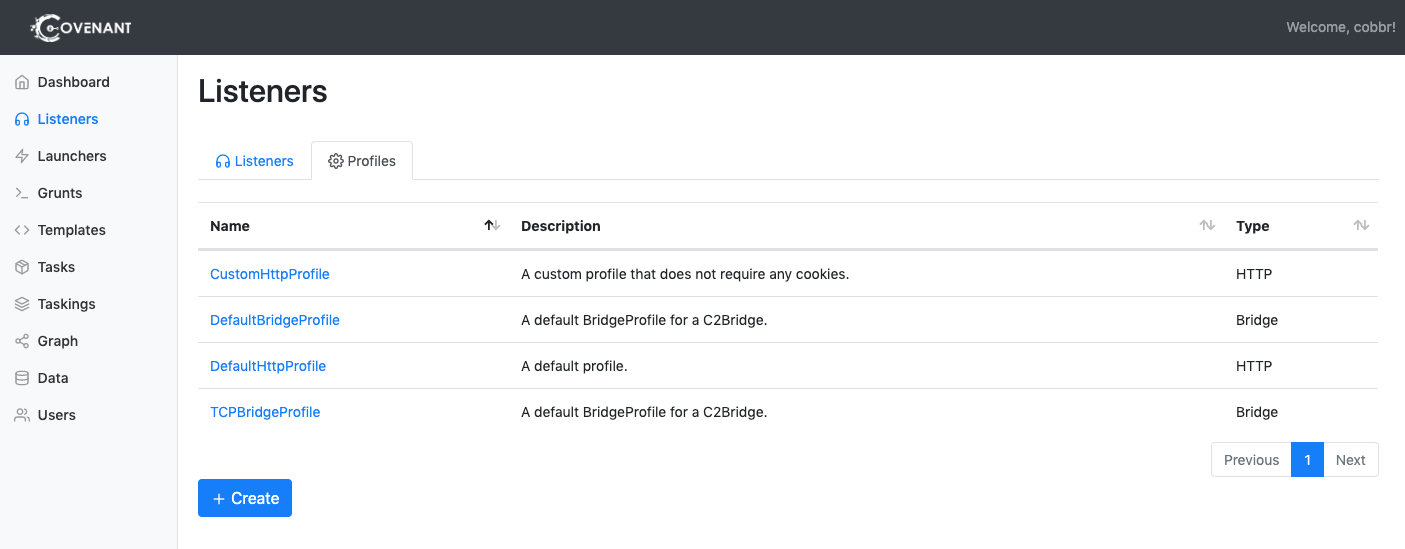
要创建新的配置文件,请点击"Create"按钮。要编辑特定配置文件,请点击配置文件的名称。请注意,您无法编辑与活动监听器关联的配置文件。
点击"Create"后,选择"BridgeProfile"选项卡:
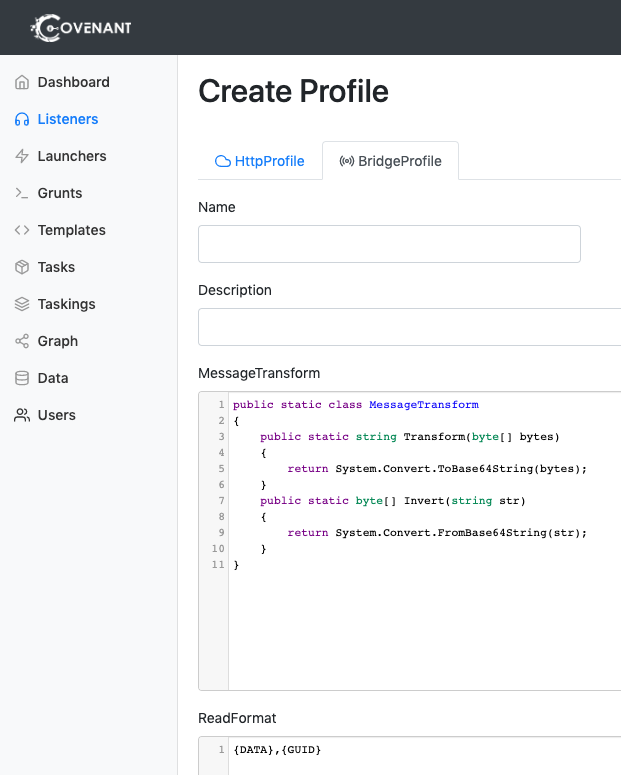
编辑或创建配置文件时,需要配置以下选项:
Name。请选择一个容易识别的名称!Description。这应该是配置文件的详尽描述,操作员可以阅读并轻松理解配置文件的工作原理,以及适合使用该配置文件的用例。MessageTransform 是一种独特的方式,用于指定在将通信数据放入 ReadFormat 和 WriteFormat 中指定的格式之前,如何对其进行转换。MessageTransform 应该是一个名为 MessageTransform 的静态 C# 类,包含一个公共的 Transform 函数和一个公共的 Invert 函数。该类可以以您希望的任何方式转换数据,只要 Transform 和 Invert 函数互为镜像(即 data == MessageTransform.Invert(MessageTransform.Transform(data)))。MessageTransform 类必须跨平台兼容,并能在 Net40、Net35 和 NetCore21 下编译。ReadFormat 是 Grunt 从 C2Bridge 读取数据时消息的格式。该格式必须包含数据和 Grunt GUID 的放置位置。包含字符串 "{DATA}" 以指示数据应放置的位置,包含字符串 "{GUID}" 以指示 GUID 应放置的位置。WriteFormat 是 Grunt 向 C2Bridge 写入数据时消息的格式。该格式必须包含数据和 Grunt GUID 的放置位置。包含字符串 "{DATA}" 以指示数据应放置的位置,包含字符串 "{GUID}" 以指示 GUID 应放置的位置。BridgeMessengerCode 是将放置在植入物中并负责对出站 C2Bridge 进行读写的代码。此代码应位于 C2Bridge 的 GetBridgeMessengerCode() 方法中。在配置这些选项时,Covenant 用户可以完全自由地以任何方式配置这些值,但 BridgeMessengerCode 属性除外。BridgeMessengerCode 属性必须取自 C2Bridge。
如果 Covenant 用户确实修改了 ReadFormat 和/或 WriteFormat 属性,则在启动 C2Bridge 时必须告知 C2Bridge 此更改。C2Bridge 项目接受 --profile <profile.yaml> 参数,该参数接受一个配置文件 YAML 文件,当这些属性被自定义时,可以选择使用该参数。
开发和利用 C2Bridge 的完整流程如下: