CloudGraph 是一个免费的开源通用 GraphQL API 和云安全态势管理(CSPM)工具,支持 AWS、Azure、GCP 和 K8s。通过 CloudGraph,您可以获得:
Cloud Graph 让您在 5 分钟内 了解您的云。由 ❤️ AutoCloud 团队精心构建和维护 ❤️
🌐 网站
💻 文档








** 使用不代表认可
AWS、Azure 和 GCP 在构建解决方案方面做得非常出色,这些方案让我们这样的工程师能够创建系统来驱动日益互联的世界。在过去的 15 年中,EC2、S3、RDS 和 Lambda 等产品从根本上改变了我们对计算、存储和数据库的思考方式。
随着过去大约 5 年间 Kubernetes 和无服务器技术的普及,云服务在物理服务器机架之上变得越来越抽象。对于最终用户来说,云上的所有内容都只是一个 API,因此我们不一定需要了解 Lambda 函数或 EKS 的底层工作原理才能使用它们来构建应用程序。只要有一些文档、API 或控制台访问权限以及教程,几乎任何人都可以创建他们所需的任何东西。
这些抽象带来了 CSP 服务产品整体便利性和广度的巨大提升。曾经需要费力、耗时且易出错的新服务器、数据库或文件系统配置过程,现在只需点击按钮或部署 IAC 即可在几秒钟内完成。由于一切都是 API 抽象,当 CAP 准备推出新“产品”时,他们只需要暴露一个新的 API——是的,我当然是稍微简化了一下 :)
熟悉 CSP 的人都知道,服务 API 几乎总是被拆分为模块化的命名空间,其中包含数十甚至数百个针对单个资源的独立 API 方法。例如,AWS EC2 服务包含超过 500 种不同的 API 方法,并且不时会添加新的方法。任何在 CSP 上构建大型系统的公司都可能使用许多不同的服务。
尽管这是数据中心架构的杰作,但数百种服务和配置选项的选择将如何正确使用这些服务的知识负担完全压在了我们工程师身上。结果,我们发现自己不得不不断更新并学习所有服务产品或新变化。这花费了大量的时间和脑力。作为开发者,使用 AWS CLI 进行 5 次不同的 API 调用来描述(例如)一个 AWS ECS 集群、其服务、任务定义、任务、容器定义等,可能既困难又耗时且令人沮丧。我们经常迷失在文档中,需要使用半打 API 来回答诸如“这个 VPC 中到底运行着什么?”之类的问题。
这意味着即使对于经验丰富的云架构师来说,AWS、Azure 和 GCP 也可能很快让人感到不知所措。虽然 CSP 在构建实际驱动我们业务的服务方面非常出色,但在简化以合理方式查询这数百种服务的日常用户体验方面,进展并不多。
像 AWS 的 Cloud Control API 这样的新解决方案试图创建一个标准化的接口来查询许多不同类型的 AWS 资源。不幸的是,Cloud Control API 的使用受到严重限制,用户仍然需要知道如何正确查询他们的数据。这意味着更多时间花在阅读文档和理解服务如何工作以及如何相互关联上。
虽然 CSP API 的模块化是一个很好的逻辑组织系统,也确实有意义,但这对于最终用户来说在认知负担和学习曲线上是一个负担。不得不记住数百个不断变化的服务如何工作以及如何连接,会导致咖啡因成瘾和浪费时间去当侦探。
如果我们作为 DevOps/云工程师有一种更简单的方法来从 AWS、Azure、GCP 和其他云获取数据,那岂不是很棒?一种能够轻松查询任何账户中任何服务的任何数据,而无需花费数小时查阅文档或 Stack Overflow 的方法?
正是出于这些原因,我们构建了 CloudGraph,即万物云的 GraphQL API。CloudGraph 提取、规范化、处理并丰富您的云数据,使您能够毫不费力地跨多个提供商获得深入洞察。请查看我们的博客文章 万物云的 GraphQL API 了解更多信息。

请注意,CloudGraph 需要 只读 权限才能运行,因此 绝不可能 修改您的实际云基础设施。此外,您的云环境信息绝不会发送给或与 CloudGraph、AutoCloud 或任何第三方共享。
在底层,CloudGraph 会连接到您的云提供商,获取所有配置数据,进行处理,并将这些数据的副本存储在 Dgraph 中供您使用。然后,它在 http://localhost:8997 上暴露一个端点,允许您针对存储的数据编写 GraphQL 查询。这些查询不仅允许您执行任何您在使用 AWS SDK/CLI 等工具时能做的事情,还允许您运行更强大的查询。CloudGraph 附带了预封装的 GraphQL 查询工具,包括 GraphQL Playground 和 Altair,但您也可以随意使用自己的工具。它还包含一个名为 Voyager 的架构可视化工具,以便您理解实体之间的关系。
CloudGraph 目前支持 AWS、Azure、GCP、K8s 和腾讯云(其他几个即将推出)。CloudGraph 需要读取权限才能摄取您的数据。为了简便起见,您可以使用我们在内部运行 CloudGraph 为 AutoCloud 提供动力时使用的相同权限。以下是每个提供商的认证指南和生成凭据的详细信息(可以随意省略 AutoCloud 特定的配置):
系统要求
安装 CloudGraph CLI 有两种方式
您可以使用 homebrew 通过以下命令安装 CloudGraph:
brew install cloudgraphdev/tap/cg
使用以下命令安装并将 CloudGraph 更新到最新版本。```bash npm i -g @cloudgraph/cli
<p align="center">
  <a href="https://github.com/cloudgraphdev/cli/raw/main/docs/images/install.gif">
    <img alt="安装" src="https://raw.githubusercontent.com/cloudgraphdev/cli/main/docs/images/install.gif" width="95%" style="display: block; margin: auto"/>
  </a>
</p>

<br/>

然后你可以添加你想要的提供商(提供商仓库链接: [AWS](https://github.com/cloudgraphdev/cloudgraph-provider-aws), [Azure](https://github.com/cloudgraphdev/cloudgraph-provider-azure), [GCP](https://github.com/cloudgraphdev/cloudgraph-provider-gcp), [K8s](https://github.com/cloudgraphdev/cloudgraph-provider-k8s), [Tencent Docs](https://github.com/cloudgraphdev/cloudgraph-provider-tencent)):```bash
cg init aws
cg init azure
cg init gcp
cg init k8s
cg init tencent
你也可以一次性添加任意多个。```bash cg init aws azure gcp k8s tencent
并添加合规策略包,以通过即时安全洞察补充您的数据:```bash
cg policy add gcp-cis-1.2.0
cg policy add azure-cis-1.3.1
cg policy add aws-cis-1.2.0
cg policy add aws-cis-1.3.0
cg policy add aws-cis-1.2.0
cg policy add aws-pci-dss-3.2.1
cg policy add aws-nist-800-53-rev4
你可以在Policy Packs 仓库中找到当前支持的策略包列表
您可以通过三个简单的命令快速上手:
cg init
1. 此命令用于初始化 CloudGraph 的配置。它会询问您一系列问题,了解您正在使用的提供商以及您希望如何配置 CloudGraph。

<p align="center">
  <a href="https://github.com/cloudgraphdev/cli/raw/main/docs/images/init.gif">
    <img alt="init" src="https://raw.githubusercontent.com/cloudgraphdev/cli/main/docs/images/init.gif" width="95%" style="display: block; margin: auto"/>
  </a>
</p>

<br/>

---

<br/>```bash
cg launch
cg launch 便捷命令。

请注意,如果您不想使用此命令,例如,如果您想以交互模式启动 Dgraph 容器,可以使用下面的 docker 命令。```bash docker run -it -p 8995:5080 -p 8996:6080 -p 8997:8080 -p 8998:9080 -p 8999:8000 --label cloudgraph-cli-dgraph-standalone -v ~/dgraph:/dgraph --name dgraph dgraph/standalone:v21.03.1
---

<br/>```bash
cg scan
cg scan命令时看到警告和错误是完全正常的,这些通常是由权限问题引起的。也就是说,如果您在运行CloudGraph时遇到任何导致问题的错误,可以在命令前加上CG_DEBUG=5,例如CG_DEBUG=5 cg scan。这将输出详细的日志信息,并将结果保存到cg-debug.log文件中。请通过在我们的GitHub上提出问题或在我们的Slack工作区中告知我们来分享您的日志。

就这样,您已准备好开始查询!您在cg init命令期间选择的查询工具随后将在您的首选浏览器中打开,以便对您所有的云基础设施运行查询、变更和可视化操作!请注意,如果您安装了任何策略包(例如AWS CIS 1.2),策略包洞察数据将自动添加到您的云数据中!
请注意,您也可以使用任何您喜欢的GraphQL查询工具,只需将其连接到http://localhost:8997/graphql即可。
要停止Dgraph实例(停止dgraph容器),请运行:
```bash
cg teardown
<br />

另外,如果你想在停止容器后移除它,请运行:

<br />```bash
cg teardown --delete-image
CloudGraph 存储了你在 cg init 命令中配置的多个以前版本的数据。要加载并查询某个以前版本的数据,只需运行 cg load 命令,然后选择你想要检查的数据版本,如下所示:

你可以通过以下 provider 仓库查看每个 provider 当前支持的服务列表:
完整文档链接:https://docs.cloudgraph.dev/overview。
要使用 CloudGraph,你需要熟悉 GraphQL。本部分包含了一些示例查询,帮助你快速上手,但这绝不是全部。只要你能想到,就能查询!注意,你可以在 文档 中找到 数百个 额外的示例查询。
注意:本部分将重点介绍 AWS,但相同的思路也适用于 Azure 和 GCP 等其他 provider
为了解释 CloudGraph 的工作原理,请考虑以下查询,你可以运行它来获取单个 EC2 instance 的 ID 和 ARN。需要注意的是,为了保持示例简洁,我们只会请求 AWS 资源的 ID 和 ARN,但你可以查询任意属性:
```graphql
query {
getawsEc2(
arn: "arn:aws:ec2:us-east-1:123445678997:instance/i-12345567889012234"
) {
id
arn
}
}
<br />

此查询将返回一个 `JSON` 负载,看起来像这样。以下所有示例都将遵循同样的格式:

<br />```json
{
  "data": {
    "getawsEc2": {
      "id": "i-12345567889012234",
      "arn": "arn:aws:ec2:us-east-1:123445678997:instance/i-12345567889012234"
    }
  },
  "extensions": {
    "touched_uids": 4
  }
}
获取你扫描过的所有AWS账户中每个EC2的ID和ARN:```graphql
query {
queryawsEc2 {
id
arn
}
}
<br />

通过过滤 `accountId`,获取您 **某个** AWS 账户中所有 `EC2` 实例的 `ID` 和 `ARN`:```graphql
query {
  queryawsEc2(filter: { accountId: { eq: "123456" } }) {
    id
    arn
  }
}
使用正则表达式搜索 ARN,获取 "us-east-1" 中每个 EC2 的 ID 和 ARN:```graphql
query {
queryawsEc2(filter: { arn: { regexp: "/.us-east-1./" } }) {
id
arn
}
}
<br />

执行相同的操作,但检查 `region` 是否等于 `"us-east-1"`,而不是使用正则表达式:```graphql
query {
  queryawsEc2(filter: { region: { eq: "us-east-1" } }) {
    id
    arn
  }
}
做同样的事情,但检查 region 的名称是否包含 "us-east-1",而不是使用 eq:```graphql
query {
queryawsEc2(filter: { region: { in: "us-east-1" } }) {
id
arn
}
}
<br />

获取在 `"us-east-1"` 中每个 `M5` 系列 `EC2 instance` 的 `ID` 和 `ARN````graphql
query {
  queryawsEc2(
    filter: { region: { eq: "us-east-1" }, instanceType: { regexp: "/^m5a*/" } }
  ) {
    id
    arn
  }
}
执行相同操作,但跳过第一个找到的结果(即 offset: 1),然后仅返回之后的头两个结果(即 first: 2),并按AZ升序排列这些结果(order: { asc: availabilityZone }),以便 "us-east-1a" 中的实例位于列表顶部。```graphql
query {
queryawsEc2(
filter: { region: { eq: "us-east-1" }, instanceType: { regexp: "/^m5a*/" } }
order: { asc: availabilityZone }
first: 2
offset: 1
) {
id
arn
}
}
<br />

执行相同操作,但同时也包括每个 `EC2 instance` 的启动盘 `EBS Volume`:```graphql
query {
  queryawsEc2(
    filter: { region: { eq: "us-east-1" }, instanceType: { regexp: "/^m5a*/" } }
    order: { asc: availabilityZone }
    first: 2
    offset: 1
  ) {
    id
    arn
    ebs(filter: { isBootDisk: true }, first: 1) {
      id
      arn
      isBootDisk
    }
  }
}
执行相同操作,但还要包含每个 EC2 的 SGs 和 ALBs。对于每个 ALBs,获取与其连接的 EC2s,以及每个找到的 EC2 instance 的 ID 和 ARN(即循环查询)。```graphql
query {
queryawsEc2(
filter: { region: { eq: "us-east-1" }, instanceType: { regexp: "/^m5a*/" } }
order: { asc: availabilityZone }
first: 2
offset: 1
) {
id
arn
ebs(filter: { isBootDisk: true }, first: 1) {
id
arn
isBootDisk
}
securityGroups {
id
arn
}
alb {
id
arn
ec2Instance {
id
arn
}
}
}
}
<br />

获取每个 `VPC`、该 `VPC` 中的 `ALBs` 和 `Lambdas`,以及大量嵌套子数据。同时获取 `us-east-1` 中的每个 `S3 Bucket`。另外,获取 `ARN` 为 `arn:aws:sqs:us-east-1:8499274828484:autocloud.fifo` 的 `SQS` 队列,并检查 `approximateNumberOfMessages`。你懂的,CloudGraph **极其**强大。```graphql
query {
  queryawsVpc {
    id
    arn
    alb {
      id
      arn
      ec2Instance {
        id
        arn
        ebs(filter: { isBootDisk: true }) {
          id
          arn
        }
      }
    }
    lambda {
      id
      arn
      kms {
        id
        arn
      }
    }
  }
  queryawsS3(filter: { region: { eq: "us-east-1" } }) {
    id
    arn
  }
  getawsSqs(arn: "arn:aws:sqs:us-east-1:8499274828484:autocloud.fifo") {
    approximateNumberOfMessages
  }
}
CloudGraph 策略包可确保现有基础设施符合特定云提供商的要求。这些策略包基于互联网安全中心等安全组织提供的规则/基准,旨在使您的基础设施跟上行业安全标准。使用 cg policy add 命令(例如 cg policy add aws-cis-1.2.0)添加策略包后,每次运行扫描时 CloudGraph 都会 自动 执行您配置的策略。结果将存储在 Dgraph 中,并与您现有资源关联,从而轻松查询合规结果及相关资源。
有关当前可用策略包的更多信息,请访问我们的 策略包仓库
使用 CloudGraph 针对 AWS CIS 1.2 的策略包,查询所有 AWS 账户的所有 CIS 发现结果:```graphql query { queryawsCISFindings { id resourceId result rule { id description severity } } }
<br />

如果您想一次性查询某个提供商(如AWS)的多个不同合规性发现,您可以这样请求:```graphql
query {
  queryawsFindings {
    CISFindings {
      id
      resourceId
      result
      rule {
        id
        description
        severity
      }
    }
    AutoCloudFindings {
      id
      resourceId
      result
      rule {
        id
        description
        severity
      }
    }
  }
}
对于每一条CIS规则,获取与该规则关联的资源,在此例中我们正在查询IAM用户的数据以查看哪些通过和哪些失败:```graphql query { queryawsCISFindings { id resourceId result rule { id description severity } iamUser { id arn name } } }
<br />

如果您想了解适用于特定IAM用户的CIS规则,可以使用以下查询:```graphql
query {
  getawsIamUser(id: "123456789") {
    name
    CISFindings {
      id
      resourceId
      result
      rule {
        id
        description
        severity
      }
    }
  }
}
即使你没有安装任何策略包,你仍然可以编写像这样的强大安全查询来查找所有未加密的EBS Volumes:```graphql
query {
queryawsEbs(filter: { encrypted: false }) {
id
arn
availabilityZone
encrypted
}
}
<br />

找到所有公开的 `S3 Buckets`:```graphql
query {
  queryawsS3(filter: { access: { eq: "Public" } }) {
    id
    arn
    access
  }
}
查找所有本身是公开的或者其中可以拥有公开的Objects的 S3 Buckets:```graphql
query {
queryawsS3(filter: { not: { access: { eq: "Private" } } }) {
id
arn
access
}
}
<br />

在 `"us-east-1"` 中查找所有 `KMS` 密钥:```graphql
query {
  queryawsKms(filter: { arn: { regexp: "/.*us-east-1.*/" } }) {
    id
    arn
    description
    keyRotationEnabled
    tags {
      key
      value
    }
  }
}
查找所有可突增的 T 系列实例:```graphql
query {
queryawsEc2(filter: { instanceType: { regexp: "/^t.*/" } }) {
id
arn
availabilityZone
instanceType
}
}
<br />

查找默认的`VPCs`:```graphql
query {
  queryawsVpc(filter: { defaultVpc: true }) {
    id
    arn
    defaultVpc
    state
  }
}
找到公有的 ALBs:```graphql
query {
queryawsAlb(filter: { scheme: { eq: "internet-facing" } }) {
id
arn
dnsName
createdAt
tags {
key
value
}
}
}
<br />

查找所有`Tag`值为`"Production"`的`EC2`、`Lambda`和`VPC`:```graphql
query {
  queryawsTag(filter: { value: { eq: "Production" } }) {
    key
    value
    ec2Instance {
      id
      arn
    }
    lambda {
      id
      arn
    }
    vpc {
      id
      arn
    }
  }
}
执行相同操作,但同时查找一个 key 和一个 value:```graphql
query {
queryawsTag(
filter: { key: { eq: "Environment" }, value: { eq: "Production" } }
) {
key
value
ec2Instance {
id
arn
}
lambda {
id
arn
}
vpc {
id
arn
}
}
}
<br />

使用 `getawsTag` 而不是 `queryawsTag` 执行相同操作。请注意,使用 `getawsTag` 搜索标签时,必须将 `key` 和 `value` **都**指定为 `id`,如下面 `"Environment:Production"` 所示:```graphql
query {
  getawsTag(id: "Environment:Production") {
    key
    value
    ec2Instance {
      id
      arn
    }
    lambda {
      id
      arn
    }
    vpc {
      id
      arn
    }
  }
}
请注意,账单数据目前仅适用于 AWS。为了成功摄取 FinOps 相关数据,您必须在 AWS 账户中启用 Cost Explorer API。您可以在此处查看如何执行此操作
获取您 AWS 账户过去30天的总成本、本月至今的总成本、过去30天每个服务及其成本的明细、本月至今每个服务及其成本的明细,以及月度和本月至今的平均成本。```graphql
query {
queryawsBilling {
totalCostLast30Days {
cost
currency
formattedCost
}
totalCostMonthToDate {
cost
currency
formattedCost
}
monthToDate {
name
cost
currency
formattedCost
}
last30Days {
name
cost
currency
formattedCost
}
monthToDateDailyAverage {
name
cost
currency
formattedCost
}
last30DaysDailyAverage {
name
cost
currency
formattedCost
}
}
}
<br />

此查询将返回一个类似以下的 `JSON` 负载:```json
{
  "data": {
    "queryawsBilling": [
      {
        "totalCostLast30Days": {
          "cost": 7088.87,
          "currency": "USD",
          "formattedCost": "$7088.87"
        },
        "totalCostMonthToDate": {
          "cost": 7089.28,
          "currency": "USD",
          "formattedCost": "$7089.28"

        },
        "monthToDate": [
          {
            "name": "Amazon Relational Database Service",
            "cost": 548.68,
            "currency": "USD",
            "formattedCost": "$548.68"
          },
          {
            "name": "Amazon Managed Streaming for Apache Kafka",
            "cost": 67.49,
            "currency": "USD",
            "formattedCost": "$67.49"
          },
          {
            "name": "Amazon OpenSearch Service",
            "cost": 1155.04,
            "currency": "USD",
            "formattedCost": "$1155.04"
          }
          ...More Services
        ],
        "last30Days": [
          {
            "name": "AWS Step Functions",
            "cost": 330.20,
            "currency": "USD",
            "formattedCost": "$330.20"
          },
          {
            "name": "Amazon Elastic Container Service for Kubernetes",
            "cost": 194.40,
            "currency": "USD",
            "formattedCost": "$194.40"
          },
          {
            "name": "AmazonCloudWatch",
            "cost": 310.54,
            "currency": "USD",
            "formattedCost": "$310.54"
          }
          ...More Services
        ],
        "monthToDateDailyAverage": [
          {
            "name": "Amazon Relational Database Service",
            "cost": 54.86,
            "currency": "USD",
            "formattedCost": "$54.86"
          },
          {
            "name": "Amazon Managed Streaming for Apache Kafka",
            "cost": 6.74,
            "currency": "USD",
            "formattedCost": "$6.74"
          },
          {
            "name": "Amazon OpenSearch Service",
            "cost": 115.50,
            "currency": "USD",
            "formattedCost": "$115.50"
          }
          ...More Services
        ],
        "last30DaysDailyAverage": [
          {
            "name": "AWS Step Functions",
            "cost": 33.01,
            "currency": "USD",
            "formattedCost": "$33.01"
          },
          {
            "name": "Amazon Elastic Container Service for Kubernetes",
            "cost": 19.44,
            "currency": "USD",
            "formattedCost": "$19.44"
          },
          {
            "name": "AmazonCloudWatch",
            "cost": 31.05,
            "currency": "USD",
            "formattedCost": "$31.05"
          }
          ...More Services
        ],
      }
    ]
  },
  "extensions": {
    "touched_uids": 212
  }
}
获取您AWS账户中的每个EC2 instance及其每日成本:```graphql
query {
queryawsEc2 {
arn
dailyCost {
cost
currency
formattedCost
}
}
}
<br />

此查询将返回一个如下所示的 `JSON` 负载。所有以下示例都将遵循同样的格式:```json
{
{
  "data": {
    "queryawsEc2": [
      {
        "arn": "arn:aws:ec2:us-east-1:12345678910:instance/i-0c8b3vhfgf8df923f",
        "dailyCost": {
          "cost": 2.06,
          "currency": "USD",
          "formattedCost": "$2.06"
        }
      },
      {
        "arn": "arn:aws:ec2:us-east-1:12345678910:instance/i-060b3dsfds7sdf62e3",
        "dailyCost": {
          "cost": 2.06,
          "currency": "USD",
          "formattedCost": "$2.06"
        }
      },
     ...More EC2 Instances
    ]
  },
  "extensions": {
    "touched_uids": 28
  }
}
获取您 AWS 账户中的每个 NAT Gateway 及其每日成本:```graphql
query {
queryawsNatGateway {
arn
dailyCost {
cost
currency
formattedCost
}
}
}
<br />

## AWS CloudWatch 示例:

CloudGraph 摄取您的 CloudWatch 指标数据,并将其与选定的 AWS 服务一起存储。此功能目前处于测试阶段,仅适用于 EC2:```graphql
query {
  queryawsEc2 {
    arn
    cloudWatchMetricData {
      lastWeek {
        cpuUtilizationAverage
        networkInAverage
        networkOutAverage
        networkPacketsInAverage
        networkPacketsOutAverage
        statusCheckFailedSum
        statusCheckFailedInstanceSum
        statusCheckFailedSystemSum
        diskReadOpsAverage
        diskWriteOpsAverage
        diskReadBytesAverage
        diskWriteBytesAverage
      }

      lastMonth {
        cpuUtilizationAverage
        networkInAverage
        networkOutAverage
        networkPacketsInAverage
        networkPacketsOutAverage
        statusCheckFailedSum
        statusCheckFailedInstanceSum
        statusCheckFailedSystemSum
        diskReadOpsAverage
        diskWriteOpsAverage
        diskReadBytesAverage
        diskWriteBytesAverage
      }
      last6Hours {
        cpuUtilizationAverage
        networkInAverage
        networkOutAverage
        networkPacketsInAverage
        networkPacketsOutAverage
        statusCheckFailedSum
        statusCheckFailedInstanceSum
        statusCheckFailedSystemSum
        diskReadOpsAverage
        diskWriteOpsAverage
        diskReadBytesAverage
        diskWriteBytesAverage
      }
      last24Hours {
        cpuUtilizationAverage
        networkInAverage
        networkOutAverage
        networkPacketsInAverage
        networkPacketsOutAverage
        statusCheckFailedSum
        statusCheckFailedInstanceSum
        statusCheckFailedSystemSum
        diskReadOpsAverage
        diskWriteOpsAverage
        diskReadBytesAverage
        diskWriteBytesAverage
      }
    }
  }
}
当你“从图的角度”思考时,你可以用 CloudGraph 完成几乎任何事情。比如你想知道哪些 Lamba 函数不属于某个 VPC(即它们没有利用 VPC 网络)。由于 CloudGraph 连接了所有具有关系的资源,例如 VPC 父资源与其 Lambda 子资源,你可以轻松回答这个问题。只需检查 VPC “连接”了哪些 lambda 函数,然后将这些与所有 lambda 函数的列表进行比较,如下所示:```graphql query { queryawsVpc { id arn lambda { id arn } } queryawsLambda { id arn } }
<br />

## 局限性

<br />

目前,CloudGraph 和我们查询功能的最大限制是我们不支持基于子属性的嵌套过滤。因此,举例来说,尽管能够执行以下操作会很酷,但目前还无法实现:

<br />```graphql
query {
  # This won't work just yet...
  queryawsEc2(filter: { ebs: { isBootDisk: true } }) {
    id
    arn
    ebs {
      id
      arn
    }
  }
  # So you have to do this instead :(
  queryawsEc2 {
    id
    arn
    ebs(filter: { isBootDisk: true }) {
      id
      arn
    }
  }
}
这实际上不是CloudGraph的限制,而是一个仍需要用Dgraph实现的功能。你可以在这里查看并评论讨论串
CloudGraph 附带了两个很棒的查询工具和一个 GraphQL 模式探索器。记住,如果你更喜欢其他选项,你可以使用任何GraphQL查询工具,只需将其连接到你暴露的 /graphql 端点即可!
GraphQL Playground 拥有流畅且引人入胜的用户体验,非常适合快速简便地查询 GraphQL 模式。它内置了自动生成的文档和输入时的自动补全功能。要访问 Playground,请在 init 命令中选择它作为首选的查询工具,或者访问 CG 启动的服务器上的 /playground 路径。

Altair 是另一个很棒的 GraphQL 查询工具,为高级用户提供了大量功能。你可以自动补全查询、动态添加片段、导入/导出查询集合等。要访问 Altair,请在 init 命令中选择它作为首选的查询工具,或者访问 CG 启动的服务器上的 /altair 路径。

GraphQL Voyager 是探索 CG 提供者模式的绝佳工具。它为你提供了一个包含所有类型和查询的双向图表。你可以点击实体或箭头来发现连接,搜索特定内容,并更深入地理解你的模式。要访问 Voyager,请访问 CG 启动的服务器上的 /voyager 路径。

有评论、问题或反馈?请加入我们的 Slack 工作空间,我们很乐意听取你的意见。
如果你有兴趣为 CloudGraph 做贡献,请查看我们的贡献指南。
你可以在本地运行 CloudGraph,也可以将其部署到你选择的云提供商。Terraform 模块和云部署指南即将推出!
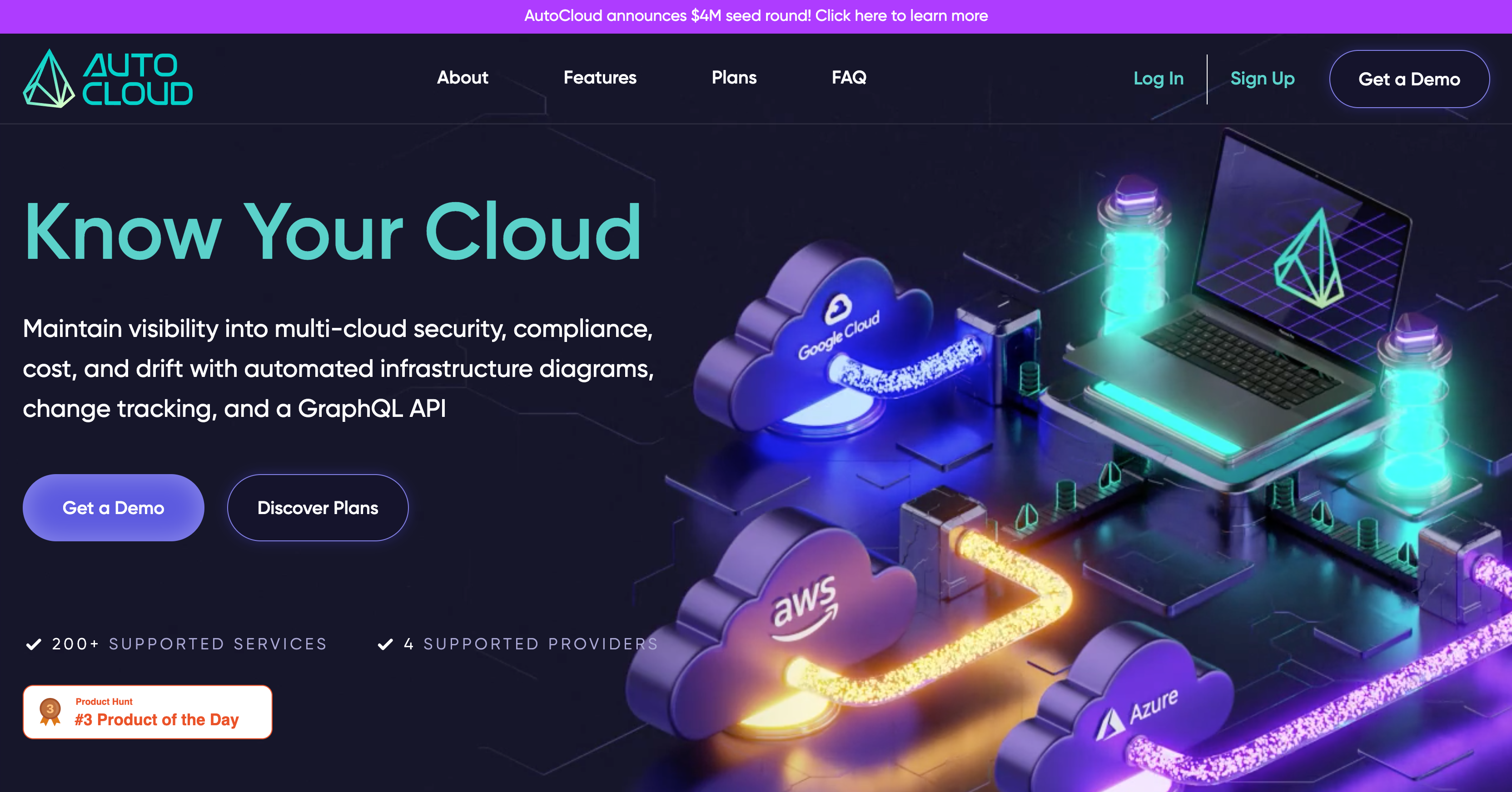
对具有内置 3D 可视化能力、自动扫描以及数百项额外合规检查的完全托管 SaaS/自托管版本的 CloudGraph 感兴趣?请查看 AutoCloud 了解更多详情。
如果你在运行 CloudGraph 时遇到任何错误,可以在命令前加上 CG_DEBUG=5,例如 CG_DEBUG=5 cg scan。这将打印出更详细的日志信息,然后你可以利用这些信息在 GitHub 上提交 issue 或向我们Slack 工作空间反馈。
运行 CloudGraph 时你可能会看到一些常见错误,通常与权限或连接问题有关。
⚠️ unable to make some connections - 当 CG 尝试在两个资源之间建立连接但失败时,扫描报告中会出现此警告。如果你在使用 CG 官方支持的提供者时看到此信息,请创建一个新 issue,以便我们解决。此错误最常见的原因是底层提供者的资源连接逻辑存在 bug。
🚫 unable to store data in Dgraph - 当 CG 尝试将某些云提供商数据插入图数据库但失败时,扫描报告中会出现此错误。出现此错误的任何服务将无法在 GraphQL 查询工具中查询。这通常发生在 CG 由于调用提供者 SDK 时出错(通常是缺少授权)而无法获取资源所需的必要数据(如 arn)时。
Provider {name}@{version} requires cli version {version} but cli version is {version} - 此警告意味着你使用的 CG 版本与提供者版本不兼容。尝试更新 CG(npm install -g @cloudgraphdev/cli)和提供者模块(cg provider update),以确保两者都是最新版本。你也可以检查提供者的 package.json 来查看支持它的 CG 版本。
Manager failed to install plugin for {provider} - 当 CG 的插件管理器找不到你想使用的提供者模块时,会出现此错误。管理器会在公共 NPM 注册表中搜索提供者模块。对于官方支持的提供者,只需要传递提供者名称,例如 CG init aws。对于社区支持的提供者,你必须同时传递命名空间,例如 CG init @{providerNamespace}/{provider}。
cg help [COMMAND]cg init [PROVIDER]cg launch [PROVIDER]cg load [PROVIDER]cg policy [PROVIDER]cg policy add [PROVIDER]cg policy install [PROVIDER]cg policy list [PROVIDER]cg policy remove [PROVIDER]cg policy update [PROVIDER]cg provider [PROVIDER]cg help [COMMAND]显示 cg 的帮助信息。``` USAGE $ cg help [COMMAND] [-n]
ARGUMENTS COMMAND Command to show help for.
FLAGS -n, --nested-commands Include all nested commands in the output.
DESCRIPTION Display help for cg.
_See code: [@oclif/plugin-help](https://github.com/oclif/plugin-help/blob/v5.1.12/src/commands/help.ts)_

## `cg init [PROVIDER]`

为提供商设置初始配置```
USAGE
  $ cg init [PROVIDER] [--dev] [-d <value>] [-s dgraph] [--directory <value>] [--no-serve] [-p <value>]
    [-q playground|altair] [-l <value>] [--use-roles] [-P <value>] [-r]

FLAGS
  -P, --policies=<value>       Policy Packs to execute during scan
  -d, --dgraph=<value>         Set where dgraph is running (default localhost:8997)
  -l, --version-limit=<value>  Limit the amount of version folders stored on the filesystem (default 10)
  -p, --port=<value>           Set port to serve query engine
  -q, --query-engine=<option>  Query engine to launch
                               <options: playground|altair>
  -r, --resources
  -s, --storage=<option>       Select a storage engine to use. Currently only supports Dgraph
                               <options: dgraph>
  --dev                        Turn on developer mode
  --directory=<value>          Set the folder where CloudGraph will store data. (default cg)
  --no-serve                   Set to not serve a query engine
  --use-roles                  Set to true to use roleARNs instead of profiles for AWS credentials

DESCRIPTION
  Set initial configuration for providers

EXAMPLES
  $ cg init

  $ cg init aws [Initialize AWS provider]

  $ cg init aws -r [Specify resources to crawl]
查看代码:src/commands/init.ts
cg launch [PROVIDER]启动一个Dgraph实例以存储数据``` USAGE $ cg launch [PROVIDER] [--dev] [-d ] [-s dgraph] [--directory ] [--no-serve] [-p ] [-q playground|altair] [-l ] [--use-roles] [-P ]
FLAGS -P, --policies= Policy Packs to execute during scan -d, --dgraph= Set where dgraph is running (default localhost:8997) -l, --version-limit= Limit the amount of version folders stored on the filesystem (default 10) -p, --port= Set port to serve query engine -q, --query-engine= Query engine to launch <options: playground|altair> -s, --storage= Select a storage engine to use. Currently only supports Dgraph <options: dgraph> --dev Turn on developer mode --directory= Set the folder where CloudGraph will store data. (default cg) --no-serve Set to not serve a query engine --use-roles Set to true to use roleARNs instead of profiles for AWS credentials
DESCRIPTION Launch an instance of Dgraph to store data
EXAMPLES $ cg launch
_查看代码:[src/commands/launch.ts](https://github.com/cloudgraphdev/cli/blob/v0.25.1/src/commands/launch.ts)_

## `cg load [PROVIDER]`

加载指定版本的 CloudGraph 数据```
USAGE
  $ cg load [PROVIDER] [--dev] [-d <value>] [-s dgraph] [--directory <value>] [--no-serve] [-p <value>]
    [-q playground|altair] [-l <value>] [--use-roles] [-P <value>]

FLAGS
  -P, --policies=<value>       Policy Packs to execute during scan
  -d, --dgraph=<value>         Set where dgraph is running (default localhost:8997)
  -l, --version-limit=<value>  Limit the amount of version folders stored on the filesystem (default 10)
  -p, --port=<value>           Set port to serve query engine
  -q, --query-engine=<option>  Query engine to launch
                               <options: playground|altair>
  -s, --storage=<option>       Select a storage engine to use. Currently only supports Dgraph
                               <options: dgraph>
  --dev                        Turn on developer mode
  --directory=<value>          Set the folder where CloudGraph will store data. (default cg)
  --no-serve                   Set to not serve a query engine
  --use-roles                  Set to true to use roleARNs instead of profiles for AWS credentials

DESCRIPTION
  Load a specific version of your CloudGraph data

EXAMPLES
  $ cg load [Load data for all providers configured]

  $ cg load aws [Load data for AWS]
查看代码:src/commands/load.ts_
cg policy [PROVIDER]管理策略包模块的命令,运行 $ cg policy 以获取更多信息。``` USAGE $ cg policy [PROVIDER] [--dev] [-d ] [-s dgraph] [--directory ] [--no-serve] [-p ] [-q playground|altair] [-l ] [--use-roles] [-P ]
FLAGS -P, --policies= Policy Packs to execute during scan -d, --dgraph= Set where dgraph is running (default localhost:8997) -l, --version-limit= Limit the amount of version folders stored on the filesystem (default 10) -p, --port= Set port to serve query engine -q, --query-engine= Query engine to launch <options: playground|altair> -s, --storage= Select a storage engine to use. Currently only supports Dgraph <options: dgraph> --dev Turn on developer mode --directory= Set the folder where CloudGraph will store data. (default cg) --no-serve Set to not serve a query engine --use-roles Set to true to use roleARNs instead of profiles for AWS credentials
DESCRIPTION Commands to manage policy pack modules, run $ cg policy for more info.
_查看代码: [src/commands/policy/index.ts](https://github.com/cloudgraphdev/cli/blob/v0.25.1/src/commands/policy/index.ts)_

## `cg policy add [PROVIDER]`

添加新的策略包```
USAGE
  $ cg policy add [PROVIDER] [--no-save] [--dev] [-d <value>] [-s dgraph] [--directory <value>] [--no-serve] [-p
    <value>] [-q playground|altair] [-l <value>] [--use-roles] [-P <value>]

FLAGS
  -P, --policies=<value>       Policy Packs to execute during scan
  -d, --dgraph=<value>         Set where dgraph is running (default localhost:8997)
  -l, --version-limit=<value>  Limit the amount of version folders stored on the filesystem (default 10)
  -p, --port=<value>           Set port to serve query engine
  -q, --query-engine=<option>  Query engine to launch
                               <options: playground|altair>
  -s, --storage=<option>       Select a storage engine to use. Currently only supports Dgraph
                               <options: dgraph>
  --dev                        Turn on developer mode
  --directory=<value>          Set the folder where CloudGraph will store data. (default cg)
  --no-save                    Set to not alter lock file, just delete plugin
  --no-serve                   Set to not serve a query engine
  --use-roles                  Set to true to use roleARNs instead of profiles for AWS credentials

DESCRIPTION
  Add new policy packs

ALIASES
  $ cg add policy

EXAMPLES
  $ cg policy add aws-cis-1.2.0

  $ cg policy add [email protected]
cg policy install [PROVIDER]根据锁文件安装策略包``` USAGE $ cg policy install [PROVIDER] [--no-save] [--dev] [-d ] [-s dgraph] [--directory ] [--no-serve] [-p ] [-q playground|altair] [-l ] [--use-roles] [-P ]
FLAGS -P, --policies= Policy Packs to execute during scan -d, --dgraph= Set where dgraph is running (default localhost:8997) -l, --version-limit= Limit the amount of version folders stored on the filesystem (default 10) -p, --port= Set port to serve query engine -q, --query-engine= Query engine to launch <options: playground|altair> -s, --storage= Select a storage engine to use. Currently only supports Dgraph <options: dgraph> --dev Turn on developer mode --directory= Set the folder where CloudGraph will store data. (default cg) --no-save Set to not alter lock file, just delete plugin --no-serve Set to not serve a query engine --use-roles Set to true to use roleARNs instead of profiles for AWS credentials
DESCRIPTION Install policy packs based on the lock file
ALIASES $ cg install policy
EXAMPLES $ cg policy install
## `cg policy list [PROVIDER]`

列出当前已安装的策略包及其版本```
USAGE
  $ cg policy list [PROVIDER] [--no-save] [--dev] [-d <value>] [-s dgraph] [--directory <value>] [--no-serve] [-p
    <value>] [-q playground|altair] [-l <value>] [--use-roles] [-P <value>]

FLAGS
  -P, --policies=<value>       Policy Packs to execute during scan
  -d, --dgraph=<value>         Set where dgraph is running (default localhost:8997)
  -l, --version-limit=<value>  Limit the amount of version folders stored on the filesystem (default 10)
  -p, --port=<value>           Set port to serve query engine
  -q, --query-engine=<option>  Query engine to launch
                               <options: playground|altair>
  -s, --storage=<option>       Select a storage engine to use. Currently only supports Dgraph
                               <options: dgraph>
  --dev                        Turn on developer mode
  --directory=<value>          Set the folder where CloudGraph will store data. (default cg)
  --no-save                    Set to not alter lock file, just delete plugin
  --no-serve                   Set to not serve a query engine
  --use-roles                  Set to true to use roleARNs instead of profiles for AWS credentials

DESCRIPTION
  List currently installed policy packs and versions

ALIASES
  $ cg ls policy
  $ cg list policy

EXAMPLES
  $ cg policy list

  $ cg policy list aws
cg policy remove [PROVIDER]移除当前已安装的策略包``` USAGE $ cg policy remove [PROVIDER] [--no-save] [--dev] [-d ] [-s dgraph] [--directory ] [--no-serve] [-p ] [-q playground|altair] [-l ] [--use-roles] [-P ]
FLAGS -P, --policies= Policy Packs to execute during scan -d, --dgraph= Set where dgraph is running (default localhost:8997) -l, --version-limit= Limit the amount of version folders stored on the filesystem (default 10) -p, --port= Set port to serve query engine -q, --query-engine= Query engine to launch <options: playground|altair> -s, --storage= Select a storage engine to use. Currently only supports Dgraph <options: dgraph> --dev Turn on developer mode --directory= Set the folder where CloudGraph will store data. (default cg) --no-save Set to not alter lock file, just delete plugin --no-serve Set to not serve a query engine --use-roles Set to true to use roleARNs instead of profiles for AWS credentials
DESCRIPTION Remove currently installed policy pack
ALIASES $ cg remove policy $ cg policy remove $ cg policy rm $ cg del policy $ cg rm policy
EXAMPLES $ cg policy remove
$ cg policy remove aws-cis-1.2.0
$ cg policy remove aws-cis-1.2.0 --no-save
## `cg policy update [PROVIDER]`

更新当前已安装的策略包```
USAGE
  $ cg policy update [PROVIDER] [--no-save] [--dev] [-d <value>] [-s dgraph] [--directory <value>] [--no-serve] [-p
    <value>] [-q playground|altair] [-l <value>] [--use-roles] [-P <value>]

FLAGS
  -P, --policies=<value>       Policy Packs to execute during scan
  -d, --dgraph=<value>         Set where dgraph is running (default localhost:8997)
  -l, --version-limit=<value>  Limit the amount of version folders stored on the filesystem (default 10)
  -p, --port=<value>           Set port to serve query engine
  -q, --query-engine=<option>  Query engine to launch
                               <options: playground|altair>
  -s, --storage=<option>       Select a storage engine to use. Currently only supports Dgraph
                               <options: dgraph>
  --dev                        Turn on developer mode
  --directory=<value>          Set the folder where CloudGraph will store data. (default cg)
  --no-save                    Set to not alter lock file, just delete plugin
  --no-serve                   Set to not serve a query engine
  --use-roles                  Set to true to use roleARNs instead of profiles for AWS credentials

DESCRIPTION
  Update currently installed policy packs

EXAMPLES
  $ cg policy update

  $ cg policy update aws-cis-1.2.0

  $ cg policy update [email protected]
cg provider [PROVIDER]管理提供者模块的命令,运行 $ cg provider 获取更多信息。``` USAGE $ cg provider [PROVIDER] [--dev] [-d ] [-s dgraph] [--directory ] [--no-serve] [-p ] [-q playground|altair] [-l ] [--use-roles] [-P ]
FLAGS -P, --policies= Policy Packs to execute during scan -d, --dgraph= Set where dgraph is running (default localhost:8997) -l, --version-limit= Limit the amount of version folders stored on the filesystem (default 10) -p, --port= Set port to serve query engine -q, --query-engine= Query engine to launch <options: playground|altair> -s, --storage= Select a storage engine to use. Currently only supports Dgraph <options: dgraph> --dev Turn on developer mode --directory= Set the folder where CloudGraph will store data. (default cg) --no-serve Set to not serve a query engine --use-roles Set to true to use roleARNs instead of profiles for AWS credentials
DESCRIPTION Commands to manage provider modules, run $ cg provider for more info.
_See code: [src/commands/provider/index.ts](https://github.com/cloudgraphdev/cli/blob/v0.25.1/src/commands/provider/index.ts)_

## `cg provider add [PROVIDER]`

添加新提供商```
USAGE
  $ cg provider add [PROVIDER] [--no-save] [--dev] [-d <value>] [-s dgraph] [--directory <value>] [--no-serve] [-p
    <value>] [-q playground|altair] [-l <value>] [--use-roles] [-P <value>]

FLAGS
  -P, --policies=<value>       Policy Packs to execute during scan
  -d, --dgraph=<value>         Set where dgraph is running (default localhost:8997)
  -l, --version-limit=<value>  Limit the amount of version folders stored on the filesystem (default 10)
  -p, --port=<value>           Set port to serve query engine
  -q, --query-engine=<option>  Query engine to launch
                               <options: playground|altair>
  -s, --storage=<option>       Select a storage engine to use. Currently only supports Dgraph
                               <options: dgraph>
  --dev                        Turn on developer mode
  --directory=<value>          Set the folder where CloudGraph will store data. (default cg)
  --no-save                    Set to not alter lock file, just delete plugin
  --no-serve                   Set to not serve a query engine
  --use-roles                  Set to true to use roleARNs instead of profiles for AWS credentials

DESCRIPTION
  Add new providers

ALIASES
  $ cg add provider

EXAMPLES
  $ cg provider add aws

  $ cg provider add [email protected]
cg provider install [PROVIDER]根据锁文件安装提供程序``` USAGE $ cg provider install [PROVIDER] [--no-save] [--dev] [-d ] [-s dgraph] [--directory ] [--no-serve] [-p ] [-q playground|altair] [-l ] [--use-roles] [-P ]
FLAGS -P, --policies= Policy Packs to execute during scan -d, --dgraph= Set where dgraph is running (default localhost:8997) -l, --version-limit= Limit the amount of version folders stored on the filesystem (default 10) -p, --port= Set port to serve query engine -q, --query-engine= Query engine to launch <options: playground|altair> -s, --storage= Select a storage engine to use. Currently only supports Dgraph <options: dgraph> --dev Turn on developer mode --directory= Set the folder where CloudGraph will store data. (default cg) --no-save Set to not alter lock file, just delete plugin --no-serve Set to not serve a query engine --use-roles Set to true to use roleARNs instead of profiles for AWS credentials
DESCRIPTION Install providers based on the lock file
ALIASES $ cg install provider
EXAMPLES $ cg provider install
## `cg provider list [PROVIDER]`

列出当前已安装的提供者及其版本```
USAGE
  $ cg provider list [PROVIDER] [--no-save] [--dev] [-d <value>] [-s dgraph] [--directory <value>] [--no-serve] [-p
    <value>] [-q playground|altair] [-l <value>] [--use-roles] [-P <value>]

FLAGS
  -P, --policies=<value>       Policy Packs to execute during scan
  -d, --dgraph=<value>         Set where dgraph is running (default localhost:8997)
  -l, --version-limit=<value>  Limit the amount of version folders stored on the filesystem (default 10)
  -p, --port=<value>           Set port to serve query engine
  -q, --query-engine=<option>  Query engine to launch
                               <options: playground|altair>
  -s, --storage=<option>       Select a storage engine to use. Currently only supports Dgraph
                               <options: dgraph>
  --dev                        Turn on developer mode
  --directory=<value>          Set the folder where CloudGraph will store data. (default cg)
  --no-save                    Set to not alter lock file, just delete plugin
  --no-serve                   Set to not serve a query engine
  --use-roles                  Set to true to use roleARNs instead of profiles for AWS credentials

DESCRIPTION
  List currently installed providers and versions

ALIASES
  $ cg ls provider
  $ cg list provider

EXAMPLES
  $ cg provider list

  $ cg provider list aws
cg provider remove [PROVIDER]移除当前已安装的提供程序``` USAGE $ cg provider remove [PROVIDER] [--no-save] [--dev] [-d ] [-s dgraph] [--directory ] [--no-serve] [-p ] [-q playground|altair] [-l ] [--use-roles] [-P ]
FLAGS -P, --policies= Policy Packs to execute during scan -d, --dgraph= Set where dgraph is running (default localhost:8997) -l, --version-limit= Limit the amount of version folders stored on the filesystem (default 10) -p, --port= Set port to serve query engine -q, --query-engine= Query engine to launch <options: playground|altair> -s, --storage= Select a storage engine to use. Currently only supports Dgraph <options: dgraph> --dev Turn on developer mode --directory= Set the folder where CloudGraph will store data. (default cg) --no-save Set to not alter lock file, just delete plugin --no-serve Set to not serve a query engine --use-roles Set to true to use roleARNs instead of profiles for AWS credentials
DESCRIPTION Remove currently installed provider
ALIASES $ cg remove provider $ cg provider remove $ cg provider rm $ cg del provider $ cg rm provider
EXAMPLES $ cg provider remove
$ cg provider remove aws
$ cg provider remove aws --no-save
## `cg provider update [PROVIDER]`

更新已安装的提供商```
USAGE
  $ cg provider update [PROVIDER] [--no-save] [--dev] [-d <value>] [-s dgraph] [--directory <value>] [--no-serve] [-p
    <value>] [-q playground|altair] [-l <value>] [--use-roles] [-P <value>]

FLAGS
  -P, --policies=<value>       Policy Packs to execute during scan
  -d, --dgraph=<value>         Set where dgraph is running (default localhost:8997)
  -l, --version-limit=<value>  Limit the amount of version folders stored on the filesystem (default 10)
  -p, --port=<value>           Set port to serve query engine
  -q, --query-engine=<option>  Query engine to launch
                               <options: playground|altair>
  -s, --storage=<option>       Select a storage engine to use. Currently only supports Dgraph
                               <options: dgraph>
  --dev                        Turn on developer mode
  --directory=<value>          Set the folder where CloudGraph will store data. (default cg)
  --no-save                    Set to not alter lock file, just delete plugin
  --no-serve                   Set to not serve a query engine
  --use-roles                  Set to true to use roleARNs instead of profiles for AWS credentials

DESCRIPTION
  Update currently installed providers

EXAMPLES
  $ cg provider update

  $ cg provider update aws

  $ cg provider update [email protected]
cg scan [PROVIDER]扫描一个或多个供应商的数据,以便通过 Dgraph 进行查询``` USAGE $ cg scan [PROVIDER] [--dev] [-d ] [-s dgraph] [--directory ] [--no-serve] [-p ] [-q playground|altair] [-l ] [--use-roles] [-P ]
FLAGS -P, --policies= Policy Packs to execute during scan -d, --dgraph= Set where dgraph is running (default localhost:8997) -l, --version-limit= Limit the amount of version folders stored on the filesystem (default 10) -p, --port= Set port to serve query engine -q, --query-engine= Query engine to launch <options: playground|altair> -s, --storage= Select a storage engine to use. Currently only supports Dgraph <options: dgraph> --dev Turn on developer mode --directory= Set the folder where CloudGraph will store data. (default cg) --no-serve Set to not serve a query engine --use-roles Set to true to use roleARNs instead of profiles for AWS credentials
DESCRIPTION Scan one or multiple providers data to be queried through Dgraph
EXAMPLES $ cg scan
$ cg scan aws
$ cg scan aws --dgraph http://localhost:1000 [Save data in dgraph running on port 1000]
$ cg scan aws --no-serve [Do not start the query engine]
_查看代码:[src/commands/scan.ts](https://github.com/cloudgraphdev/cli/blob/v0.25.1/src/commands/scan.ts)_

## `cg serve [PROVIDER]`

提供一个 GraphQL 查询工具来查询您的 CloudGraph 数据。```
USAGE
  $ cg serve [PROVIDER] [--dev] [-d <value>] [-s dgraph] [--directory <value>] [--no-serve] [-p <value>]
    [-q playground|altair] [-l <value>] [--use-roles] [-P <value>]

FLAGS
  -P, --policies=<value>       Policy Packs to execute during scan
  -d, --dgraph=<value>         Set where dgraph is running (default localhost:8997)
  -l, --version-limit=<value>  Limit the amount of version folders stored on the filesystem (default 10)
  -p, --port=<value>           Set port to serve query engine
  -q, --query-engine=<option>  Query engine to launch
                               <options: playground|altair>
  -s, --storage=<option>       Select a storage engine to use. Currently only supports Dgraph
                               <options: dgraph>
  --dev                        Turn on developer mode
  --directory=<value>          Set the folder where CloudGraph will store data. (default cg)
  --no-serve                   Set to not serve a query engine
  --use-roles                  Set to true to use roleARNs instead of profiles for AWS credentials

DESCRIPTION
  Serve a GraphQL query tool to query your CloudGraph data.

EXAMPLES
  $ cg serve
cg teardown [PROVIDER]停止 Dgraph Docker 容器。``` USAGE $ cg teardown [PROVIDER] [--delete-image]
FLAGS --delete-image Remove dgraph docker image after stopping it
DESCRIPTION Stops the Dgraph Docker container.
EXAMPLES $ cg teardown
$ cg teardown --delete-image
_参见代码:[src/commands/teardown.ts](https://github.com/cloudgraphdev/cli/blob/v0.25.1/src/commands/teardown.ts)_

## `cg update [PROVIDER]`

升级当前已安装的插件。```
USAGE
  $ cg update [PROVIDER] [--no-save] [--dev] [-d <value>] [-s dgraph] [--directory <value>] [--no-serve] [-p
    <value>] [-q playground|altair] [-l <value>] [--use-roles] [-P <value>]

FLAGS
  -P, --policies=<value>       Policy Packs to execute during scan
  -d, --dgraph=<value>         Set where dgraph is running (default localhost:8997)
  -l, --version-limit=<value>  Limit the amount of version folders stored on the filesystem (default 10)
  -p, --port=<value>           Set port to serve query engine
  -q, --query-engine=<option>  Query engine to launch
                               <options: playground|altair>
  -s, --storage=<option>       Select a storage engine to use. Currently only supports Dgraph
                               <options: dgraph>
  --dev                        Turn on developer mode
  --directory=<value>          Set the folder where CloudGraph will store data. (default cg)
  --no-save                    Set to not alter lock file, just delete plugin
  --no-serve                   Set to not serve a query engine
  --use-roles                  Set to true to use roleARNs instead of profiles for AWS credentials

DESCRIPTION
  Upgrade currently installed plugins.

ALIASES
  $ cg update

EXAMPLES
  $ cg update