基于 QUIC 的跨平台内核级内网穿透平台。无需 TUN/TAP。无需 proxychains。无需设置代理。





Rosemary 在远程主机上以内核级透明拦截流量:无需代理设置、无需 TUN/TAP 设备、无需 proxychains。Agent 通过 QUIC 回连服务器。你可以像直接接入远程网络一样访问整个远端网络。
在你的机器上运行服务端,并在任意远程主机上部署Agent。Agent 通过 QUIC 回连,服务端为 Agent 的子网安装内核级拦截规则,此后发往这些子网的所有流量(包括 DNS)都会通过 Agent 透明转发,无需代理配置、无需 TUN 设备、无需修改 DNS 设置,也无需改动你的应用程序。
curl http://192.168.1.50   ───►  agent dials 192.168.1.50 and bridges it back
ssh  [email protected]
ping 192.168.1.1
可以同时连接多个 Agent,流量会自动路由到拥有目标地址的那个 Agent。
| 类别 | 能力 |
|---|---|
| 流量拦截 | 透明 TCP · UDP · ICMP · DNS,无需客户端配置 |
| 出口流量 | 默认出口 Agent 将所有互联网流量经由选定的 Agent 路由 |
| SOCKS5 | 每个 Agent 可启用 SOCKS5 代理,支持可选的用户名/密码认证 |
| 端口转发 | TCP/UDP 端口转发 · 反向端口转发(服务端监听,Agent 拨号) |
| 发现 | Ping · Ping 扫描 · 通过 Agent 进行 TCP/UDP 端口扫描 |
| DNS | 拦截 DNS,通过 Agent 解析私有和公共域名 |
| 跳板 | 多级跳板,支持多个 Agent(已测试 5+ 跳) |
| 传输 | QUIC/UDP 出站 Agent · 加密 TCP bind Agent |
| 仪表盘 | Web UI,实时 Agent 拓扑图、路由表、日志查看器 |
| API | 完整的 REST API,基于令牌认证(read/write/admin) |
| CLI | 交互式 REPL + Web 版 CLI 面板 |
| 扩展 | Chrome 扩展,便于快速访问 |
| Agent | 后台模式 · bind 模式 · 自动子网发现 · 互联网检测 |
| 配置 | JSON 导入/导出 · 在线密钥轮换 · 按端口配置 |
| 平台 | TCP | UDP | DNS | ICMP | SOCKS5 | Egress |
|---|---|---|---|---|---|---|
| Linux | ✓ | ✓ | ✓ | ✓ | ✓ | ✓ |
| Windows | ✓ | ✓ | ✓ | ✓ | ✓ | ✓ |
| macOS | ✓ | ✓ | ✓ | ✓ | ✓ | ✓ |
| FreeBSD | ✓ | ✓ | ✓ | ✓ | ✓ | ✓ |
| OpenBSD | ✓ | ✓ | ✓ | ✓ | ✓ | ✓ |
Agent 可运行于上述所有平台。Agent 端无需 root 权限。
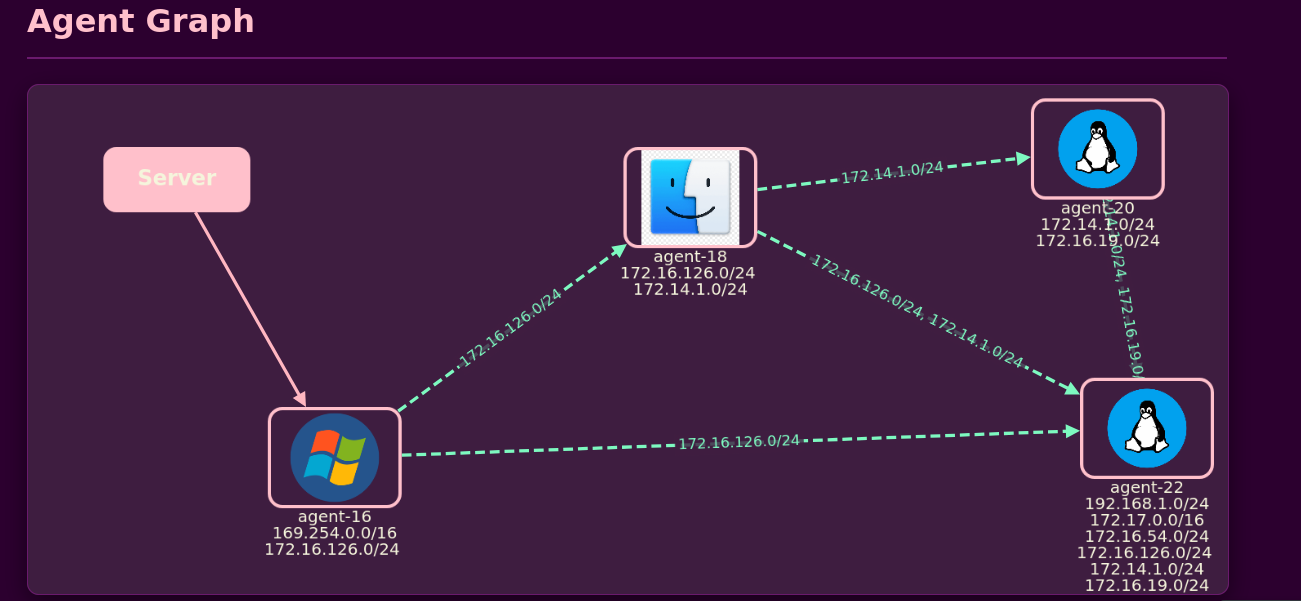
交互式网络拓扑图,展示已连接 Agent 及其关系
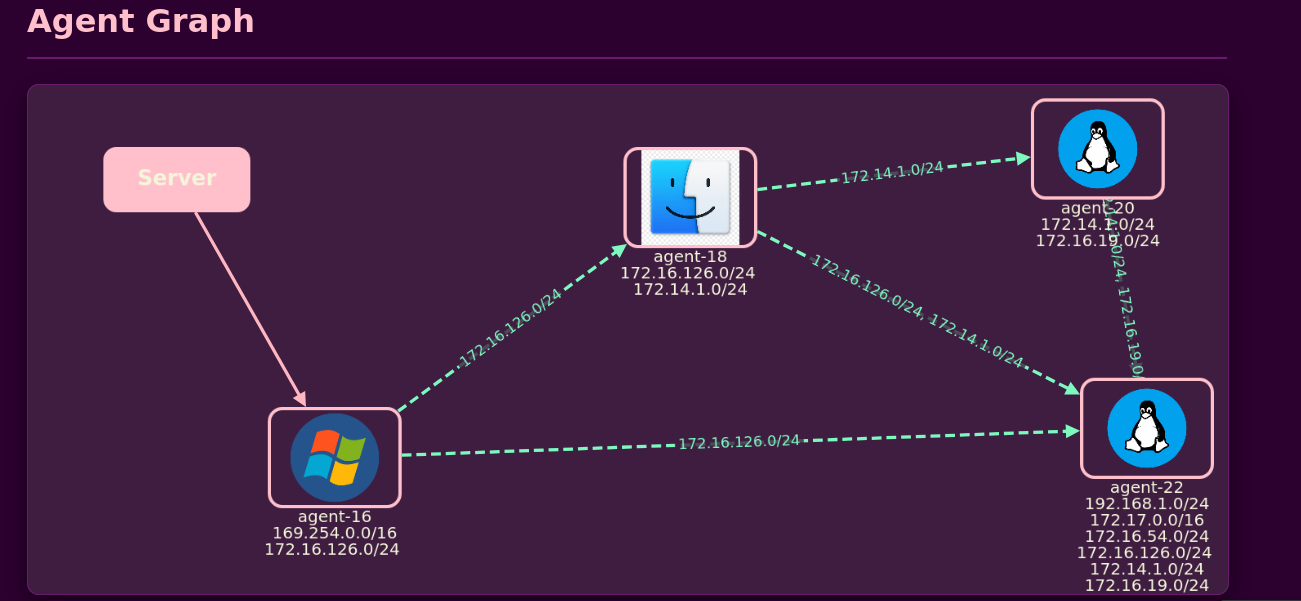
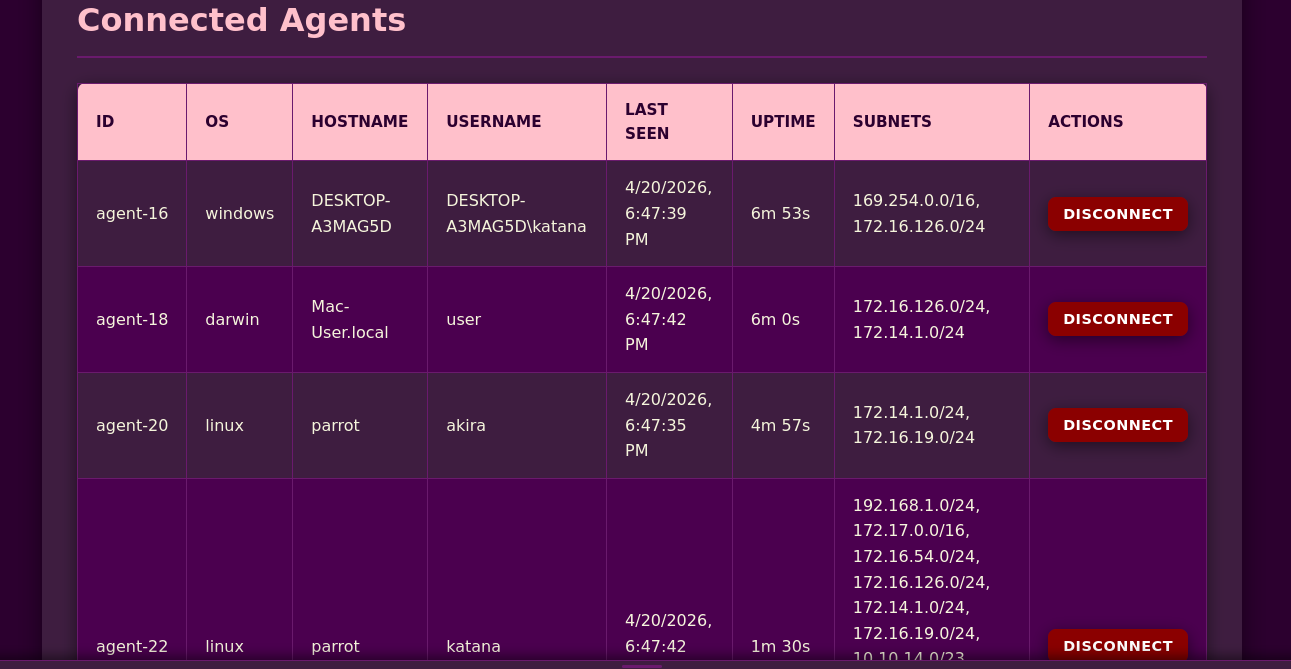
详细的 Agent 信息,包括操作系统、主机名、子网和连接状态
浏览器扩展,便于快速访问并通过隧道路由流量
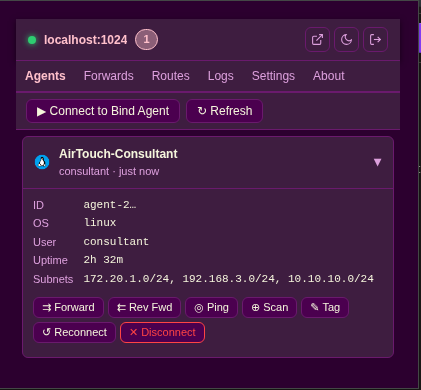
安装方法:
chrome://extensions/extension/ 文件夹扩展图标将出现在浏览器工具栏中。
通过任意 Agent 创建和管理 TCP/UDP 端口转发
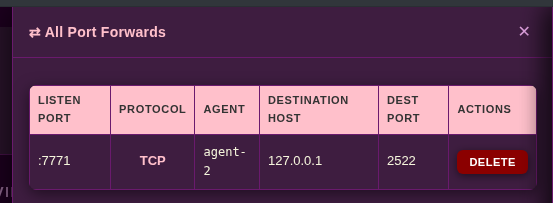
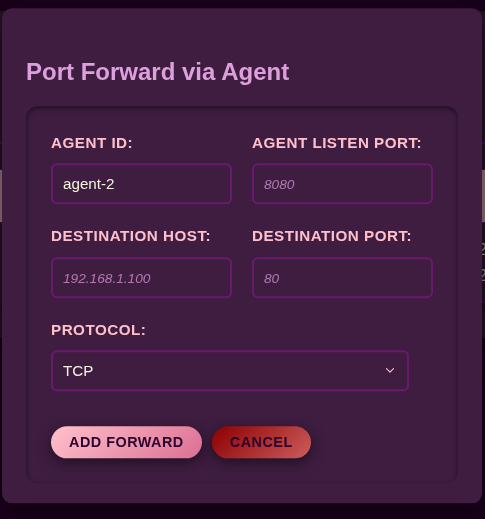
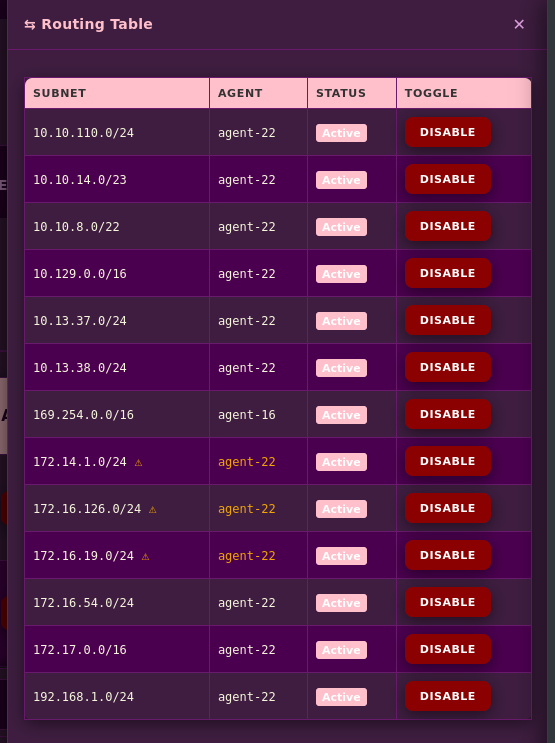
查看并切换子网路由,实时显示状态
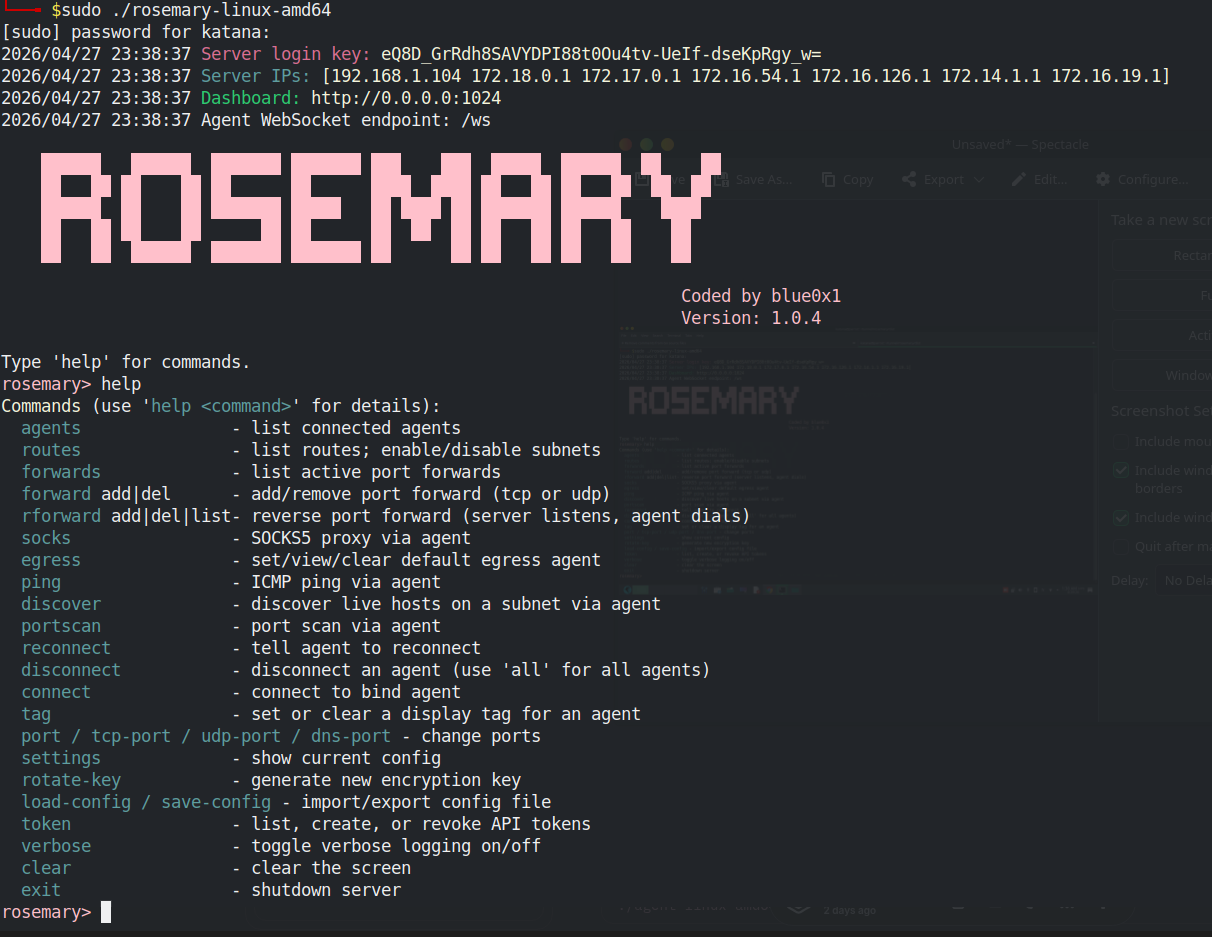
内置 REPL,用于完整控制服务端

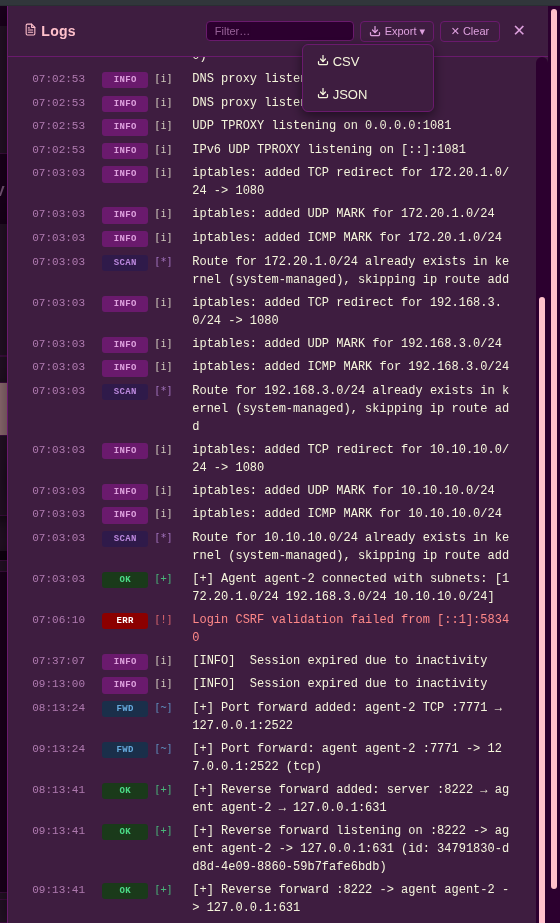
实时事件流,支持过滤和导出选项
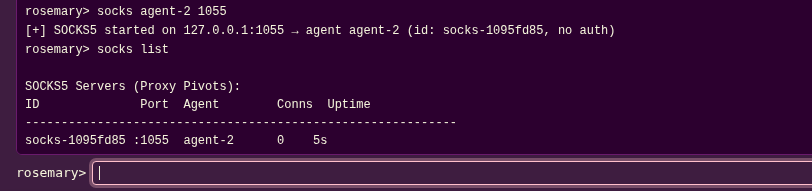
通过任意 Agent 启动/停止 SOCKS5 代理,支持可选认证
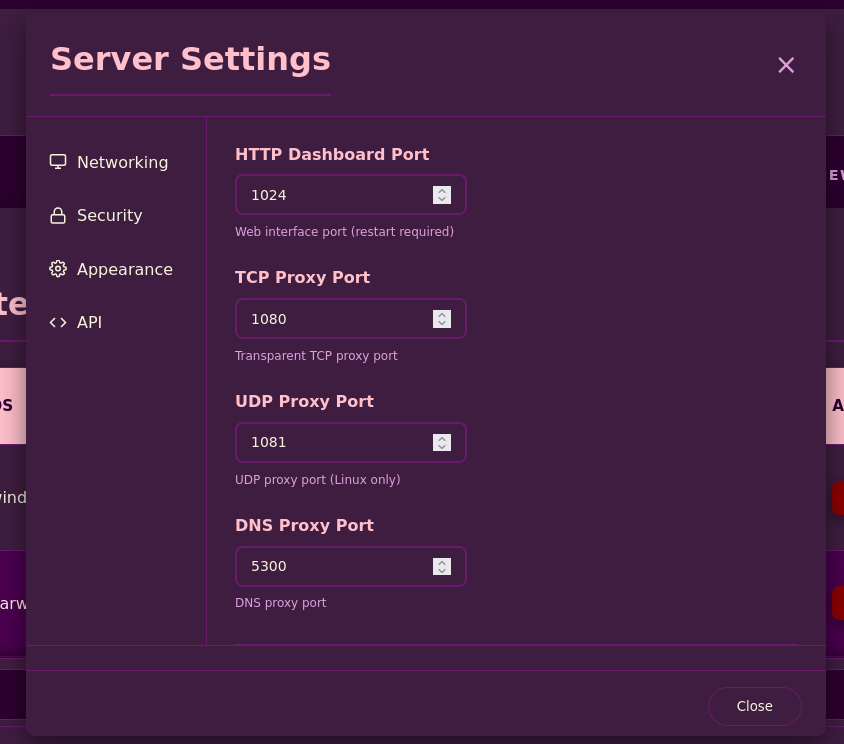
配置服务端端口、加密密钥和 API 令牌
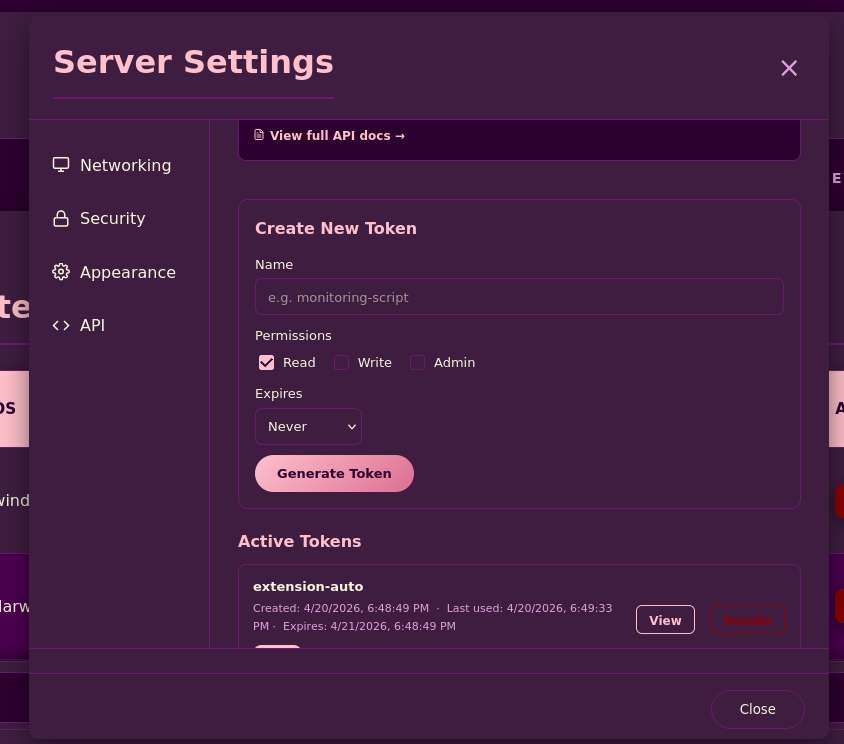
创建和管理具有细粒度权限的 REST API 令牌
快速操作:标记、转发、Ping、端口扫描、重连、断开
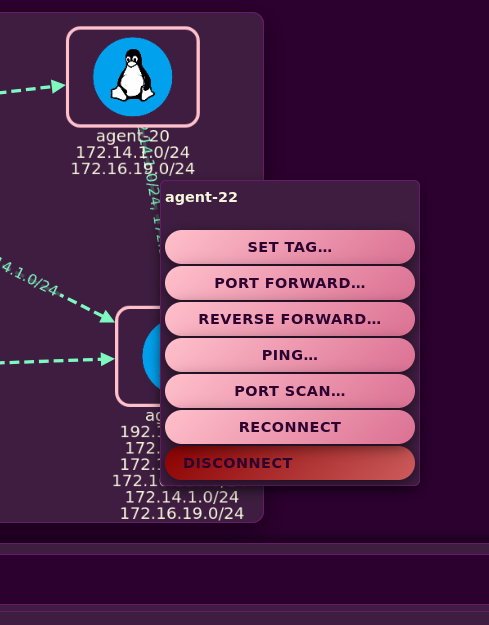
注意: 拓扑视图会自动布局 Agent 并可视化子网关系。Agent 之间的连线表示共享子网,从而实现多级跳板的可视化。
# Install via go install
go install github.com/blue0x1/rosemary/rosemary@latest
go install github.com/blue0x1/rosemary/agent@latest # For install agent

# Copy to system path for sudo use
sudo cp ~/go/bin/rosemary /usr/local/bin/
或者从 Releases 下载预编译二进制文件。
# Auto-generate a key
sudo rosemary

# Or provide your own
sudo rosemary -key YOUR_BASE64_KEY
仪表盘可在 http://server-ip:1024 访问:使用你的密钥登录。
# Standard QUIC/UDP mode (agent connects to server)
./agent-linux-amd64 -s server-ip:2048 -k YOUR_KEY

# Background mode
./agent-linux-amd64 -b -s server-ip:2048 -k YOUR_KEY

# Windows
agent-windows-amd64.exe -s server-ip:2048 -k YOUR_KEY
连接成功后,Agent 的子网将自动通过它进行路由。
# On the agent host: agent listens for the server to connect
./agent-linux-amd64 -m agent-bind -l 0.0.0.0:9001 -k YOUR_KEY

# On the server CLI
rosemary> connect agent-ip:9001
Invoke-Rosemary.ps1 同时支持出站 Agent 模式和 Bind 模式。Bind 模式可在旧版 Windows PowerShell 主机上运行。出站 Agent 模式使用 QUIC,需要 PowerShell 7 运行在提供 System.Net.Quic 和 libmsquic 的 .NET 运行时上。
# Import
. .\Invoke-Rosemary.ps1

# Help
Invoke-Rosemary -Help

Invoke-Rosemary -Mode agent -Server 192.168.1.10:2048 -Key YOUR_KEY

Invoke-Rosemary -Mode agent-bind -Listen 0.0.0.0:9001 -Key YOUR_KEY

Invoke-Rosemary -Mode agent -Server 192.168.1.10:2048 -Key YOUR_KEY -Background

Invoke-Rosemary -Mode agent -Server 192.168.1.10:2048 -Key YOUR_KEY -Verbose
使用 PowerShell 出站模式前,请检查 QUIC 支持:
[type]::GetType('System.Net.Quic.QuicConnection, System.Net.Quic') -ne $null
[System.Net.Quic.QuicConnection]:https://raw.githubusercontent.com/blue0x1/rosemary/main/:IsSupported
如果任一检查失败,请使用 Go Windows Agent 进行出站模式,或以 agent-bind 模式运行 PowerShell Agent。