
 blechschmidt/massdns
高性能DNS存根解析器,用于批量查询和侦察(子域名枚举)
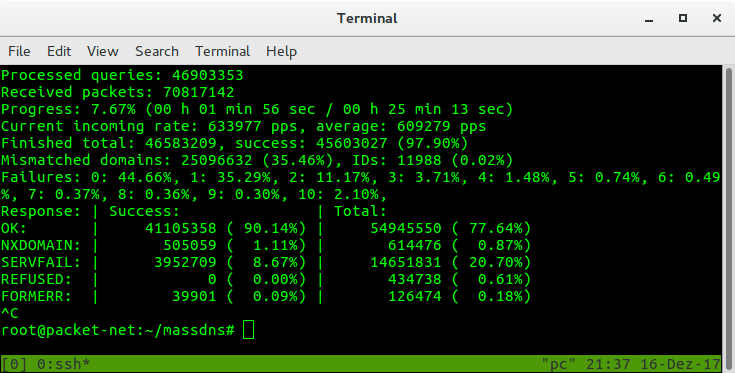
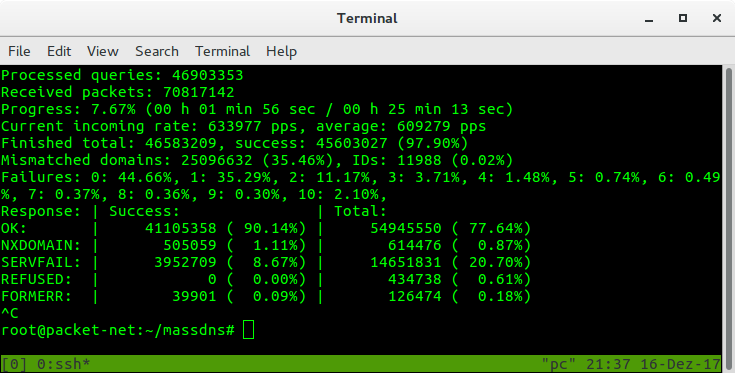
MassDNS是一个简单的高性能DNS存根解析器,专为需要解析海量域名(数百万甚至数十亿级别)的用户设计。无需特殊配置,MassDNS即可利用公开可用的解析器每秒解析超过35万个域名。
克隆Git仓库并cd进入项目根目录。然后运行make从源代码构建。如果你不在Linux上,运行make nolinux。在Windows上,需要Cygwin的gcc-core、git和make包。
Usage: ./bin/massdns [options] [domainlist]
  -b  --bindto             Bind to IP address and port. (Default: 0.0.0.0:0)
      --busy-poll          Use busy-wait polling instead of epoll.
  -c  --resolve-count      Number of resolves for a name before giving up. (Default: 50)
      --drop-group         Group to drop privileges to when running as root. (Default: nogroup)
      --drop-user          User to drop privileges to when running as root. (Default: nobody)
      --extended-input     Input names are followed by a space-separated list of resolvers.
                           These are used before falling back to the resolvers file.
      --filter             Only output packets with the specified response code.
      --flush              Flush the output file whenever a response was received.
  -h  --help               Show this help.
      --ignore             Do not output packets with the specified response code.
  -i  --interval           Interval in milliseconds to wait between multiple resolves of the same
                           domain. (Default: 500)
  -l  --error-log          Error log file path. (Default: /dev/stderr)
      --norecurse          Use non-recursive queries. Useful for DNS cache snooping.
  -o  --output             Flags for output formatting.
      --predictable        Use resolvers incrementally. Useful for resolver tests.
      --processes          Number of processes to be used for resolving. (Default: 1)
  -q  --quiet              Quiet mode.
      --rand-src-ipv6      Use a random IPv6 address from the specified subnet for each query.
      --rand-src-ipv6-file Use a random IPv6 address from the specified file.
      --rcvbuf             Size of the receive buffer in bytes.
      --retry              Unacceptable DNS response codes.
                           (Default: All codes but NOERROR or NXDOMAIN)
  -r  --resolvers          Text file containing DNS resolvers.
      --root               Do not drop privileges when running as root. Not recommended.
  -s  --hashmap-size       Number of concurrent lookups. (Default: 10000)
      --sndbuf             Size of the send buffer in bytes.
      --status-format      Format for real-time status updates, json or ansi (Default: ansi)
      --sticky             Do not switch the resolver when retrying.
      --socket-count       Socket count per process. (Default: 1)
  -t  --type               Record type to be resolved. (Default: A)
      --verify-ip          Verify IP addresses of incoming replies.
  -w  --outfile            Write to the specified output file instead of standard output.

Output flags:
  L - domain list output
  S - simple text output
  F - full text output
  B - binary output
  J - ndjson output

Advanced flags for the domain list output mode:
  0 - Include NOERROR replies without answers.

Advanced flags for the simple output mode:
  d - Include records from the additional section.
  i - Indent any reply record.
  l - Separate replies using a line feed.
  m - Only output reply records that match the question name.
  n - Include records from the answer section.
  q - Print the question.
  r - Print the question with resolver IP address, Unix timestamp and return code prepended.
  s - Separate packet sections using a line feed.
  t - Include TTL and record class within the output.
  u - Include records from the authority section.

Advanced flags for the ndjson output mode:
  e - Write a record for each terminal query failure.
有关命令行的详细描述,请参阅手册页:man ./doc/massdns.1。
使用lists中的resolvers.txt解析器解析domains.txt中的域名的所有AAAA记录,并将结果存储在results.txt中:
$ ./bin/massdns -r lists/resolvers.txt -t AAAA domains.txt > results.txt
这等同于:
$ ./bin/massdns -r lists/resolvers.txt -t AAAA -w results.txt domains.txt
默认情况下,MassDNS将以文本格式输出响应数据包,类似如下所示:
;; Server: 77.41.229.2:53
;; Size: 93
;; Unix time: 1513458347
;; ->>HEADER<<- opcode: QUERY, status: NOERROR, id: 51298
;; flags: qr rd ra ; QUERY: 1, ANSWER: 1, AUTHORITY: 2, ADDITIONAL: 0

;; QUESTION SECTION:
example.com. IN A

;; ANSWER SECTION:
example.com. 45929 IN A 93.184.216.34

;; AUTHORITY SECTION:
example.com. 24852 IN NS b.iana-servers.net.
example.com. 24852 IN NS a.iana-servers.net.
包含解析器IP地址,以便在检测到某些解析器产生错误结果时更容易过滤输出。
仓库包含resolvers.txt文件,其中包含由subbrute项目提供的解析器的过滤子集。
请注意,使用MassDNS可能会对所使用的解析器造成显著负载,并导致滥用投诉发送到您的ISP。
另外请注意,所提供的解析器不能保证可信。解析器列表目前已经过时,其中很大一部分解析器已失效。
MassDNS的自定义无malloc DNS实现目前仅支持最常见的记录。欢迎通过协作来帮助改变这一点。
MassDNS包含一个Python脚本,允许您通过将相应查询打印到标准输出来解析所有IPv4 PTR记录。
$ ./scripts/ptr.py | ./bin/massdns -r lists/resolvers.txt -t PTR -w ptr.txt
请注意,in-addr.arpa内的标签是反向的。为了解析1.2.3.4的域名,MassDNS期望输入查询名称为4.3.2.1.in-addr.arpa。因此,Python脚本不会按升序解析记录,这是一个优势,因为可以避免IPv4子网名称服务器突发重负载。
负责任地执行侦察扫描,并调整-s参数以避免压垮权威名称服务器。
类似于subbrute,MassDNS允许您使用附带的subbrute.py脚本暴力枚举子域名:
$ ./scripts/subbrute.py example.com lists/names.txt | ./bin/massdns -r lists/resolvers.txt -t A -o S -w results.txt
作为另一种侦察方法,ct.py脚本通过从crt.sh抓取数据从证书透明度日志中提取子域名:
$ ./scripts/ct.py example.com | ./bin/massdns -r lists/resolvers.txt -t A -o S -w results.txt
文件names.txt和names_small.txt(从subbrute项目复制而来)包含常用子域名的名称。也可以考虑使用包含超过1,000,000个名称的Jason Haddix的子域名汇编或包含超过9,000,000个名称的Assetnote词表。
MassDNS还在scripts文件夹中附带了一个recon.py包装脚本(beta状态),它直接对权威名称服务器执行子域名枚举,因此不需要第三方解析器。并发度由MassDNS自动确定,支持每秒数十万次查询,同时提供可靠的结果。在一台便宜的专用服务器上,可以在不到一分钟内枚举Assetnode词表。当前的限制是区域委派仅处理到委派点。例如,如果枚举example.org,并且sub.example.org委派给另一个名称服务器,则如果词表中包含abc.sub,该脚本将无法找到abc.sub.example.org。但脚本在这种情况下会报告为?.sub.example.org。
$ ./scripts/recon.py -d google.com -l lists/best-dns-wordlist.txt > google.txt
MassDNS不需要root权限,因此在以root身份运行时,默认会降低权限到名为"nobody"的用户。如果"nobody"用户不存在,MassDNS将拒绝执行。在这种情况下,建议以其他非特权用户身份运行MassDNS。可以使用--root参数绕过权限降低,但不建议这样做。另请注意,除master之外的其他分支不应在生产环境中使用。
MassDNS是一个简单的单线程应用程序,专为网络成为瓶颈的场景设计。它设计为在高上传和下载带宽的服务器上运行。在内部,MassDNS使用哈希映射来控制查询的并发性。因此,设置大小参数-s允许您控制查询速率。如果遇到性能问题,请尝试调整-s参数以获得更好的成功率。
如果IPv6解析器的速率限制成为问题,您可以使用--rand-src-ipv6 <your_ipv6_prefix>。MassDNS随后将使用原始套接字发送和接收DNS数据包,并为每个查询从指定前缀中随机选择一个源IPv6地址。这要求MassDNS以CAP_NET_RAW权限运行。使用此方法时,您应该使用iptables或nftables丢弃MassDNS接收到的DNS流量,以避免操作系统生成ICMP端口不可达响应,例如使用ip6tables -p udp --sport 53 -I INPUT -j DROP。请注意,此规则仅为示例,会丢弃所有DNS流量,包括其他应用程序的流量。您可能希望调整规则以更精细地适应您的用例。
如果结果真实性至关重要,您不应依赖附带的解析器列表。相反,设置一个本地unbound解析器,并向MassDNS提供其IP地址。如果您将MassDNS用作侦察工具,您可能希望先使用默认解析器列表运行它,然后在找到的名称上使用受信任解析器列表重新运行,以消除误报。
如果您正在枚举单个名称(例如example.com)的子域名,您可能希望简单地省略第三方解析器。在这种情况下,您可以直接探测权威名称服务器,如下所示:
$ ./bin/massdns -r <(./scripts/auth-addrs.sh example.com) --norecurse -o Je example-com-subdomains.txt > results.txt
