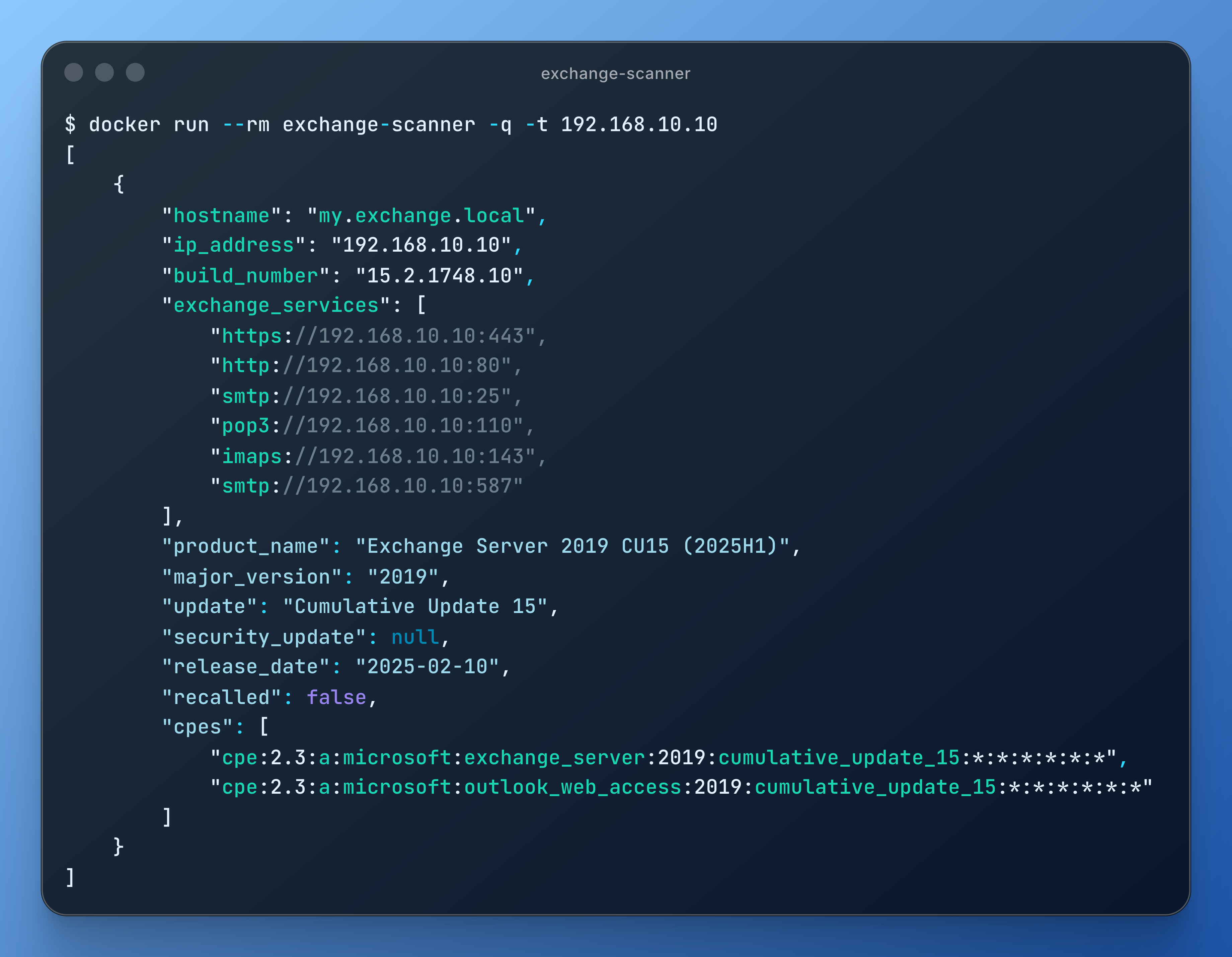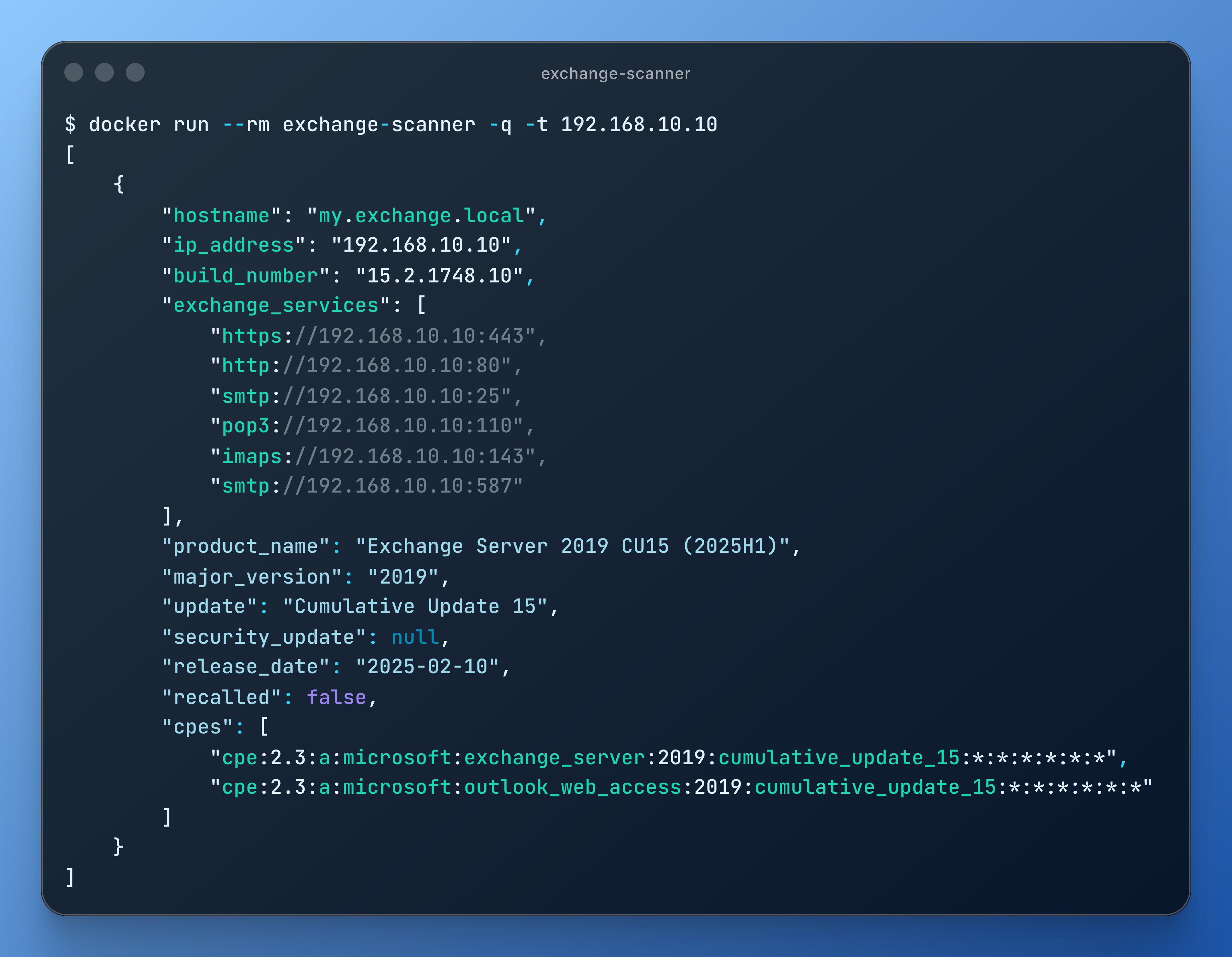
该工具扫描目标主机上多个常见的公开服务,以检测 Microsoft Exchange Server,并尽可能对其软件版本进行指纹识别。
为此,它使用以下技术:
检测到的内部版本号会与从 Microsoft 抓取的版本表进行匹配,该表涵盖从 Exchange Server 5.5 到 Exchange Server 订阅版 (SE) 的每个版本,包括 Service Pack (SP)、Cumulative Update (CU)、Security Update (SU)、Hotfix Update (HU) 和 Update Rollup (RU) 级别。匹配结果会以产品名称、发布日期和 NVD 字典格式的 CPE 字符串形式报告。
推荐使用 Docker 运行扫描器,除 Docker 本身外无需任何本地依赖。若改为直接运行脚本,则它专为 64 位 Debian Linux 设计,但应该也能在 Python 3、dnsx 和 fingerprintx 支持的任何 Linux 变体上运行(需对安装脚本稍作修改)。
构建镜像。该镜像捆绑了 Python、固定版本的 Python 包和版本锁定的 dnsx 与 fingerprintx 二进制文件,并在构建时从 Microsoft 抓取 Exchange Server 版本表:
docker build -t exchange-scanner .
然后运行扫描器,传入与直接运行脚本时相同的参数(如下方"用法"部分所述):
# Scan a single target
docker run --rm exchange-scanner -q -t 192.168.5.3

# Scan a list of targets (mount the file into the container)
docker run --rm -v "$PWD/targets.txt:/app/targets.txt" exchange-scanner -l targets.txt
重新构建镜像以刷新版本表。
运行 scripts/install-requirements.sh 以安装所需的工具、软件包和其他依赖项。Python 包在 scripts/requirements.txt 中被固定为特定版本。
您可以随时单独重新运行 scripts/get-exchange-versions.py,以更新 exchange-versions.json 中的软件版本表。
运行 exchange-scanner.py 脚本并加上 -h 参数以查看用法详情:
❯ ./exchange-scanner.py -h
usage: exchange-scanner.py [-h] [-q] [-d] [-x TIMEOUT] [-o OUTFILE] (-t TARGET | -l LIST)

optional arguments:
  -h, --help            show this help message and exit
  -q, --quiet           Suppress log output (except errors)
  -d, --debug           Print debugging messages
  -x TIMEOUT, --timeout TIMEOUT
                        Set timeout for HTTP requests (defaults to 3 seconds)
  -o OUTFILE, --outfile OUTFILE
                        Save output to a file instead of writing to stdout
  -t TARGET, --target TARGET
                        A single hostname or IP address to scan
  -l LIST, --list LIST  File containing a list of hostnames and/or IP addresses to scan (one per line)
必需参数:-t 或 -l
-t 并指定单个主机名或 IP 地址。如果主机名解析为多个 IP,脚本将分别扫描每个 IP。-l 并指定该文件名。日志:要抑制大部分日志输出,请使用 -q。要查看更多日志详情,请使用 -d。
超时:要更改每个 HTTP 请求的最大响应时间,请以秒为单位指定超时值(默认为 3 秒)。请注意,在某些情况下,单个 IP 地址可能产生超过 200 个请求(尽管大多数扫描不会达到这个数量),因此通常建议使用较短的超时时间。
输出:扫描结果默认以 JSON 格式打印。要将输出保存到文件而不是打印到 stdout,请使用 -o 并指定文件名。
$ ./exchange-scanner.py -q -t 192.168.5.3
[
    {
        "hostname": "192.168.5.3",
        "ip_address": "192.168.5.3",
        "build_number": "15.2.1118",
        "exchange_services": [
            "https://192.168.5.3:443",
            "imaps://192.168.5.3:993"
        ],
        "product_name": "Exchange Server 2019 CU12 (2022H1)",
        "major_version": "2019",
        "update": "Cumulative Update 12",
        "security_update": null,
        "release_date": "2022-04-20",
        "recalled": false,
        "cpes": [
            "cpe:2.3:a:microsoft:exchange_server:2019:cumulative_update_12:*:*:*:*:*:*",
            "cpe:2.3:a:microsoft:outlook_web_access:2019:cumulative_update_12:*:*:*:*:*:*"
        ]
    }
]
未经事先双方同意而使用此工具攻击目标是非法的。遵守所有适用的地方、州和联邦法律是最终用户的责任。开发者不承担任何责任,也不对因使用本程序造成的任何误用或损害负责。
本项目采用 GNU General Public License 许可证。
recalled 字段标记 Microsoft 已撤回的更新。