 beenuar/aisoc
Self-hostable AI SOC that fuses security alerts, auto-triages via agentic AI, runs MITRE ATT&CK investigations, and logs every agent decision in a replayable ledger.


An open-source, self-hostable AI Security Operations Center. It ingests your security telemetry, detects and correlates threats, investigates them with AI agents whose reasoning is fully auditable, and proposes responses a human approves.



Technical Guide (PDF) · Docs · Architecture · What actually works · Discussions
Telemetry arrives from your security tools. AiSOC normalizes it, runs the 2535 executable rules of its 7015-rule library, groups what fires into incidents, investigates each one with an AI agent whose every prompt and tool call is recorded, and proposes an action. New threat intelligence re-sweeps the history you already collected, and a human approves before anything reaches a vendor.
Watch the full three minutes — install to AI verdict on one server against the published images, terminal waits shortened and the recording saying so on screen. The stills below are earlier runs under the same rules: no seeded rows, no demo mode, no mockups. (step by step · what is real)
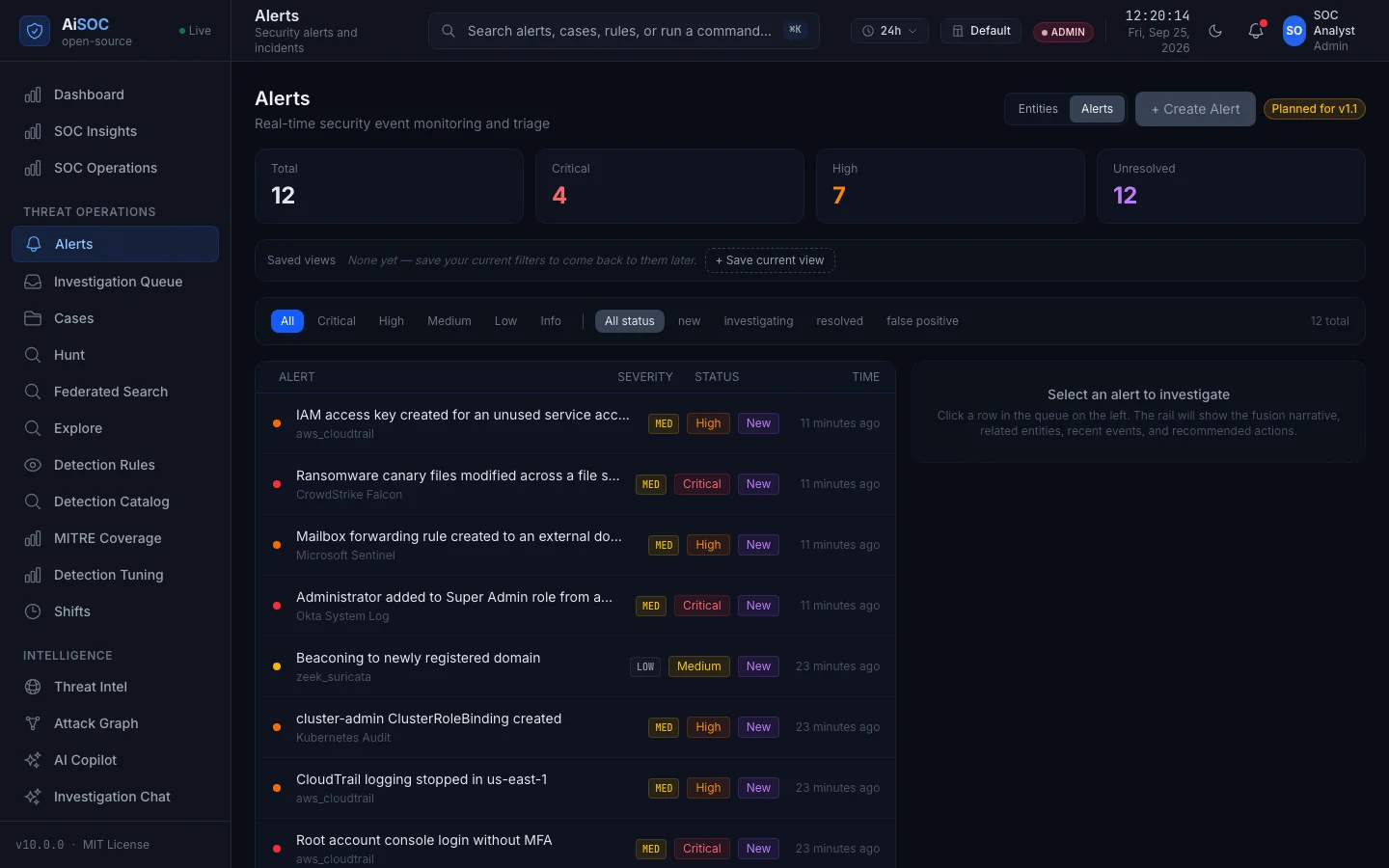 | 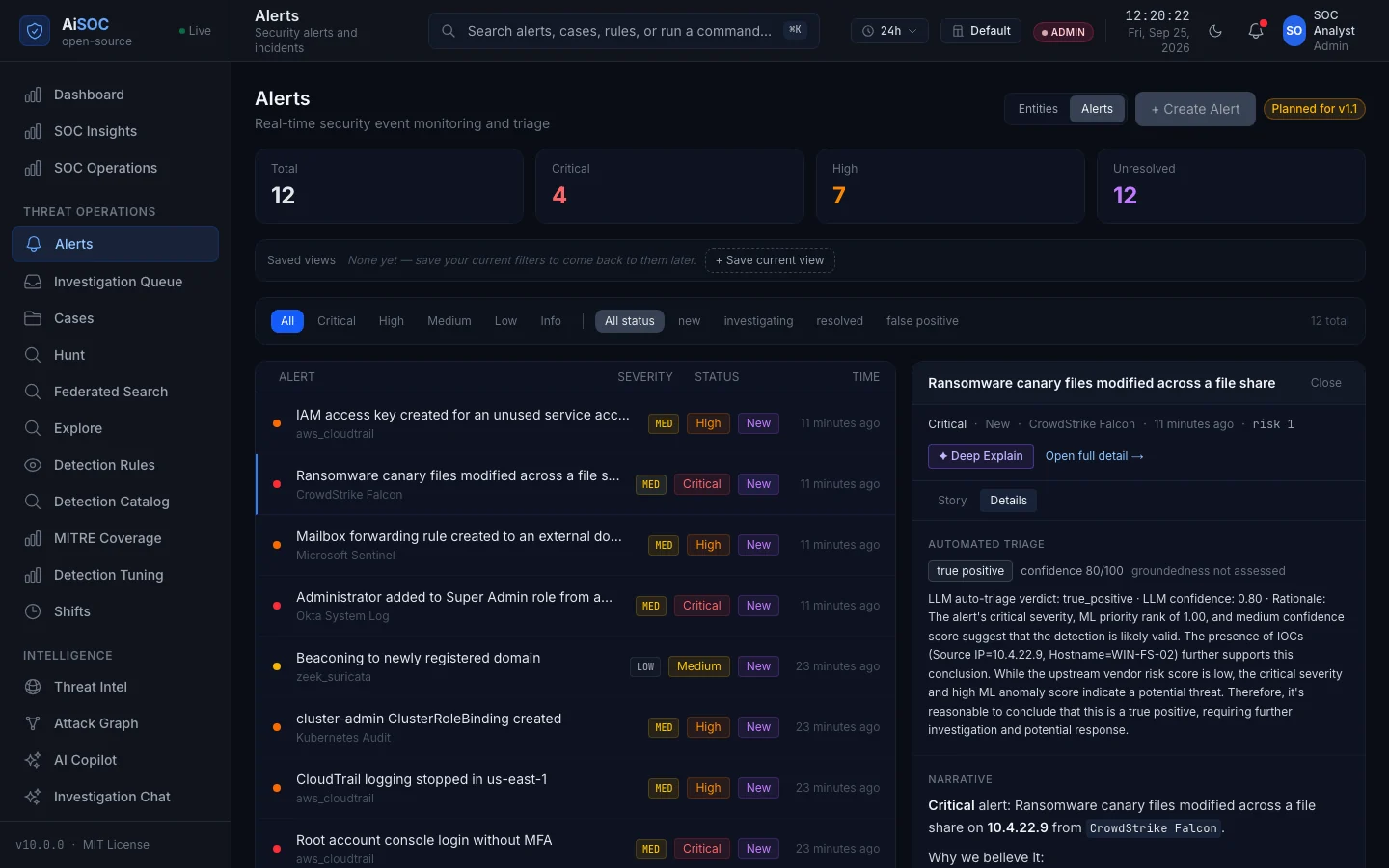 |
| Alerts — each attributed to the connector that fed it. | Automated triage — the bundled local model's verdict, confidence and rationale, verbatim. |
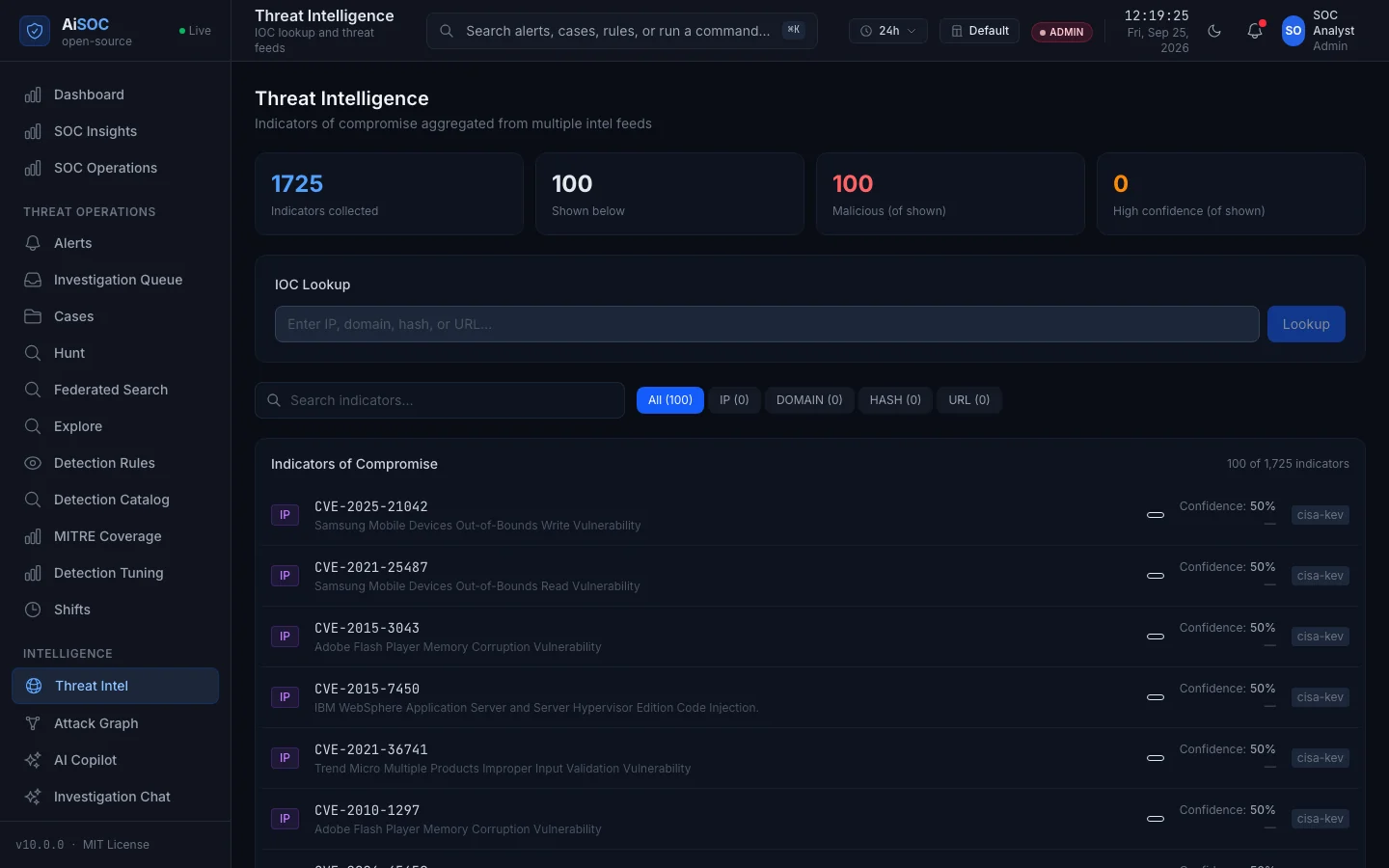 | 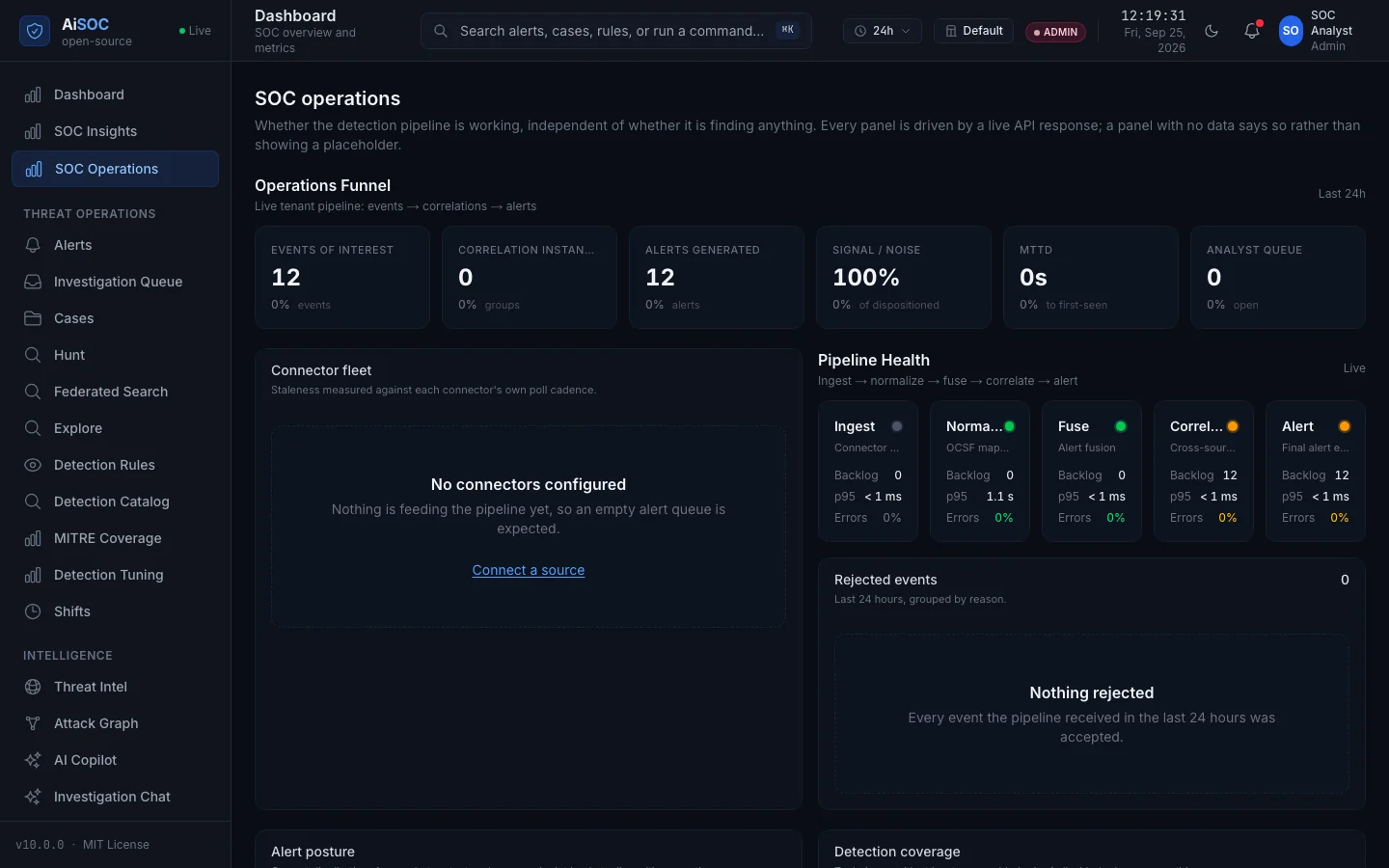 |
| Threat intelligence — the real CISA KEV catalog, minutes after boot, with no API key. | SOC operations — with nothing connected yet, and it says so rather than showing a placeholder. |
git clone https://github.com/beenuar/AiSOC && cd AiSOC
make up
On Windows, or on a machine with nothing installed yet, one line does the prerequisites too: iwr -useb https://raw.githubusercontent.com/beenuar/AiSOC/main/install.ps1 | iex (curl -fsSL https://raw.githubusercontent.com/beenuar/AiSOC/main/install.sh | bash on Linux and macOS). Without Docker at all, pip install aisoc-sandbox && aisoc-sandbox demo walks one alert through the agent funnel offline in under 30 seconds. Without your own machine, open the repo in GitHub Codespaces and run make up in its terminal. All four end at the same console; only the first three install anything.
The Technical Guide covers this in depth: server sizing, where the model runs, every failure mode with its cause and fix, the REST API, MCP, and every console surface.
Needs Docker Compose v2 with 8 GB memory and 20 GB free disk in the Docker VM, plus python3 (3.9+) and bash; make doctor checks all of it and Installation says what each number was measured against. The first run downloads a ~2 GB model into a volume only make clean clears.
make up also creates .env and generates the fifteen secrets in it — the credential vault, the
session signing key, five service-to-service credentials and four datastore passwords — then creates an
administrator and prints its password, generated on your machine, shown once and stored nowhere. Lost
it? make bootstrap ARGS=--reset-password mints another.
A port already in use does not stop the install. AiSOC publishes on a free one, names what held the old one, and moves the console address with it: 64 seconds to a signed-in console on a bare clone with 5432 and 11434 both taken.
Then prove it works. make smoke posts one real event to the ingest API and follows it through
Kafka, detection, correlation and Postgres, then reads the alert back out of the public API. Every
stage reports PASS or FAIL:
$ make smoke
[PASS] raw telemetry accepted by ingest
[PASS] event traversed the spine and became an alert
PASS: 10/10 stages
Sign in at the address make up printed. A tenant with nothing connected lands on a setup
wizard rather than an all-zero dashboard, and its state is read from your own data so it stays
right if you connect a source through the API. The spec is
docs/openapi.yaml — interactive docs are off in this production-class stack.
Stuck? make doctor, which on a host where you have not run make up yet says exactly that.

