
 bee-san/ciphey
⚡ 自动解密加密(无需知道密钥或密码)、解码编码、破解哈希 ⚡

粘贴经过编码或加密的文本。Ciphey 会找出方法并把明文交给你。
无需密钥、无需密码名称、无需提示。Base64、hex、Caesar/ROT13、Vigenère、摩尔斯电码以及另外 19 种,支持多层嵌套。



安装 ·
快速开始 ·
功能特性 ·
作为库使用 ·
MCP ·
文档 ·
Discord
▶ 观看一分钟演示(MP4,61 秒)
cargo install ciphey
适用于 Linux(x86_64)、macOS(Intel 和 Apple silicon)以及 Windows(x86_64)的预编译二进制文件位于发布页面,每个文件都附带 .sha256 校验和。
要从源码构建,你需要 Rust 工具链:
git clone https://github.com/bee-san/Ciphey
cd Ciphey
cargo build --release    # the binary is target/release/ciphey
或者跳过安装:加入 Discord 服务器,进入 #bots 频道并输入 $ciphey <your text>($help 会列出可用命令)。
$ ciphey -t 'aGVsbG8gdGhlcmUgZ2VuZXJhbA=='
🕵️ I think the plaintext is Words.
Possible plaintext: 'hello there general' (y/N):
y

🥳 ciphey has decoded 64 times.

The plaintext is:
hello there general
the decoder used is Base64
首次运行时,会有一个简短的设置流程,询问你喜欢的配色主题、希望如何显示结果以及是否使用词表,并将你的回答保存到 ~/.ciphey/config.toml。
ciphey -t 'NTA3NjYzNzU3MjZjMjA3NjY2MjA2OTcyNjU2YzIwNzM2ZTY2Njc='   # ROT13 → hex → Base64, nothing else needed
ciphey -f secret.txt                    # read the input from a file
ciphey -d -t '...'                      # no y/N prompt: take the first plaintext found (handy in scripts)
ciphey -c 15 -t '...'                   # keep searching for up to 15 seconds (the default is 5)
ciphey -r 'flag\{' -t '...'             # only accept plaintext that matches a regex (a crib)
ciphey --wordlist words.txt -t '...'    # also accept any exact match from a wordlist
ciphey --help 会列出所有选项。

▶ 观看片段(16 秒)
三层(先是 ROT13,然后是十六进制,最后是 Base64)在 0.16 秒内被剥离,这是在真实录制中由 bash 的 time 测量得出的。以下是更多输入与 Python Ciphey 5.14(Ciphey 所取代的版本)的相同对比:
| 输入 | Ciphey | Python Ciphey 5.14 |
|---|---|---|
| Base64 | 0.11 秒 | 0.92 秒 |
| 十六进制 → Base64 | 0.14 秒 | 1.02 秒 |
| ROT13 → 十六进制 → Base64 | 0.19 秒 | 60 秒内无答案 |
| URL → Base64 → 十六进制 | 0.24 秒 | 1.15 秒 |
| Base64 ×4 | 0.41 秒 | 0.78 秒 |
| 十六进制 → Base32 → Base64 → 十六进制 | 0.54 秒 | 0.72 秒,答案错误 |
| ROT13 → 十六进制 → Base64 → Base32 | 1.15 秒 | 60 秒内无答案 |
在共享的 16-CPU Linux 机器上,每个输入 10 次运行(Python Ciphey:3 次)的挂钟时间中位数,Ciphey 位于 47bd16d6,关闭 y/N 提示,每次运行使用全新的 $HOME,使其缓存无法发挥作用。每次运行上限为 60 秒。脚本和原始数据位于 media/readme-videos 分支的 media/tui-video/bench 中。
在两者都能得到正确答案的情况下,Ciphey 快 1.9 到 8.6 倍。速度从何而来?
~/.ciphey/database.sqlite 中,因此第二次输入相同内容时会在毫秒内返回。Ciphey 不需要被告知它面对的是什么。它会搜索解码器链(十六进制里的 Base64 里的 ROT13、四层 Base64 等等),并在第一个看起来像明文的候选结果处停止。默认情况下,它会向你展示该候选结果并在接受前询问(-d 会关闭此行为)。本页顶部的片段展示了一次四层解码。
还有一个计时器:如果 Ciphey 在 5 秒后仍未找到任何内容,它会停止并说明这一点(-c 可更改该限制)。
它认识 24 种解码器和破解器:
| 类型 | 解码器 |
|---|---|
| Base 编码 | Base64(标准和 URL 安全)、Base32、Base58(Bitcoin、Flickr、Monero、Ripple)、Base91、Base65536、Z85 |
| 其他编码 | 十六进制、二进制、URL(百分号编码)、摩尔斯电码、盲文、A1Z26、Citrix CTX1 |
| 密码 | 凯撒(包括 ROT13)、ROT47、Atbash、维吉尼亚(它会自行算出密钥)、栅栏、反转文本 |
| 奇趣 | Brainfuck(它会运行该程序)、用其他符号书写的摩尔斯或二进制 |
更多解码器正在路上:#1030 追踪了 109 种尚未加入的解码器。

▶ 观看片段(21 秒)
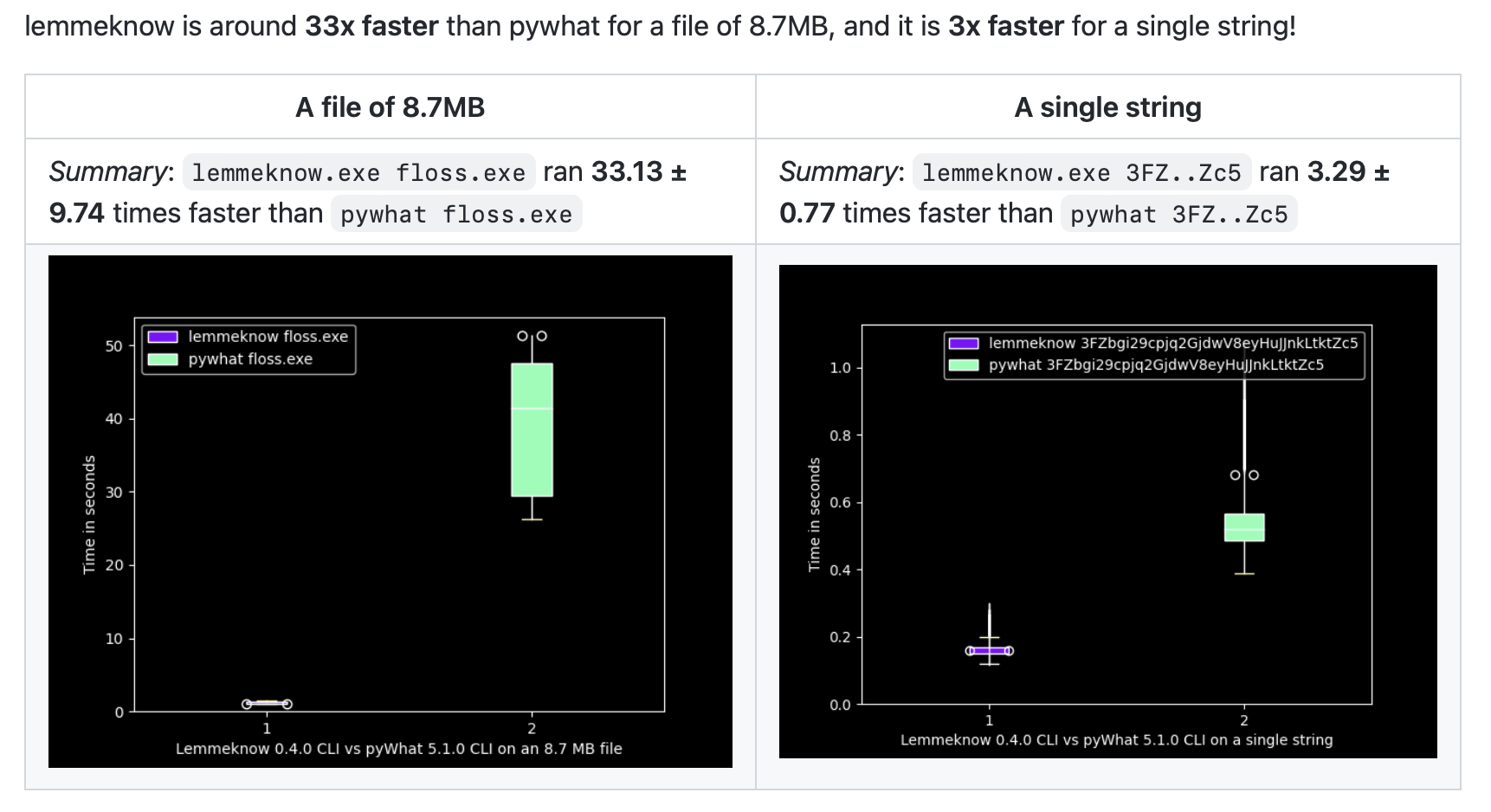
每个候选明文还会经过 LemmeKnow——pyWhat 的 Rust 移植版——进行识别,它可识别 120 多种格式。因此 Ciphey 不仅能解码字符串,还能告诉你它是什么:mount 或 sshpass 命令中的密码、TOTP 密钥、GitHub token 或 Stripe 密钥、IP 或 MAC 地址、电子邮件地址或 URL、卡号、加密钱包、AWS ARN 或 CTF flag。
$ ciphey -t '3139322e3136382e302e31'
🕵️ I think the plaintext is Internet Protocol (IP) Address Version 4.
Possible plaintext: '192.168.0.1' (y/N):

▶ 观看片段(14.5 秒)
如果你知道答案的一部分(flag 格式、必须包含的某个词、开头是什么),可以用 -r 以正则表达式的形式把它交给 Ciphey。其他检查器会关闭,只有匹配的文本才会被接受。这样就能找出英文检测会漏掉的明文:Base64 编码的 picoCTF{b4s3_64_1s_fun} 默认会被当作乱码返回,但加上 -r 'picoCTF\{' 后,它就是第一个匹配项。
--wordlist words.txt 对精确匹配的作用相同:只要候选结果是文件中的某一行,就算作明文。
首次运行设置会让你选择配色主题(Capptucin、Darcula、GirlyPop、默认主题,或你自己的 RGB 值),并选择是逐个询问每个明文,还是在最后给出候选列表。你可以在导览的 0:32 处看到它。所有设置都会保存到 ~/.ciphey/config.toml,之后可以编辑。
ciphey 二进制文件只是 ciphey crate 的一层薄封装。Discord 机器人也使用它,你的代码同样可以。
perform_cracking 会像 ciphey 二进制文件那样运行整个搜索过程:
use ciphey::config::Config;
use ciphey::{perform_cracking, CipheyError};

fn main() {
    let mut config = Config::default();
    config.timeout = 5; // seconds
    config.human_checker_on = false; // never prompt on stdin
    config.api_mode = true; // don't print progress to stdout
    // config.regex = Some(r"flag\{".to_string()); // only accept plaintext matching a crib
