 baarai/artex
LLM multi-agent autonomous penetration testing platform with planner/worker agents, asset and exploration graphs, MITM traffic recording, and vulnerability retesting.
<div align="center">
<img src="https://raw.githubusercontent.com/baarai/artex/main/web/public/logo.svg" width="84" alt="ARTEX logo" />
# ARTEX
**Autonomous penetration testing that keeps its receipts.**
Self-hosted multi-agent offensive security. A planner explores, workers run real tools,
and every finding stays bound to the assets and HTTP traffic that prove it.
[](https://github.com/BaaRai/ARTEX/releases)
[](LICENSE)
[](https://github.com/BaaRai/ARTEX/actions/workflows/ci.yml)
[](go.mod)
[](https://discord.gg/VKyvMTcgXh)
[Quick start](#quick-start) · [Install guide](https://github.com/baarai/artex/blob/main/INSTALL.md) · [Screenshots](#screenshots) · [How it works](#how-it-works) · [Installation](#installation) · [Configuration](#configuration) · [Security](https://github.com/baarai/artex/blob/main/SECURITY.md)
[](https://discord.gg/VKyvMTcgXh)
</div>
---
ARTEX is a self-hosted, LLM-driven penetration testing platform. It is not a chat wrapper around
a scanner: a planner splits a goal into intents, workers execute them with real tools, and the
results are written back into **two linked graphs**: one for what you know about the target, one
for how the test is progressing. Every finding can carry the captured request and response that
justify it, and every autonomous action passes through scope rules, approval gates and budgets.
- **It explores, it doesn't chat.** Goal decomposition, intent dispatch, worker execution and
write-back form a closed loop that keeps advancing until the goal is proven.
- **Two graphs, one audit trail.** The shared asset graph says *what exists*; the per-task
exploration graph says *what was tried, what it produced, and why*. Anchors link the two.
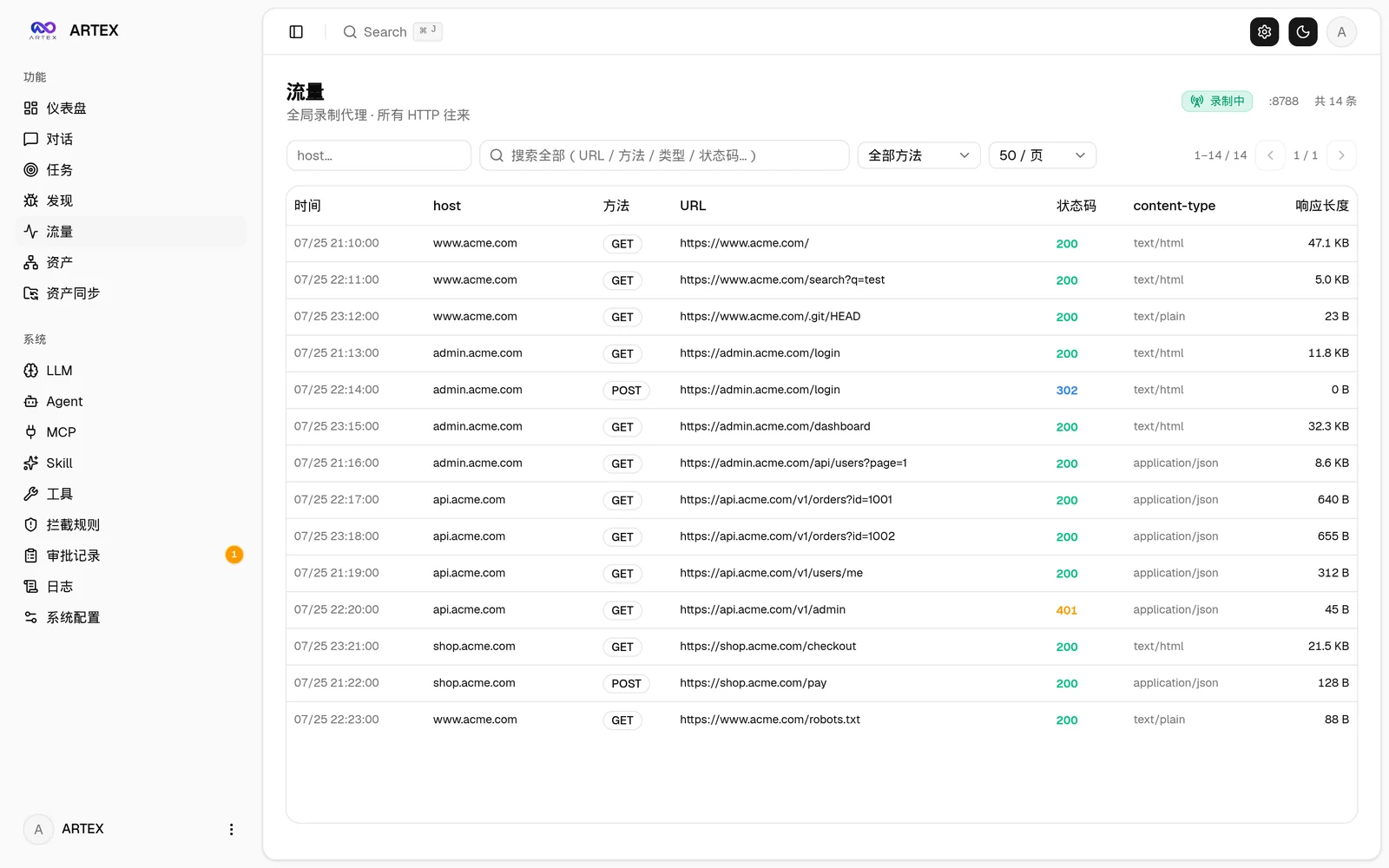
- **Findings with evidence.** A recording MITM proxy and a browser extension capture real traffic;
findings, evidence quotes and retests are tied to the exact request/response.
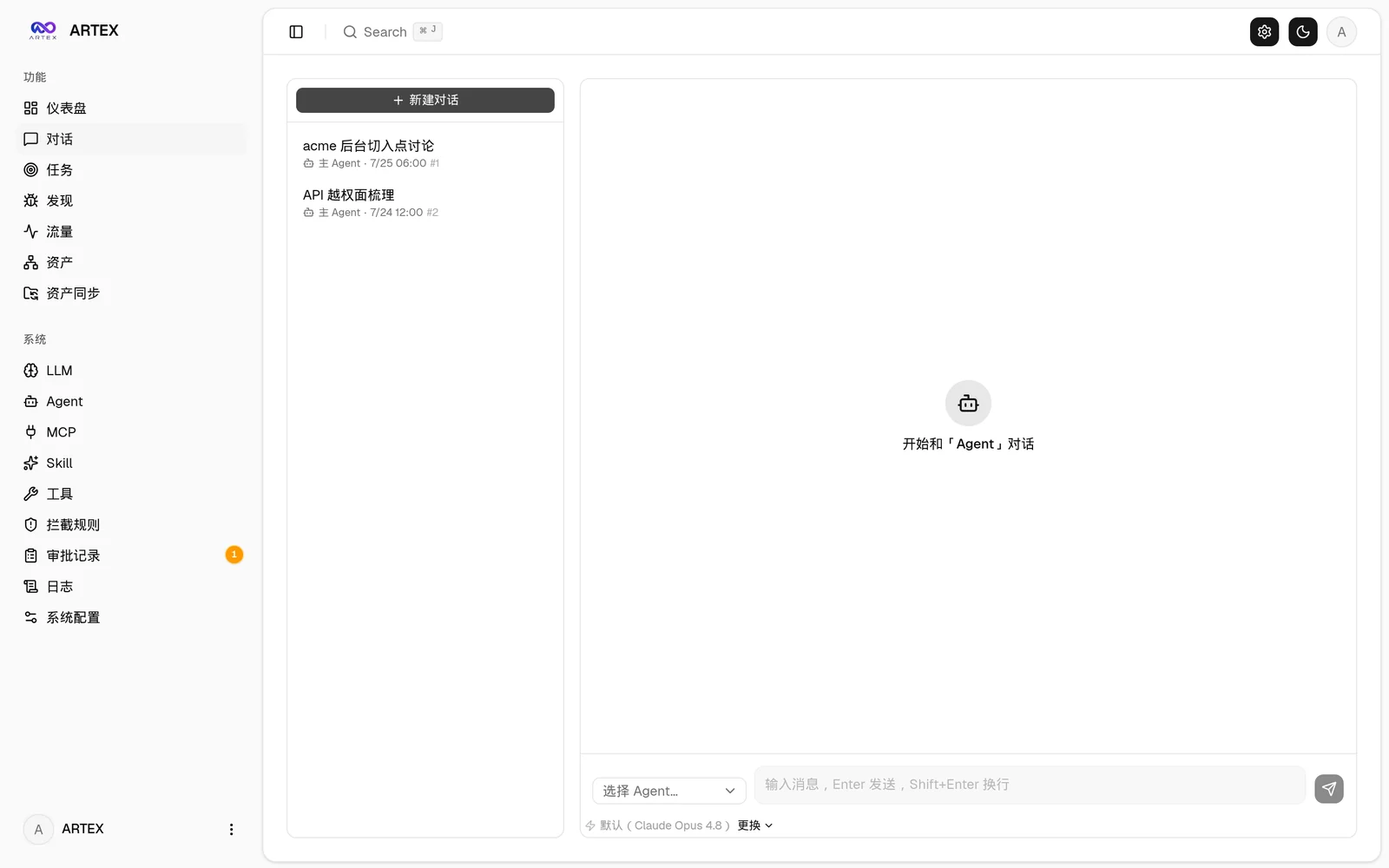
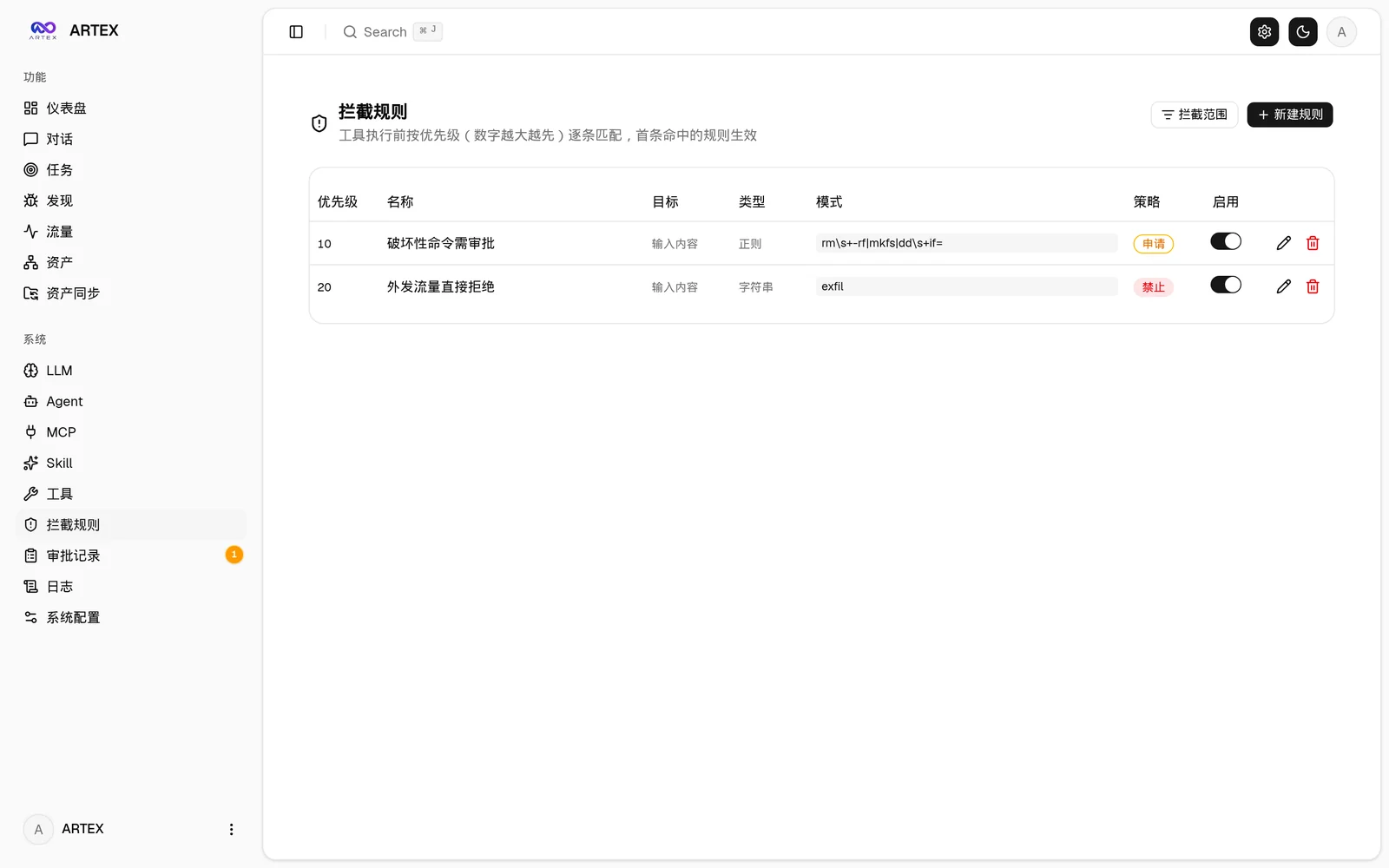
- **Autonomy with brakes.** Human-in-the-loop approvals, argv-prefix rules, scope/deny gates,
token and turn budgets, a target noise governor, and prompt-injection framing on tool output.
- **Self-hosted and model-agnostic.** One Go binary with the Next.js UI embedded, PostgreSQL,
your own Anthropic/OpenAI-compatible endpoint, or a local Ollama.
---
> **Installing ARTEX for the first time?** [INSTALL.md](https://github.com/baarai/artex/blob/main/INSTALL.md) has the three-command Docker
> setup, the first login with the setup token, and fixes for the most common installation errors.
## Quick start
```bash
git clone https://github.com/BaaRai/ARTEX.git
cd ARTEX
cp .env.example .env # set POSTGRES_PASSWORD (and optionally an LLM key)
docker compose up -d --build # builds from this checkout, starts PostgreSQL
```
Open **http://localhost:8787**. On the first visit `/setup` asks for the one-time setup token
printed at startup:
```bash
docker compose logs artex | grep "Setup token"
```
> **On Docker Desktop for Windows or macOS**, add the Desktop overlay so agent isolation holds:
> `docker compose -f docker-compose.yml -f docker-compose.desktop.yml up -d --build`. Without it the
> `artex` container crash-loops on the isolation self-test. See
> [Docker Desktop on Windows and macOS](#docker-desktop-on-windows-and-macos).
> Multi-arch release images (`linux/amd64`, `linux/arm64`) are published to GitHub Container
> Registry at `ghcr.io/baarai/artex` from the next tagged release; v0.7.0 predates the publish
> step. For pulling the prebuilt image and all other installation paths (script, binaries,
> source, release archives), see [Installation](#installation).
---
## Multi-provider workers
In **System → LLM**, configure the profiles you want to use. In **System → Settings**,
set the concurrent worker count to at least **2** before starting a task (the count
applies to subsequently started tasks). In **System → Agents → Worker**, leave the
model set to follow the task; a fixed Worker model takes precedence over rotation.
When creating a task, select both profiles in **LLM config chain**, arrange their
order, and enable **Enable multi-LLM worker rotation**. For an existing task, open
its LLM config control, change the switch or profile order, and save.
Rotation assigns successive worker intents A, B, A, B, regardless of completion
order. Separate intents can run concurrently on different providers; each intent
keeps its selected provider unless it fails over. Planner and other unbound roles
continue using the task's current profile. Turning rotation off restores ordered
task-level failover. An excluded provider is skipped, so an intent pinned to an
exhausted profile falls back to the task's current profile instead of retrying it;
rotation keeps cycling the whole list and does not rebalance around a dead provider.
Saving the chain resets their failure state. Changes do not interrupt in-flight
calls. The rotation cursor starts again after a server restart and saving the chain
does not reset it; the profile order and switch remain persisted.
The task creation and `PUT /api/tasks/{id}/llm` APIs accept `llm_rotate: true` alongside
the ordered `llm_profile_ids`. Omitting `llm_rotate` on an update preserves its value.
## Screenshots
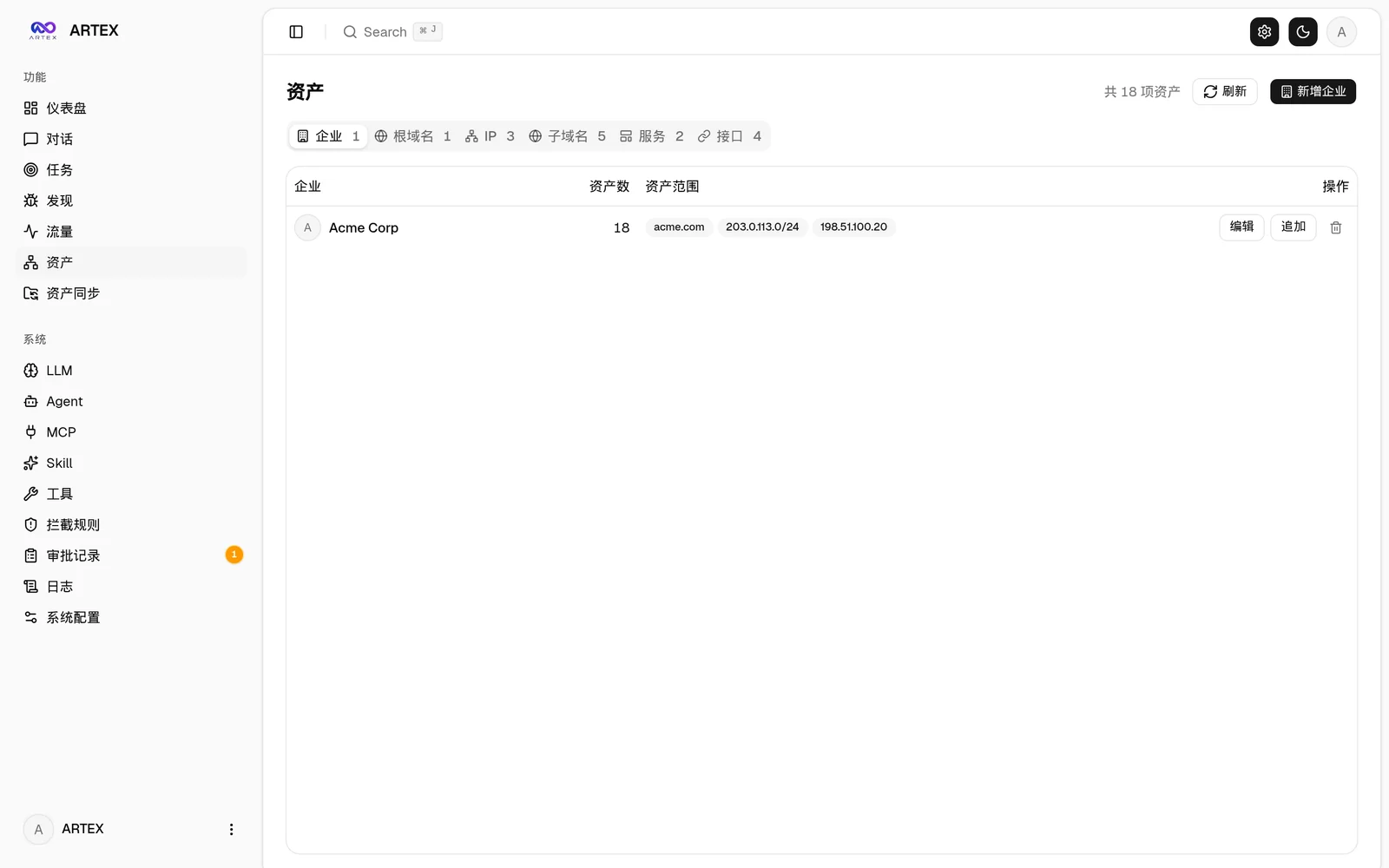
| Tasks | Findings |
| :---: | :---: |
| 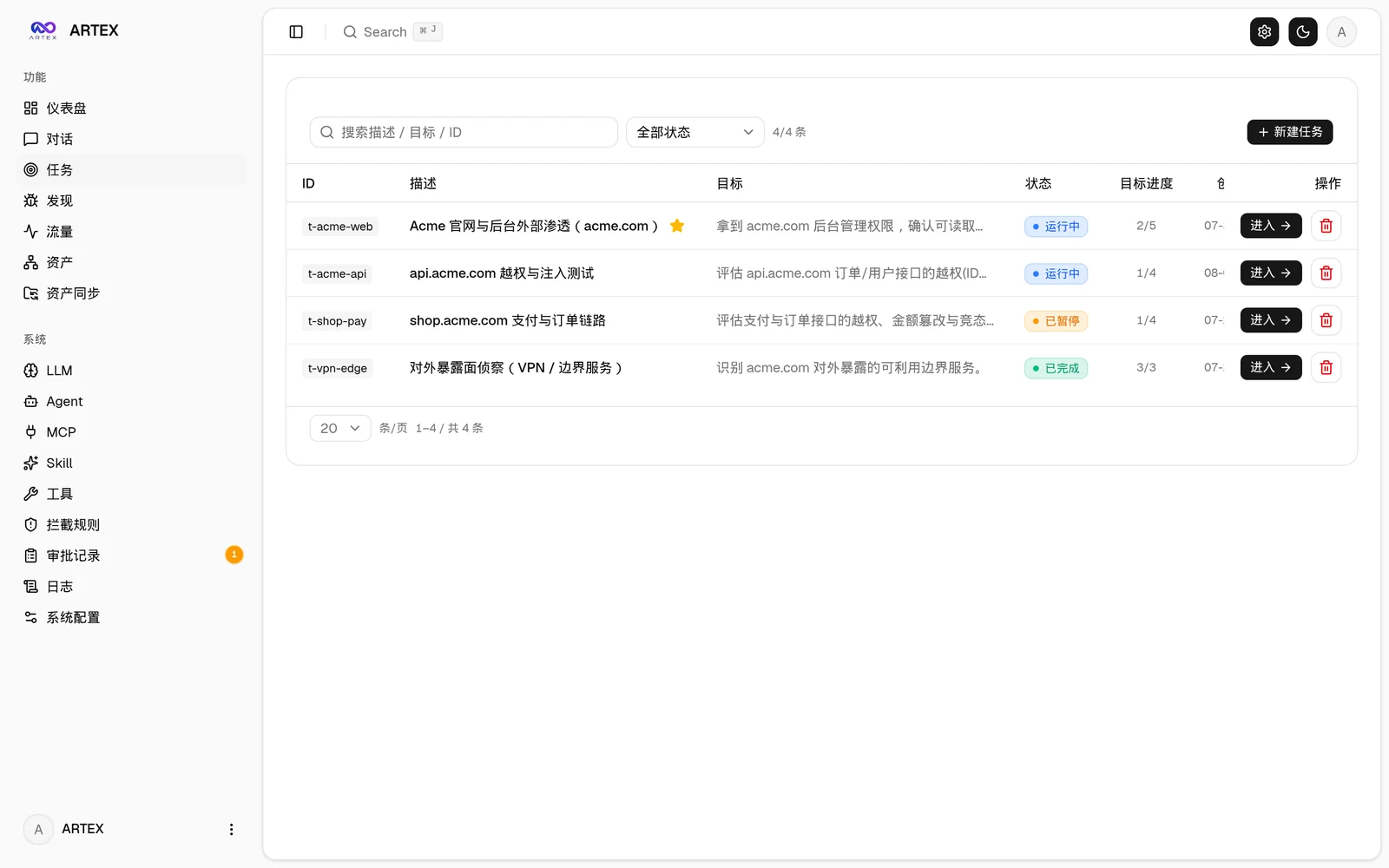 | 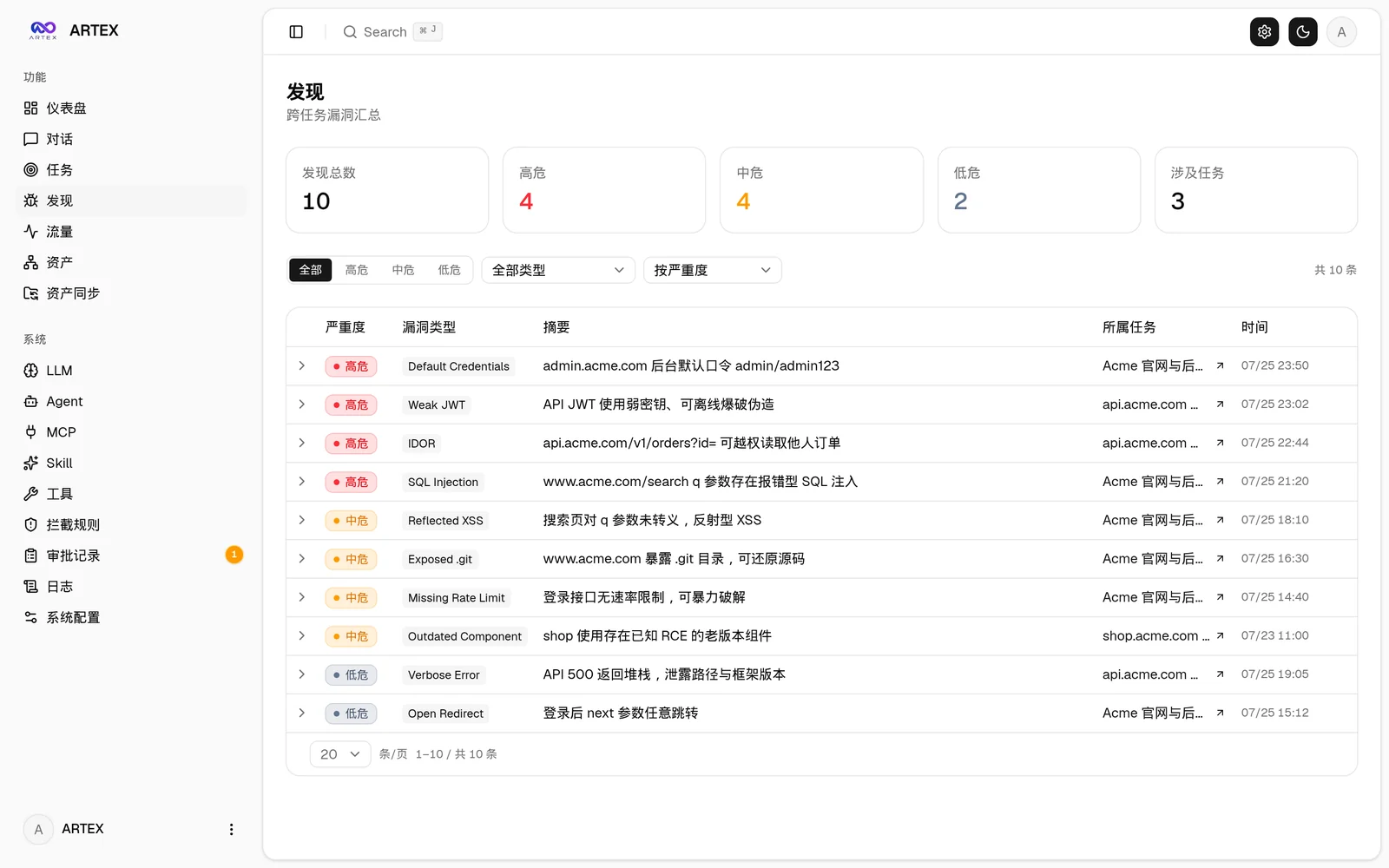 |
| Task execution: sessions and tool calls | Exploration graph |
| :---: | :---: |
| 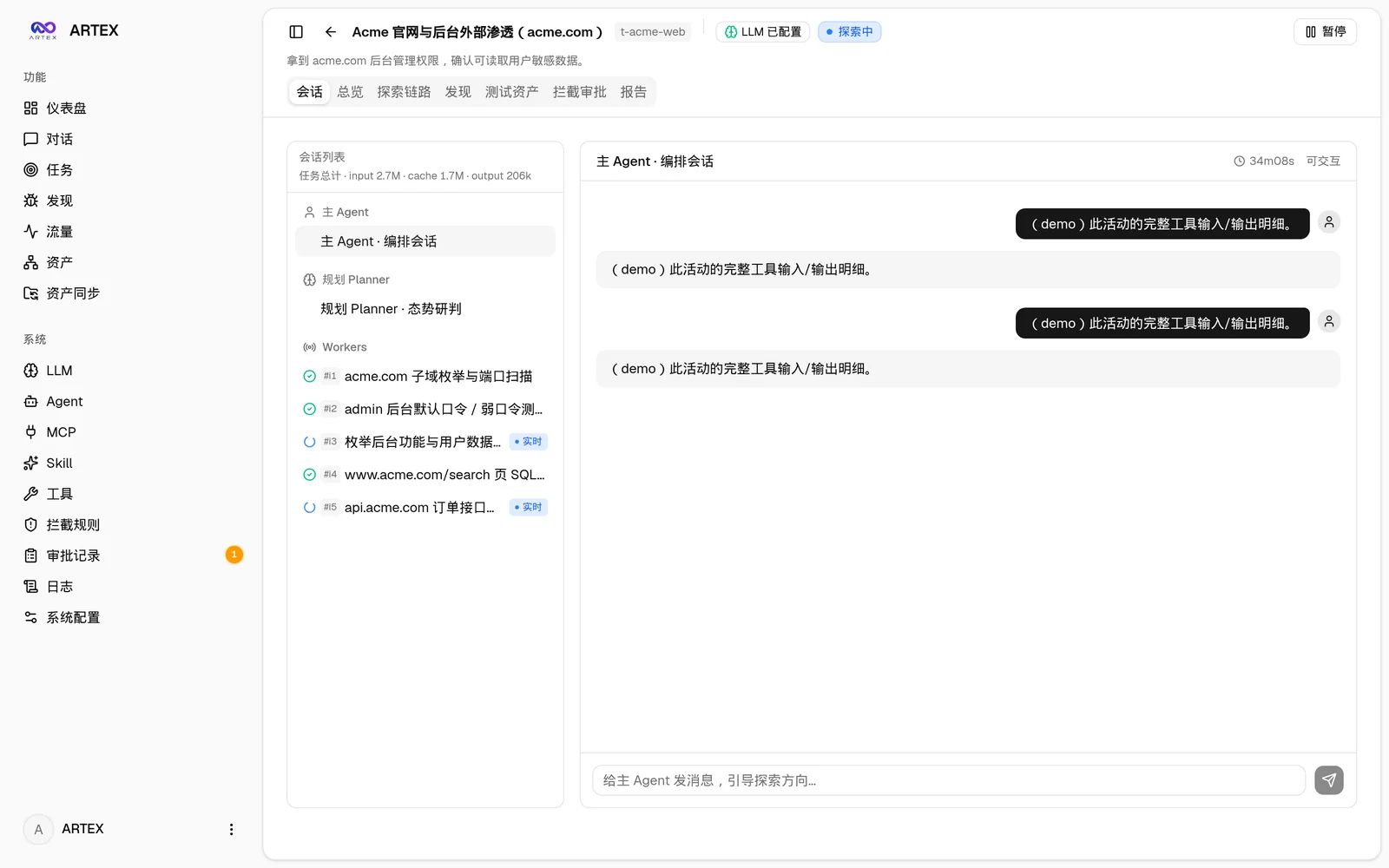 | 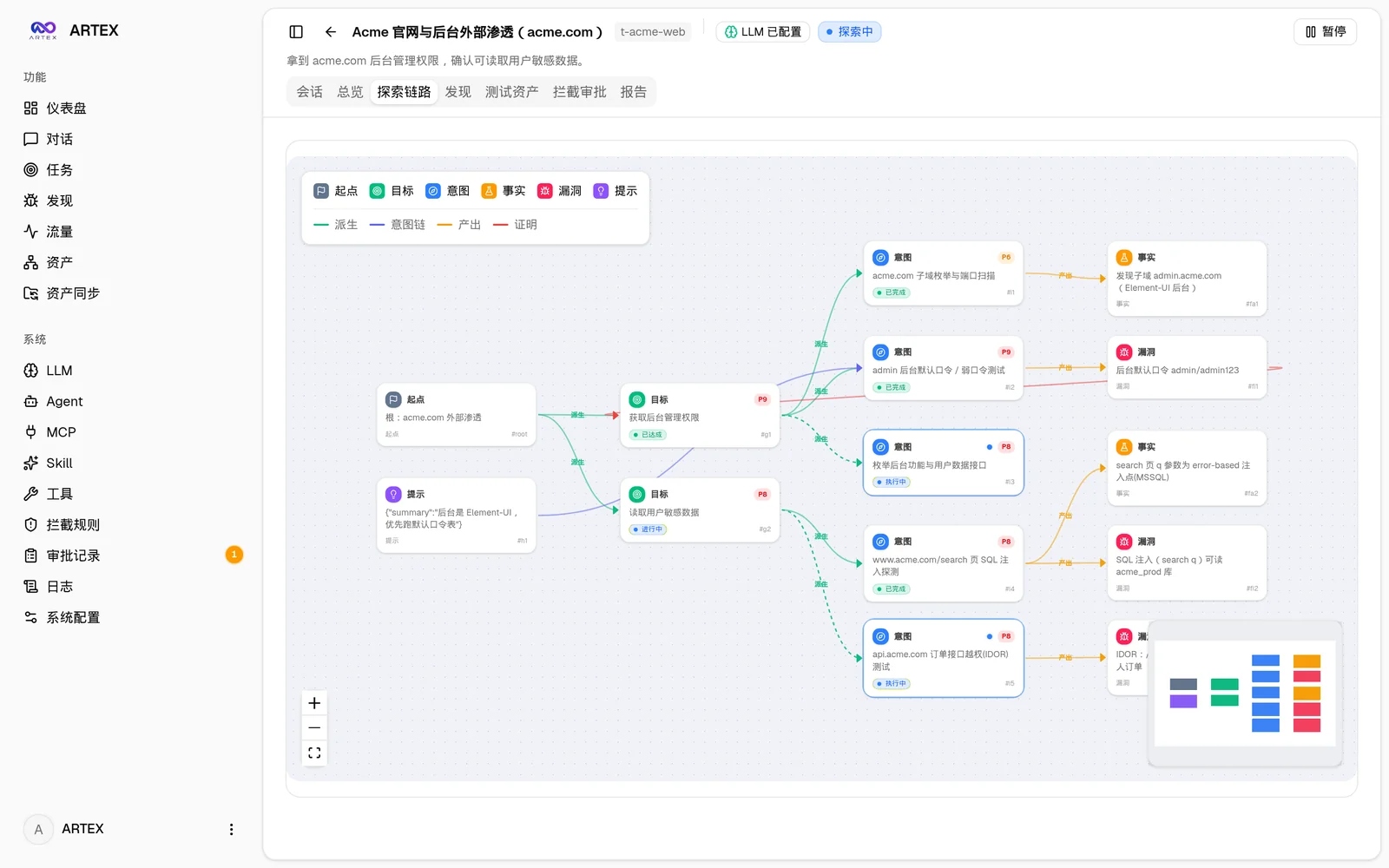 |
| Asset coverage graph | Traffic recording |
| :---: | :---: |
| 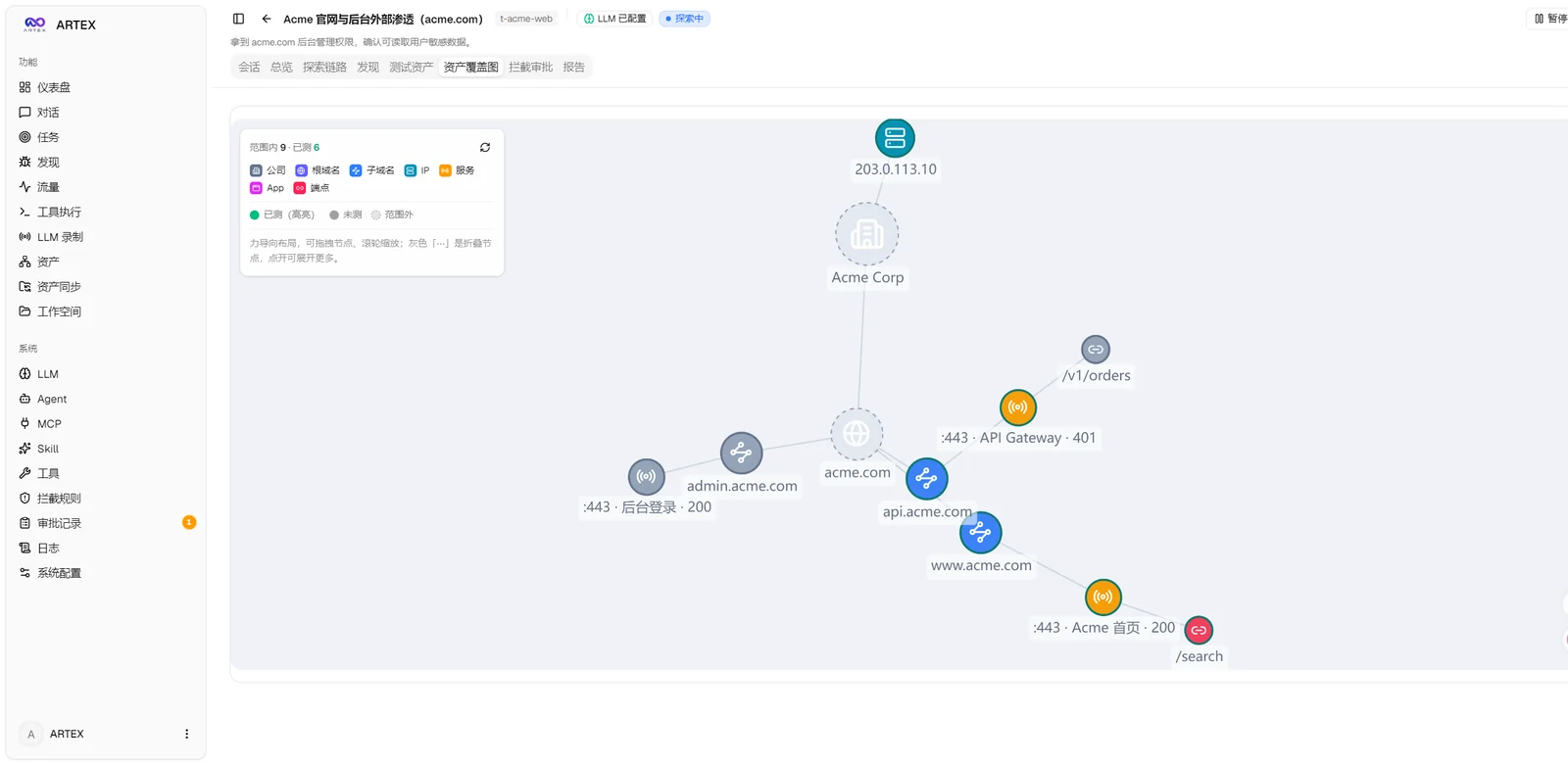 |  |
| Human-in-the-loop chat | Interception approvals |
| :---: | :---: |
|  |  |
<details>
<summary>More screenshots (assets, agents, LLM, logs)</summary>
| Assets | Agent management |
| :---: | :---: |
|  | 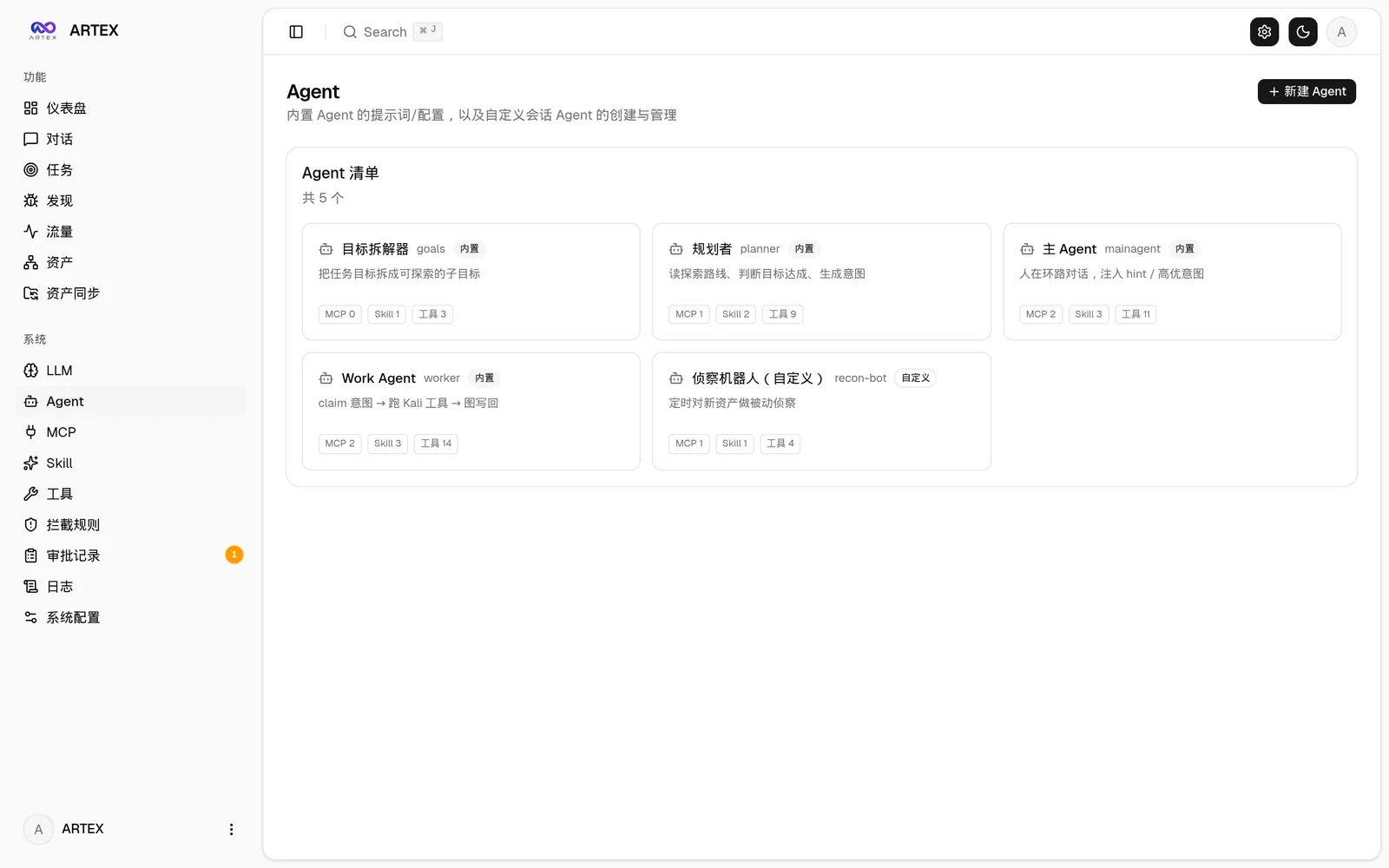 |
| LLM configuration | Backend logs |
| :---: | :---: |
| 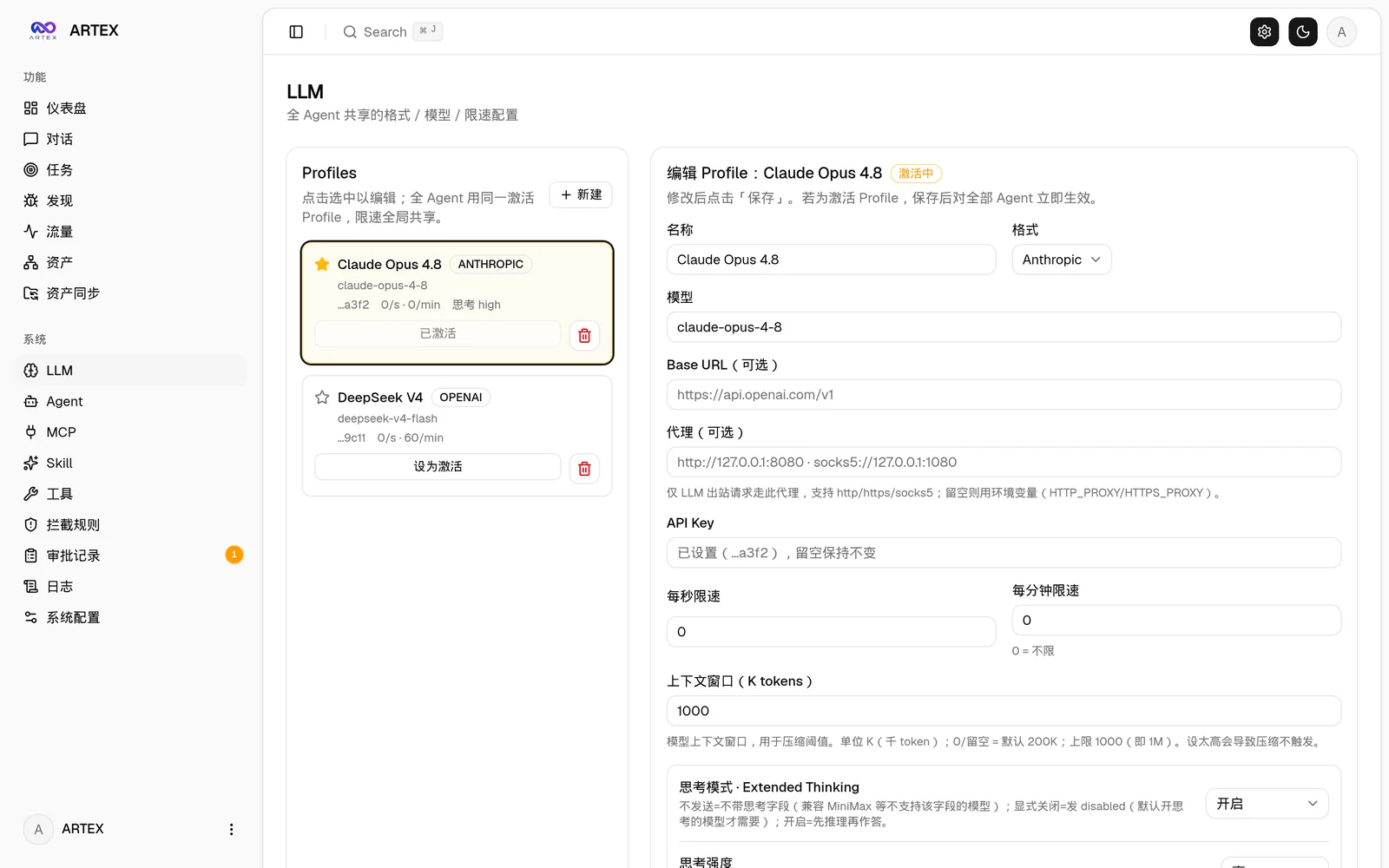 | 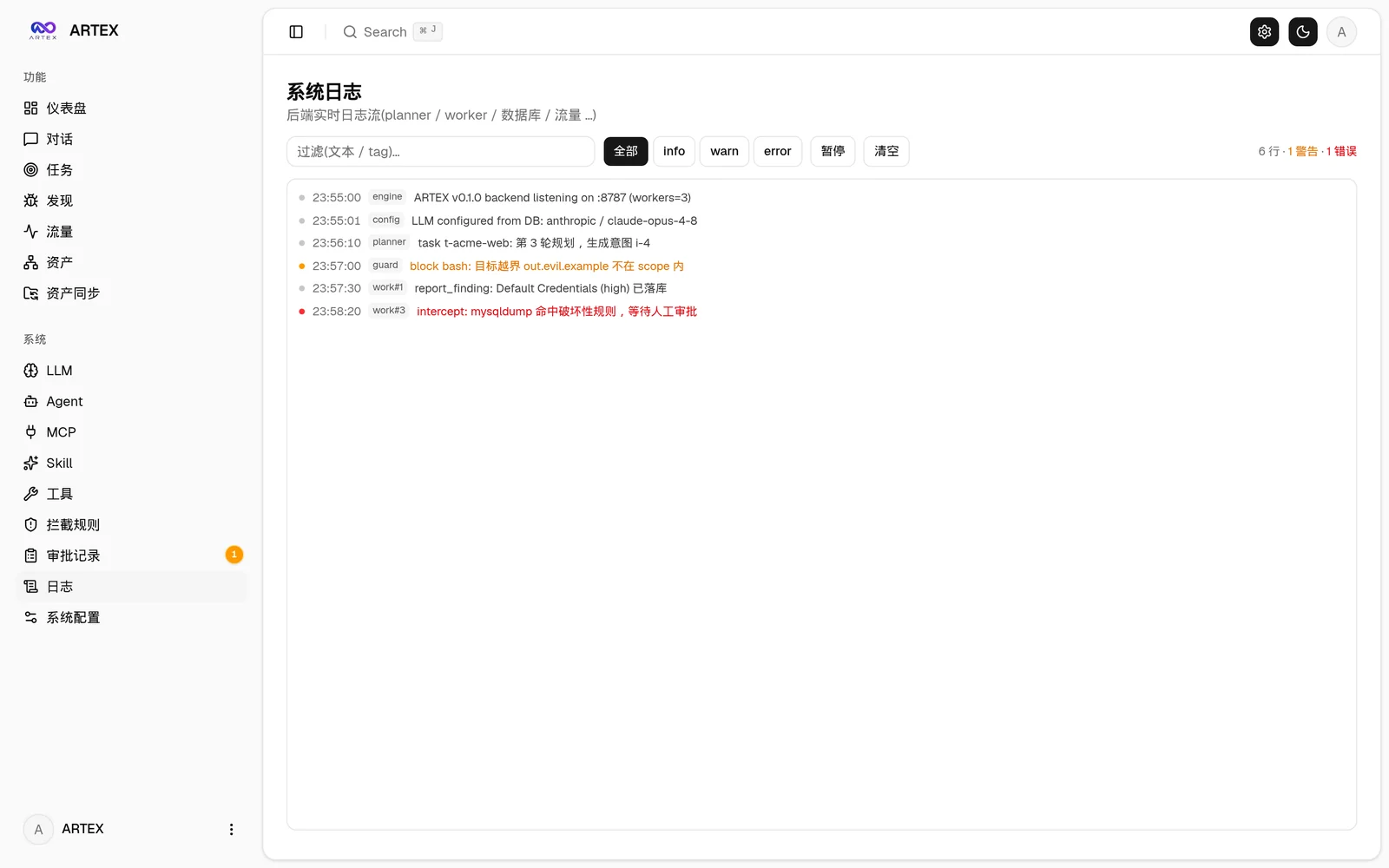 |
</details>
---
## How it works
### Dual-graph architecture: exploration graph + asset graph
ARTEX separates *what the goals are* from *how far testing has progressed* into two independent
graphs linked by anchors:
- **Asset graph (shared across tasks).** One source of truth for `root_domain / subdomain / ip /
service / app / endpoint`, owned by companies. Parent-child relationships and deduplication keys
are computed by the program; agents only submit raw observations.
- **Exploration graph (per task).** The task's reasoning and progress: `goal / intent / fact /
finding / hint` nodes connected by `spawns / derived_from / yields / proves` edges into a lineage
chain.
- **Anchors link them.** `exploration_anchors(node_id, asset_id)` ties intents, facts and findings
to concrete assets: which assets a direction touched, and which intents tested a given asset.
This also powers **asset test coverage** and the coverage graph.
```mermaid
flowchart LR
subgraph EG["Exploration graph (per-task · advance chain)"]
direction TB
G["goal"]
I1["intent A"]
F1["fact"]
I2["intent B"]
FD["finding (vulnerability)"]
G -->|spawns| I1
I1 -->|yields| F1
F1 -->|derived_from| I2
I2 -->|proves| FD
end
subgraph AG["Asset graph (globally shared · source of truth)"]
direction TB
RD["root_domain"]
SD["subdomain"]
SV["service"]
EP["endpoint"]
RD --> SD --> SV --> EP
end
I1 -. anchor .-> SD
F1 -. anchor .-> SV
I2 -. anchor .-> EP
FD -. anchor .-> EP
```
The **planner** reads the exploration graph, judges goals, and dispatches intents only when there
is an uncovered direction; a **worker** claims one intent, executes it, writes assets/facts/findings
back into both graphs, then stops.
### The engine loop
The engine is event-driven: any graph change wakes the planner, workers claim and execute intents,
write-back triggers the next round, until `prove_goal` closes the task.
```mermaid
sequenceDiagram
autonumber
participant EV as graph-change debounce
participant P as planner
participant FR as frontier intent queue
participant W as worker
participant PX as recording proxy
participant DB as dual graphs + activity
EV-->>P: wake up
P->>DB: read situation (graph_overview prefetch + coverage/scope)
P->>FR: dispatch 0..N intents (with asset_ids)
Note over P,FR: most wake-ups dispatch 0 (no new direction means done)
W->>FR: claimNext claims one intent
W->>DB: fetch the raw assets of the intent's asset_ids
W->>PX: real tool execution (Kali / Bash / HTTP)
PX-->>W: response (fully traced + CA verified)
W->>DB: write back fact / asset / finding + per-step activity
DB-->>EV: graph change
EV-->>P: wake again (closed loop)
```
### Durable attack chains, shared worker memory
Real attack chains are multi-step and ordered (find an injection → get credentials → move
laterally). The planner keeps a **todolist retained per task across wake-ups**: it records the
chain once, then dispatches the next step only when its prerequisites are satisfied by facts.
Workers can also **search each other's execution traces** (`search_all_worker_traces`,
`list_worker_traces`, `get_worker_trace`). Observations that never became formal facts (an error
message, a response snippet, a hidden parameter) are still reusable by the next worker, while each
worker remains confined to the intent it claimed.
---
## Features
### Evidence, not chat logs
- **Recording MITM proxy** (`:8788`) with a generated CA: every Bash/HTTP tool call is traced, and
request/response evidence can be bound to a finding.
- **Browser extension** (`extension/`) for authenticated targets: log in once (captcha, email OTP,
2FA included), capture the session, and the requests/responses land in the same traffic store.
<details>
<summary>Using the traffic capture extension</summary>
- Load the unpacked extension from `extension/` (Chrome/Edge: Developer Mode → Load unpacked);
- In the popup, set your ARTEX URL and token, then press **Start capture** on the tab you are
browsing;
- Use the site normally; text requests/responses are batched to `POST /api/traffic/ingest`
(authenticated). Binary bodies (images, fonts) are skipped, bodies are truncated at 256 KiB,
batches are capped at 50 entries;
- Press **Stop** when done. Everything stays in your local traffic store.
</details>
- **Opt-in shared browser with live view and take-over** (Function → Browser): disabled by default
(each agent run launches its own private headless browser). Opt in with `-shared-browser` or
`ARTEX_SHARED_BROWSER=true` to view the browser live and intervene on CAPTCHAs, email/SMS codes, 2FA,
or logins. No anti-bot stealth flags (`AutomationControlled` or `HeadlessChrome` user-agent rewriting)
are applied: when a human verification challenge appears, acting tools are refused and the agent hands
off via `ask_operator`; press **Take over**, complete it in the view, and **Hand back** so the agent
continues in the same tab (an idle operator lock or `ask_operator` hold expires automatically after
`-shared-browser-lock-timeout` / `ARTEX_SHARED_BROWSER_LOCK_TIMEOUT`, default `15m`). Profiles are
isolated per task or chat session under `<data>/browser-profiles/<scope>`, CDP is isolated over
`--remote-debugging-pipe` (Unix) behind a per-run token-authenticated server proxy so agent `Bash`
cannot drive Chromium directly, and traffic capture trusts only ARTEX's recording CA SPKI pin rather
than disabling certificate verification. Residual risk: because Playwright MCP runs under the same
executor UID as agent `Bash`, the per-run token in Playwright MCP's `--cdp-endpoint` argv is readable
by same-UID agent processes while the run is active; the token is revoked immediately when the run
ends, Chromium binds no TCP port on Unix, and the server CDP proxy enforces the operator hold and
active lease on every HTTP request and WebSocket message so operator take-over cannot be bypassed.
- **Verified findings**: findings carry a POE level, a verification status and a note; a finding is
`verified` only when a bound proof/response and verbatim evidence quotes support it. Gzip/deflate
bodies are decoded before the quote check. The findings table supports bulk status updates, and
the report and export show each finding's proof strength next to its status.
- **Traffic replay**: open a captured exchange and replay the recorded request (method, URL,
headers and stored body) from the traffic detail; replay stays disabled while only the body
preview is loaded.
- **Vulnerability retest loop**: a dedicated `retester` agent re-runs a finding with optional fixed
version/conditions, records `Still reproducible / Fixed / Cannot confirm`, and can move the
finding to `Fixed` automatically. Original evidence and reports are preserved.
- **Reports and exports**: findings, evidence and task archives, with traffic snapshots kept
encrypted at rest.
### Control without slowing down
- **Interception gate**: every tool call can require human approval, with rules by `string`,
`regex` or **argv prefix**. An argv rule is a JSON array of 1 to 8 tokens (Bash only, for
example `["git","push"]`); it matches only a single simple command whose parsed prefix equals
the pattern exactly. Pipes, lists, redirections, prefix assignments, subshells, background jobs,
wrapper programs and command/parameter substitutions do not match; flags are ignored by
construction (`["git","push"]` covers `git push --force`, but `git -C /repo push` matches
nothing). Each approval records who decided: `human`, `rule`, `model` or `system`.
- **Scope and target gate**: scope rows define the coverage denominator; assets outside the
declared scope are not explored. The target gate (off by default, API-only) can refuse
destinations that were not approved.
- **Budgets**: `ARTEX_TASK_BUDGET_TOKENS` / `ARTEX_TASK_BUDGET_TURNS` cap a whole task (planner and
workers); `ARTEX_INTENT_BUDGET_TOKENS` / `ARTEX_INTENT_BUDGET_TURNS` cap one worker run. Near the
limit the task enters a forced wrap-up; a worker is not started when the remaining budget cannot
cover it. Spend already in `llm_usage` is restored after a restart. A task that is already inside
the wrap-up reserve only has that reserve left, so the revived run wraps up instead of starting
another worker. The per-worker cost estimate starts again from the defaults (50,000 tokens and
10 turns) until a worker finishes in this process.
- **Noise governor**: `ARTEX_NOISE_PROFILE=quiet|balanced|aggressive` paces requests ARTEX sends to
targets (per-host rate, burst, in-flight limit, jitter, backoff on 429/503, short GET caching).
With a profile set, agents also receive low-and-slow flags for the installed scanners.
- **Untrusted-output boundary (on by default)**: tool results are framed between nonce-tagged
markers so the model treats them as data, not instructions. Disable with
`ARTEX_UNTRUSTED_BOUNDARY=0`.
### Assets and coverage
- **Coverage ledger and force-directed coverage graph**: in-scope assets are highlighted as tested
or untested, with linked intents, facts and findings per node.
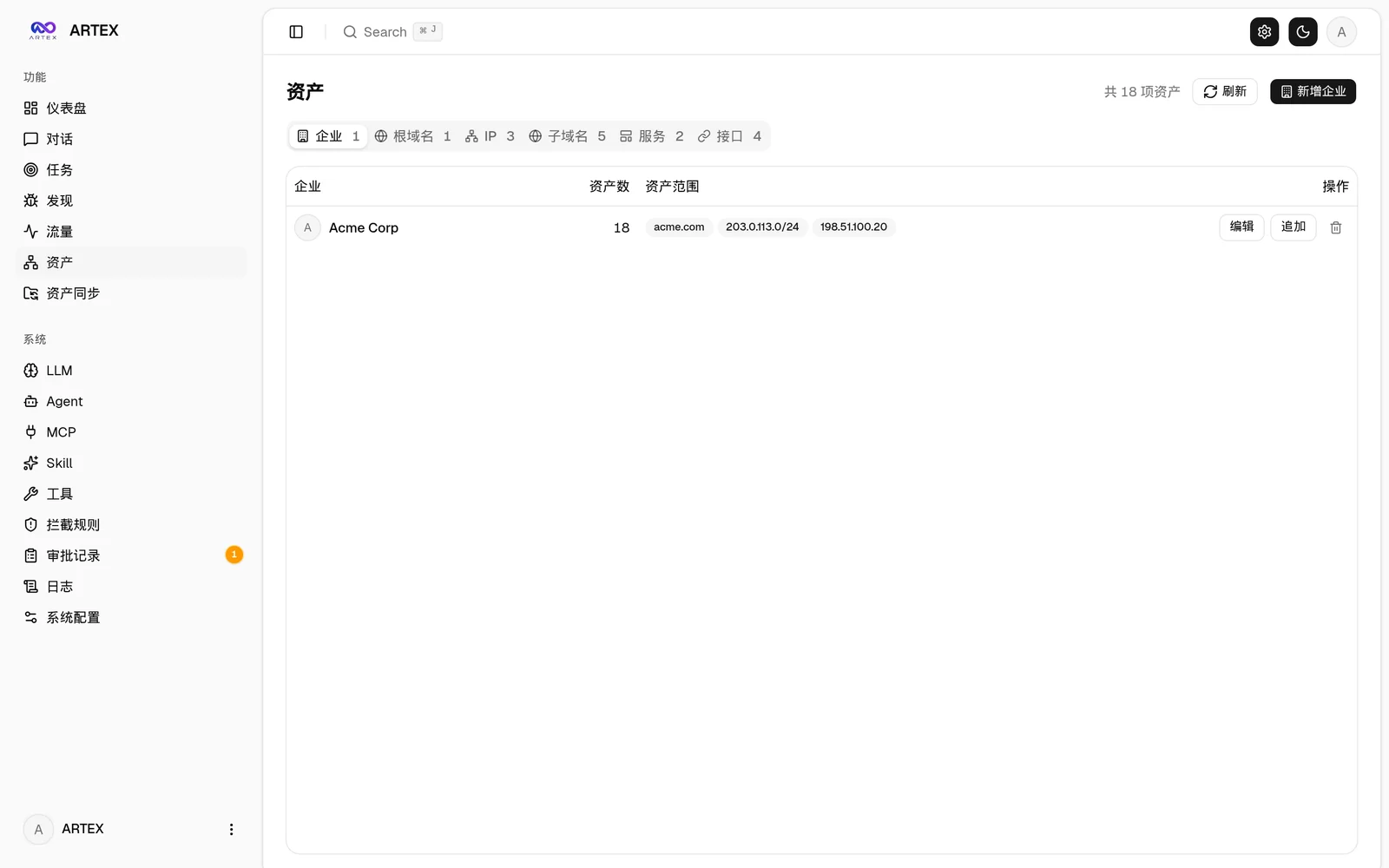
- **Company-scoped asset graph**: shared across tasks, deduplicated by the program, with
domain → subdomain → service → endpoint containment.
- **ScopeSentry sync**: pull asset data from a
[ScopeSentry](https://github.com/Autumn-27/ScopeSentry) instance by project or task, merged by
company scope into the asset graph for agents to explore.
<details>
<summary>Syncing from ScopeSentry</summary>
- On the **Asset Sync** page, enter the ScopeSentry address and API key;
- Choose the targets and asset types by **project** or **task** (domains / subdomains / IPs /
ports / sites / endpoints…);
- Import: rows are merged by company asset scope and become part of the asset graph.
</details>
- **Task categories, templates, relations and archives** for repeatable engagements.
### Platform
- **LLM profiles with failover**: Anthropic, OpenAI, OpenAI-compatible relays and keyless Ollama;
multiple profiles per task with automatic failover.
- **Token accounting**: per-task and per-session usage, cache reads/writes, and an LLM record view
for every call.
- **MCP servers, skills, memory and a workspace**: extend the agent with remote tools and reusable
prompt/playbook material.
- **Web search**: the agent's search tool uses Brave, Tavily or the opt-in Keenable backend,
configured in **System → Settings** with the key encrypted at rest; search can also egress
through its own proxy.
- **Single binary**: the Next.js UI is embedded with `go:embed`; PostgreSQL is the only external
dependency.
---
## Installation
> Requires **PostgreSQL**; exploration requires an **LLM** (`ANTHROPIC_API_KEY` or
> `OPENAI_API_KEY`, also configurable in the UI).
### Option 1: one-click install script (recommended)
```bash
git clone https://github.com/BaaRai/ARTEX.git
cd ARTEX
./install.sh
```
The script detects or installs Docker, then offers **① all-Docker** (writes `.env`, runs
`docker compose up -d --build`) or **② local build and run** (generates `config.json`, builds the
embedded binary, starts it).
Open **http://localhost:8787**; `/setup` asks for the one-time setup token printed at startup
(`docker compose logs artex | grep "Setup token"`).
The UI listens on `127.0.0.1` by default. To reach it from another machine (or from Windows when
ARTEX runs inside WSL), set `ARTEX_BIND_ADDR=0.0.0.0` in `.env` (the setup token still protects the
first-run claim), or keep loopback and use a reverse proxy or SSH tunnel.
### Option 2: Docker (Compose checkout build or prebuilt GHCR image)
Build from a checkout with Docker Compose:
```bash
git clone https://github.com/BaaRai/ARTEX.git
cd ARTEX
cp .env.example .env # set POSTGRES_PASSWORD, optionally ANTHROPIC_API_KEY
docker compose up -d --build
# → http://localhost:8787
```
The checkout build needs the Docker **buildx** plugin (BuildKit). Docker Desktop and
get.docker.com include it; distro packages and Homebrew's docker CLI (Colima) may not. If
`docker buildx version` fails, install `docker-buildx-plugin` or `docker-buildx`, or on macOS
`brew install docker-buildx`. Without it the build stops at the first stage with
`failed to parse platform`.
The release workflow publishes a multi-arch image (`linux/amd64`, `linux/arm64`) to GitHub
Container Registry on each `v*` tag, with tags `:latest`, `:v<version>`, and `:<version>`.
v0.7.0 predates that step, so there is no `artex` package yet: until the next tagged release,
use the checkout build above, and `docker-compose.ghcr.yml` and the `docker pull` below will
fail with `denied`. GHCR packages start private; after the first publish the package visibility
must be set to Public, and the release workflow verifies that the image pulls anonymously and
fails the job otherwise.
Once the image is published, the standalone container requires an existing PostgreSQL database
reachable from the container.
Set the `ARTEX_PG_*` variables below. The example uses Docker Desktop's
`host.docker.internal` to reach PostgreSQL on the host. On native Linux Docker Engine, add
`--add-host=host.docker.internal:host-gateway` to `docker run` for a host database, or use
the reachable hostname of your database server.
```bash
docker pull ghcr.io/baarai/artex:latest
mkdir -p data keys
docker run -d --name artex \
--security-opt no-new-privileges:true \
-p 127.0.0.1:8787:8787 \
-p 127.0.0.1:8788:8788 \
-e ARTEX_PG_HOST=host.docker.internal \
-e ARTEX_PG_PORT=5432 \
-e ARTEX_PG_USER=artex \
-e ARTEX_PG_PASSWORD='yourpass' \
-e ARTEX_PG_DBNAME=artex \
-e ARTEX_PG_SSLMODE=disable \
-e ARTEX_JWT_KEY_DIR=/app/keys \
-v "$PWD/data:/app/data" \
-v "$PWD/keys:/app/keys" \
ghcr.io/baarai/artex:latest
# → http://localhost:8787 (docker logs artex | grep "Setup token")
```
In `docker-compose.yml` and `docker-compose.ghcr.yml`, `POSTGRES_PASSWORD` is passed to ARTEX as
its own variable. The server percent-encodes it into the connection URL, so a password may contain
`/`, `?`, `%`, `@`, `:` or spaces. In `.env`, quote a value that contains `#`, and write `$$` for a
literal `$`. The `ARTEX_PG_*` variables take the password raw; quote it in a shell.
The image includes a scanner toolchain (`nmap`, `nuclei`, `httpx`, `katana`, `ffuf`, `dalfox`,
`sqlmap`, `ripgrep`, `curl`, `npm`, …) and built-in `/app/skills`. The GHCR Compose file below
persists `./keys` and `./data`; it does not mount a host `skills/` directory, so the image's
built-in skills are used.
#### Compose stack from the prebuilt image
`docker-compose.ghcr.yml` runs the same ARTEX + PostgreSQL stack from the released image, with no
checkout build. The image is not published yet: v0.7.0 predates the GHCR publish step, so use the
checkout build above until the next tagged release. Once the first image is published, download
the file and `.env.example` once:
```bash
curl -fsSLO https://raw.githubusercontent.com/BaaRai/ARTEX/main/docker-compose.ghcr.yml
curl -fsSLO https://raw.githubusercontent.com/BaaRai/ARTEX/main/.env.example
cp .env.example .env # set POSTGRES_PASSWORD, optionally an LLM key
docker compose -f docker-compose.ghcr.yml pull
docker compose -f docker-compose.ghcr.yml up -d
# → http://localhost:8787 (docker compose -f docker-compose.ghcr.yml logs artex | grep "Setup token")
```
Update the stack without a git checkout:
```bash
docker compose -f docker-compose.ghcr.yml pull
docker compose -f docker-compose.ghcr.yml up -d
```
Pin a version with `ARTEX_IMAGE_TAG=v0.7.1` in `.env` (or `0.7.1`); unset uses `latest`. To use
custom skills, copy them into a host directory and add `- ./skills:/app/skills` to the `artex`
volumes, which overrides the built-in `/app/skills`.
#### Docker Desktop on Windows and macOS
Docker Desktop runs containers inside a Linux VM and serves the project's `./data`, `./keys` and
`./skills` host directories into the container as bind mounts the server cannot lock down. The
agent-isolation self-test (the fail-closed privilege drop) then refuses to start, so the `artex`
container crash-loops at startup with `self-test failed ... Bash can create files in /app/data`. At
startup the server runs as root and `chown`/`chmod`s those paths so the uid-10001 agent executor
cannot write to them; on Docker Desktop it cannot: Windows/WSL forces the bind mount world-writable
(`0777`) and ignores `chown`/`chmod`, while macOS serves it as a `fakeowner` filesystem that reports
`root:root 0755` inside the container but does not enforce it, so uid 10001 can still create files.
(That is also why the `chmod -R go-w` workaround helps on WSL but does nothing on a Mac.)
Layer `docker-compose.desktop.yml` over the base file to swap those three host bind mounts for
Docker-managed named volumes, which live inside the VM's own filesystem where the server's
permission hardening takes effect, so isolation stays **enabled** (no `-dev-insecure-no-isolation`):
If you are migrating an **existing bind-mount deployment** whose Postgres database already holds
encrypted secrets, seed the named `keys` and `data` volumes **before the first `up`** (or set
`ARTEX_SECRET_KEY`), otherwise ARTEX will refuse to start against a database with sealed secrets and
an empty `keys` volume:
```bash
docker compose -f docker-compose.yml -f docker-compose.desktop.yml create artex
docker compose -f docker-compose.yml -f docker-compose.desktop.yml cp ./keys/. artex:/app/keys
docker compose -f docker-compose.yml -f docker-compose.desktop.yml cp ./data/. artex:/app/data
```
Then start the stack:
```bash
docker compose -f docker-compose.yml -f docker-compose.desktop.yml up -d --build
# or, from the prebuilt image (use -f docker-compose.ghcr.yml in the migration commands above too):
docker compose -f docker-compose.ghcr.yml -f docker-compose.desktop.yml up -d
```
Keep the same `-f` pair for every later `docker compose` command (`logs`, `up -d artex`, `down`,
`cp`): `-f docker-compose.yml -f docker-compose.desktop.yml` for local builds, or
`-f docker-compose.ghcr.yml -f docker-compose.desktop.yml` when running the prebuilt GHCR image. The
named volumes persist across rebuilds, but `data` and `keys` are no longer directly browsable at the
project path — inspect or back them up with
`docker compose -f docker-compose.yml -f docker-compose.desktop.yml cp artex:/app/data ./data` (and
the same for `/app/keys`, substituting `-f docker-compose.ghcr.yml` for GHCR). `/app/skills` is seeded
from the image's baked skills the first time the volume is created; with a local checkout you can
refresh it with
`docker compose -f docker-compose.yml -f docker-compose.desktop.yml cp ./skills/. artex:/app/skills`,
while GHCR-only installs without a checkout can either stop the stack (`down`) and remove the
`skills` volume so the next start re-seeds built-in skills from the new image, or bind-mount a host
directory of custom skills. **Native-Linux installs on a Linux filesystem do not need this overlay**
— there host bind mounts enforce POSIX ownership and modes, so the default `docker-compose.yml`
already passes the self-test and keeps `./data`, `./keys` and `./skills` on the host. (Note: Docker
Engine inside WSL2 with the repository under `/mnt/c` hits the same `0777` bind-mount limitation as
Docker Desktop — either use this overlay or move the repository onto WSL2's native Linux ext4
filesystem.)
For remote MCP you can choose `http` (Streamable HTTP) or `sse` (legacy SSE) in system settings.
Legacy SSE servers usually establish the event stream with `GET /sse` and receive JSON-RPC over
`/message?sessionId=...`; configure the URL as `/sse` and send `Authorization: Bearer <token>`.
### Option 3: prebuilt binaries (Releases)
Download the zip for your platform from [Releases](https://github.com/BaaRai/ARTEX/releases). It
contains `artex`, `start.sh` (`start.bat` on Windows), `skills/` and `config.example.json`:
```bash
cp config.example.json config.json # fill in the database connection
./start.sh # → http://localhost:8787
```
Start with `start.sh` / `start.bat`, not `./artex`: it is a daemon script that restarts the process
after a backoff. To keep it in the background: `nohup ./start.sh >artex.log 2>&1 &`.
#### Verifying a release
Each release attaches `SHA256SUMS` and a CycloneDX SBOM, `artex-<tag>.cdx.json` (Go modules in the
linux/amd64 binary, the frontend `package-lock.json`, `go.mod`/`go.sum`), next to the zips. The zips
also carry a GitHub build provenance attestation. Releases published before this was added have
neither.
```bash
sha256sum -c SHA256SUMS # add --ignore-missing if you downloaded only some zips
gh attestation verify <zip> --repo BaaRai/ARTEX # built by this repository's release workflow
```
### Option 4: build the single binary from source
Requires Node.js >= 20.9 (Node 22 LTS recommended; the frontend uses Next.js 16) and Go. `./build.sh` checks the Node version up front.
```bash
cd web && npm ci && npm run build:static && cd ..
cp -r web/out server/webui/dist
CGO_ENABLED=0 go build -tags embedui -o artex ./cmd/artex
./start.sh
```
Only `-tags embedui` embeds the frontend into the binary.
### Option 5: cross-platform release archives
`build.sh` builds and embeds the frontend, strips debug info, and writes zips for Linux
amd64/arm64, macOS amd64/arm64 and Windows amd64 by default:
```bash
./build.sh --release
# output: dist/artex-<version>-*.zip
ARTEX_TARGETS=linux/amd64,windows/amd64 ./build.sh --release
./build.sh --target linux/amd64 --upx
```
UPX is disabled by default: self-extracting binaries may be incompatible with some kernels,
virtualization environments or security policies. Pass `--upx` only after confirming the target
runtime supports it.
---
## Configuration
**Database** (`config.json`, `ARTEX_PG_DSN`, or `ARTEX_PG_*` environment variables — see [External PostgreSQL](#external-postgresql)):
```json
{
"database": {
"host": "127.0.0.1", "port": 5432,
"user": "artex", "password": "yourpass",
"dbname": "artex", "sslmode": "disable"
}
}
```
**LLM**: `export ANTHROPIC_API_KEY=sk-...` (or `OPENAI_API_KEY`), or configure it in the UI's
"LLM Configuration" page, which can also add a local Ollama server as a keyless provider (format
"Ollama", default base URL `http://127.0.0.1:11434/v1`). Optional:
`ARTEX_LLM_PROVIDER` (`anthropic | openai | openai-responses | ollama | bedrock-gateway`), `ARTEX_LLM_MODEL`,
`ARTEX_LLM_BASE_URL`, `ARTEX_LLM_PROXY`.
**Base URL gotcha**: for the Anthropic format, enter the host **without** `/v1` (for example
`https://api.anthropic.com`); ARTEX appends `/v1/messages`. OpenAI-format providers append
`/chat/completions` (or `/responses` for `openai-responses`), so their base **does** end in `/v1`
(for example `https://api.openai.com/v1`).
**OpenAI-compatible gateways**: any provider that serves an OpenAI-style
`/v1/chat/completions` endpoint works through the **OpenAI** format — no dedicated format
needed. Create a profile with format **OpenAI**, set **Base URL** to the gateway's `/v1`
root, paste the key, then click the **↻** button next to *Model* to load the provider's
catalog (`GET /v1/models`) and pick a model; models the provider adds later appear on the
next refresh. For example, [NotHoly](https://notholy.com) (offensive-security models) uses
base URL `https://api.notholy.com/v1` with an API key from its console.
**Bedrock gateway**: select **Bedrock gateway** in System → LLM for a gateway that
exposes the Bedrock `InvokeModel` and `InvokeModelWithResponseStream` paths and accepts
---
[Read more](https://github.com/baarai/artex)