本仓库可作为一次或多次 meetup 演示的支持材料。演示路线如下……
本工作主要基于两个来源:

1-csr-load-data 原生 react SPA 加载数据
[!IMPORTANT] CSR(客户端渲染):React 代码被发送到浏览器,由浏览器生成内容并插入到 DOM 中。
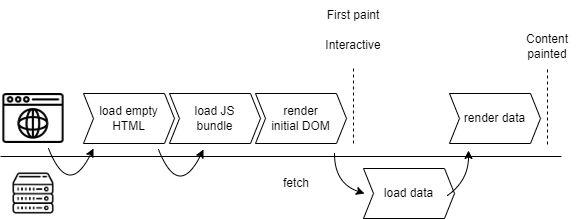
cd 1-csr-load-data
npm start
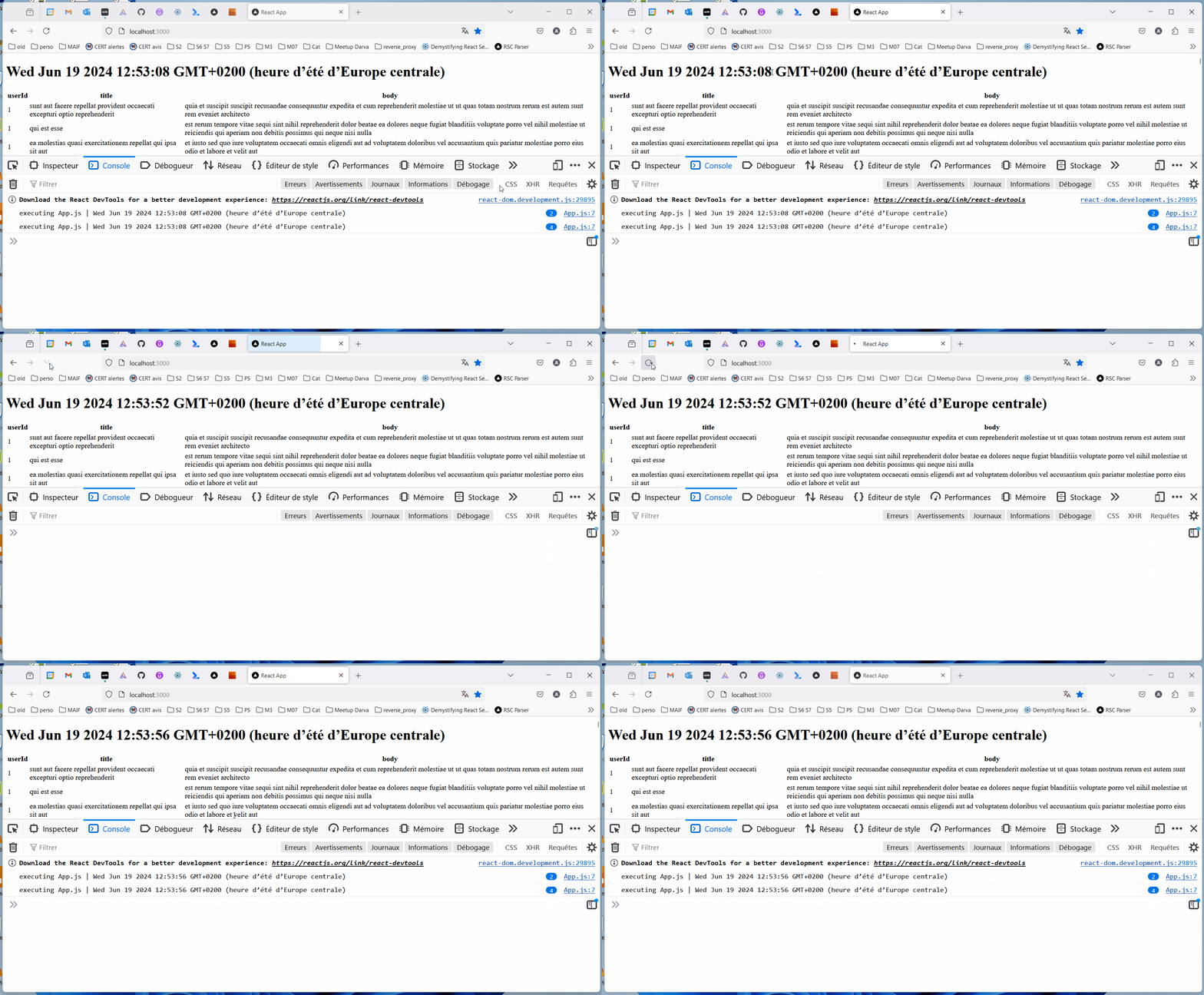
2-csr-router 原生 react SPA 路由[!IMPORTANT] 页面首次加载后,在同一网站上导航到其他页面时,会使用 JavaScript 重新渲染页面部分内容,而无需完整刷新页面。
cd 2-csr-router
npm start
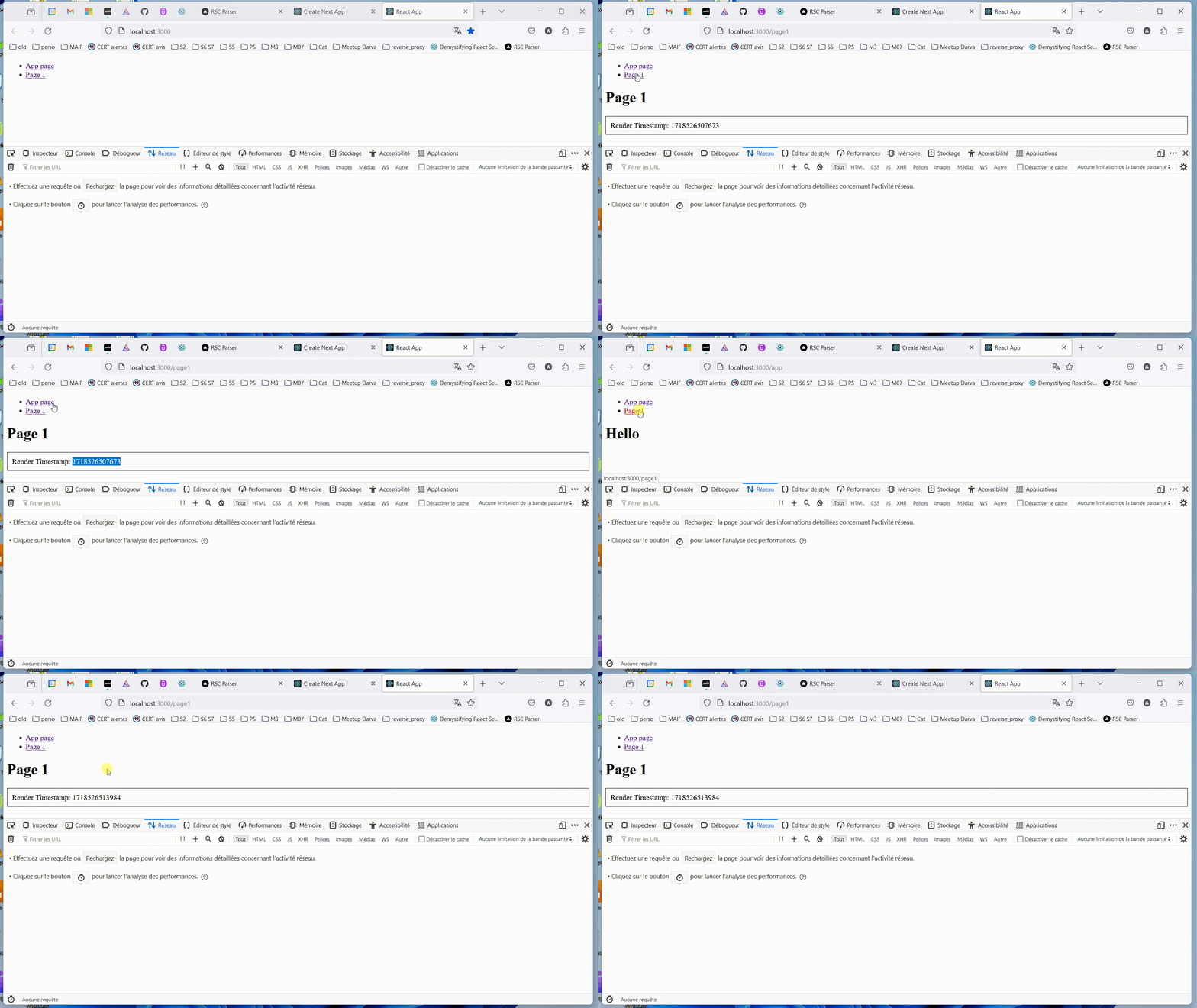
3-rsc-load-data React 服务端组件(Next.js 实现)加载数据
[!IMPORTANT] 编写为仅在服务端运行、而非在浏览器中运行的 React 组件。
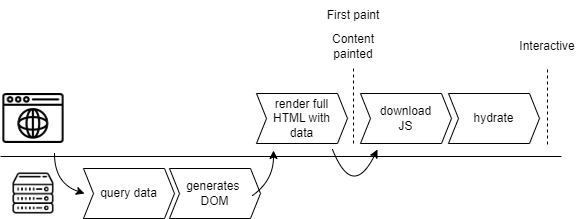
cd 3-rsc-load-data
npm run build
npm run start
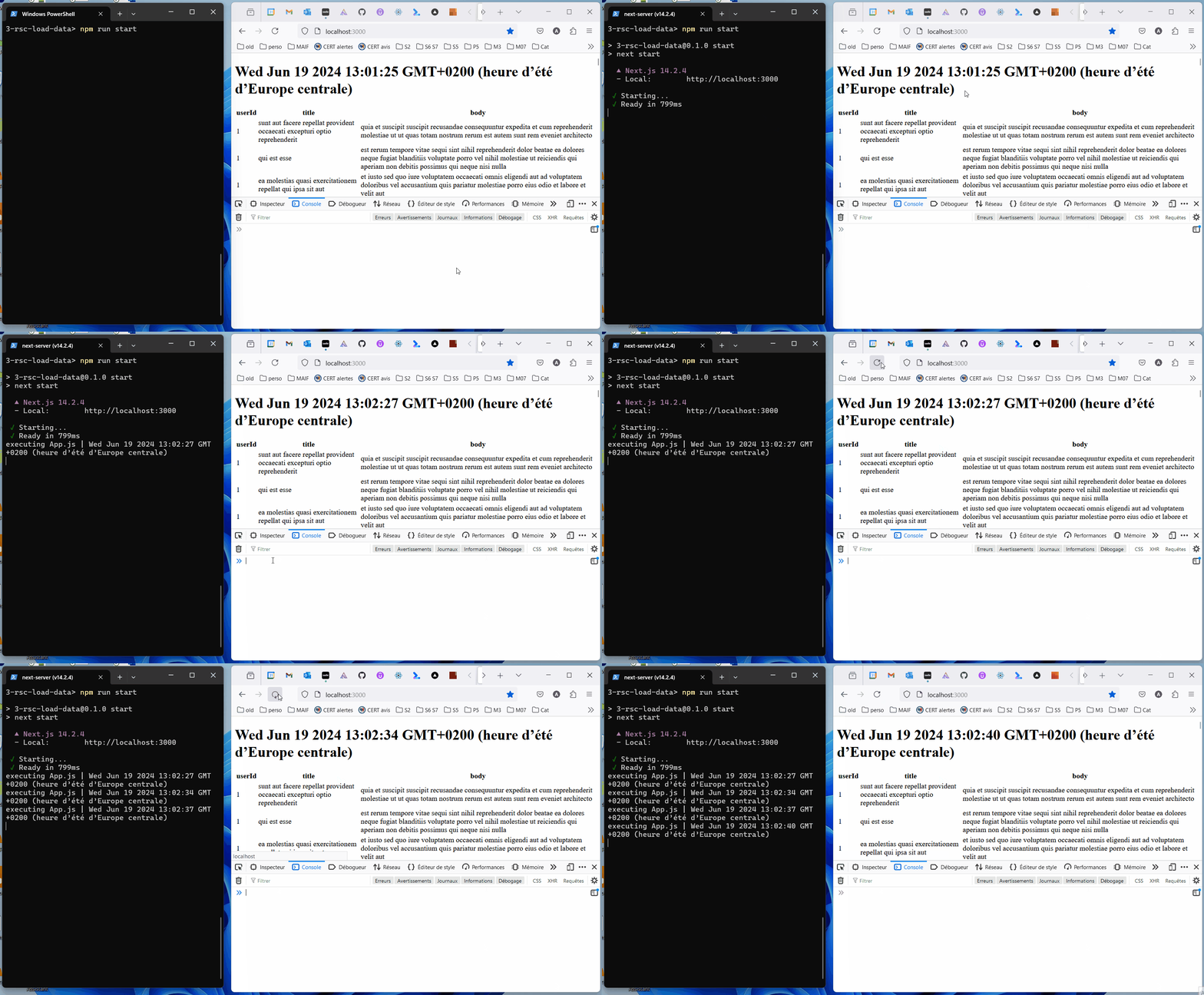
4-rsc-router React 服务端组件(Next.js 实现)路由
[!IMPORTANT] 组件仅在服务端执行。默认行为是静态渲染:组件在构建时执行。
cd 4-rsc-router
npm run build
npm run start
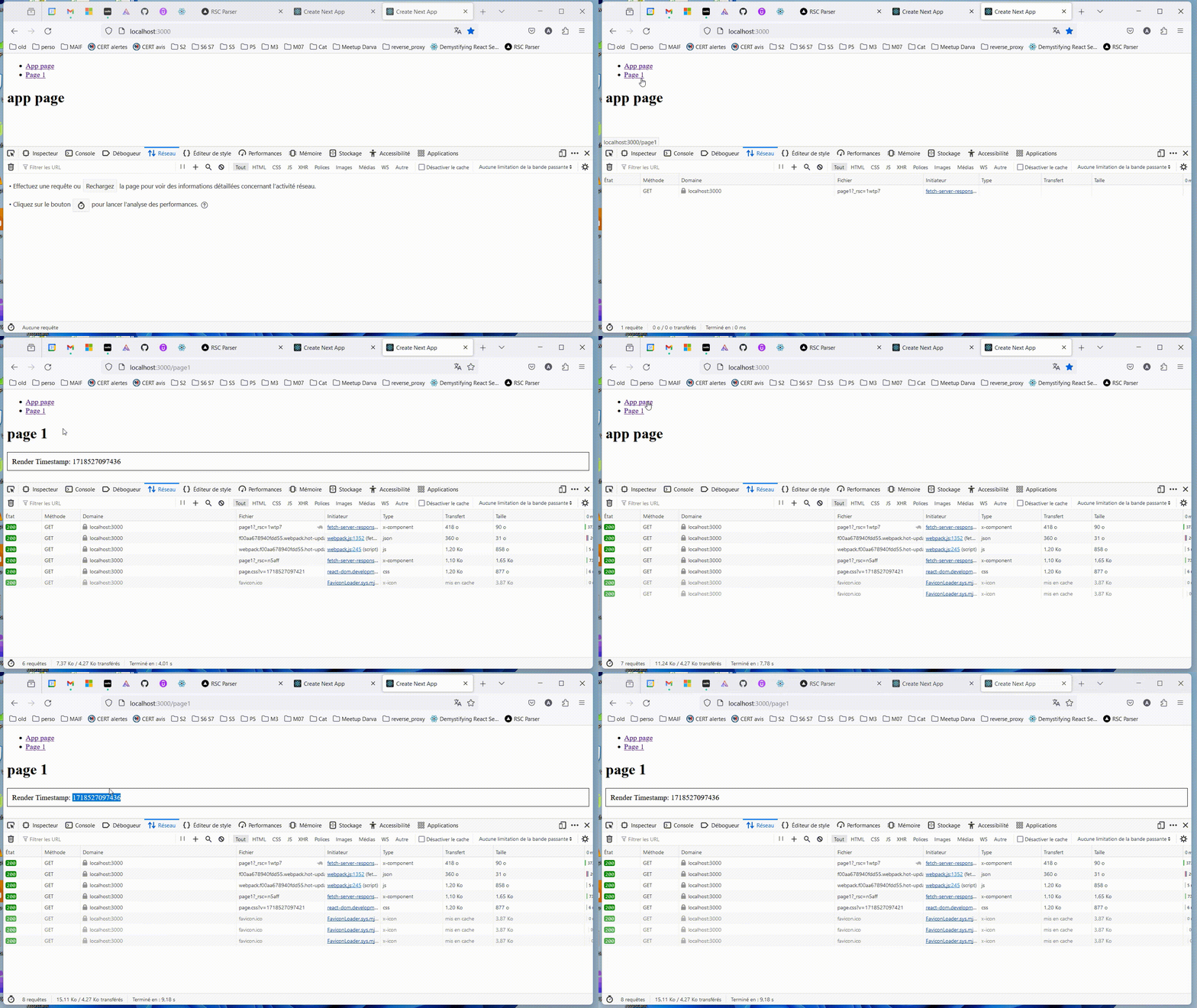
5-SSR SSR 服务端渲染
[!IMPORTANT] SSR 是指在服务端预渲染客户端组件。React 代码在收到请求时运行。结果可被缓存以供后续请求使用。
最佳实践:尽可能在组件树的下层定义 'use client'; 组件。
[!IMPORTANT] “在 React 中,'水合'(hydration)是 React '挂接'到已在服务端环境中由 React 渲染的现有 HTML 上的方式。在水合过程中,React 会尝试将事件监听器附加到现有标记上,并在客户端接管应用的渲染。在完全使用 React 构建的应用中,通常只会在启动时对整个应用水合一次'根'。”
https://react.dev/reference/react-dom/client/hydrateRoot
https://www.gatsbyjs.com/docs/conceptual/partial-hydration/
cd 5-ssr
npm run build
npm run start
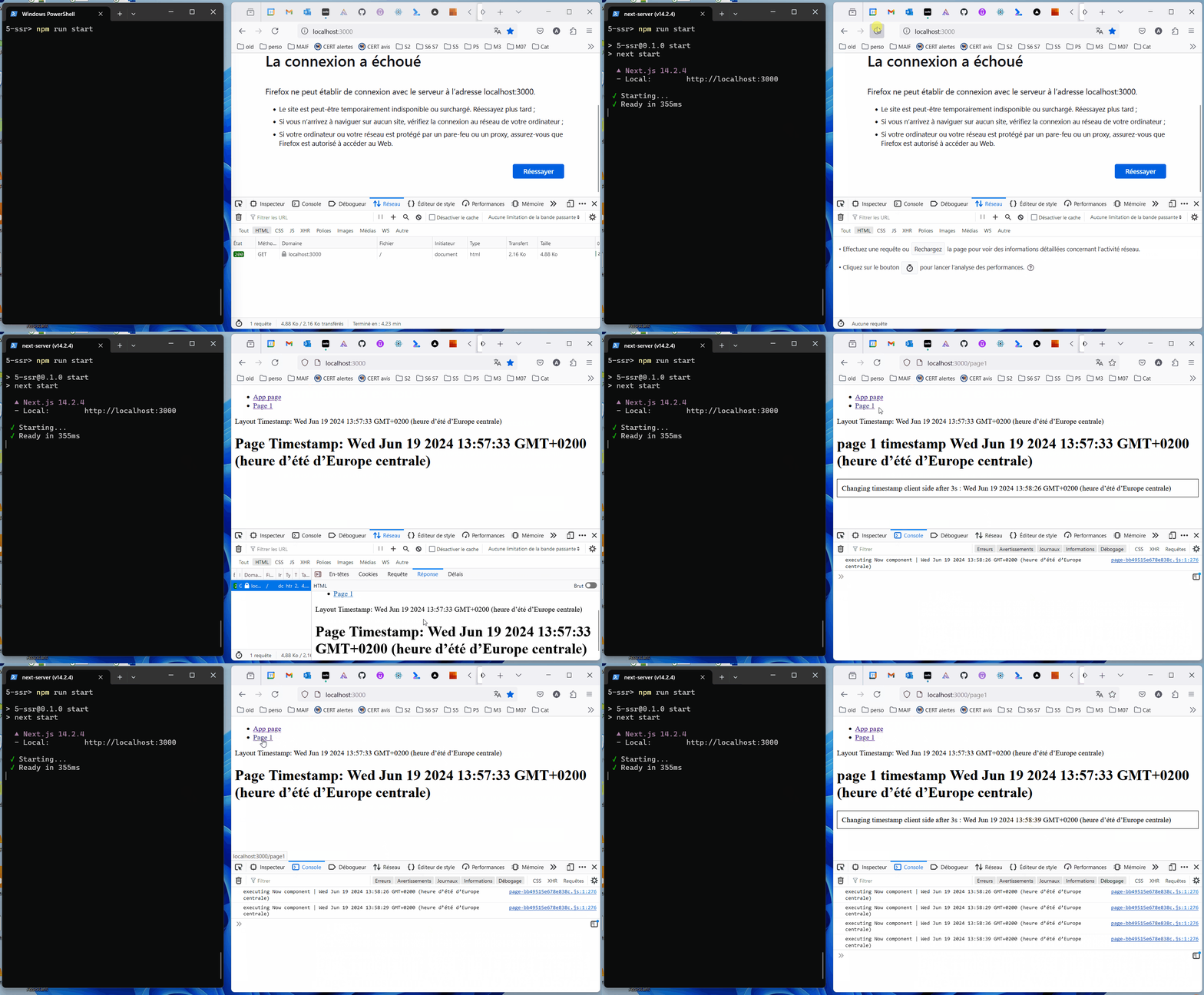
6-pages-router-ssg(Next.js 实现)
[!IMPORTANT] 使用 pages 路由器的 SSG(静态站点生成):React 代码在构建应用时运行,生成的输出是静态的。
cd 6-pages-router-ssg
npm run build
npm run start
7-pages-router-isr(Next.js 实现)
[!IMPORTANT] ISR(使用 pages 路由器):“Next.js 允许你在构建站点后创建或更新静态页面。增量静态再生成(ISR)使你能够按页面进行静态生成,而无需重新构建整个站点。使用 ISR,你可以在扩展到数百万页面的同时保留静态生成的优势。”
cd 7-pages-router-isr
npm run build
npm run start
“数据在请求时可能已过期”
https://vercel.com/blog/nextjs-server-side-rendering-vs-static-generation
https://react.dev/reference/rsc/server-actions
...
8-ssrf-14.1.0
https://www.assetnote.io/resources/research/digging-for-ssrf-in-nextjs-apps

14.1.1 的应用redirect(/blog/${inputValue});来源:https://www.assetnote.io/resources/research/digging-for-ssrf-in-nextjs-apps
Next.JS 在服务端执行请求,然后将结果返回给浏览器:
redirect('/blog/123'); 函数构造 URL http://207.154.209.99/blog/123。
为了构造此 URL,Next.JS 会从初始请求的 HTTP header 中获取 host 207.154.209.99。Content-Type: text/x-component header,则 Next.JS 使用 HTTP GET 请求该 URL。
要实现对目标服务器的 SSRF,需要运行另一个服务器:
Content-Type: text/x-component header 的 HTTP 200
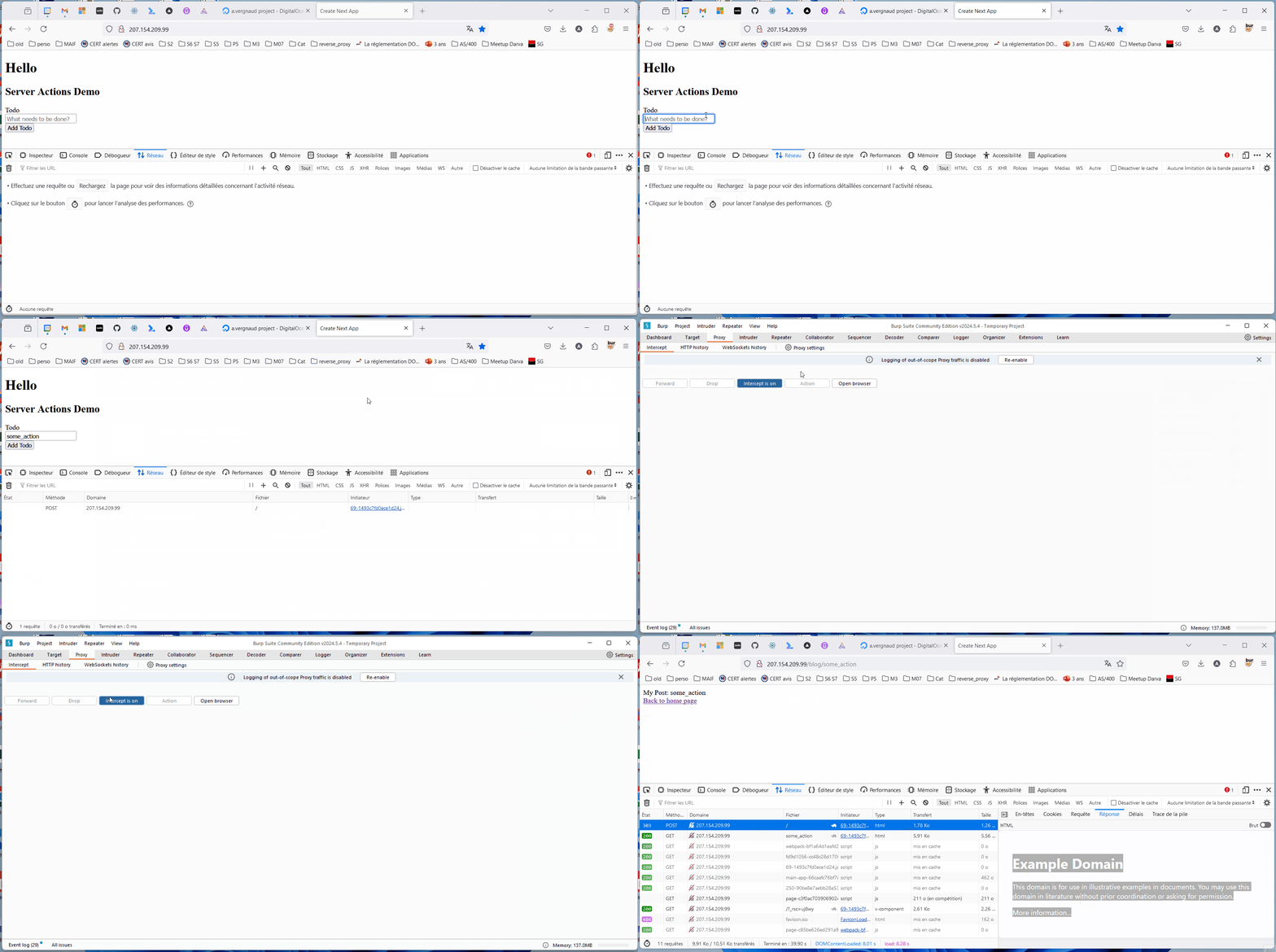
8-ssrf-14.1.0 中漏洞的修复在 /etc/nginx/sites-available/nextjs 中
之前:
server {
  listen 80 default_server;
  location / {
    proxy_pass http://localhost:3000;
    proxy_http_version 1.1;
    proxy_set_header Upgrade $http_upgrade;
    proxy_set_header Connection 'upgrade';
    proxy_set_header Host $host;
    proxy_cache_bypass $http_upgrade;
  }
}
之后:
server {
  listen 80;
  server_name 207.154.209.99;
  location / {
    proxy_pass http://localhost:3000;
    proxy_set_header Host 207.154.209.99;
    proxy_http_version 1.1;
    proxy_set_header Upgrade $http_upgrade;
    proxy_set_header Connection 'upgrade';
    proxy_set_header Host $host;
    proxy_cache_bypass $http_upgrade;
  }
}
存在副作用风险……
https://nginxtutorials.com/nginx-proxy_set_header-directive/