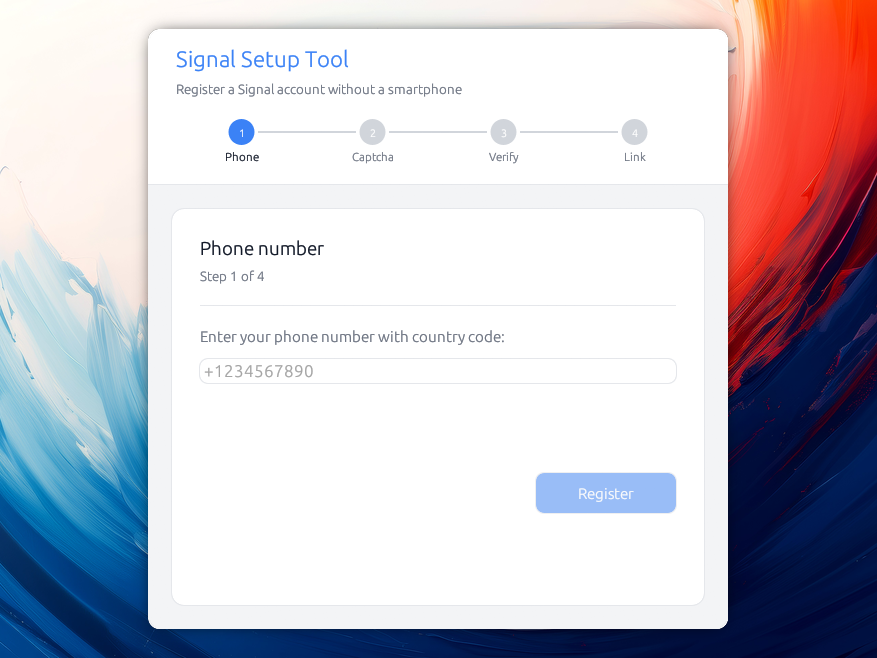
一款桌面应用,用于注册 Signal 账户并将其与 Signal Desktop 关联,全程无需智能手机。
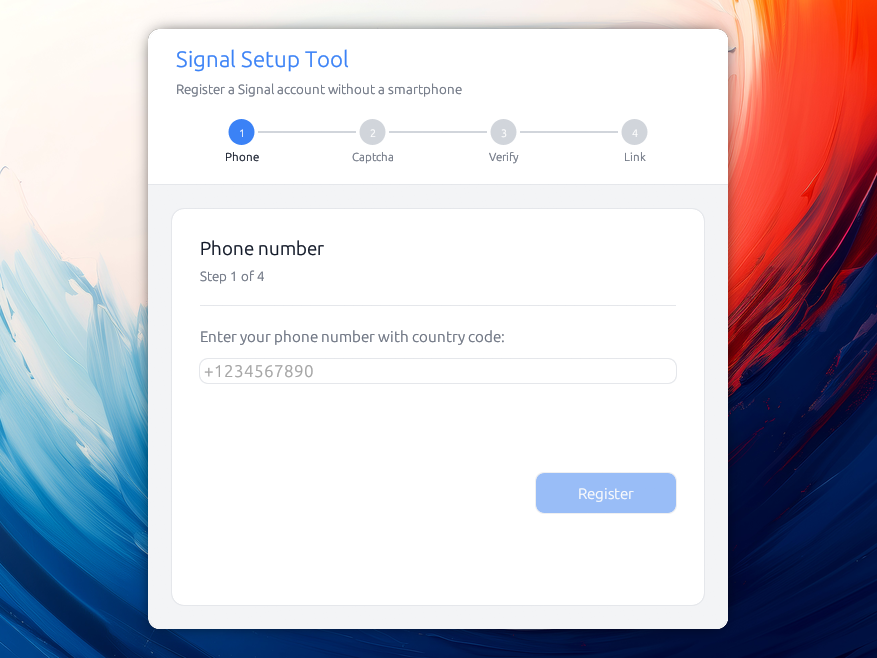
请注意,Signal 仍然需要一个电话号码才能使用。此工具避免了使用智能手机的需求,但在设置阶段仍需要一种方式来接收短信
获取最新版本!
你可能会对这个工具感兴趣,原因有很多:
你的 Signal 对话的安全性与安装它的设备的安全性一样低:
如果你的设备在未使用密码锁定时丢失或被盗,当然有人可以读取上面的消息。同样,执法机构已知会使用取证工具破解被扣押的设备,从而可以读取设备上的任何内容,包括你的消息。
有些人没有智能手机,但他们应该能够使用 Signal :-)
Signal 无意在其自有软件中支持此用例。独立注册代码确实存在于 Signal Desktop 中,但仅限于开发和暂存构建版本,维护者已在其追踪器中确认,这并非为最终用户设计 (#1118, #551, #575, #6431)。 这就是为什么这个独立工具存在的原因。
从发布页面下载适合你系统的文件:
.dmg 并将 Signal Setup 拖入应用程序文件夹。AppImage:使其可执行(chmod +x Signal_Setup-*.AppImage)并运行。如果你愿意,也会发布一个纯 signal-setup-linux-* 二进制文件。这些发布版本未使用付费开发者证书(macOS 为 99 美元/年,Windows 更高)签名,因此系统会在安装后发出警告:
macOS 显示“无法打开,因为它来自未识别的开发者。” 右键点击应用并选择打开,然后确认。只需执行一次。如果报告应用“已损坏”,请清除下载隔离标志:xattr -dr com.apple.quarantine "/Applications/Signal Setup.app"。
Windows SmartScreen 显示“Windows 已保护你的电脑”。点击更多信息,然后选择仍要运行。
cargo build --release
./target/release/signal-setup
该项目是一个 Cargo 工作区,包含两个 crate:signal-setup-core(Signal 注册和设备链接逻辑)和 signal-setup(依赖它的桌面 GUI)。构建工作区将生成上述 signal-setup 二进制文件。
仅在 Linux 上,需要一些系统库用于 GPU/显示:
# Ubuntu / Debian
sudo apt install libxcb-render0-dev libxcb-shape0-dev libxcb-xfixes0-dev \
libxkbcommon-dev libssl-dev protobuf-compiler

# Fedora
sudo dnf install libxcb-devel libxkbcommon-devel openssl-devel protobuf-compiler

# Arch
sudo pacman -S libxcb libxkbcommon openssl protobuf
你可以针对 Signal 的暂存环境(而非生产环境)运行该工具,这对于开发测试非常有用,无需冒真实账户的风险:
./target/release/signal-setup --staging
要完成设备链接步骤,你需要一个同样连接到暂存服务器的 Signal Desktop 实例。从源码构建 Signal Desktop 默认会这样做:
git clone https://github.com/signalapp/Signal-Desktop.git
cd Signal-Desktop
pnpm install
pnpm start
--demo 标志也可用于完全离线测试,使用虚假数据(无需服务器)。
还有其他工具可以实现这一点,例如 AsamK 出色的 signal-cli,但遗憾的是它们没有提供图形用户界面。此工具的先前版本在底层使用了它,但需要用户安装 JVM 才能运行。
相反——因为我认为这样会更简单——我借这个机会深入研究了 Signal 的加密机制。
以下是工作方式的高级概述(此应用程序注册为 Signal 主设备,然后将 Signal Desktop 链接为辅助设备)。
流程如下:
%%{init: {'theme':'default', 'themeVariables': {'background':'#ffffff'}}}%%
sequenceDiagram
    actor User
    participant App as App
    participant Server as Signal Server
    participant Desktop as Signal Desktop
    participant Store as Disk + Keyring

    Note over App: Step 0: Welcome (if saved accounts)

    rect rgb(235,245,255)
    Note over User,Server: Phase 1: Request verification code
    User->>App: Step 1: enter phone (+1234567890)
    App->>Server: POST /v1/verification/session
    Server-->>App: session.id (+ captcha_required?)
    alt Captcha required
        Note over App: Step 2 shown
        User->>App: solve captcha, paste it
        App->>Server: POST .../session/{id}/code (sms)
    else No captcha
        App->>Server: POST .../session/{id}/code (sms)
    end
    Server-->>User: SMS verification code
    end

    rect rgb(235,255,235)
    Note over User,Server: Phase 2: Verify & register account
    User->>App: Step 3: enter 6-digit code
    App->>Server: PUT .../session/{id}/code {code}
    Note over App: Generate keys: ACI/PNI identity,<br/>signed pre-keys, Kyber PQ keys,<br/>master/profile keys, password
    App->>Server: POST /v1/registration (account attrs + keys)
    alt 409 Device transfer available
        Server-->>App: 409 / DeviceTransferAvailable
        Note over App: warn, retry skipping device transfer
    else Success
        Server-->>App: registered
        App->>Store: save metadata (disk) + secrets (keyring)
    end
    end

    rect rgb(255,245,235)
    Note over User,Desktop: Phase 3: Link Signal Desktop
    User->>App: Step 4: launch Desktop, "Link to existing device"
    Desktop-->>User: shows QR code
    User->>App: paste QR image / link
    App->>Server: GET /v1/devices/provisioning/code
    Server-->>App: verification_code
    Note over App: Build ProvisionMessage (identity keys,<br/>profile/master key, code) →<br/>ECDH + HKDF + AES-256-CBC + HMAC
    App->>Server: PUT /v1/provisioning/{ephemeral_id} (envelope)
    Server-->>Desktop: deliver envelope / register as device 2
    loop Poll up to 60s
        App->>Server: GET /v2/keys/{aci}/2
        Server-->>App: device 2 pre-keys (when ready)
    end
    Note over App: send_linked_device_sync():<br/>X3DH + Double Ratchet session,<br/>encrypt empty contacts SyncMessage
    App->>Server: PUT /v1/messages/{aci} (encrypted sync)
    Server-->>Desktop: SyncMessage / leaves "Syncing…"
    end

    App-->>User: Step 5 : 🎉 Setup complete
Signal Without Smartphone
Copyright (C) 2026 Alexis Métaireau

This program is free software: you can redistribute it and/or modify
it under the terms of the GNU Affero General Public License as published
by the Free Software Foundation, either version 3 of the License, or
(at your option) any later version.

This program is distributed in the hope that it will be useful,
but WITHOUT ANY WARRANTY; without even the implied warranty of
MERCHANTABILITY or FITNESS FOR A PARTICULAR PURPOSE.  See the
GNU Affero General Public License for more details.

You should have received a copy of the GNU Affero General Public License
along with this program.  If not, see <https://www.gnu.org/licenses/>.