简单 C++ 加密 和 隐写 工具,使用密码保护加密来确保文件内容安全,然后通过最低有效位(LSB)编码将其嵌入图像的像素数据中。适用于 Linux、MacOS 和 Windows 系统。
$ ./steganography encode -i data/orig.png -e data/jekyll_and_hyde.zip -o output.png
Password: 1234
* Image size: 640x426 pixels
* Encoding level: Low (Default)
* Max embed size: 132.38 KiB
* Embed size: 61.77 KiB
* Encrypted embed size: 61.78 KiB
* Generated CRC32 checksum
* Generated encryption key with PBKDF2-HMAC-SHA-256 (20000 rounds)
* Encrypted embed with AES-256-CBC
* Embedded jekyll_and_hyde.zip into image
* Sucessfully wrote to output.png
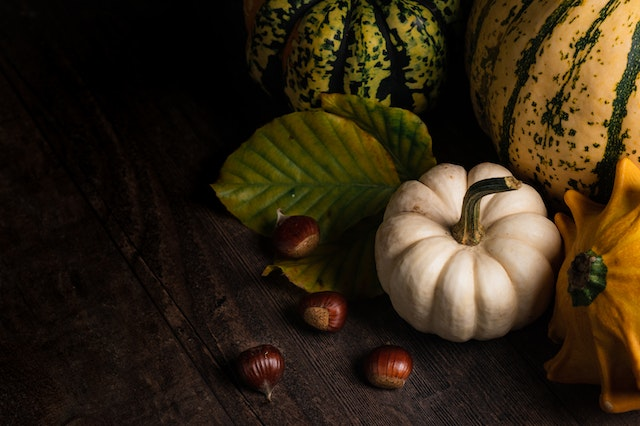
原始图像:
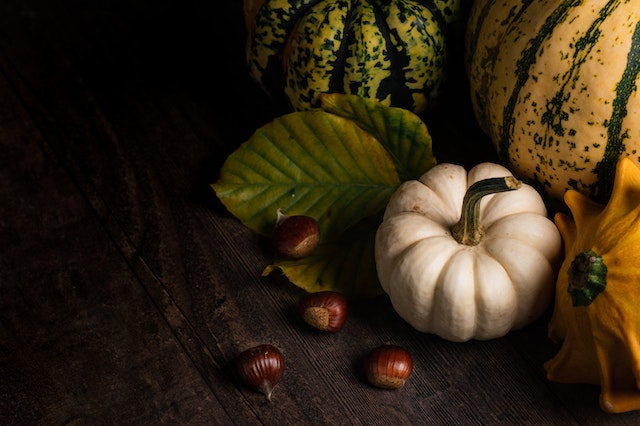
嵌入包含《化身博士》全部内容的 ZIP 文件的图像:
$ ./steganography decode -i output.png -o "out - jekyll_and_hyde.zip"
Password: 1234
* Image size: 640x426 pixels
* Generated decryption key with PBKDF2-HMAC-SHA-256 (20000 rounds)
* Sucessfully decrypted header
* File signatures match
* Detected embed jekyll_and_hyde.zip
* Encoding level: Low (Default)
* Encrypted embed size: 61.78 KiB
* Successfully decrypted the embed
* Decrypted embed size: 61.77 KiB
* CRC32 checksum matches
* Successfully wrote to out - jekyll_and_hyde.zip
$ mkdir build
$ cd build
$ cmake -DCMAKE_BUILD_TYPE=Release ..
$ make -j 4
Usage: steganography [-h] {decode,encode}

Optional arguments:
  -h, --help   	shows help message and exits
  -v, --version	prints version information and exits

Subcommands:
  decode        Decodes and extracts an embed-file from an image
  encode        Encodes an embed-file into an image
Usage: encode [-h] --input VAR --output VAR --embed VAR [--passwd VAR]

Encodes an embed-file into an image

Optional arguments:
  -h, --help   	shows help message and exits
  -v, --version	prints version information and exits
  -i, --input  	specify the input image. [required]
  -o, --output 	specify the output image. [required]
  -e, --embed  	specify the file to embed. [required]
  -p, --passwd 	specify the encryption password.
Usage: decode [-h] --input VAR [--output VAR] [--passwd VAR]

Decodes and extracts an embed-file from an image

Optional arguments:
  -h, --help   	shows help message and exits
  -v, --version	prints version information and exits
  -i, --input  	specify the input image. [required]
  -o, --output 	specify the output file. [default: ""]
  -p, --passwd 	specify the encryption password.
程序首先通过从 /dev/urandom 读取二进制数据,随机生成一个 128 位密码盐 和一个 128 位 AES 初始化向量。然后使用该 密码盐 作为参数,对用户输入的字符串应用 PBKDF2-HMAC-SHA-256 来生成加密密钥。接着计算待嵌入文件的 CRC32 哈希,并将其存储在头部中作为数据有效性的校验和。然后使用 PKCS #7 算法对待嵌入文件的二进制数据进行填充,随后使用之前生成的 初始化向量,采用 AES-256 的 CBC 模式 对头部和填充后的数据进行加密。最后,数据被实际嵌入图像中:首先选择一个随机偏移量,然后逐位遍历数据,通过设置每个像素的每个通道字节的 最低有效位,将其存储到实际的图像像素数据中。
解码过程与上述编码过程完全相同,只是逆向执行。唯一的区别是,解码时,程序在尝试提取并解密数据后,会比较头部中的一些信息以验证提取过程。被比较的头部字段包括:本程序自定义的 4 字节文件签名,以及解密后数据的 CRC32 哈希。如果这些字段中的任何一个与其正确值不匹配,解密过程将失败。这种情况仅在你尝试解密的文件中实际上并未嵌入数据、你输入的密码错误,或者图像文件以某种方式损坏时才会发生。
虽然检测图像中是否嵌入了数据是一项简单的任务,但理论上无法知道是此程序所为,并且理论上也没有已知的方法能够在不知道密码的情况下解密数据——除非花费数百万年的时间去尝试。
请勿使用此程序来加密和隐藏你希望避开窥探的重要数据。这只是一个简单的概念验证程序,我出于乐趣而制作。我不是密码学专家,只是一个爱好者,使用风险自负。
本软件采用 MIT 许可证。版权所有 © 2022 Zach Collins



