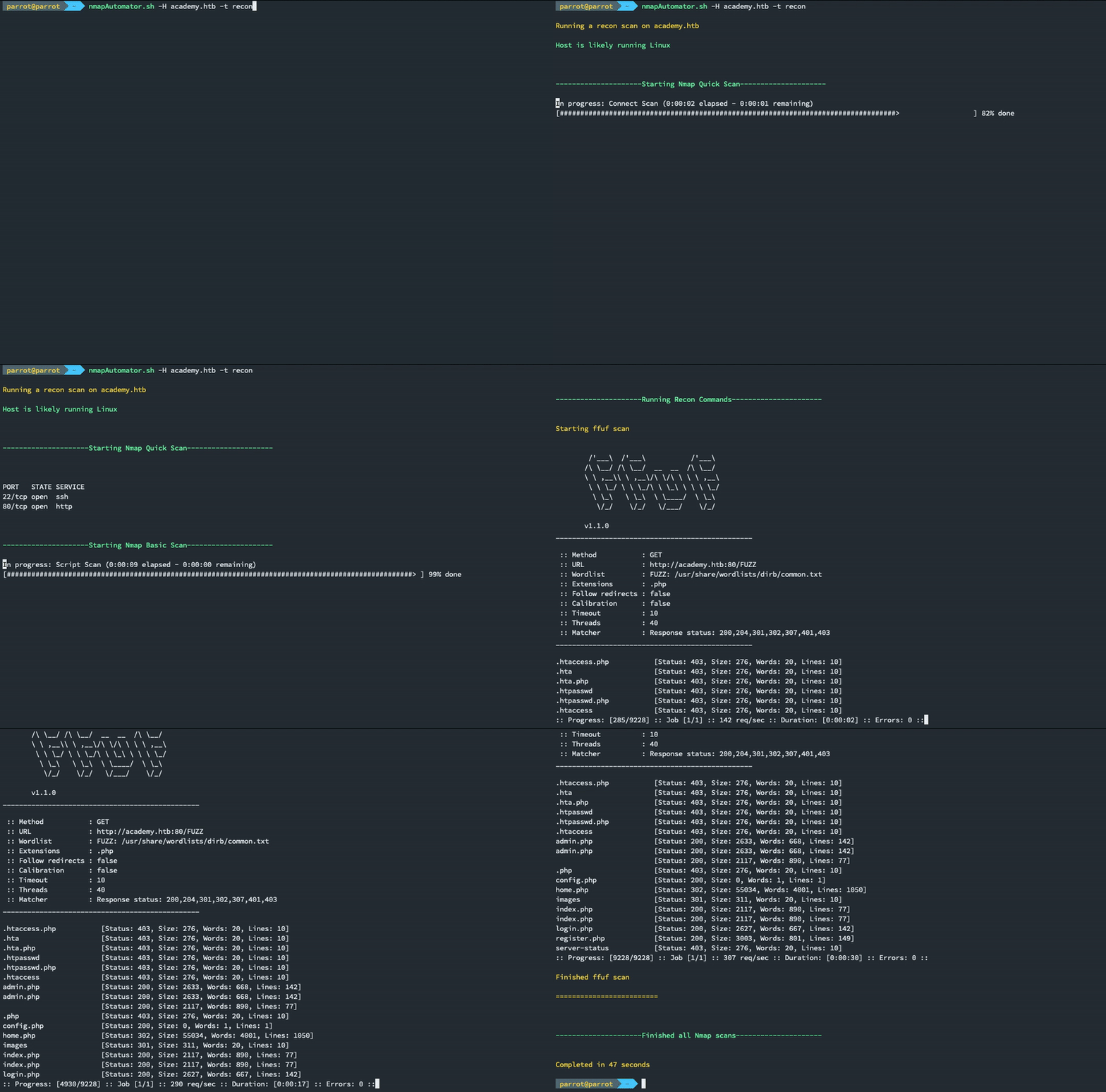
一个可以在后台运行的脚本!
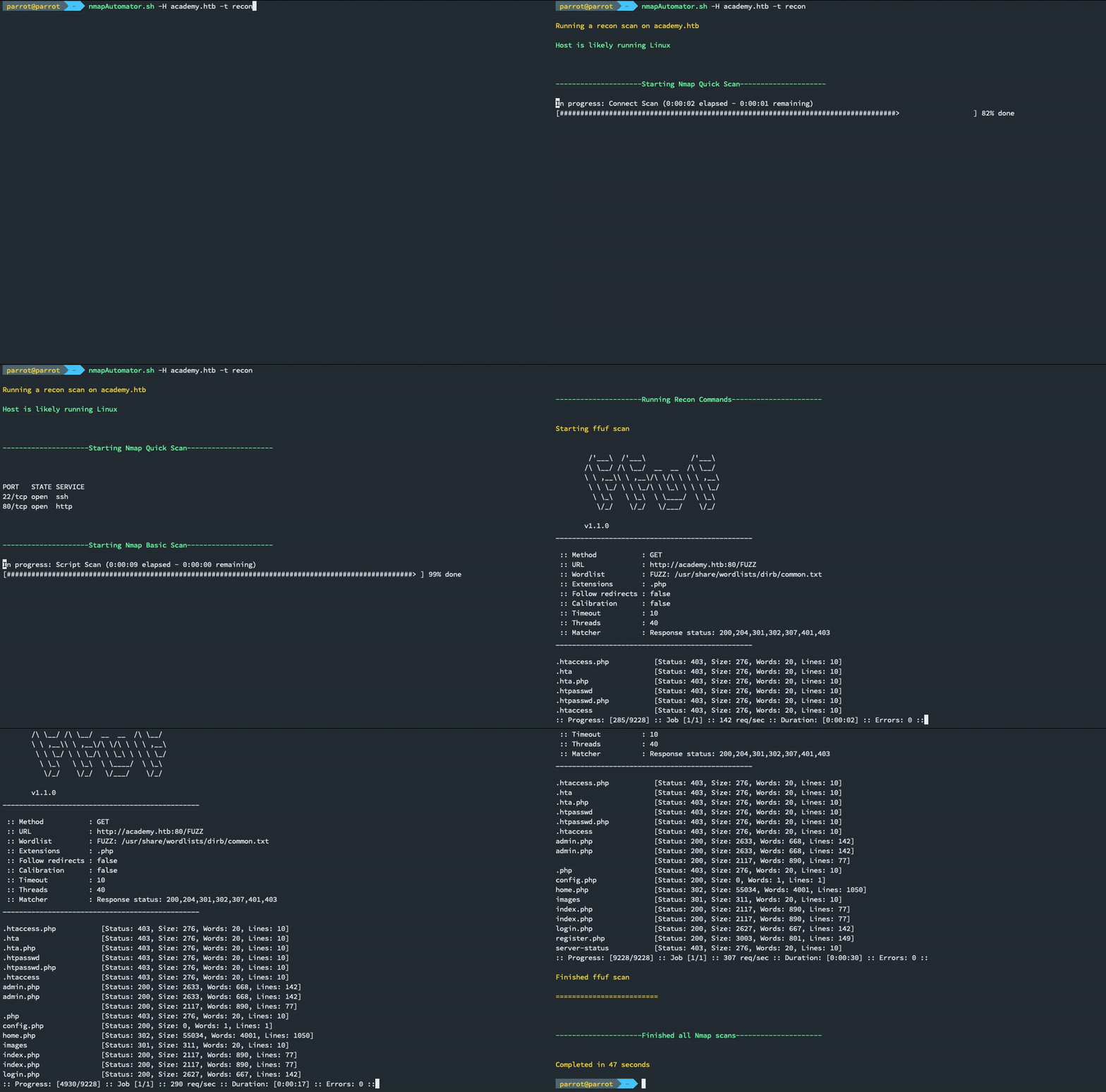
此脚本的主要目标是自动化每次都要运行的枚举和侦察过程,从而让我们将注意力集中在真正的渗透测试上。
这将确保两件事:
一旦在 5-10 秒内找到了初始端口,我们就可以开始手动检查这些端口,并让其余部分在后台自动运行,无需我们任何交互。
注意:这是一个侦察工具,不执行任何利用操作。
使用 recon 选项,nmapAutomator 将自动推荐并运行针对每个已发现端口的最佳侦察工具。
如果您的机器上缺少推荐的工具,nmapAutomator 将建议如何安装它。
nmapAutomator 100% 兼容 POSIX,因此可以在任何 sh shell 以及任何基于 Unix 的机器(甚至是一台 10 年前的路由器!)上运行,这使得 nmapAutomator 非常适合横向移动侦察。
如果您想在远程机器上运行 nmapAutomator,只需从此链接或使用 static-get 下载一个静态 nmap 二进制文件,并将其传输到远程机器。然后您可以使用 -s/--static-nmap 指定静态 nmap 二进制文件的路径。
使用 -r/--remote 标志,nmapAutomator 将以远程模式运行,该模式仅使用 POSIX shell 命令,不依赖任何外部工具。
远程模式仍在开发中。目前只有以下扫描与 -r 配合使用:
nmapAutomator 将每种扫描类型的输出保存到输出目录下的单独文件中。
整个脚本输出也会被保存,您可以使用 less -r outputDir/nmapAutomator_host_type.txt 查看,或者直接 cat 它。
ffuf,我们可以通过以下命令安装:
sudo apt update
sudo apt install ffuf -y
或者 Gobuster 'v3.0 或更高版本',我们可以通过以下命令安装:
sudo apt update
sudo apt install gobuster -y
脚本中使用的其他侦察工具包括:
| nmap Vulners | sslscan | nikto | joomscan | wpscan |
|---|---|---|---|---|
| droopescan | smbmap | enum4linux | dnsrecon | odat |
| smtp-user-enum | snmp-check | snmpwalk | ldapsearch |
在 Parrot OS 和 Kali Linux 中,这些工具大部分应该已默认安装。
如果发现缺少任何推荐的侦察工具,它们将被自动忽略,并通知用户。
git clone https://github.com/21y4d/nmapAutomator.git
sudo ln -s $(pwd)/nmapAutomator/nmapAutomator.sh /usr/local/bin/
./nmapAutomator.sh -h
Usage: nmapAutomator.sh -H/--host <TARGET-IP> -t/--type <TYPE>
Optional: [-r/--remote <REMOTE MODE>] [-d/--dns <DNS SERVER>] [-o/--output <OUTPUT DIRECTORY>] [-s/--static-nmap <STATIC NMAP PATH>]

Scan Types:
	Network : Shows all live hosts in the host's network (~15 seconds)
	Port    : Shows all open ports (~15 seconds)
	Script  : Runs a script scan on found ports (~5 minutes)
	Full    : Runs a full range port scan, then runs a thorough scan on new ports (~5-10 minutes)
	UDP     : Runs a UDP scan "requires sudo" (~5 minutes)
	Vulns   : Runs CVE scan and nmap Vulns scan on all found ports (~5-15 minutes)
	Recon   : Suggests recon commands, then prompts to automatically run them
	All     : Runs all the scans (~20-30 minutes)
示例扫描:
./nmapAutomator.sh --host 10.1.1.1 --type All
./nmapAutomator.sh -H 10.1.1.1 -t Basic
./nmapAutomator.sh -H academy.htb -t Recon -d 1.1.1.1
./nmapAutomator.sh -H 10.10.10.10 -t network -s ./nmap
欢迎提交您的拉取请求 :)
对于任何拉取请求,请尽量遵循这些贡献指南。