PcapViz 利用从网络设备(使用 tcpcap 或其他抓包软件)捕获的 pcap 文件中的包信息,将网络绘制为设备拓扑和信息流图。它过滤并可选地在以下 3 个“层”中的任意一层显示捕获的数据包:
每层都能从同一组网络数据包生成不同的网络图。这种分离使得更清晰地看到每一层的数据流,而不是像许多其他可视化包那样混合在一起。应该更容易确定关键拓扑节点或发现数据外泄尝试的模式。
usage: main.py [-h] [-i [PCAPS [PCAPS ...]]] [-o OUT] [-g GRAPHVIZ] [--layer2]
               [--layer3] [--layer4] [-fi] [-fo] [-G GEOPATH] [-l GEOLANG]
               [-E LAYOUTENGINE] [-s SHAPE]

pcap topology and message mapper

optional arguments:
  -h, --help            show this help message and exit
  -i [PCAPS [PCAPS ...]], --pcaps [PCAPS [PCAPS ...]]
                        space delimited list of capture files to be analyzed
  -o OUT, --out OUT     topology will be stored in the specified file
  -g GRAPHVIZ, --graphviz GRAPHVIZ
                        graph will be exported to the specified file (dot
                        format)
  --layer2              device topology network graph
  --layer3              ip message graph. Default
  --layer4              tcp/udp message graph
  -fi, --frequent-in    print frequently contacted nodes to stdout
  -fo, --frequent-out   print frequent source nodes to stdout
  -G GEOPATH, --geopath GEOPATH
                        path to maxmind geodb data
  -l GEOLANG, --geolang GEOLANG
                        Language to use for geoIP names
  -E LAYOUTENGINE, --layoutengine LAYOUTENGINE
                        Graph layout method - dot, sfdp etc.
  -s SHAPE, --shape SHAPE
                        Graphviz node shape - circle, diamond, box etc.
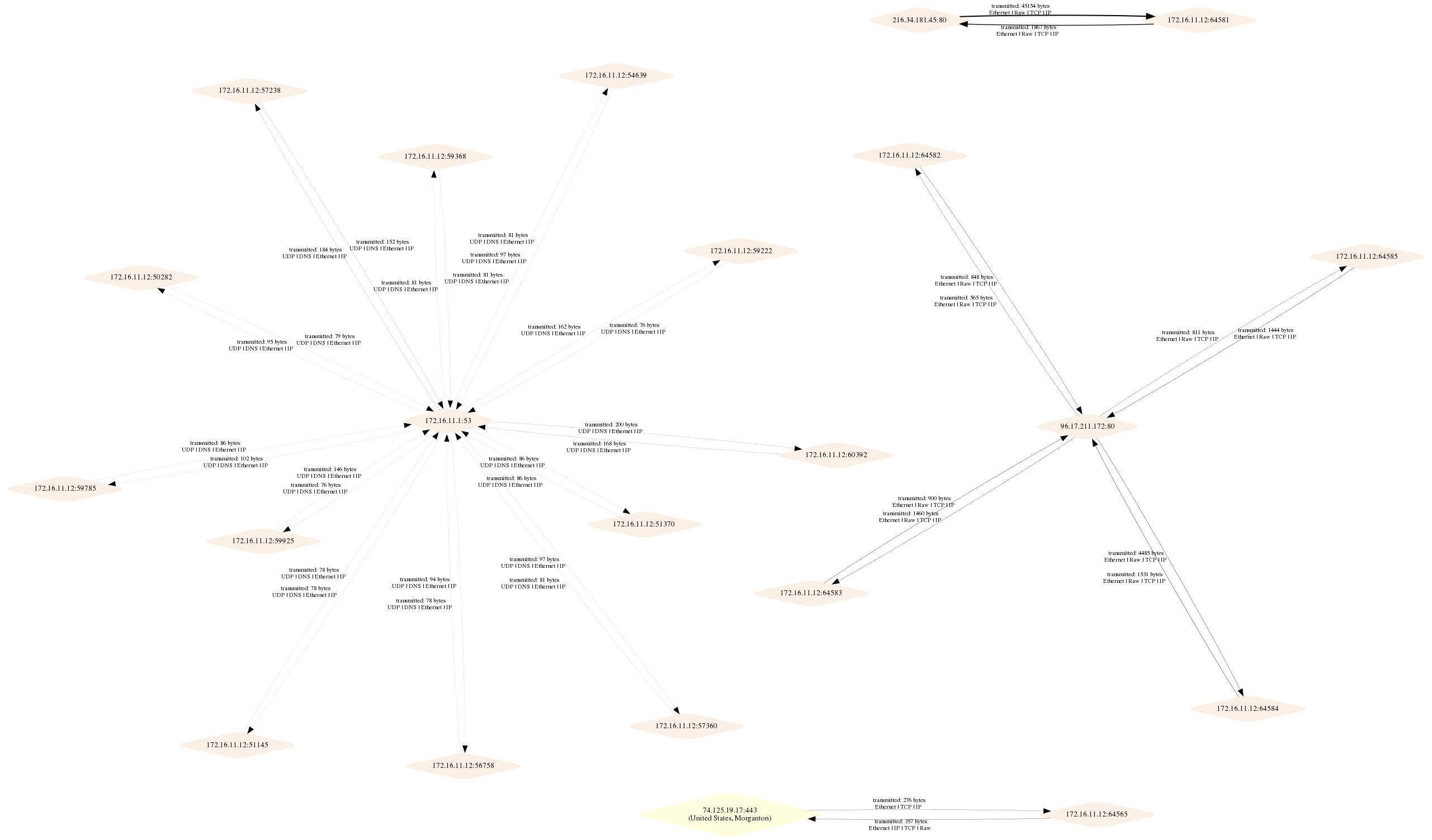
绘制通信图(第2层),片段
python main.py -i tests/test.pcap -o test2.png --layer2

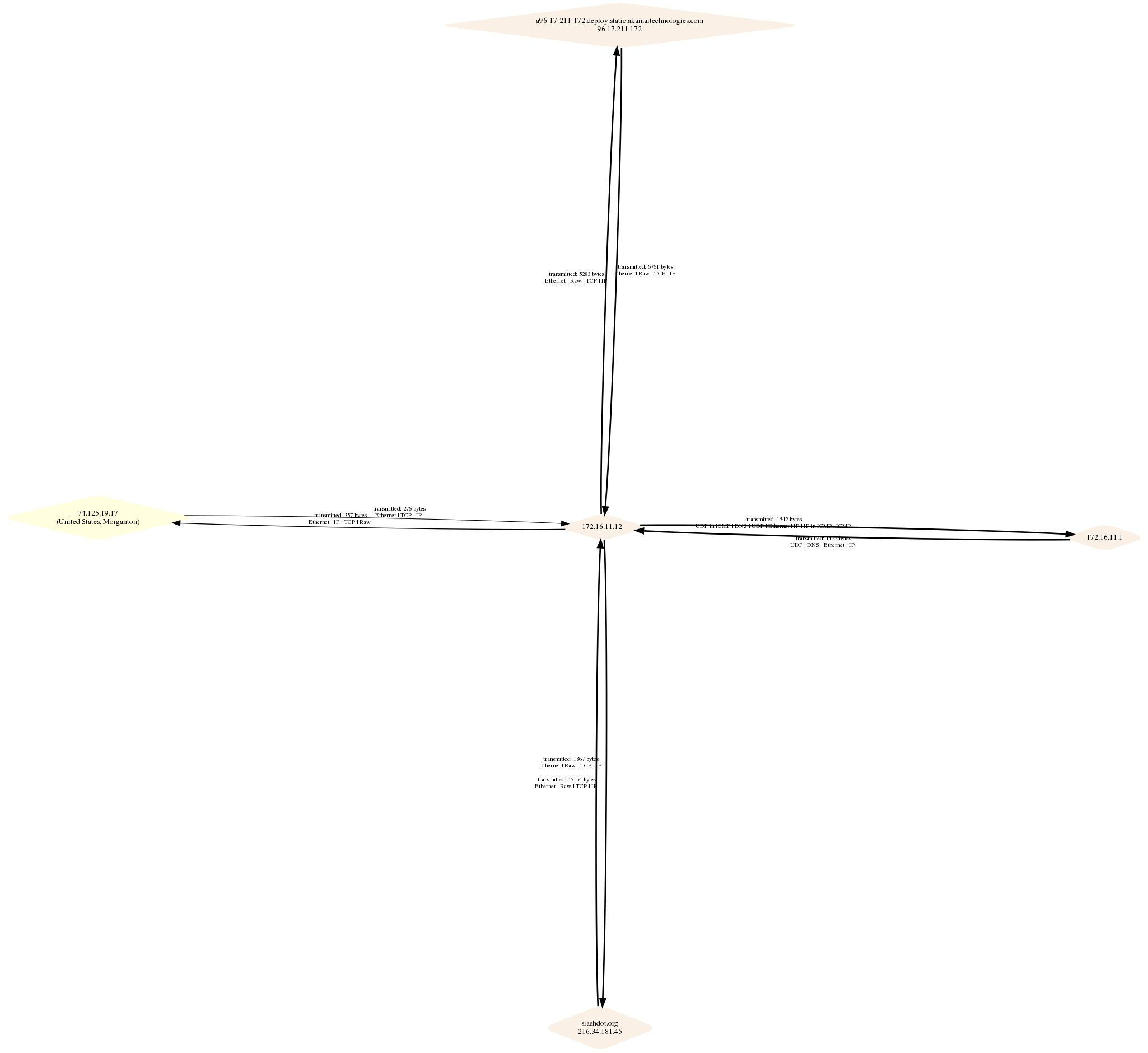
第3层,使用默认 sfdp 布局
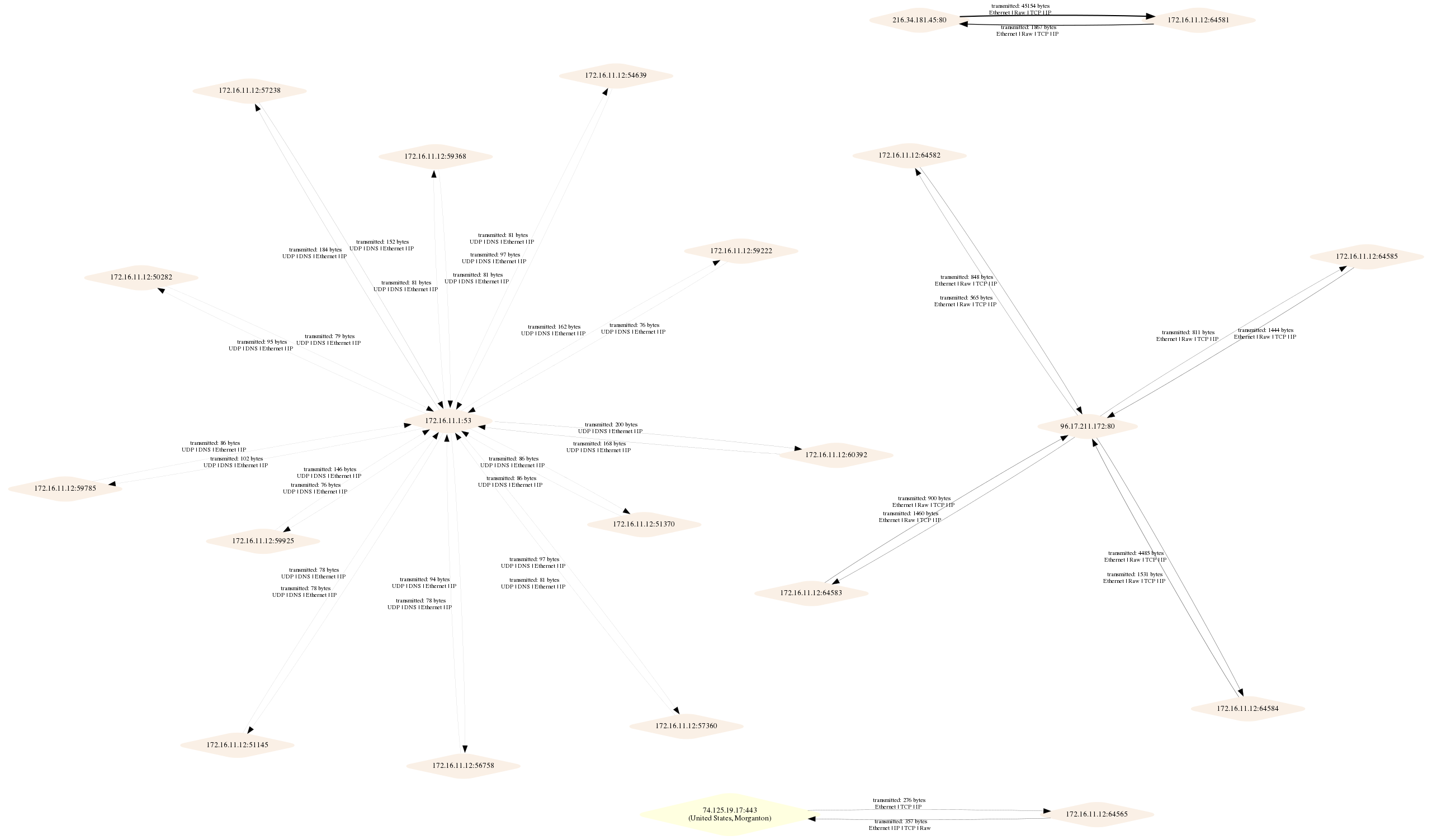
第4层,使用默认 sfdp 布局
返回收到数据包数量最多的主机:
python3 main.py -i tests/test.pcap -fi --layer3
4 172.16.11.12
1 74.125.19.17
1 216.34.181.45 slashdot.org
1 172.16.11.1
1 96.17.211.172 a96-17-211-172.deploy.static.akamaitechnologies.com
必要依赖:
GraphViz 请参阅下方的系统说明
Pip 包要求 运行以下命令后,将安装 Maxmind Python API 和其他依赖项:
pip3 install -r requirements.txt
所以,当然,请务必运行它!你正在使用 Python 虚拟环境,对吧?
对于基于 Debian 的发行版,你需要安装 GraphViz 及一些额外依赖:
apt-get install python3-dev
apt-get install graphviz libgraphviz-dev pkg-config
Scapy 在 OSX 上无法开箱即用。请遵循 scapy 网站 中针对特定平台的说明
brew install graphviz
brew install --with-python libdnet
brew install https://raw.githubusercontent.com/secdev/scapy/master/.travis/pylibpcap.rb
单元测试可以从 tests 目录运行:
python3 core.py
上面的示例输出图即为测试输出图。
注意:目前有两条关于 graphviz 中已被弃用功能的警告;并且为了使测试正常运行,你可能需要调整 fake args 以指向你的 geoIP 数据文件副本。 如果没有 geoIP 数据的访问权限,其中两个测试将始终失败。