
新发布Aug 20, 2026
rhabdomancer v0.10.0
漏洞研究助手,用于定位二进制文件中调用潜在不安全 API 函数的位置。
rhabdomancer








“通往可利用漏洞的道路,是由不可利用的漏洞铺就的。”
-- Mark Dowd
Rhabdomancer 是一个极速的 IDA 无头插件,用于在二进制文件中定位对潜在不安全 API 函数的调用。审计人员可以从这些候选点回溯,以找到允许访问不可信输入的路径。
功能特性
- 借助 IDA 9.x 和 idalib-rs Rust 绑定,提供极速的无头使用体验。
- 支持为 IDA 所实现的任何架构编译的 C/C++ 二进制目标。
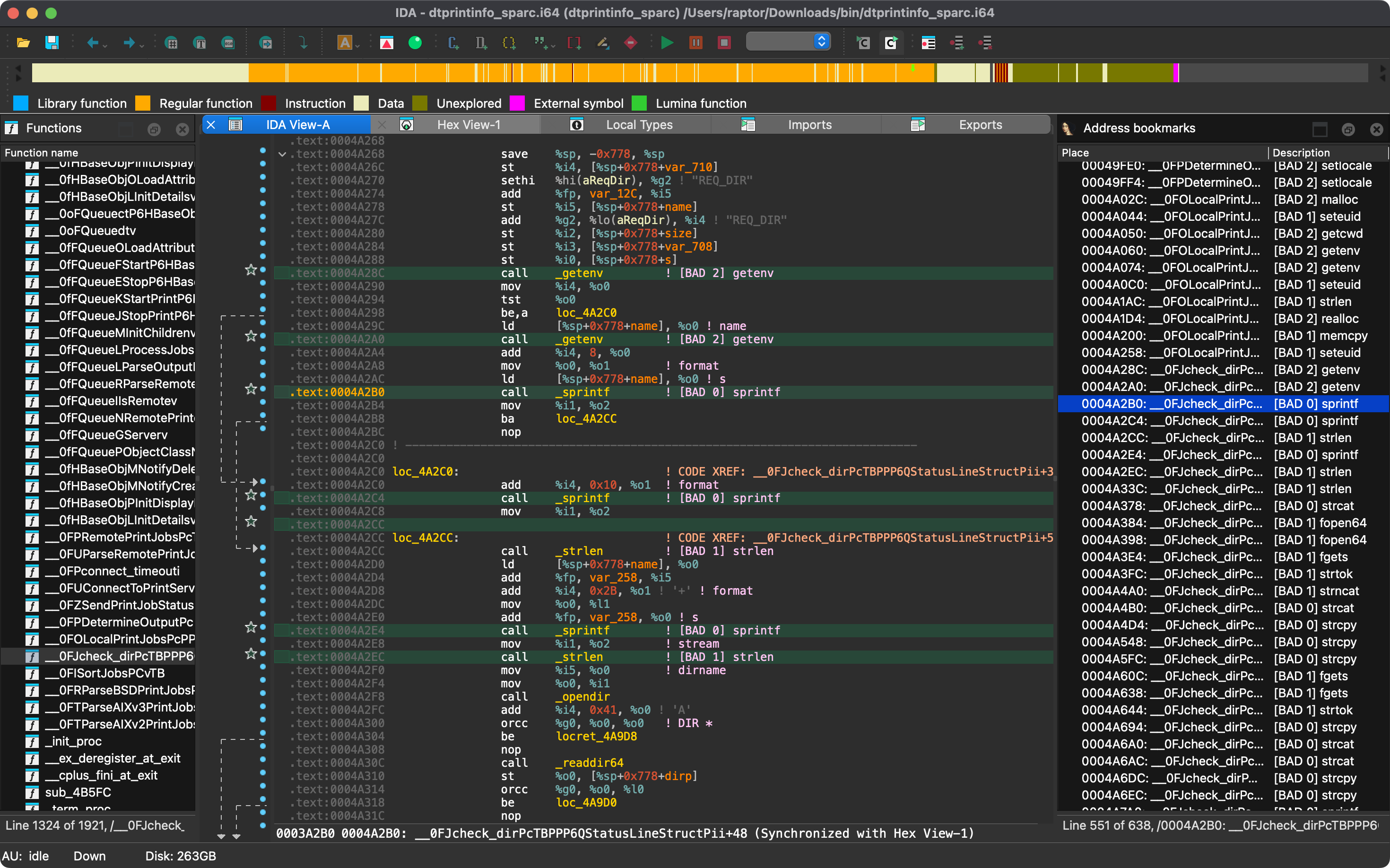
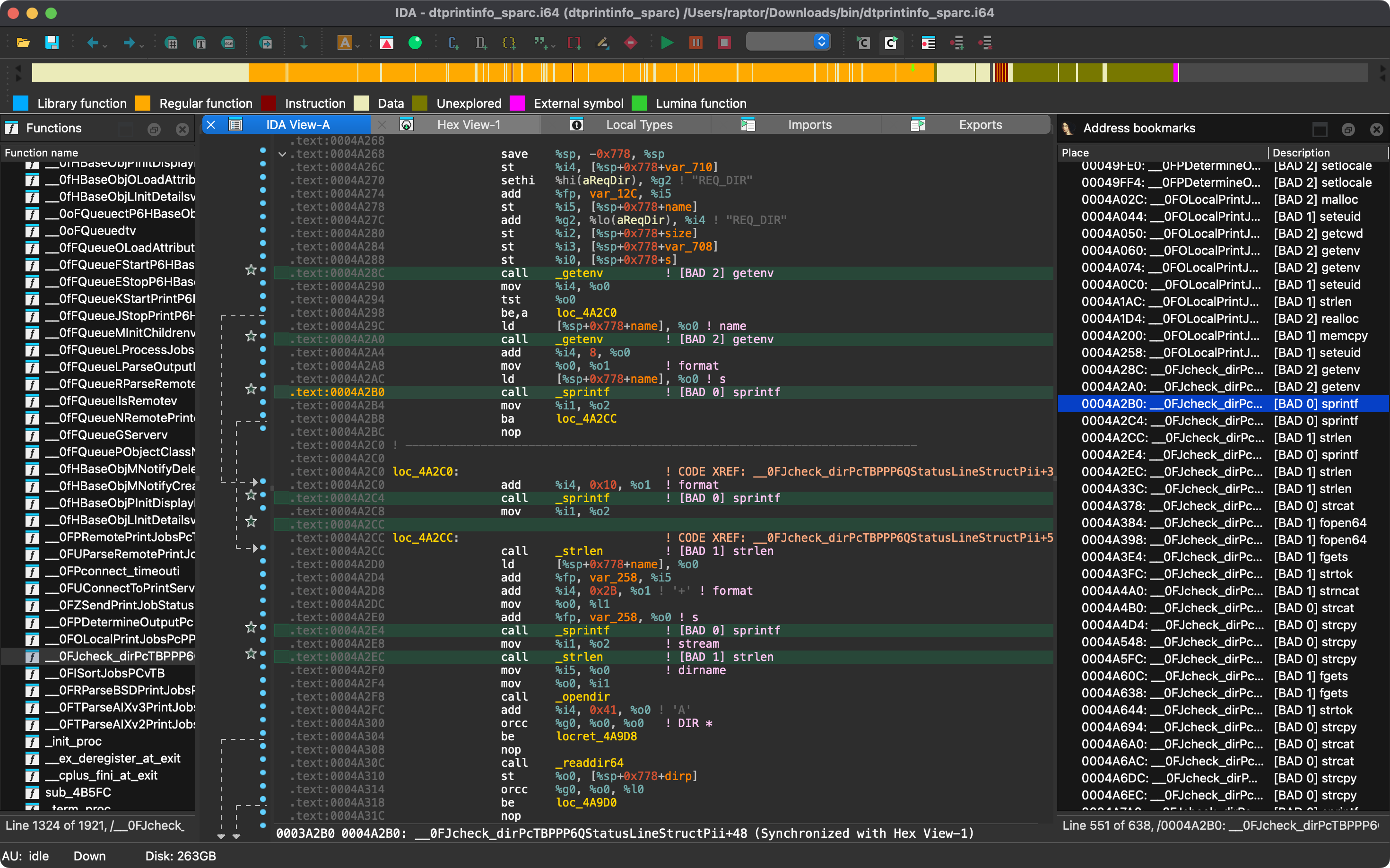
- 不良 API 函数调用位置会打印到 stdout,并在 IDB 中标记。
- 位于 IDA 识别出的库代码中的调用位置(例如,由 FLIRT 签名匹配到的静态链接运行时)会被标记为
(lib)。 - 通过桩(例如,ELF 二进制文件的
.plt条目,或 PE 和 Mach-O 二进制文件的导入桩,列为 thunk)进行的调用会被回溯到其调用者。 - 在 ELF 二进制文件中,一个函数会被有意列出两次,且调用位置相同:一次作为其
.plt桩(标记为 thunk),一次作为其导入。每个调用位置在 IDB 中只会被标记一次。
- 位于 IDA 识别出的库代码中的调用位置(例如,由 FLIRT 签名匹配到的静态链接运行时)会被标记为
- 已知的不良 API 函数按不良程度分组,以帮助确定审计工作的优先级。
- [BAD 0] 高优先级 - 通常被认为不安全的函数。
- [BAD 1] 中优先级 - 值得检查是否存在不安全用例的有趣函数。
- [BAD 2] 低优先级 - 涉及这些函数的代码路径应仔细检查。
- 已知不良 API 函数列表是内置的,并且可以通过基于
conf/rhabdomancer.toml的配置文件轻松自定义。 - 函数名匹配时会忽略以下修饰:前导点和下划线(例如
_strcpy)、库别名前缀(例如 Universal CRT 中的__o_malloc、glibc 中的__libc_system和__GI___snprintf),并且仅对桩和此类别名,忽略 IDA 为已在使用中的名称追加的数字后缀(例如memset_0)。
[!NOTE] 加固函数(例如
__strcpy_chk,在使用_FORTIFY_SOURCE构建时替代strcpy)会被有意不匹配,因为它们是所列函数的已检查变体。若要同时标记对它们的调用,请将它们显式添加到自定义配置中(例如,将"__strcpy_chk"设置为与strcpy相同的优先级)。
文章
- https://hex-rays.com/blog/streamlining-vulnerability-research-idalib-rust-bindings
- https://hnsecurity.it/blog/streamlining-vulnerability-research-with-ida-pro-and-rust
另请参阅
- https://github.com/0xdea/ghidra-scripts/blob/main/Rhabdomancer.java
- https://docs.hex-rays.com/release-notes/9_0#headless-processing-with-idalib
- https://github.com/idalib-rs/idalib
- https://books.google.it/books/about/The_Art_of_Software_Security_Assessment.html
安装
获取最新版本的最简单方式是通过 crates.io:
- 下载、安装并配置 IDA(参见 https://hex-rays.com/ida-pro)。
- 安装 LLVM/Clang(参见 https://rust-lang.github.io/rust-bindgen/requirements.html)。
- 在 Linux/macOS 上,按如下方式安装:
在 Windows 上,请改用以下命令:export IDADIR=/path/to/ida # if not set, the build script will check common locations cargo install rhabdomancer --locked$env:LIBCLANG_PATH="\path\to\clang+llvm\bin" $env:PATH="\path\to\ida;$env:PATH" $env:IDADIR="\path\to\ida" # if not set, the build script will check common locations cargo install rhabdomancer --locked
编译
或者,你可以从源代码构建:
- 下载、安装并配置 IDA(参见 https://hex-rays.com/ida-pro)。
- 安装 LLVM/Clang(参见 https://rust-lang.github.io/rust-bindgen/requirements.html)。
- 在 Linux/macOS 上,按如下方式编译:
在 Windows 上,请改用以下命令:git clone --depth 1 https://github.com/0xdea/rhabdomancer cd rhabdomancer export IDADIR=/path/to/ida # if not set, the build script will check common locations cargo build --release --lockedgit clone --depth 1 https://github.com/0xdea/rhabdomancer cd rhabdomancer $env:LIBCLANG_PATH="\path\to\clang+llvm\bin" $env:PATH="\path\to\ida;$env:PATH" $env:IDADIR="\path\to\ida" # if not set, the build script will check common locations cargo build --release --locked
用法
- 确保 IDA 已正确配置并拥有有效许可证。
- 可选:自定义已知恶意 API 函数列表:复制
conf/rhabdomancer.toml(选择与你所安装版本匹配的标签,以获取其确切的内置列表),编辑该副本,并将RHABDOMANCER_CONFIG环境变量设置为其路径。该文件必须定义high、medium和low数组,且不得包含其他键。 否则将使用内置列表,该列表在构建时从conf/rhabdomancer.toml嵌入到二进制文件中 (编辑该文件需要重新构建)。 - 如果你的 IDA 安装在非标准位置,请确保已设置
IDADIR环境变量。 - 按如下方式运行:
任何现有的rhabdomancer <binary_file>.i64IDB 文件都将被更新;否则,将创建一个新的 IDB 文件。 - 使用 IDA 打开生成的
.i64IDB 文件。 - 选择
View>Open subviews>Bookmarks - 享受便捷收集到 IDA 窗口中的结果。
[!NOTE] Rhabdomancer 还会在标记的调用位置添加注释。书签和注释都标记为
[BAD n] <function_name>,其中n是优先级层级(0 = 高,1 = 中,2 = 低),以便脚本可以 在 IDB 中搜索它们。此格式在各版本间保持稳定。
兼容性
官方仅支持最新的 IDA 版本,但较旧的版本也可能正常工作。下表 总结了每个 IDA 版本对应的最新兼容版本:
| IDA 版本 | 最新兼容版本 |
|---|---|
| v9.0.240925 | v0.2.4 |
| v9.0.241217 | v0.3.5 |
| v9.1.250226 | v0.6.2 |
| v9.2.250908 | v0.7.6 |
| v9.3.260213 | v0.8.1 |
| v9.3.260327 | v0.9.0 |
| v9.3.260421 | v0.9.3 |
| v9.4.260714 | 当前版本 |
| v9.4.260915 | 当前版本 |
[!NOTE] 请查看 idalib-rs 文档以获取更多信息。
致谢
本项目的开发得到了以下组织的支持:
更新日志
待办事项
- 进一步丰富已知恶意 API 函数列表(参见 https://github.com/0xdea/semgrep-rules)。
- 跟踪通过
.plt段之外的 thunk 进行的调用(例如,MSVC 增量链接的j_thunk)。 - 考虑跳过在 IDA 识别的库代码中标记调用位置(目前仅标记为
(lib))。 - 实现序列化输出,以便于自动化解析和分析。
- 实现一个基本规则集,风格类似于 VulFi 和 VulnFanatic。