
新发布Aug 13, 2026
oneiromancer v0.9.1
使用本地运行的 LLM 辅助伪代码分析的逆向工程助手。
oneiromancer







"软件开发中的很大一部分缺陷,源于程序员没有完全理解其代码可能执行的所有状态。" —— John Carmack
"它能运行 Doom 吗?" —— https://canitrundoom.org/
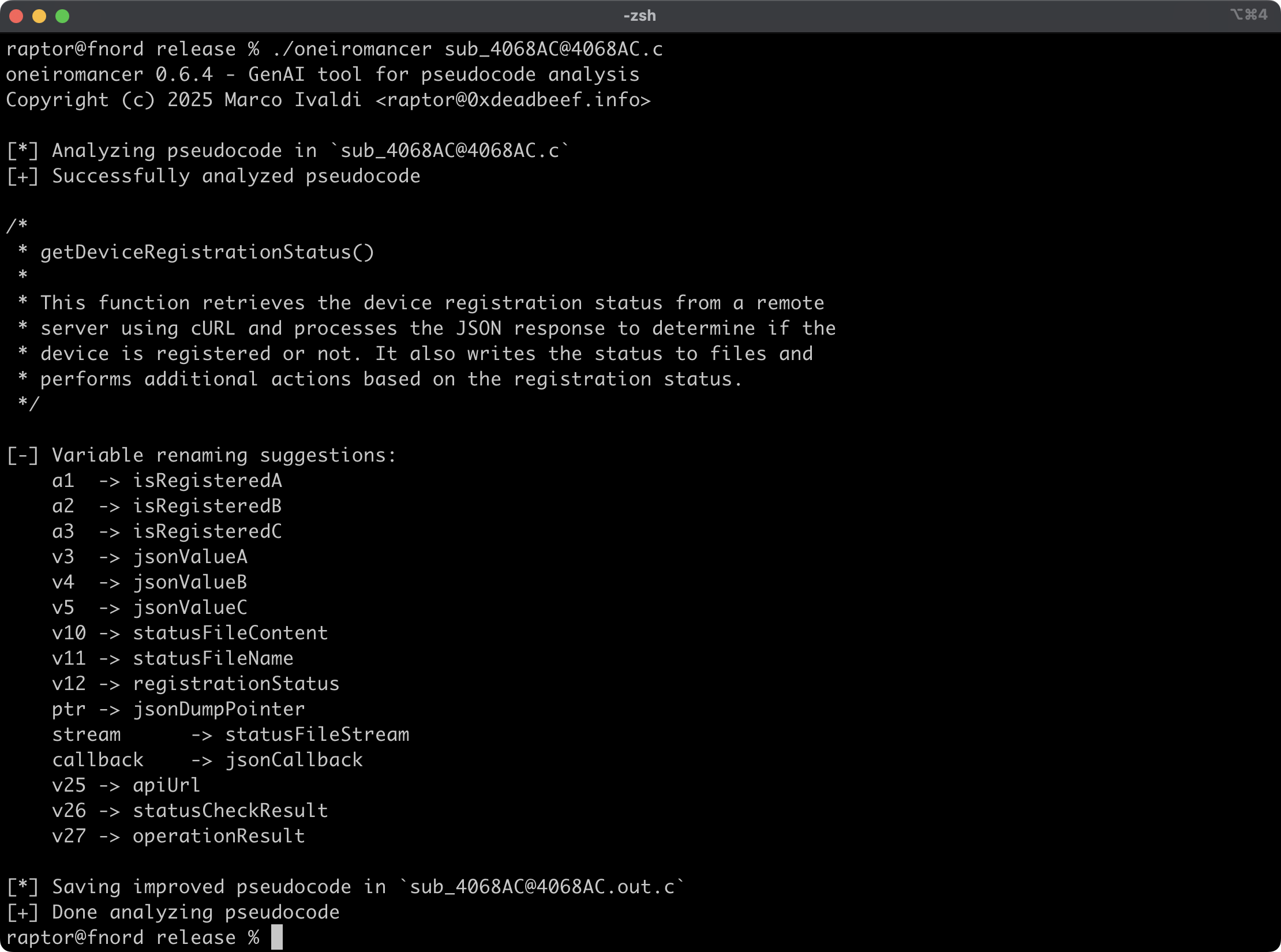
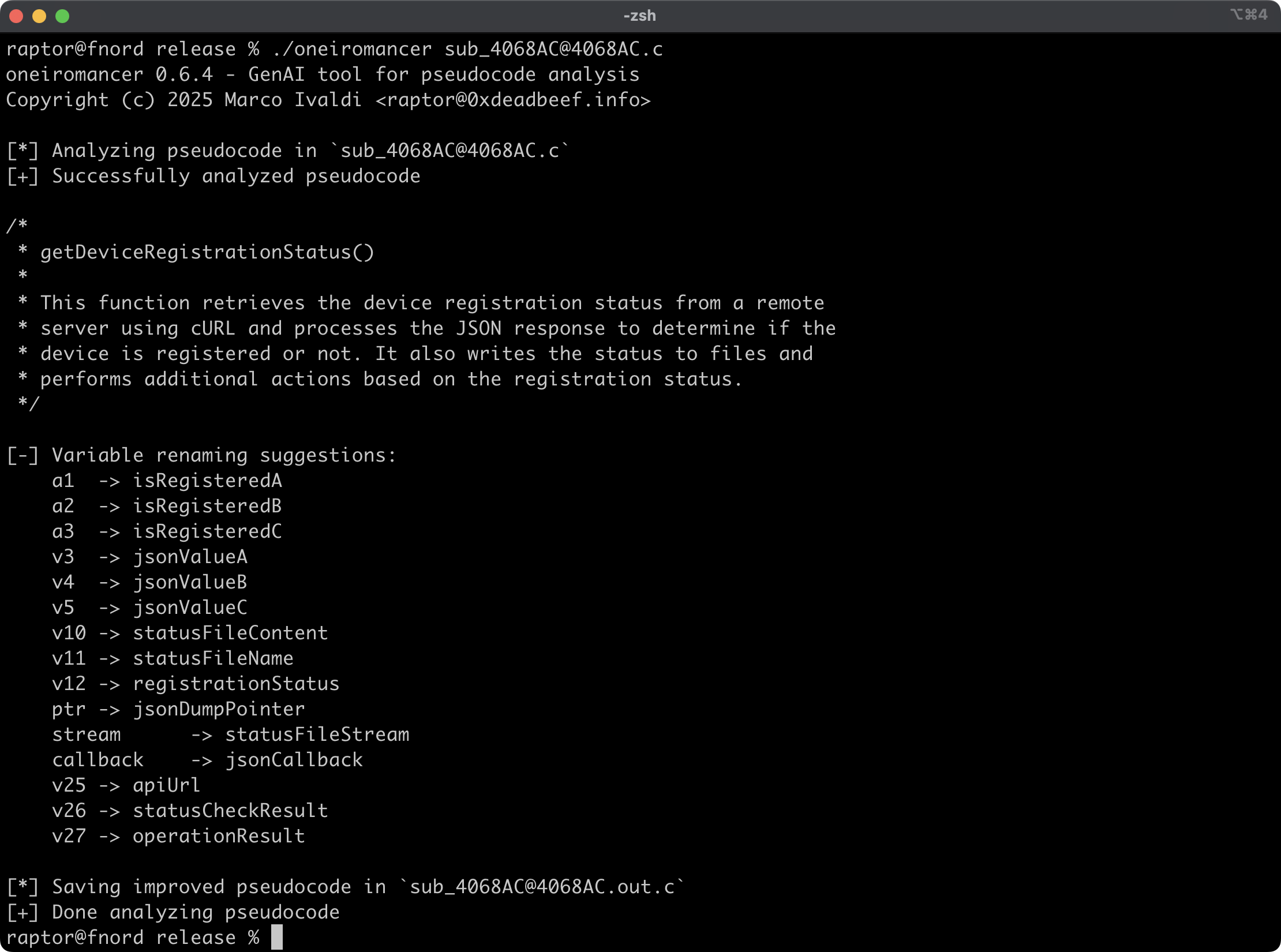
Oneiromancer 是一款逆向工程助手,它使用一个在本地运行、针对 Hex-Rays 伪代码进行过微调的 LLM 来辅助代码分析。它可以分析一个函数或较小的代码片段,并根据分析结果返回代码功能的高层描述、建议的函数名称以及变量重命名建议。
功能特性
- 跨平台支持基于
mistral-7b-instruct微调的 LLM aidapal。 - 可轻松与伪代码提取器 haruspex 及主流 IDE 集成。
- 在终端上打印代码描述、建议的函数名称以及变量重命名建议。
- 每个被分析函数的改进后伪代码会保存到单独的文件中,便于查看。
- 外部 crate 可以调用
analyze_code或analyze_file来分析伪代码,然后处理分析结果。
文章
另请参阅
- https://www.atredis.com/blog/2024/6/3/how-to-train-your-large-language-model
- https://huggingface.co/AverageBusinessUser/aidapal
- https://github.com/atredispartners/aidapal
- https://plugins.hex-rays.com/atredispartners/aidapal
安装
获取最新版本最简单的方式是通过 crates.io:
cargo install oneiromancer --locked
若要作为库安装,请在项目目录中运行以下命令:
cargo add oneiromancer
编译
或者,你可以从源码构建:
git clone --depth 1 https://github.com/0xdea/oneiromancer
cd oneiromancer
cargo build --release --locked
配置
- 下载并安装 Ollama。
- 从 Hugging Face 下载微调后的权重和 Ollama modelfile:
wget https://huggingface.co/AverageBusinessUser/aidapal/resolve/main/aidapal-8k.Q4_K_M.gguf wget https://huggingface.co/AverageBusinessUser/aidapal/resolve/main/aidapal.modelfile - 在你下载这些文件的目录中运行以下命令来配置 Ollama:
ollama create aidapal -f aidapal.modelfile
ollama list
用法
- 按如下方式运行 oneiromancer:
export OLLAMA_BASEURL=custom_baseurl # if not set, the default will be used export OLLAMA_MODEL=custom_model # if not set, the default will be used oneiromancer <target_file>.c - 在
<target_file>.out.c中查看改进后的伪代码:vim <target_file>.out.c code <target_file>.out.c
[!TIP] 为获得最佳效果,请一次提交一个函数交由 LLM 分析。
兼容性
已在以下系统上使用 Ollama 0.32.9 测试:
- Apple macOS Tahoe 26.5.2
- Ubuntu Linux 24.04.2 LTS
- Microsoft Windows 11 23H2
致谢
- Atredis Partners 的 Chris Bellows(@AverageBusinessUser)提供了他微调的 LLM
aidapal<3