ragnt/angryoxide
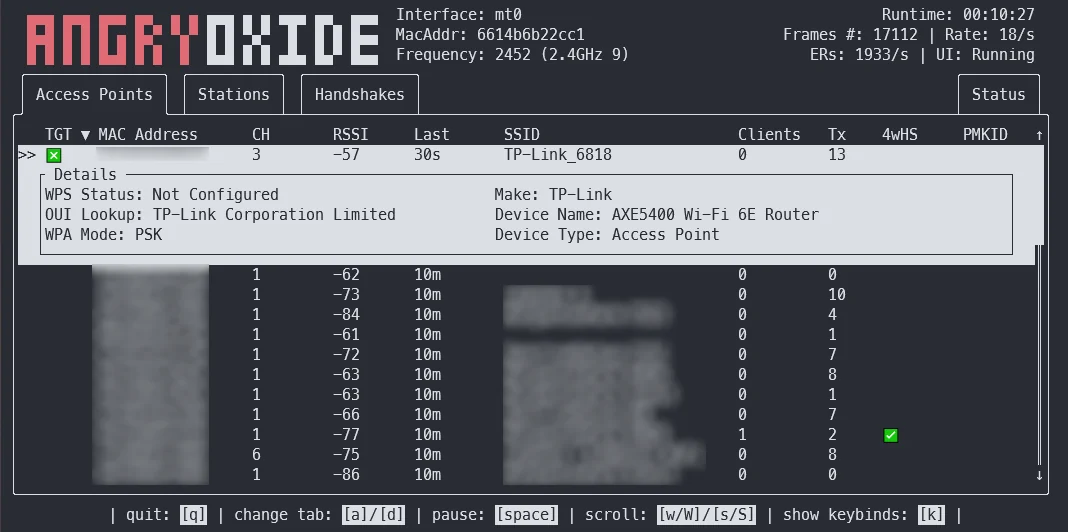
Ferramenta ofensiva de auditoria 802.11 que automatiza a captura de handshake WPA/WPA2 e PMKID usando ataques de desautenticação, cliente rogue e troca de canal, com modo headless, registro de GPS e saída pronta para Hashcat.



Esta ferramenta é apenas para fins de pesquisa. Eu não sou responsável por qualquer coisa que você faça ou dano que cause ao usar o AngryOxide. Use apenas contra redes nas quais você tenha permissão.
AngryOxide foi desenvolvido como uma forma de aprender Rust, netlink, sockets de kernel e exploração de WiFi ao mesmo tempo.
Você pode obter informações sobre como usar o AngryOxide no Guia do Usuário.
NOTA: Este projeto está em desenvolvimento INTENSO e você pode esperar um ciclo de lançamentos muito rápido.
O objetivo geral desta ferramenta é fornecer uma capacidade de levantamento em uma única interface com ataques automatizados avançados que resultam em hashlines válidas que você pode quebrar com o Hashcat.
Esta ferramenta é fortemente inspirada pelo hcxdumptool e o desenvolvimento não teria sido possível sem a ajuda de ZerBea.
Se você tiver dúvidas ou qualquer problema, pode me contatar no Discord do AngryOxide
Você pode baixar binários pré-compilados do AngryOxide nos releases.
tar -xf angryoxide-linux-x86_64.tar.gz # Untar
chmod +x install.sh # Make executable
sudo ./install.sh # Install (as root, including zsh/bash completions)
Você pode obter informações sobre como usar o AngryOxide no Guia do Usuário.
sudo ./install.sh uninstall # Uninstall
Por padrão, atacará TODOS os access points dentro do alcance, a menos que pelo menos um alvo seja fornecido; nesse caso, a ferramenta só transmitirá contra os alvos definidos. (Mas ainda coletará passivamente em outros access points).
Todos esses ataques são controlados por taxa tanto para evitar redefinições errôneas do temporizador EAPOL quanto para manter algum nível de segurança operacional.
❯ angryoxide --help
Does awesome things... with wifi.

Usage: angryoxide [OPTIONS] --interface <INTERFACE>

Options:
  -i, --interface <INTERFACE>     Interface to use
  -c, --channel <CHANNEL>         Optional - Channel to scan. Will use "-c 1,6,11" if none specified
  -b, --band <2 | 5 | 6 | 60>     Optional - Entire band to scan - will include all channels interface can support
  -o, --output <Output Filename>  Optional - Output filename
  -h, --help                      Print help
  -V, --version                   Print version

Targeting:
  -t, --target-entry <Target MAC/SSID>
          Optional - Target (MAC or SSID) to attack - will attack everything if none specified
  -w, --whitelist-entry <WhiteList MAC/SSID>
          Optional - Whitelist (MAC or SSID) to NOT attack
      --targetlist <Targets File>
          Optional - File to load target entries from
      --whitelist <Whitelist File>
          Optional - File to load whitelist entries from

Advanced Options:
  -r, --rate <Attack Rate>            Optional - Attack rate (1, 2, 3 || 3 is most aggressive) [default: 2]
      --combine                       Optional - Combine all hc22000 files into one large file for bulk processing
      --active                        Optional - Use Active Monitor mode - WARNING, may cause bugs.
      --rogue <MAC Address>           Optional - Tx MAC for rogue-based attacks - will randomize if excluded
      --gpsd <GPSD Host:Port>         Optional - Alter default HOST:Port for GPSD connection [default: 127.0.0.1:2947]
      --autohunt                      Optional - AO will auto-hunt all channels then lock in on the ones targets are on
      --headless                      Optional - Set the tool to headless mode without a UI. (useful with --autoexit)
      --autoexit                      Optional - AO will auto-exit when all targets have a valid hashline
      --notransmit                    Optional - Do not transmit - passive only
      --notar                         Optional - Do not tar output files
      --disablemouse                  Optional - Disable mouse capture (scroll wheel)
      --dwell <Dwell Time (seconds)>  Optional - Adjust channel hop dwell time [default: 2]

Geofencing:
      --geofence
          Optional - Enable geofencing using a specified latlng and distance
      --center <CENTER>
          Lat,Lng for geofencing (required if geofence is enabled)
      --distance <DISTANCE>
          Distance in meters from the center (required if geofence is enabled)
      --geofence-timeout <GEOFENCE_TIMEOUT>
          Timeout to disable geofence if GPS is lost. (default 300 seconds) [default: 300]