
Skip to content
KitploitKITPLOIT
FerramentasBlog
Enviar
FerramentasBlog
Enviar

Ferramentas de Hacking, PenTest e Cibersegurança para o seu Arsenal de Segurança!

Kitploit é um diretório de ferramentas de hacking, cibersegurança e pentesting. Descubra as últimas atualizações de projetos para encontrar vulnerabilidades, analisar sistemas, automatizar testes e fortalecer sua segurança.

··Feeds·Contato·Privacidade·© 2026 Kitploit

Diretório de Ferramentas

Categorias

Ver todas as categorias
Loading categories
rosemary — Rosemary: Cross-platform kernel-level pivoting over QUIC. No TUN/TAP. No proxychains. No proxy settings. | Kitploit
Ferramentas/GitHubGitHub/blue0x1/rosemary
ReconnaissanceLateral MovementNetwork SecurityPenetration TestingCommand and ControlRed TeamingDNS Analysis
GitHubblue0x1/rosemary

rosemary

Rosemary: Cross-platform kernel-level pivoting over QUIC. No TUN/TAP. No proxychains. No proxy settings.

Ver Repositório
121há 17 diasAinda não revisado

Mais Populares

Ver todos →

Descubra as ferramentas mais usadas pela nossa comunidade.

Explore todas as ferramentas

Navegue pela nossa coleção de ferramentas

Ver todas as ferramentas →
Compartilhar
Site
Conteúdo não disponível no idioma solicitado. Mostrando versão em inglês.

Rosemary

Cross-platform kernel-level pivoting platform over QUIC. No TUN/TAP. No proxychains. No proxy settings.

Docs Go Version Go Report Card Release Downloads Stars


logo-dark

Rosemary transparently intercepts traffic on remote hosts at the kernel level: no proxy settings, no TUN/TAP devices, no proxychains. Agents connect back to the server over QUIC. You reach the entire remote network as if you were directly on it.


Table of Contents

  • How It Works
  • Features
  • Platforms
  • Screenshots
  • Quick Start
  • PowerShell Agent
  • Release Notes
  • CLI Reference
  • API
  • Build
  • Security
  • License
  • Author

How It Works

Run the server on your machine and deploy an agent on any remote host. The agent connects back over QUIC, the server installs kernel-level interception rules for the agent's subnets, and from that point all traffic to those subnets, including DNS, is transparently forwarded through the agent, no proxy config, no TUN device, no DNS settings to change, no changes to your applications.

root@kitploit:~
curl http://192.168.1.50   ───►  agent dials 192.168.1.50 and bridges it back
ssh  [email protected]
ping 192.168.1.1

Connect multiple agents at once and traffic is automatically routed to whichever agent owns the destination.


Features


Platforms

Agent runs on all platforms above. No root required on the agent side.


Screenshots

Show screenshots

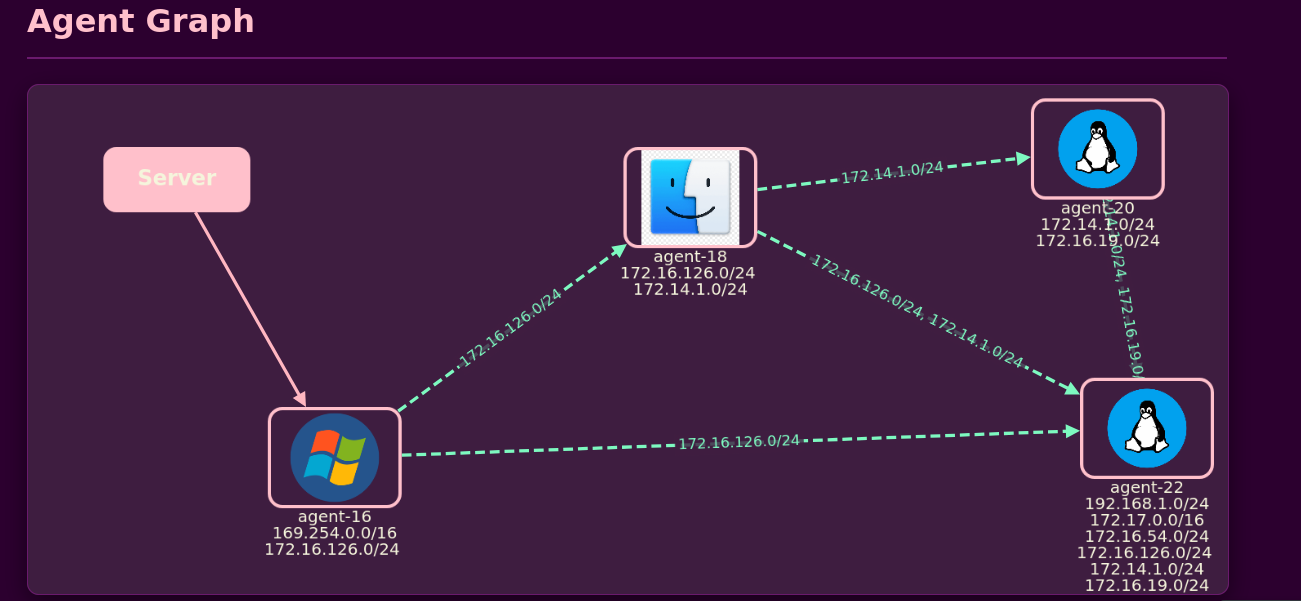
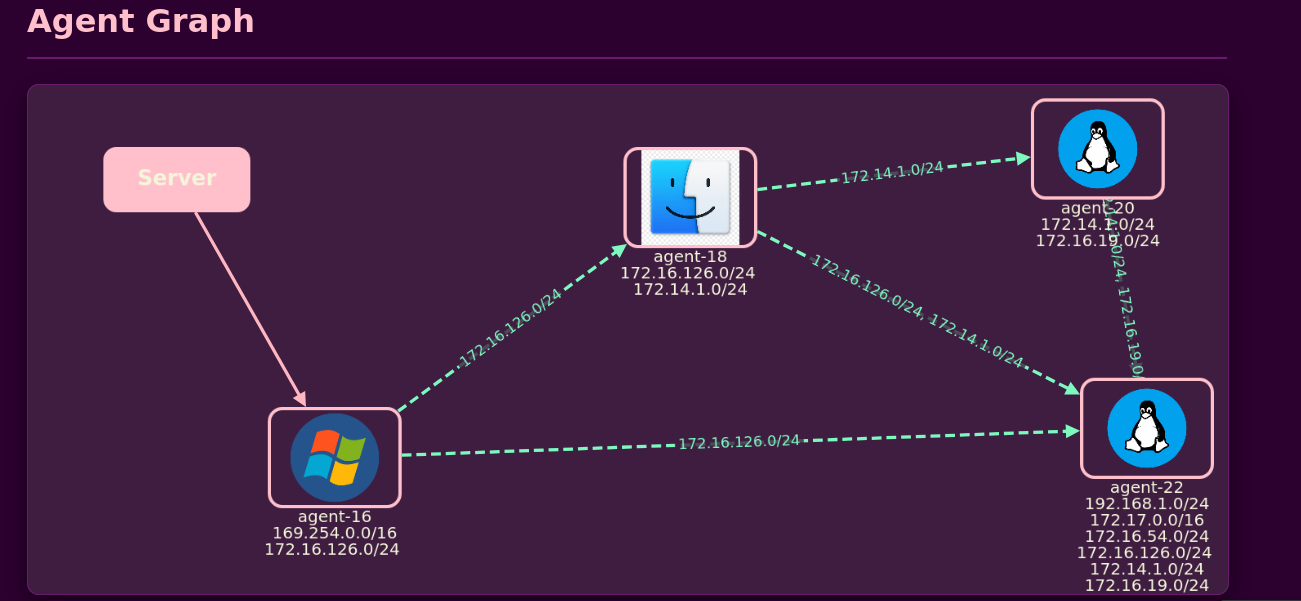
Dashboard | Agent Graph View

Interactive network graph showing connected agents and their relationships
image

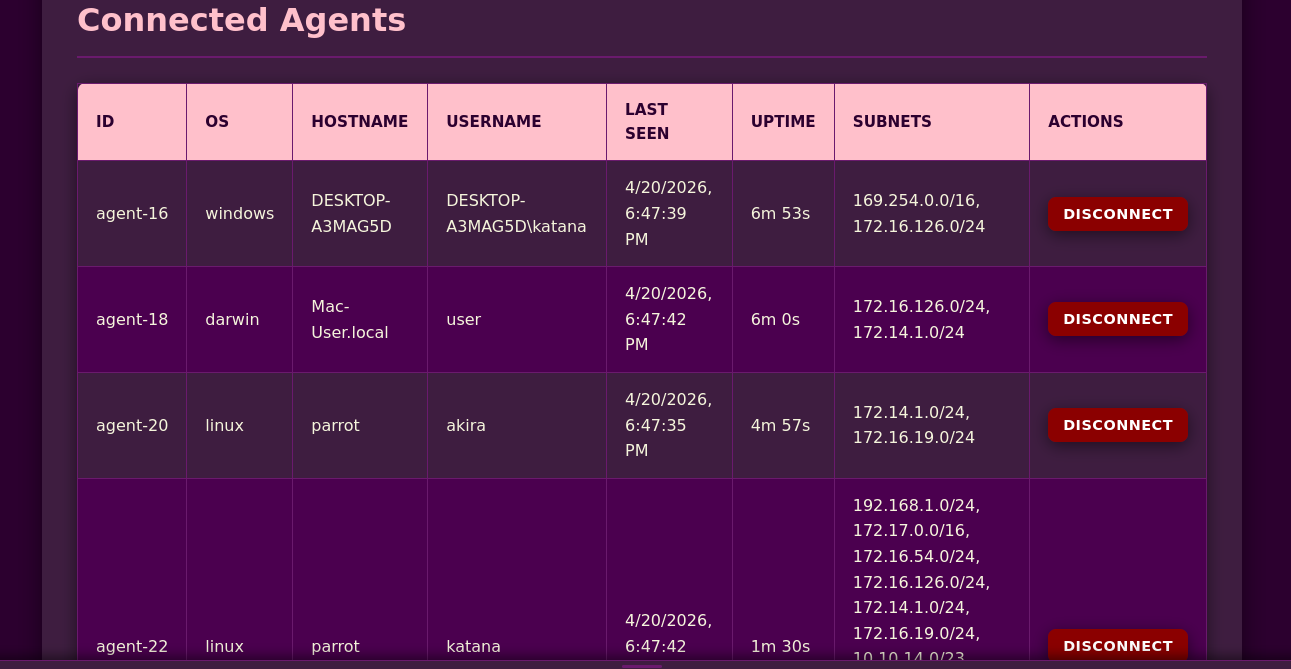
Dashboard | Table View

Detailed agent information including OS, hostname, subnets, and connection status
image

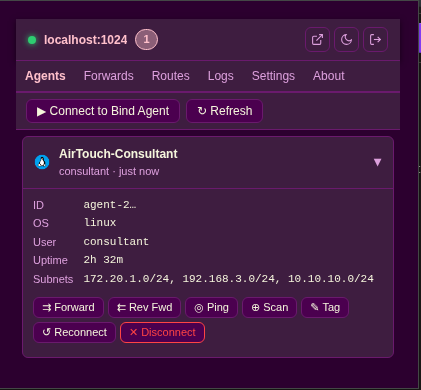
Chrome Extension

Browser extension for easy access and traffic routing through the tunnel
image

Installation:

  1. Open Chrome and go to chrome://extensions/
  2. Enable Developer mode (toggle in top right)
  3. Click Load unpacked
  4. Select the extension/ folder from the repository

The extension icon will appear in your browser toolbar.

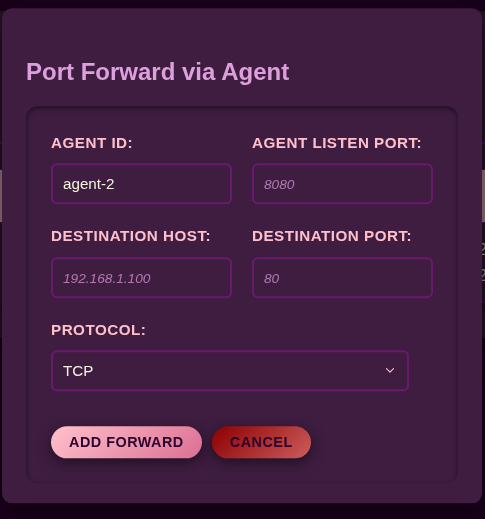
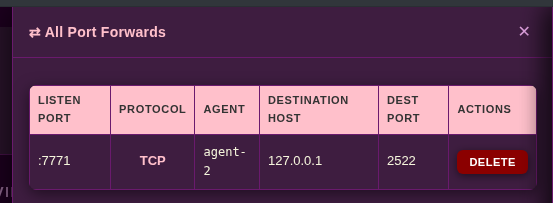
Port Forward Management

Create and manage TCP/UDP port forwards through any agent
image

Note: The graph view automatically layouts agents and visualizes subnet relationships. Edges between agents indicate shared subnets, enabling multi-hop pivoting visualization.


Quick Start

Install

root@kitploit:~
# Install via go install
go install github.com/blue0x1/rosemary/rosemary@latest
go install github.com/blue0x1/rosemary/agent@latest # For install agent

# Copy to system path for sudo use
sudo cp ~/go/bin/rosemary /usr/local/bin/

Or download pre-built binaries from Releases.

1. Start the Server

root@kitploit:~
# Auto-generate a key
sudo rosemary

# Or provide your own
sudo rosemary -key YOUR_BASE64_KEY

Dashboard available at http://server-ip:1024: log in with your key.

2. Deploy an Agent

root@kitploit:~
# Standard QUIC/UDP mode (agent connects to server)
./agent-linux-amd64 -s server-ip:2048 -k YOUR_KEY

# Background mode
./agent-linux-amd64 -b -s server-ip:2048 -k YOUR_KEY

# Windows
agent-windows-amd64.exe -s server-ip:2048 -k YOUR_KEY

Once connected, the agent's subnets are automatically routed through it.

3. Bind Mode (agent behind NAT)

root@kitploit:~
# On the agent host: agent listens for the server to connect
./agent-linux-amd64 -m agent-bind -l 0.0.0.0:9001 -k YOUR_KEY

# On the server CLI
rosemary> connect agent-ip:9001

4. PowerShell Agent (Invoke-Rosemary)

Invoke-Rosemary.ps1 supports both outbound agent mode and bind mode. Bind mode works on legacy Windows PowerShell hosts. Outbound agent mode uses QUIC and requires PowerShell 7 on a .NET runtime where System.Net.Quic and libmsquic are available.

root@kitploit:~
# Import
. .\Invoke-Rosemary.ps1

# Help
Invoke-Rosemary -Help

Invoke-Rosemary -Mode agent -Server 192.168.1.10:2048 -Key YOUR_KEY

Invoke-Rosemary -Mode agent-bind -Listen 0.0.0.0:9001 -Key YOUR_KEY

Invoke-Rosemary -Mode agent -Server 192.168.1.10:2048 -Key YOUR_KEY -Background

Invoke-Rosemary -Mode agent -Server 192.168.1.10:2048 -Key YOUR_KEY -Verbose

Check QUIC support before using PowerShell outbound mode:

root@kitploit:~
[type]::GetType('System.Net.Quic.QuicConnection, System.Net.Quic') -ne $null
[System.Net.Quic.QuicConnection]:https://raw.githubusercontent.com/blue0x1/rosemary/HEAD/:IsSupported

If either check fails, use the Go Windows agent for outbound mode or run the PowerShell agent in agent-bind mode.

Parameters

5. Egress: Route All Internet Traffic

root@kitploit:~
rosemary> egress agent-1
[+] Default egress set to agent-1

All traffic to IPs outside known agent subnets now flows through agent-1. DNS continues to work for both private and public domains.


Release Notes

This version moves outbound agents to QUIC/UDP transport, keeps bind agents on encrypted TCP framing, updates the PowerShell agent for both modes, and refreshes CLI list output with consistently aligned tables for agents, routes, forwards, reverse forwards, SOCKS5 proxies, and API tokens.

Compatibility notes:

  • Existing WebSocket/smux agents must be replaced with the new Go agents.
  • PowerShell outbound mode requires PowerShell 7 with .NET QUIC support.
  • PowerShell bind mode remains the fallback for Windows PowerShell 5.1 hosts.

CLI Reference

Type help or help <command> inside the REPL for full details.

Agents

root@kitploit:~
agents                         List all connected agents
disconnect <agent-id|all>      Disconnect agent(s)
reconnect  <agent-id>          Force agent to reconnect
connect    <ip:port>           Connect to a bind-mode agent

Routing

root@kitploit:~
routes                         Show routing table
routes enable  <subnet>        Re-enable a disabled route
routes disable <subnet>        Disable a route without disconnecting
routes default <agent-id>      Set default egress agent
routes default off             Clear default egress
egress <agent-id>              Alias: set default egress agent
egress none                    Alias: clear default egress

Port Forwards

root@kitploit:~
forward add <local-port> <agent-id> <host> <port> [tcp|udp]
forward del <id>
forwards                       List active forwards

Reverse Forwards

root@kitploit:~
rforward add <listen-port> <agent-id> <host> <port>
rforward del <id>
rforward list

SOCKS5

root@kitploit:~
socks <agent-id> <port> [username] [password]
socks list
socks stop <id>

Discovery

root@kitploit:~
ping     <agent-id> <target> [count]
discover <agent-id> <subnet> [timeout_ms] [workers]
portscan <agent-id> tcp|udp <target> [ports]

Server

root@kitploit:~
settings                       Show current config
verbose                        Toggle debug logging
rotate-key                     Regenerate encryption key
save-config <path>             Export config to JSON
load-config <path>             Import config from JSON
token list|create|view|revoke  Manage API tokens
exit                           Shutdown

API

Complete API Reference

Full endpoint documentation with examples is available at:

root@kitploit:~
http://<server>:1024/docs

Authenticate once to get a token, then use it for all requests.

root@kitploit:~
# Authenticate
curl -X POST http://server:1024/api/v1/auth \
  -H "Content-Type: application/json" \
  -d '{"key":"YOUR_KEY"}'

# List agents
curl -H "Authorization: Bearer tun_xxx" \
  http://server:1024/api/v1/agents

# Port forward
curl -X POST http://server:1024/api/v1/forwards \
  -H "Authorization: Bearer tun_xxx" \
  -H "Content-Type: application/json" \
  -d '{"action":"add","agent_id":"agent-1","local_port":8080,"target_host":"192.168.1.10","target_port":80}'

# SOCKS5 proxy
curl -X POST http://server:1024/api/v1/socks \
  -H "Authorization: Bearer tun_xxx" \
  -H "Content-Type: application/json" \
  -d '{"agent_id":"agent-1","port":1080}'

# Run any CLI command
curl -X POST http://server:1024/api/v1/cli \
  -H "Authorization: Bearer tun_xxx" \
  -H "Content-Type: application/json" \
  -d '{"command":"discover agent-1 10.10.10.0/24"}'

Endpoints: /api/v1/auth · /api/v1/agents · /api/v1/routes · /api/v1/forwards · /api/v1/rforwards · /api/v1/socks · /api/v1/cli · /api/v1/settings · /api/v1/tokens · /api/v1/shutdown

Token permission levels: read · write · admin


Build

root@kitploit:~
git clone https://github.com/blue0x1/rosemary.git
cd rosemary

# Build all platforms and architectures
bash build.sh

# Build specific target
bash build.sh rosemary linux amd64
bash build.sh agent  windows arm64

# Output goes to dist/

Supported architectures:

  • linux, freebsd, openbsd: amd64 arm64 arm 386
  • windows: amd64 arm64 386
  • darwin: amd64 arm64

Windows Server: WinDivert Requirement

The Windows server uses WinDivert for kernel-level packet interception. Before building:

  1. Download WinDivert.dll and WinDivert64.sys from reqrypt.org/windivert.html (v2.x, 64-bit)
  2. Place both files in the rosemary/ directory

They are embedded into the binary at build time.


Security

  • Encryption: AES-256-GCM on all agent ↔ server communication
  • Authentication: shared-key authenticated agent transport
  • Dashboard: session-based login with CSRF token protection
  • API tokens: scoped permissions: read / write / admin
  • Privilege separation: agents require no root; only the server needs elevated rights

License

GNU General Public License v3.0: see LICENSE


Author

blue0x1 (Chokri Hammedi)

GitHub · Sponsor
Buy Me A Coffee


Use only on systems you own or have explicit written permission to test. Unauthorized use is prohibited.

Baixar ferramenta
CategoryCapability
InterceptionTransparent TCP · UDP · ICMP · DNS, no client config required
EgressDefault egress agent routes all internet traffic through a chosen agent
SOCKS5Per-agent SOCKS5 proxy with optional username/password auth
ForwardsTCP/UDP port forwards · Reverse port forwards (server listens, agent dials)
DiscoveryPing · Ping sweep · TCP/UDP port scan via agent
DNSIntercepts DNS, resolves through agents, private and public domains
PivotingMulti-hop through multiple agents (5+ hops tested)
TransportQUIC/UDP outbound agents · encrypted TCP bind agents
DashboardWeb UI with real-time agent graph, routing table, log viewer
APIFull REST API with token-based auth (read/write/admin)
CLIInteractive REPL + web-based CLI panel
ExtensionChrome extension for quick access
AgentsBackground mode · bind mode · auto subnet discovery · internet detection
ConfigJSON import/export · live key rotation · per-port configuration
PlatformTCPUDPDNSICMPSOCKS5Egress
Linux✓✓✓✓✓✓
Windows✓✓✓✓✓✓
macOS✓✓✓✓✓✓
FreeBSD✓✓✓✓✓✓
OpenBSD✓✓✓✓✓✓
image

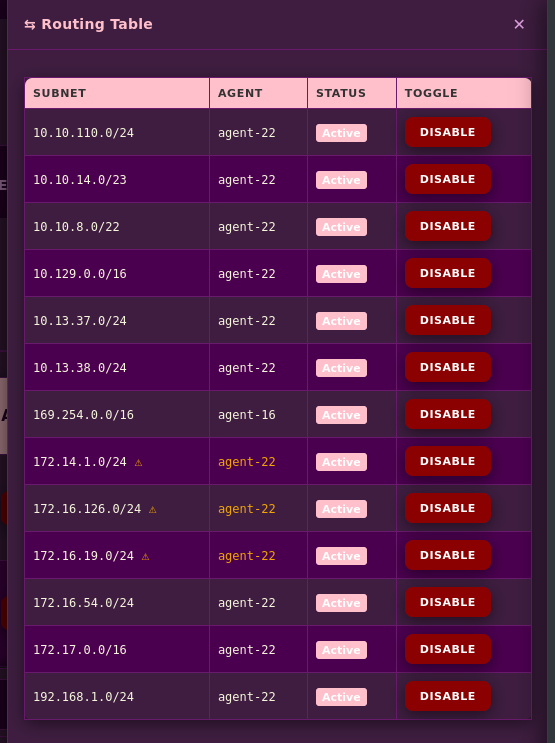
Routing Table

View and toggle subnet routes with real-time status
image

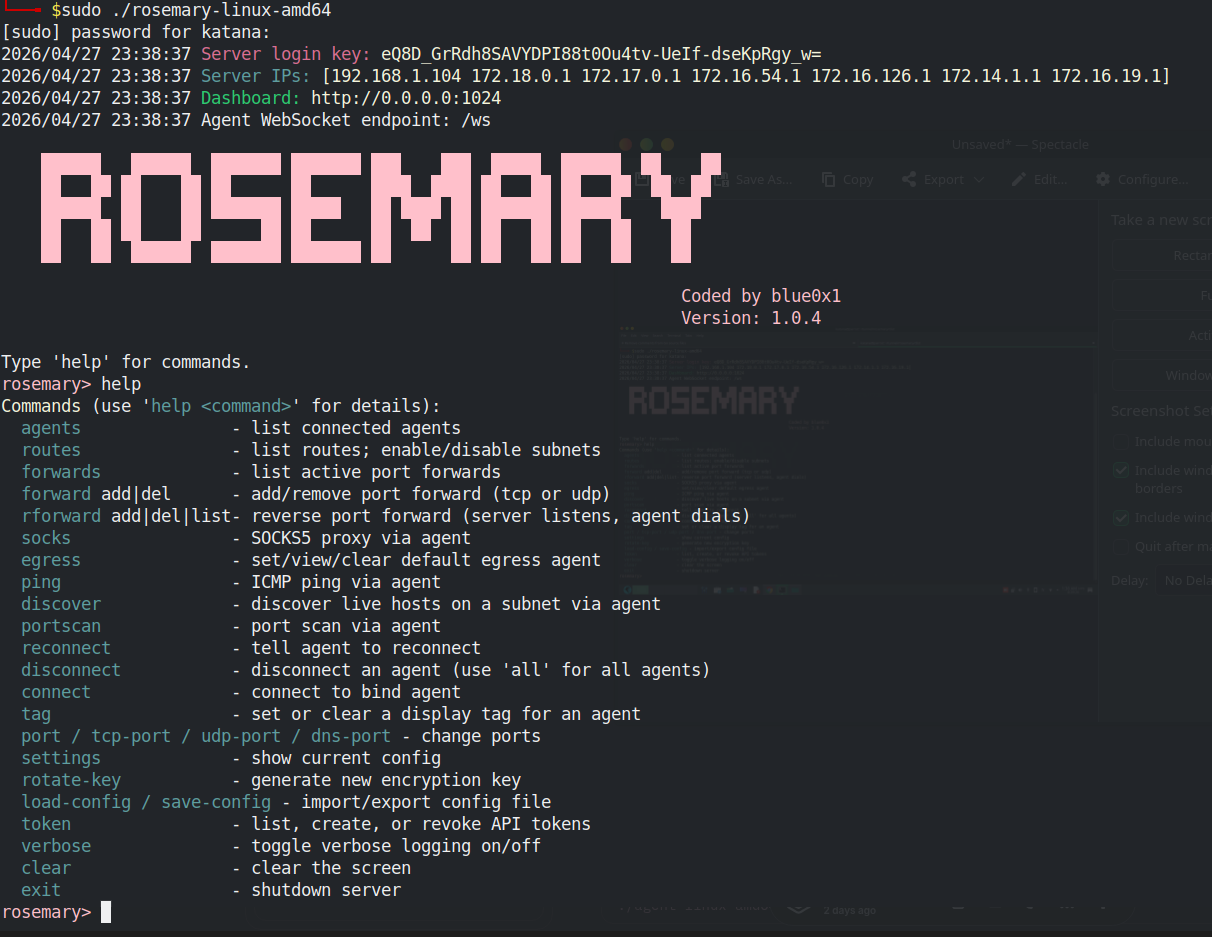
CLI Panel

Built-in REPL for full server control
image

Web CLI Panel

image

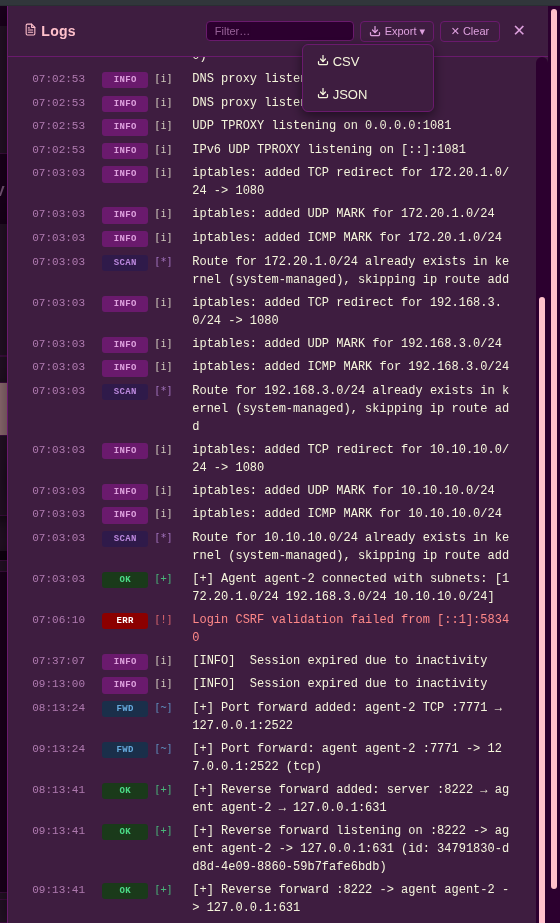
Logs Panel

Real-time event streaming with filtering and export options
image

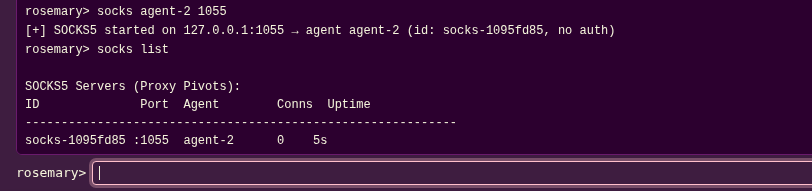
SOCKS5 Proxy Management

Start/stop SOCKS5 proxies through any agent with optional authentication
image

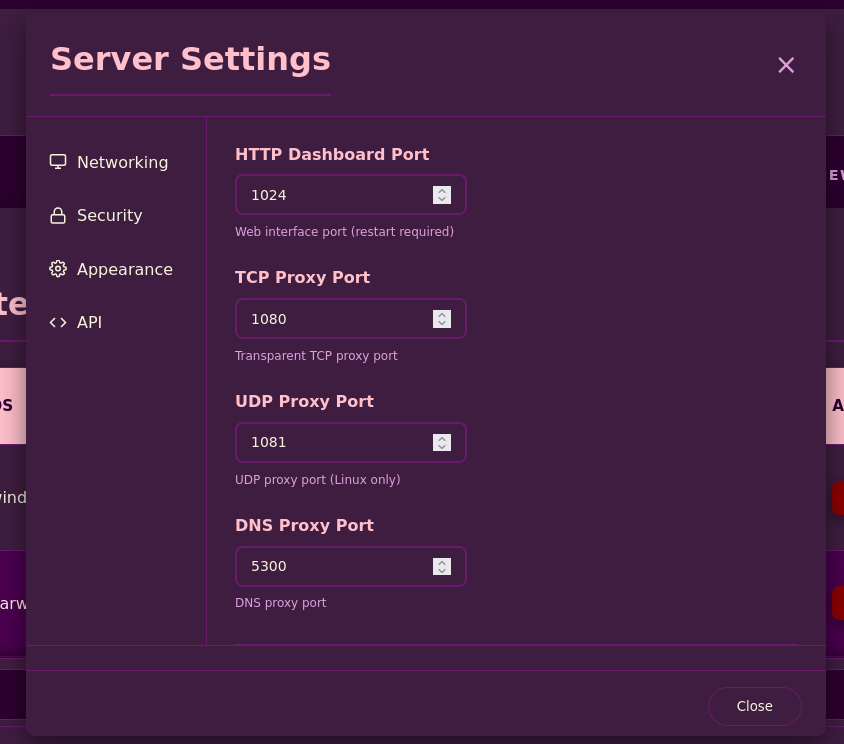
Settings Modal

Configure server ports, encryption keys, and API tokens image
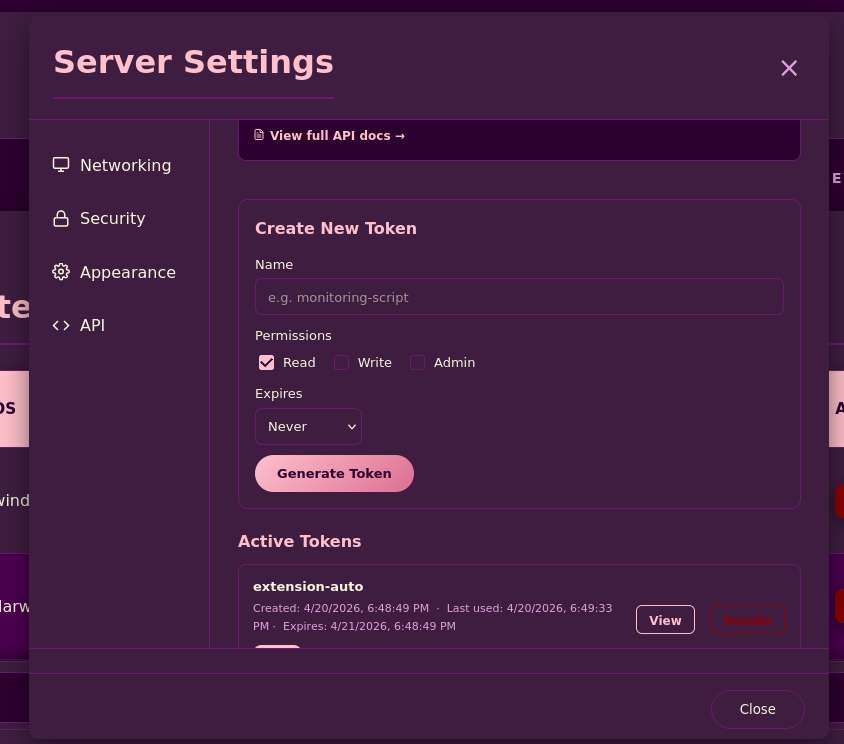
API Tokens

Create and manage REST API tokens with granular permissions
image

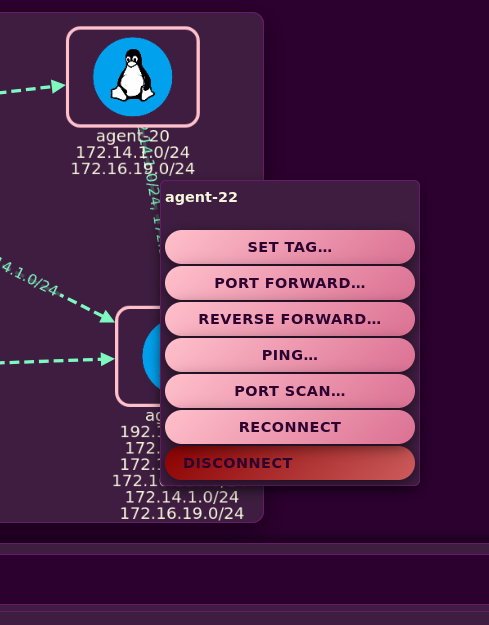
Agent Context Menu

Quick actions: tag, forward, ping, port scan, reconnect, disconnect
image
ParameterDescription
-KeyBase64 encryption key - must match the server
-Modeagent (outbound) or agent-bind (inbound)
-ServerServer address host:port - required in agent mode
-ListenBind address for agent-bind mode (default 0.0.0.0:9001)
-BackgroundRelaunch as a hidden background process and return immediately
-VerboseShow connection and session diagnostic output