 nihal799/zttp
Zero-trust SSH bastion proxy with Vault-backed key management, RBAC policy enforcement, full session recording, and admin TUI for auditable access to production infrastructure.

ZTTP is a hardened, self-hosted Zero-Trust SSH bastion proxy built in Golang with HashiCorp Vault-backed key management, RBAC policy enforcement, full session recording, and an interactive admin TUI — designed for teams who need auditable, zero-trust access to production infrastructure.
Modern engineering teams need a way to give developers the minimum access required to do their jobs — no more, no less. Traditional SSH key distribution is error-prone: keys get shared, forgotten on laptops, and revoked days too late.
The ZTTP SSH proxy solves this by acting as the single zero-trust door into your infrastructure:
| Problem | ZTTP Solution |
|---|---|
| SSH keys shared on laptops | Keys live only in HashiCorp Vault — never on disk |
| No visibility into who did what | Every keystroke is recorded in .ttyrec format |
| Blanket production access | Role-based policy engine enforces per-environment rules |
| No way to stop an active session | Kill-switch gRPC endpoint terminates any live session |
| Opaque access for auditors | Admin TUI with session playback, text logs, and admin action logs |
Developer Laptop
      │
      │  zttp
      │  (Under the hood: SSH over port 2224)
      ▼
┌─────────────────────────────────────────────────────────┐
│                     ZTTP Proxy                          │
│                                                         │
│  ① Auth Gate     — bcrypt/Argon2id login TUI           │
│  ② RBAC Engine   — environment-aware policy check      │
│  ③ Vault Fetch   — ephemeral SSH key retrieval         │
│  ④ Bridge        — transparent TCP tunnel              │
│  ⑤ Audit Writer  — ttyrec frame recorder               │
└──────────┬──────────────────────────────────────────────┘
           │  ssh (private IP, ephemeral key)
           ▼
     Target Server
Infrastructure services (Docker Compose):
| Service | Purpose |
|---|---|
zttp-proxy | The core ZTTP SSH bastion proxy (Golang binary) |
zttp-postgres | Control-plane database (users, servers, RBAC policies) |
zttp-vault | HashiCorp Vault — stores SSH private keys |
zttp-nginx | Serves CLI installers at /release/ |
zttp-init-audit | One-shot container that fixes volume permissions |
.ttyrec format with timestamped framesServer (proxy host):
2224make (optional, but recommended)Developer (client):
ssh command)git clone https://gitlab.com/Nihal799/zttp.git
cd zttp
cp .env.example .env
Edit .env and set at minimum:
PROXY_NODE_IP=<your-server-public-ip>
POSTGRES_PASSWORD=<a-strong-password>
VAULT_TOKEN=<a-strong-vault-token>
⚠️ Never commit your
.envfile. It is listed in.gitignore.
make docker-up
# or directly:
docker compose -f deploy/docker-compose.yml up -d --build
make docker-ps
curl http://localhost:8080/healthz
make release PROXY_ADDR=<your-server-ip>:2224
This cross-compiles clients for all platforms and auto-updates dist/install.sh and dist/install.ps1 with the correct server URL. The Nginx container serves these at http://<your-server-ip>:8555/.
curl -fsSL http://<proxy-ip>:8555/install.sh | bash
irm http://<proxy-ip>:8555/install.ps1 | iex
Once installed, connect to the ZTTP gateway:
zttp
# or directly:
ssh -p 2224 <your-username>@<proxy-ip>
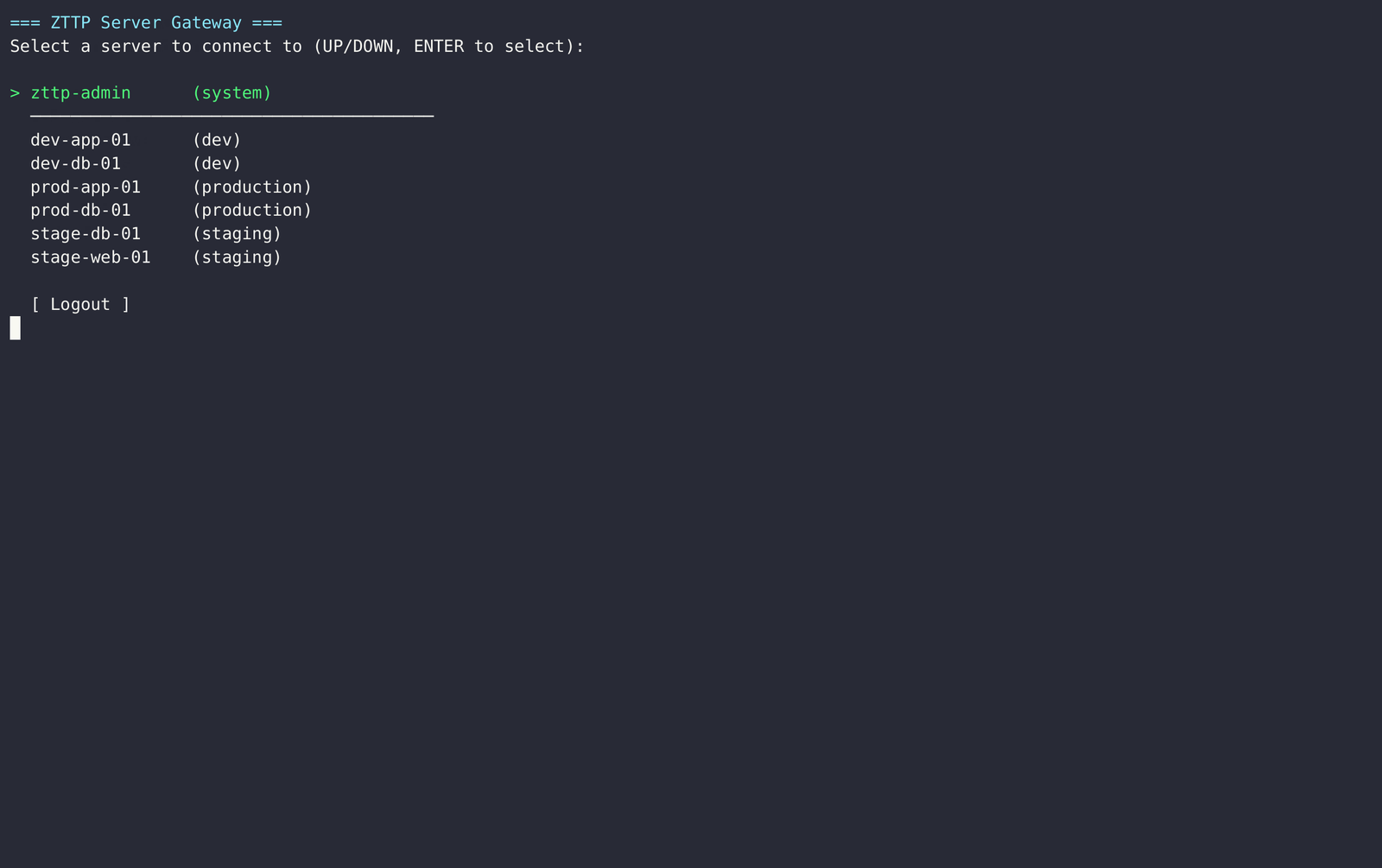
You will be presented with a terminal login screen. After authentication, you'll see a list of servers you are authorized to access.
All configuration is via environment variables (or .env file). See .env.example for the full reference.
| Variable | Default | Description |
|---|---|---|
PROXY_LISTEN_ADDR | 0.0.0.0:2222 | SSH proxy bind address |
HTTP_LISTEN_ADDR | 0.0.0.0:8080 | Health check HTTP address |
GRPC_LISTEN_ADDR | 0.0.0.0:9090 | Kill-switch gRPC address |
PROXY_NODE_IP | 127.0.0.1 | External IP baked into CLI binaries |
DATABASE_URL | postgres://zttp:... | PostgreSQL connection string |
VAULT_ADDR | http://localhost:8201 | Vault server URL |
VAULT_TOKEN | dev-root-token-zttp | Vault root token (dev only — use AppRole in prod) |
MAX_FAILED_ATTEMPTS | 5 | Lockout threshold |
LOCKOUT_DURATION | 15m | Duration of account lockout |
RATE_LIMIT_PER_MIN | 10 | Max login attempts per minute per IP |
AUDIT_LOG_DIR | /var/log/zttp/audit | Path to session recording directory |
SOC_WEBHOOK_URL | (empty) | Optional webhook for SOC alerting |
ZTTP uses a role-based model. Each user is assigned a role; each role has a policy that defines which server environments it can access.
| Role | Access |
|---|---|
security-admin | Full access to all environments + Admin Console |
sre-tier1 | All environments including production |
sre-tier2 | Staging and development only |
dev | Development environment only |
readonly | Development environment, restricted command set |
Roles and server assignments are managed through the Admin Console (see below). The RBAC engine performs all checks in a single PostgreSQL query — it never exposes why access was denied to the client (enumeration protection).
Connect to the zttp-admin server from the gateway menu, or log in with an account that has the security-admin role.
The Admin Console provides:
