
 xalicex/kernel-debug-lab-for-virtual-box
windbg를 사용하여 커널 드라이버를 디버그하기 위해 2개의 VirtualBox VM을 설정하는 방법

여기서는 컴퓨터 A에 windbg가 이미 설치되어 있고 컴퓨터 B에 Visual Studio, SDK 및 WDK가 설치되어 있다고 간주합니다.
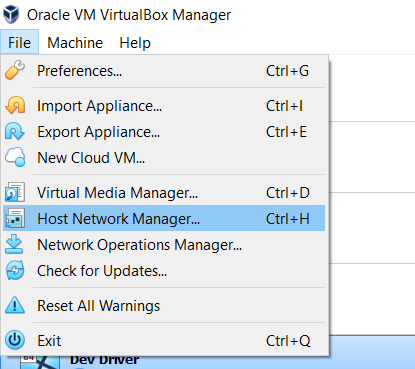
Virtual Box Host-Only Ethernet adapter를 생성하거나 설정하려면 Host network Manager를 여십시오.
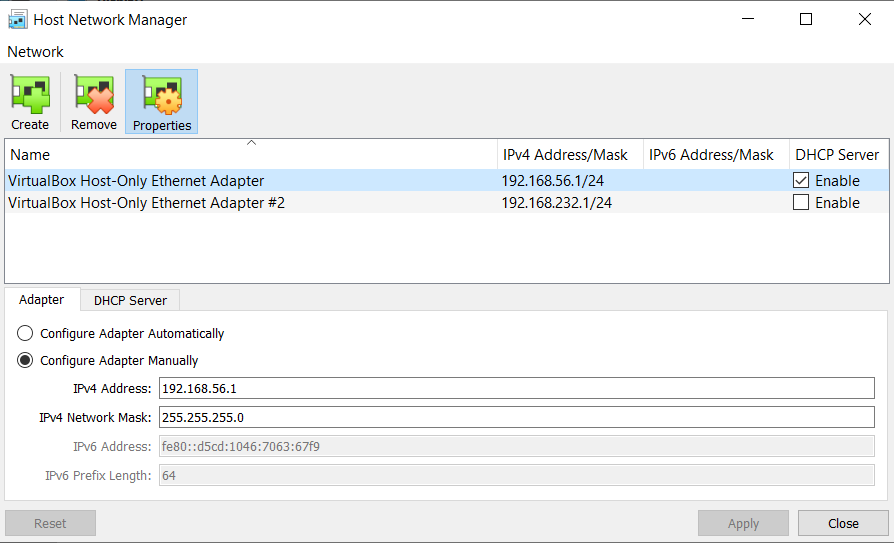
Virtual Box Host-Only Ethernet adapter를 생성하거나 선택하고 DHCP Server의 Enable 확인란을 체크하십시오.
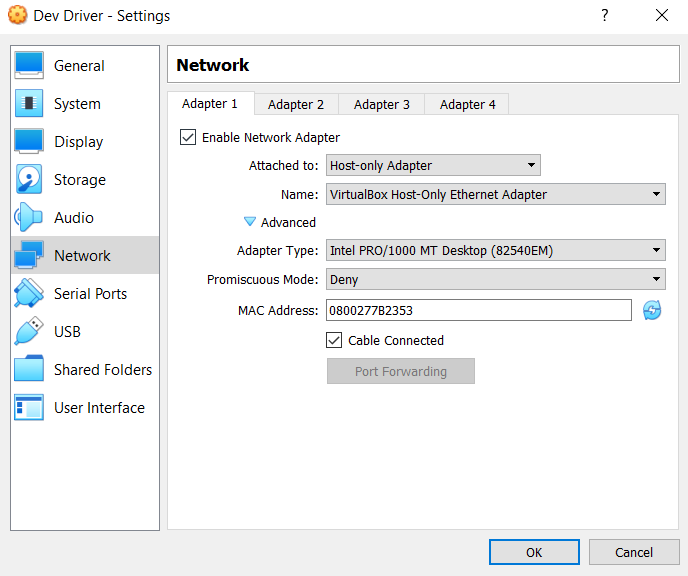
Settings -> Network로 이동하여 Attached to에서 Host-Only Adapter를 선택한 다음, 앞서 설정하거나 생성한 어댑터를 선택하십시오. 우리의 경우에는 VirtualBox Host-Only Ethernet Adapter입니다. Enable Network Adapter와 Cable Connected 확인란을 체크하는 것을 잊지 마십시오.
ipconfig 명령으로 IP를 확인하십시오.
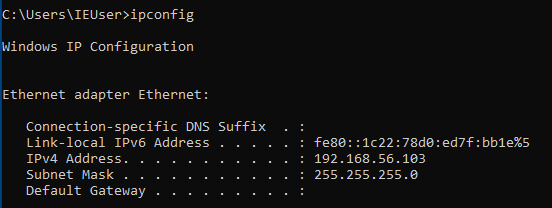
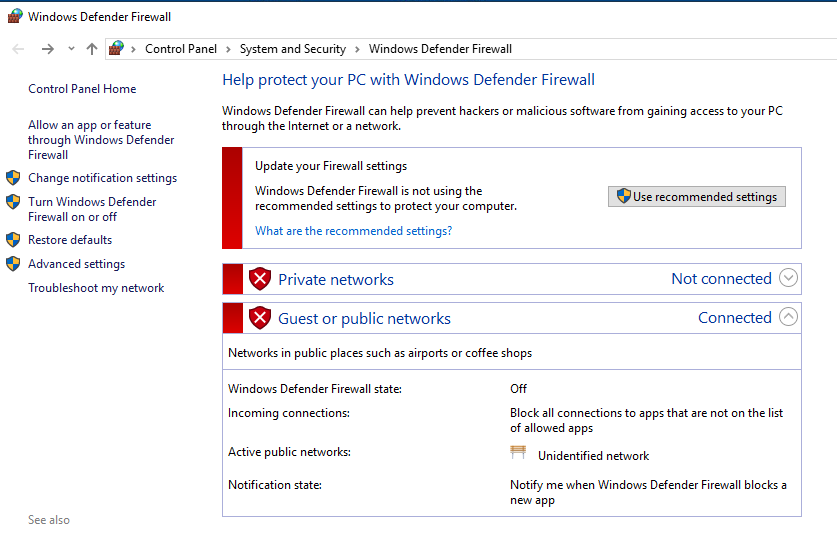
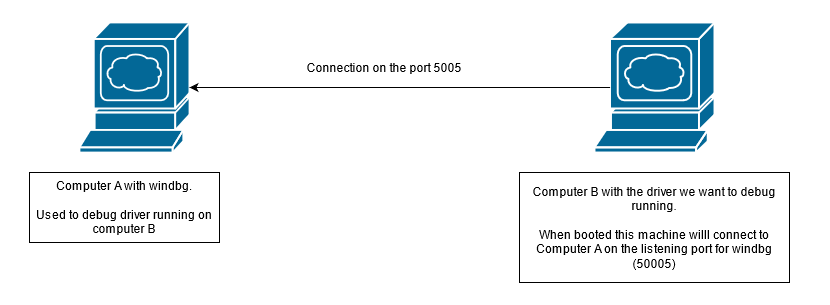
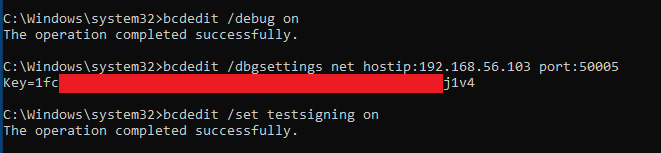
bcdedit /debug onbcdedit /dbgsettings hostip:1.2.3.4 port:50005bcdedit /set testsigning onbcdedit /dbgsettings 명령에서 hostip에는 컴퓨터 A의 IP를 설정하고, port는 50000~50039 사이에서 원하는 것을 선택하십시오.
bcdedit /dbgsettings는 Key를 출력합니다. 이 Key를 보관하십시오. 컴퓨터 A의 windbg 구성에서 연결을 설정하는 데 사용됩니다!
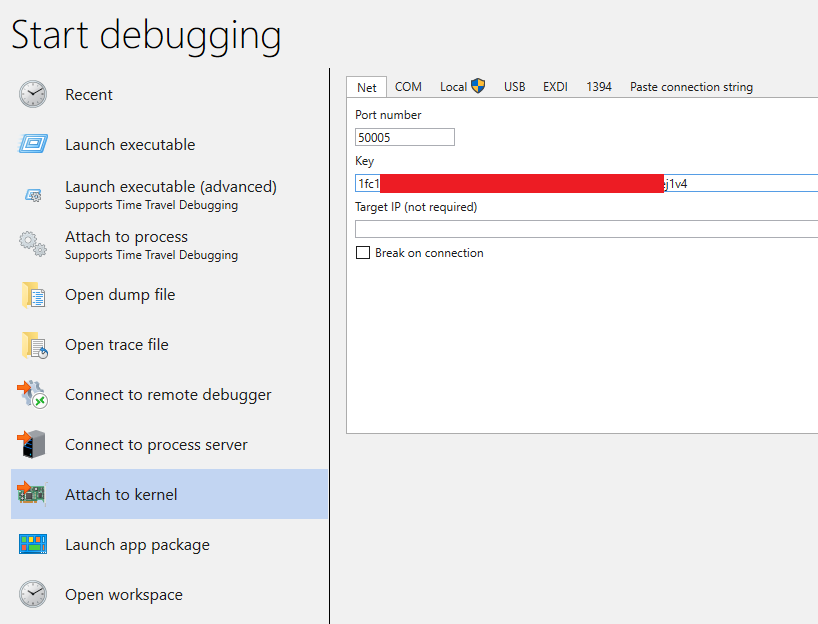
Attach to Kernel을 선택한 다음, 컴퓨터 B에서 선택한 포트와 bcdedit /dbgsettings 명령으로 제공된 키를 설정하십시오.
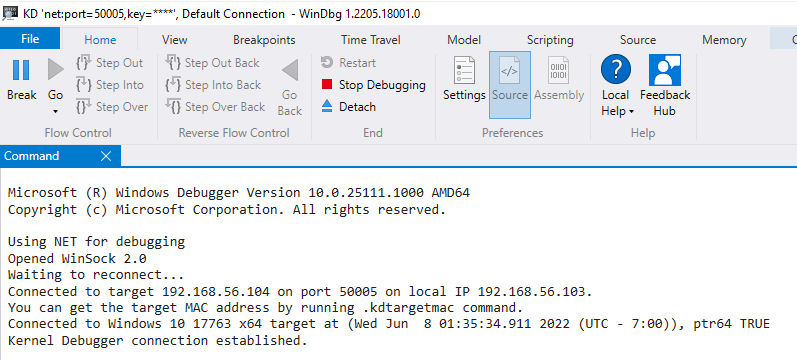
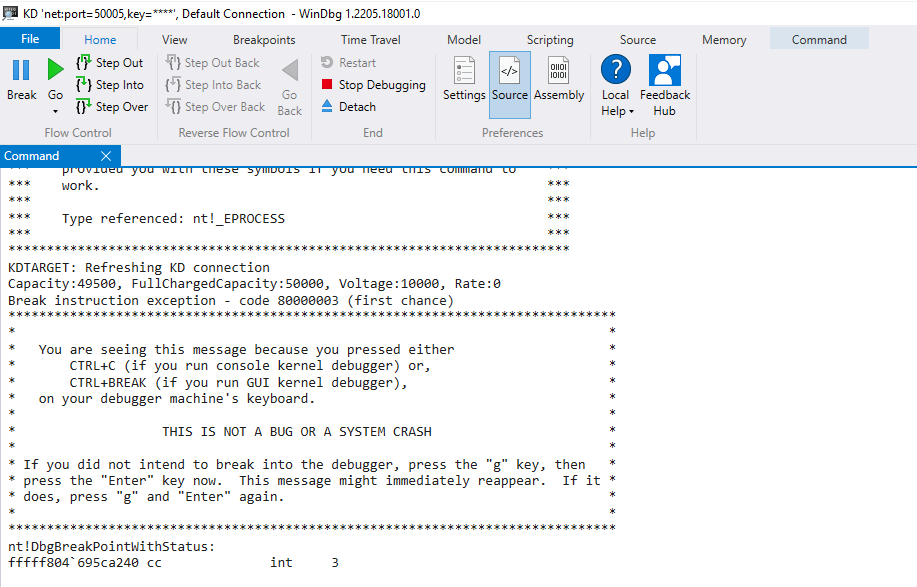
Break 버튼을 클릭하여 확인할 수 있습니다. 제대로 작동하면 컴퓨터 B가 멈추고 windbg 명령 창에 nt!DbgBreakPointWithStatus 메시지가 표시될 것입니다.
즐겁게 하세요!
실습에 좋은 자료를 원한다면 다음을 확인해 보세요:
