BinDiffHelper
Ghidra extension that uses BinDiff on your Ghidra project to find matching functions and rename them automatically (BinDiff 6, 7, 8 supported).
Check out the BinDiff manual to see how it works and how it matches functions / basic blocks. However, with this extension, BinDiff is automated from within Ghidra, so you don't have to diff your binaries yourself.
Please report bugs via the issue feature on github
Changelog
v0.7.1
v0.7.0 (Ghidra versions >= 11.4)
- No changes except Ghidra version compatibility
v0.6.4 (Ghidra versions < 11.4)
- Export namespace support
- Fix indefinite hang on diffing
v0.6.3
v0.6.2
- Fix a bug where the diffing hangs forever on BinDiff 8
- When double clicking a symbol, follow it in both primary and secondary code listings
v0.6
v0.5
- Support BinDiff 8
- Release for Ghidra 11.1
Older changes
### v0.4.3
* Release for Ghidra 11.0
v0.4.2
- Add function to import all functions (not just the ones checked in the table)
- Add function to toggle the checkbox for multiple elements in the table
- Update to support Ghidra 10.3
v0.4.1
- Update to support Gradle 7.5 and Ghidra 10.1
v0.4.0
- Support BinDiff 7 and Ghidra 10
v0.3.2
- Fixed a bug where diffing with a different file from same project didn't work
- Fixed a bug where files with short names (< 3 characters>) could not be diffed
v0.3.1
- Fixed a crash when opening a file via the "from project" option
v0.3
- Coloring matched functions in the listing
- Add comments to matched functions in the listing linking to the other binary
- Fixed a bug where protobuf library was missing in some builds
- New file load menu
v0.2
- Fix a bug where the file to import to needed to be checked out.
- Increase size of project file selection dialog
v0.1
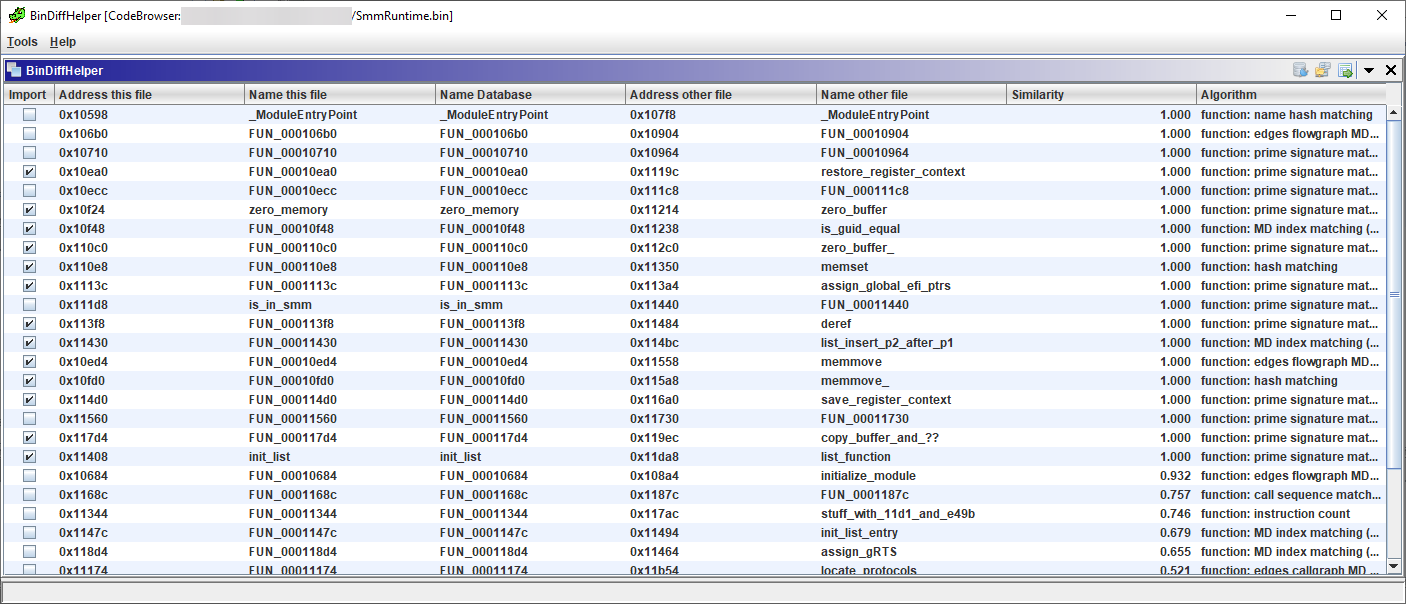
- BinDiff the binary opened in Ghidra with another binary from the same Ghidra project, show results and import function names
- Open a BinDiff file, created with BinDiff 6, from two .BinExport files and import the matching function names in Ghidra
How to Install
Either download the .zip-File from the release, if it's compatible to your Ghidra version, otherwise see How to build below.
- Open Ghidra
- In the Main Window: Go to File->Install Extensions...
- Click the +-Button in the top right and select the BinDiffHelper zip file
- Close the plugin manager. Restart Ghidra to load the new plugin
- See Usage below
Without these, you will only be able to import .BinDiff files and not automatically export and diff from your Ghidra project
Usage
Make sure the plugin is loaded in the Code Explorer by opening a file in Ghidra and in the Code Explorer go to File->Configure
Click the small plug-icon in the top right:
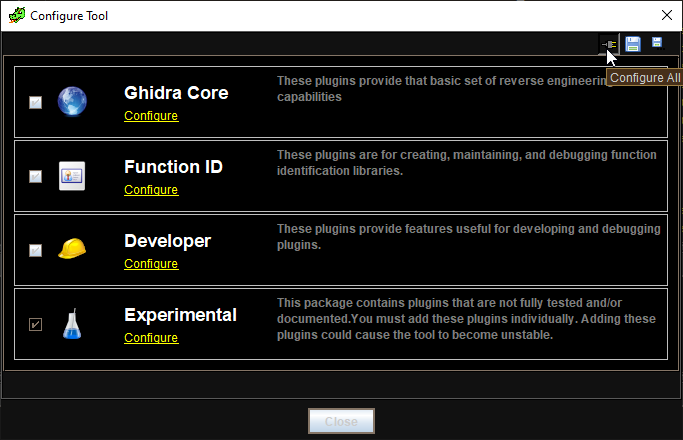
and make sure the checkbox next to BinDiffHelperPlugin is checked.
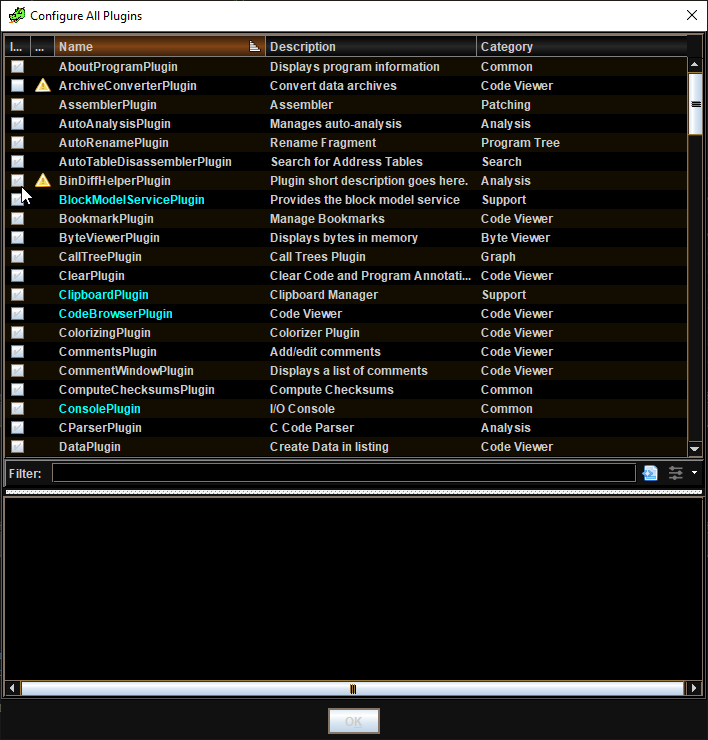
Import external .BinDiff
The corresponding .BinExport-Files need to be in the same Folder.
Open the file you want to import names into in the code Browser, then go to Window->BinDiffHelper
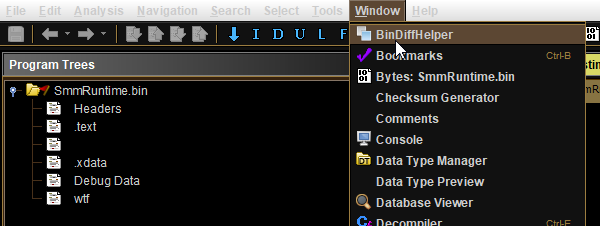
Use the Open from BinDiff button or menu item and select your .BinDiff file.
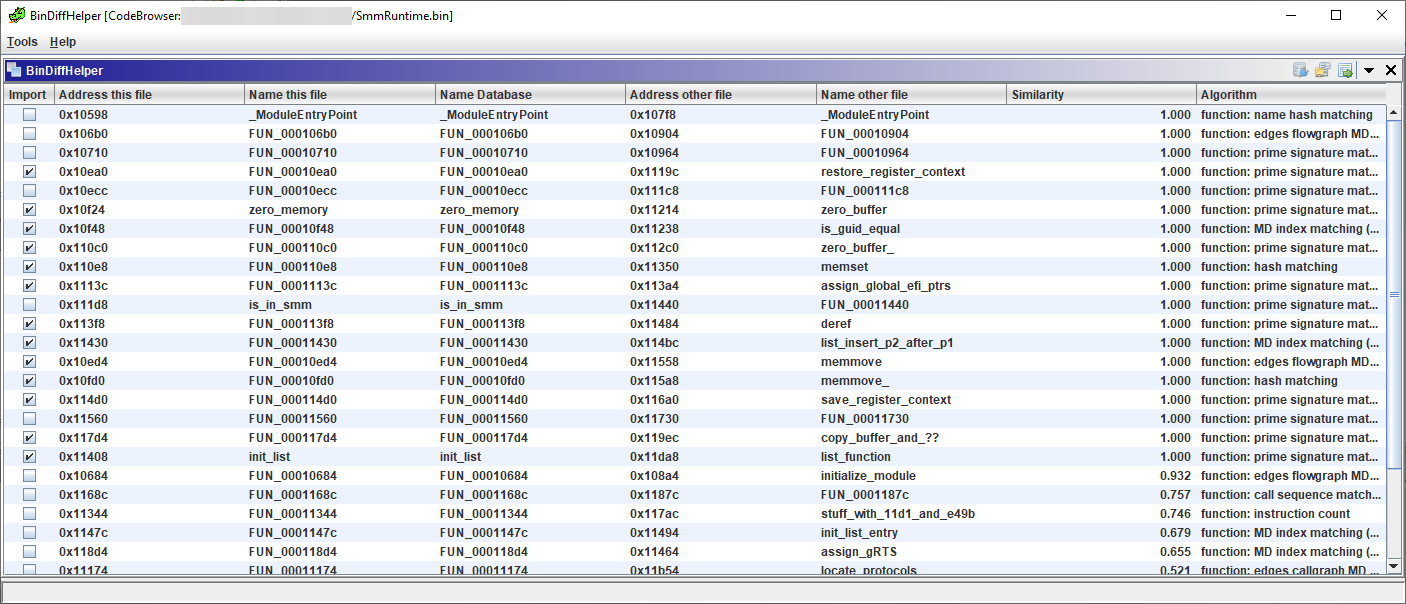
Select all the function names you want to import and click the Import function names button in the top right or the menu item.
Compare between files in Ghidra project
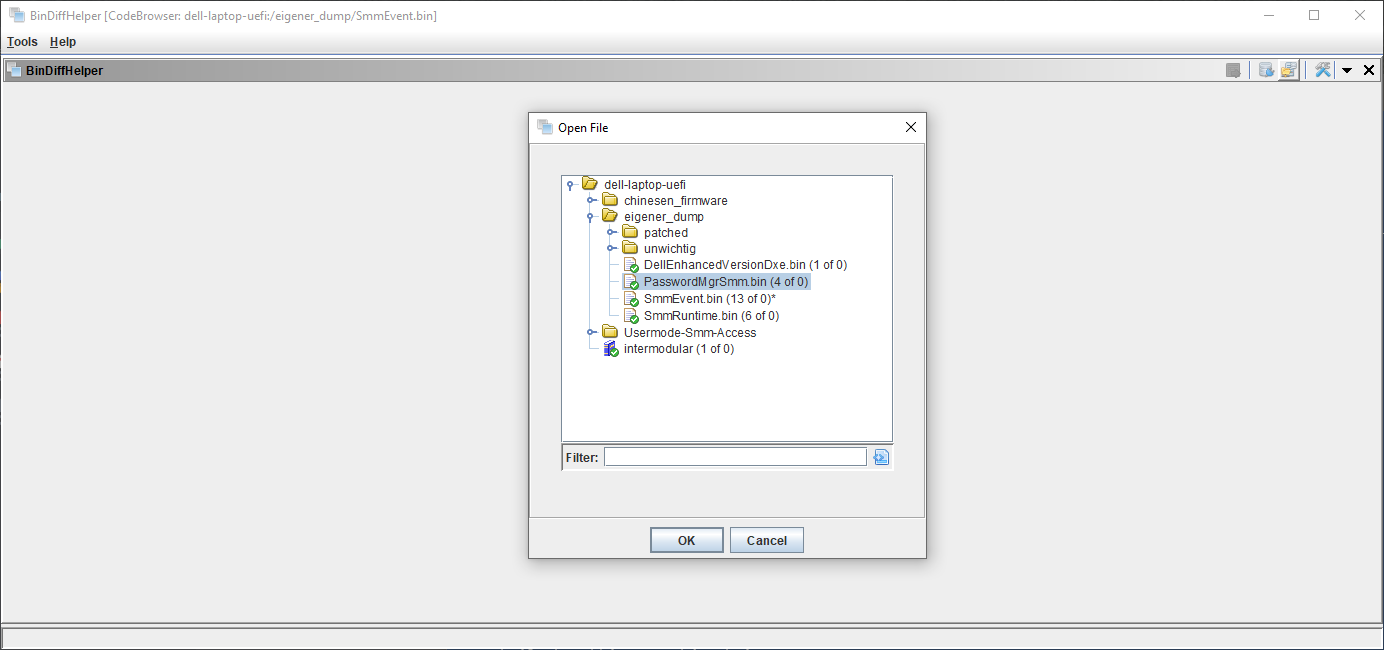
Go to Window->BinDiffHelper, make sure there are no warnings concerning BinExport or BinDiff, then click the Open from project button.
Select the other file from the tree and click OK.
How to build
Requirements:
- Ghidra installation (https://ghidra-sre.org) or compiled from source
- Some jdk. There might be certain restrictions depending on how your Ghidra was built and what other plugins you're using. I recommend using Temurin 21 LTS, as this currently seems to work with both BinExport and BinDiffHelper.
- gradle (tested with 7.5, 8.10)
Clone the repository
Recursively clone the repository, as it depends on BinExport for the respective protocol buffer definition.
git clone --recurse-submodules https://github.com/ubfx/BinDiffHelper.git
Build it
You need to set the GHIDRA_INSTALL_DIR environment variable to the Ghidra installation dir.
If you have different JDKs installed, make sure the environment variable JAVA_HOME points to the one your Ghidra installation uses.
The extension will be built for that Ghidra version specifically.
And then go the BinDiffHelper folder in your shell and do
gradle
This will build both BinExport in the respective submodule and BinDiffHelper in the parent directory. There should have been a .zip-File created in the dist directory. Use that .zip File to install according to the instructions above.
Development / Debugging setup
Sometimes it's useful to be able to debug the extension together with Ghidra, here are some notes on that:
- Clone and build Ghidra and let gradle create eclipse projects according to the DevGuide
- Import the projects into eclipse (make sure it has relevant plugins for extension development)
- Install PyDev (http://www.pydev.org/updates as eclipse repository)
- Install GhidraDev
- Unpack the Ghidra build and link GhidraDev to it. Maybe have to set
GHIDRA_INSTALL_DIR environment variable
- Run Ghidra from eclipse and install BinExport extension
- Create BinDiffHelper eclipse project with
gradle build eclipse
- Import it into eclipse and use GhidraDev to link it to the Ghidra build.
- Debug As->Ghidra
 ubfx/bindiffhelper
