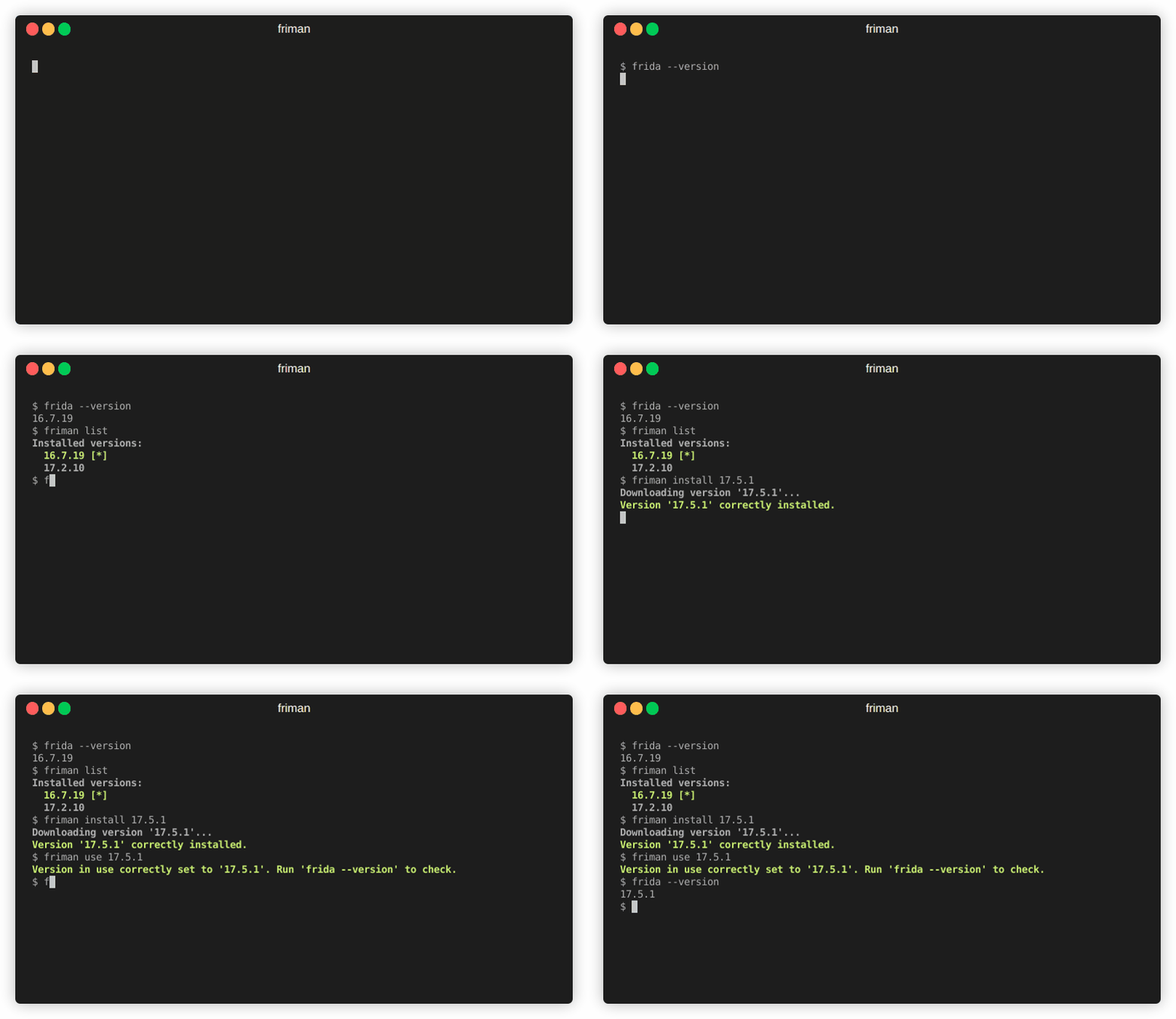
 thelicato/friman
Frida 버전 관리 도구




작업에 알맞은 Frida 버전을 찾는 것이 바늘에 실을 꿰는 것처럼 느껴진 적이 있나요? 프로젝트, 디바이스, 디버깅 시나리오마다 특정 빌드가 필요하기 때문에, 여러 Frida 버전을 관리하는 것은 금방 지루한 균형 잡기 게임이 됩니다. friman ("프리 맨"으로 발음)은 바로 이 문제를 해결하기 위해 설계되었습니다.
다양한 환경이 항상 최신 릴리스와 동일하게 동작하지 않기 때문에 Frida 버전을 전환하는 것은 흔한 일입니다. 대상에 따라 특정 버전만 안정적으로 작동하는 경우가 많습니다. 일반적인 이유는 다음과 같습니다:
v16과 v17 사이에 많은 API가 변경됨).Frida는 빠르게 진화하며, 프로젝트나 디바이스마다 다른 버전이 필요한 경우가 많습니다. 여러 환경, 서버 바이너리, 가젯을 동시에 다루다 보면 수동 전환은 오류가 발생하기 쉽습니다.
friman은 다음을 제공합니다:
$HOME/.friman)frida-gadget 및 frida-server 자산)목표는 Frida 버전 관리를 최대한 매끄럽게 만드는 것입니다.
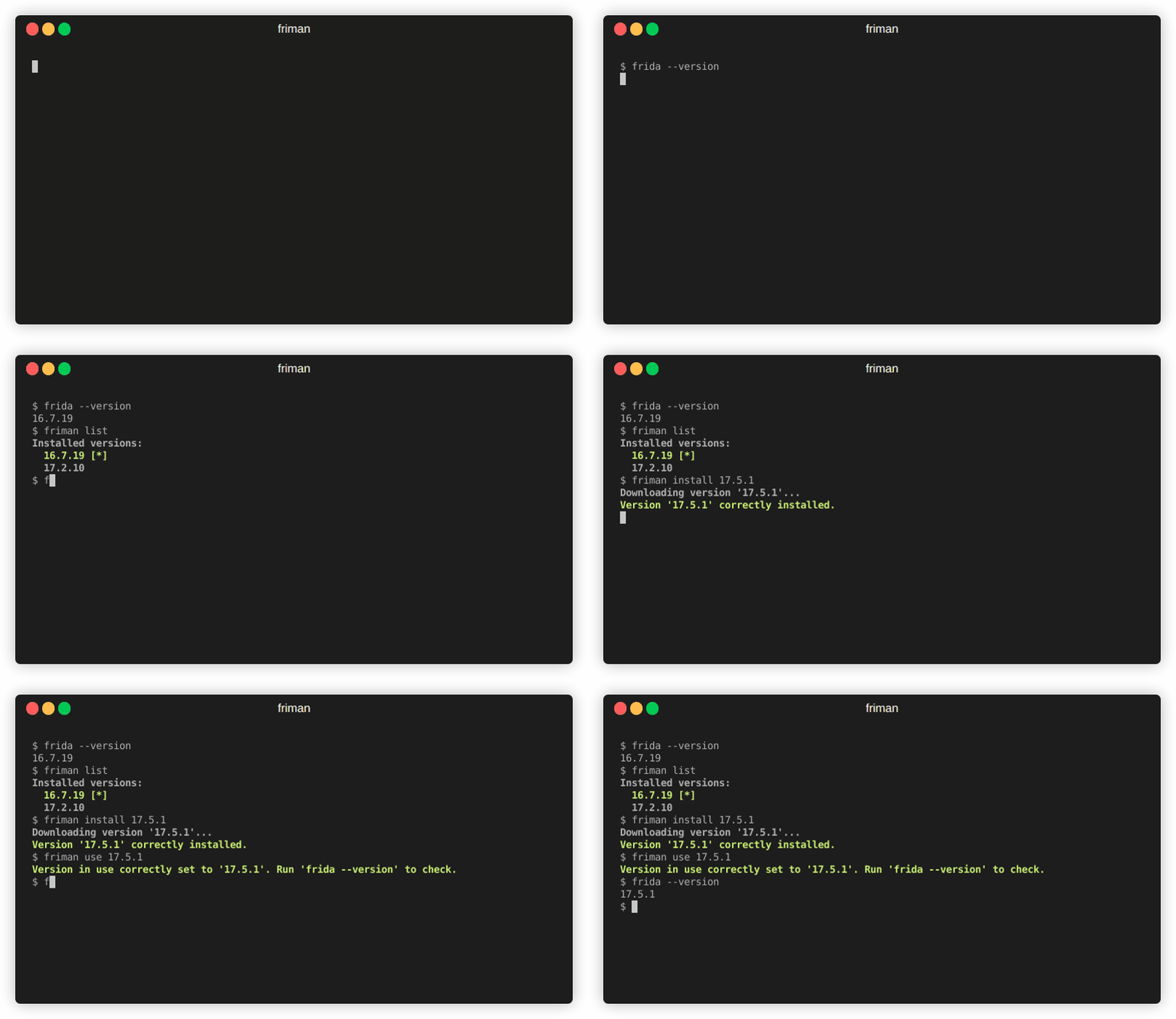
권장 설치 방법은 GitHub에서 직접 설치하는 것입니다:
# pipx 사용 (권장)
pipx install git+https://github.com/thelicato/friman

# 또는 pip 사용
pip install git+https://github.com/thelicato/friman
설치 후 다음을 실행하세요:
friman ensurepath # 현재 선택한 Frida 환경에 대해 PATH 설정
friman update # 사용 가능한 Frida 버전 및 호환성 매트릭스의 로컬 목록 업데이트
friman은 여러 Frida 버전을 설치, 전환 및 관리하기 위한 명령줄 인터페이스를 제공합니다. 다음은 주요 도움말 출력입니다:
Usage: friman [OPTIONS] COMMAND [ARGS]...

Options:
  -v, --version  Show the application's version and exit.
  -d, --debug    Show debug output.
  -h, --help     Show this message and exit.

Commands:
  update       Update the local list of available Frida versions.
  install      Install a <version> of Frida.
  uninstall    Uninstall a <version> of Frida.
  use          Use <version>.
  disable      Disable friman.
  current      Display the currently activated version of Frida.
  list         List all the installed versions.
  ensurepath   Ensure friman directories are correctly set.
  download     Download a specific release file (only server and gadget)...
  push-server  Pushes a the Frida server into the selected ANDROID device.
특정 명령어에 대한 도움말은 아래 섹션에서 확인할 수 있습니다.
update 명령어
update 명령어Usage: friman update [OPTIONS]
Update the local list of available Frida versions.
Options:
-h, --help Show this message and exit.
install 명령어
install 명령어Usage: friman install [OPTIONS] version
Install a <version> of Frida.
Arguments:
version The version of Frida to install \[required]
Options:
-f, --force Force install.
--list Show all the installable versions and exit.
-h, --help Show this message and exit.
uninstall 명령어
uninstall 명령어Usage: friman uninstall [OPTIONS] version
Uninstall a <version> of Frida.
Arguments:
version The version of Frida to uninstall \[required]
Options:
-h, --help Show this message and exit.
use 명령어
use 명령어Usage: friman use [OPTIONS] version
Use <version>.
Arguments:
version The version of Frida to use \[required]
Options:
-h, --help Show this message and exit.
disable 명령어
disable 명령어Usage: friman disable [OPTIONS]
Disable friman.
Options:
-h, --help Show this message and exit.
current 명령어
current 명령어Usage: friman current [OPTIONS]
Display the currently activated version of Frida.
Options:
-h, --help Show this message and exit.
list 명령어
list 명령어Usage: friman list [OPTIONS]
List all the installed versions.
Options:
-h, --help Show this message and exit.
ensurepath 명령어
ensurepath 명령어Usage: friman ensurepath [OPTIONS]
Ensure friman directories are correctly set.
Options:
-h, --help Show this message and exit.
download 명령어
download 명령어Usage: friman download [OPTIONS] type platform
Download a specific release file (only server and gadget) for the current
version.
Arguments:
type The selected asset type \[required]
platform The platform to use \[required]
Options:
-o, --output TEXT Select the folder where to download the file.
-h, --help Show this message and exit.
push-server 명령어
push-server 명령어Usage: friman push-server [OPTIONS] device_id platform
Pushes a the Frida server into the selected ANDROID device.
Arguments:
device_id The selected ANDROID device \[required]
platform The platform of the device \[required]
Options:
--list Show all the USB devices and exit.
-h, --help Show this message and exit.
Pull Request는 언제나 환영합니다! 주요 변경 사항은 먼저 이슈를 열어 논의해 주세요.
_friman_은 MIT 라이선스에 따라 배포됩니다.
