 qeeqbox/raven
고급 사이버 위협 지도 (간소화된, 사용자 정의 가능한, 반응형, 최적화된)

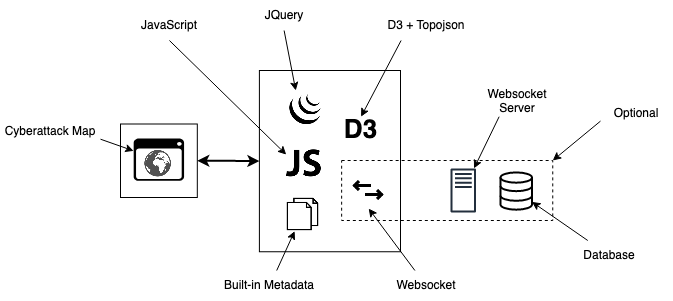
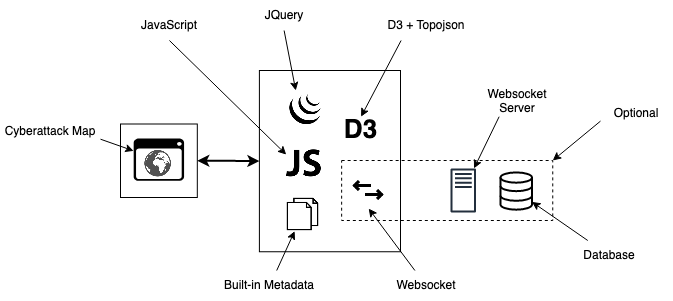
Raven - 고급 사이버 위협 지도(간소화되고 사용자 지정 가능하며 반응형입니다. D3.js와 TOPO JSON을 사용하며, 247개 국가, 약 100,000개의 도시를 포함하며, 격리된 환경에서 외부 조회 없이 사용할 수 있습니다!)
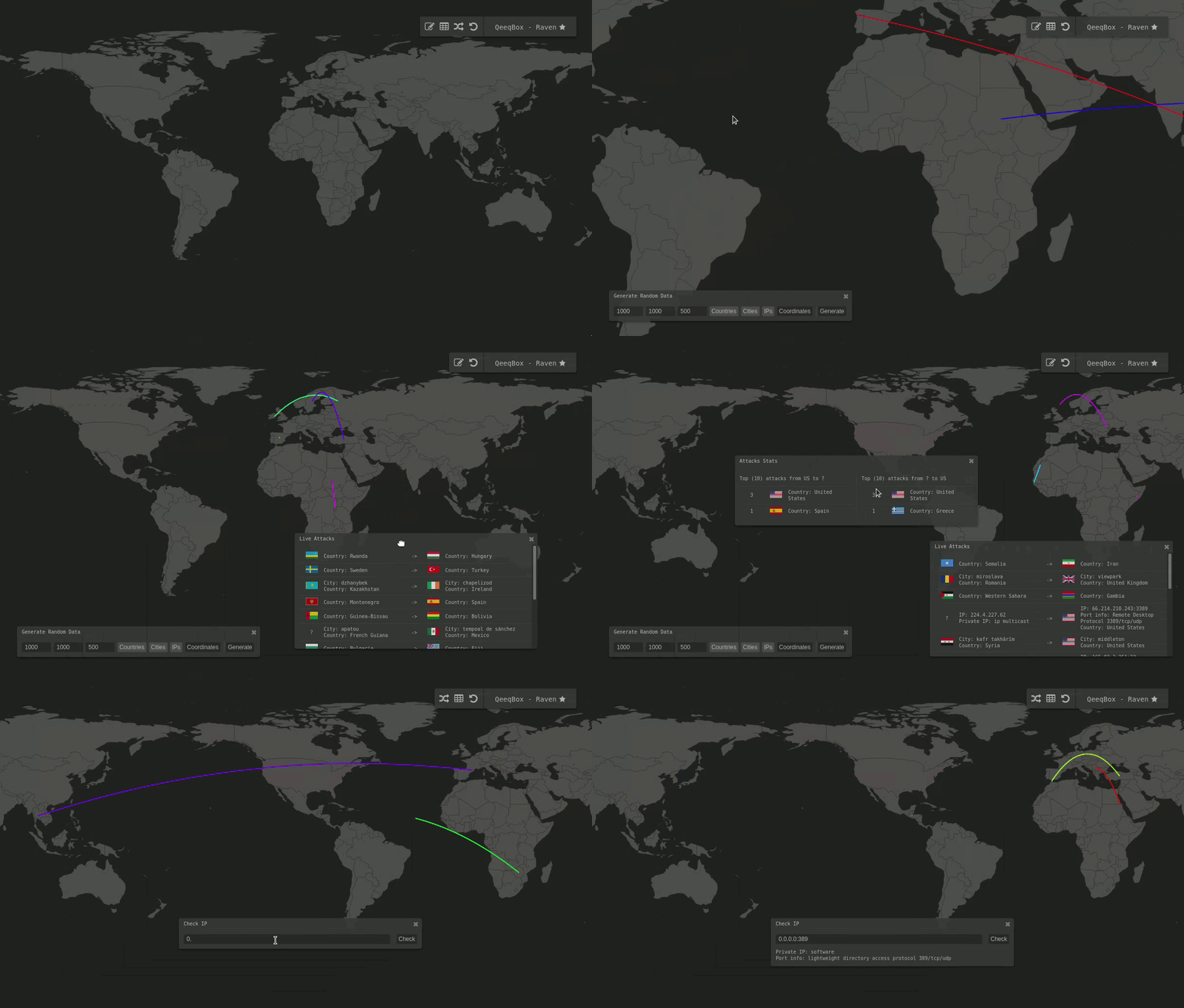
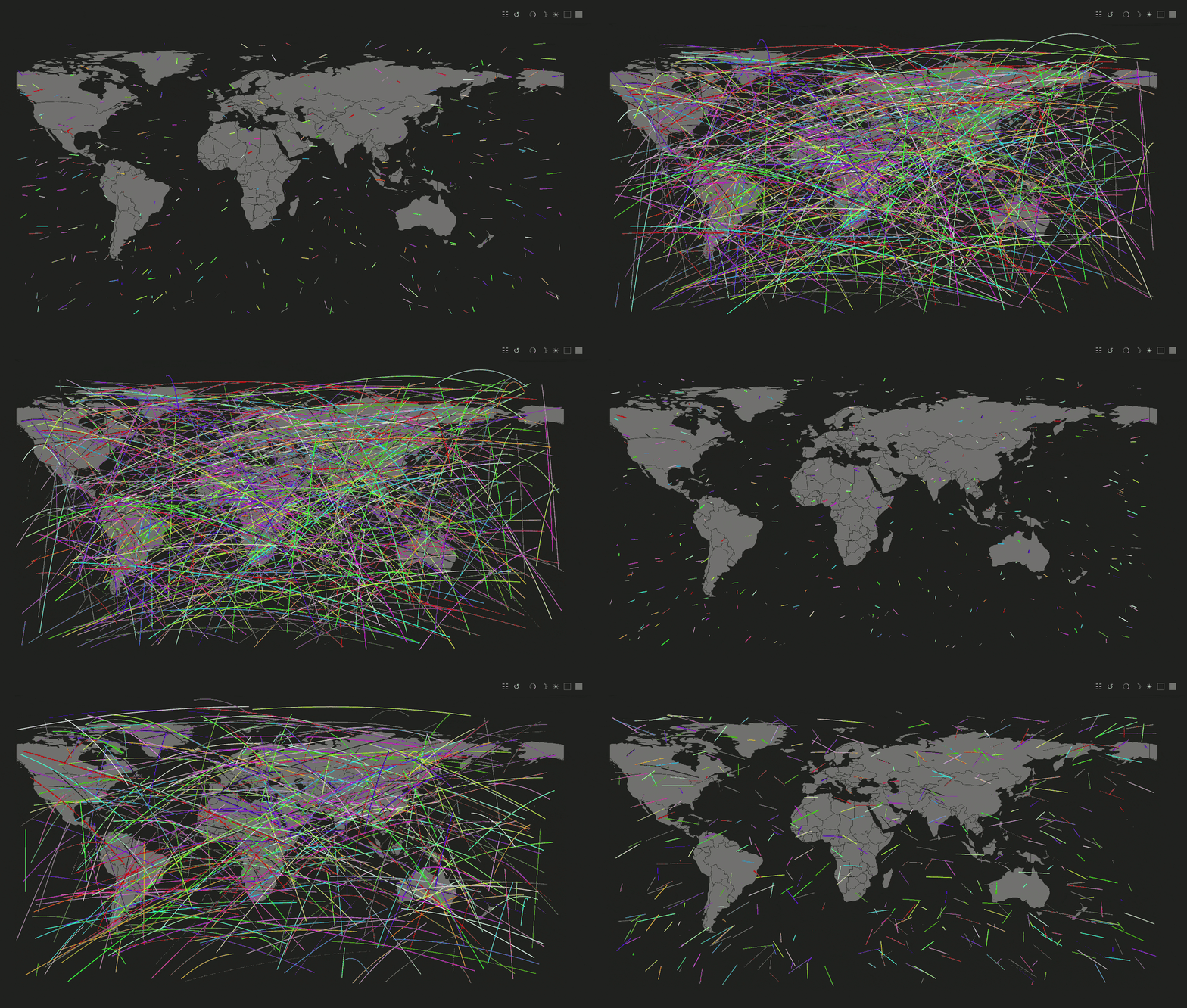
https://qeeqbox.github.io/raven/
다양한 옵션 ip, name, coordinates를 사용할 수 있습니다.
ip 사설 또는 공용 IP -> 다음 IP 중 하나 -> 0.0.0.0 또는 8.8.8.8을 {'from':'0.0.0.0','to':'8.8.8.8'}와 같이 사용name 도시,주,국가 -> 다음 형식 모두 작동 -> seattle,wa,us 또는 0,us를 {'from':'seattle,wa,us','to':'0,in'}와 같이 사용coordinates 위도 및 경도: {'from'-11.074920','-51.648929'],'to'51.464957','-107.583864']}와 같이 사용 //You only need to embed this iframe in your project.
//Then, run the initialization script with your custom settings - That's all!
<script type="text/javascript">
document.getElementById('raven-iframe').addEventListener("load", function() {
var raven_options = {
'world_type': null,
'selected_countries': [],
'remove_countries': ['aq'],
'height': window.innerHeight,
'width': window.innerWidth,
'backup_background_color': '#212222',
'orginal_country_color': '#737373',
'clicked_country_color': '#6c4242',
'selected_country_color': '#ff726f',
'attack_output': true,
'global_timeout': 2000,
'global_stats_limit': 10,
'db_length': 1000,
'location': 'scripts',
'panels': ['multi-output', 'single-output','tooltip', 'random', 'insert','taskbar'],
'disable': [],
'verbose': true
}
window['raven'] = document.getElementById('raven-iframe').contentWindow.raven
window['raven'].init_all(raven_options)
window['raven'].init_world()
});
//After that, you can plot any data you want
raven.add_to_data_to_table({'from':'seattle,wa,us','to':'delhi,in'},{'line':{'from':null,'to':null}},2000,['line','multi-output','single-output'])
</script>
raven.add_marker_by_gussing()       //Plot info by country or city name, ip or coordinates

marker_object                       //An object {'from':'','to':""} see examples
colors_object                       //An object {'line: {'from': ''#FF0000','to': 'FF0000'}} this the color of the line between 2 points - (if null, then a random color will be picked)
timeout                             //Animation time out
options = []                        //A list of options such as animation marker
raven.add_marker_by_gussing({'from':'seattle,wa,us','to':'8.8.8.8'},{'line':{'from':null,'to':null}},2000,['line'])
raven.add_marker_by_gussing({'from':'-11.074920,-51.648929','to':'0.0.0.0:53'},{'line':{'from':'#FF0000','to':'#FF0000'}},1000,['line'])
raven.add_marker_by_gussing({'from':'-11.074920,-51.648929','to':'us'},{'line':{'from':null,'to':'#FFFF00'}},1000,['line'])
raven.add_marker_by_gussing({'from':'portland,or,us','to':null},{'line':{'from':null,'to':null}},2000,['point'])
raven.add_marker_by_gussing({'from':'8.8.8.8','to':null},{'line':{'from':'#FF0000','to':'#FF0000'}},1000,['point'])
raven.add_marker_by_gussing({'from':'-11.074920,-51.648929','to':null},{'line':{'from':null,'to':'#FFFF00'}},1000,['point'])
raven.add_to_data_to_table()        //Plot info and add them to the output table

method                              //Name, IP or coordinates
marker_object                       //An object {'from':'','to':""} see examples
colors_object                       //An object {'line: {'from': ''#FF0000','to': 'FF0000'}} this the color of the line between 2 points - (if null, then a random color will be picked)
timeout                             //Animation time out
options = []                        //A list of options such as animation marker 'line', and plot place 'multi-output' or 'single-out' table or both
raven.add_to_data_to_table({'from':'8.8.8.8','to':'delhi,in'},{'line':{'from':null,'to':null}},2000,['line','multi-output','single-output'])
raven.add_to_data_to_table({'from':'-11.074920,-51.648929','to':'0.0.0.0:3389'},{'line':{'from':'#FF0000','to':'#FF0000'}},1000,['line','multi-output'])
raven.add_to_data_to_table({'from':'br','to':'51.464957,-107.583864'},{'line':{'from':null,'to':'#FFFF00'}},1000,['line','single-output'])
raven.add_to_data_to_table({'from':'seattle,wa,us','to':null},{'line':{'from':null,'to':null}},2000,['line','multi-output','single-output'])
raven.add_to_data_to_table({'from':'0.0.0.0','to':null},{'line':{'from':'#FF0000','to':'#FF0000'}},1000,['line','multi-output'])
raven.add_to_data_to_table({'from':'-11.074920,-51.648929','to':null},{'line':{'from':null,'to':'#FFFF00'}},1000,['line','single-output'])
  //You only need to embed this iframe in your project.


  <script type="text/javascript">

    document.getElementById('raven-iframe').addEventListener("load", function() {

      var raven_options = {
        'world_type': null,
        'selected_countries': [],
        'remove_countries': ['aq'],
        'height': window.innerHeight,
        'width': window.innerWidth,
        'backup_background_color': '#212222',
        'orginal_country_color': '#737373',
        'clicked_country_color': '#6c4242',
        'selected_country_color': '#ff726f',
        'attack_output': true,
        'global_timeout': 2000,
        'global_stats_limit': 10,
        'db_length': 1000,
        'location': 'scripts',
        'panels': ['single-output'],
        'disable': ['multi-output','tooltip', 'random', 'insert','taskbar','move_to_country'],
        'websocket':{'server':'ws://localhost:5678',
                      'request_timeout':3000},
        'verbose': false
      }

      window['raven'] = document.getElementById('raven-iframe').contentWindow.raven
      window['raven'].init_all(raven_options)
      window['raven'].init_world()
      window['raven'].fetch_data_from_server()
    });
  </script>
    {
    "function":"marker",
      "method": "ip",
      "object": {
        "from": "0.0.0.0",
        "to": "us"
      },
      "color": {
        "line": {
          "from": "#977777",
          "to": "#17777",
        }
      },
      "timeout": 1000,
      "options": [
        "line",
        "single-output",
        "multi-output"
      ]
    }
