 projectdiscovery/urlfinder
능동 스캔 없이 효율적이고 포괄적인 웹 자산 탐지를 위해 최적화된, URL을 수동적으로 수집하는 고속 도구입니다.

능동 스캔 없이 URL을 패시브 방식으로 수집하며, 효율적인 웹 자산 발견에 최적화된 고속 도구입니다.




기능 • 설치 • 사용법 • 예시 • Discord 참여
URLFinder는 웹 자산 발견을 간소화하고 가속화하도록 설계된 고속 패시브 URL 발견 도구로, 능동 스캔 없이 URL을 수집하려는 침투 테스터, 보안 연구원 및 개발자에게 이상적입니다.
URLFinder에는 Go 1.21이 필요합니다. 다음 명령어를 사용해 설치하거나 릴리스 페이지에서 사전 컴파일된 바이너리를 다운로드하세요.
go install -v github.com/projectdiscovery/urlfinder/cmd/urlfinder@latest
urlfinder -h
이 명령은 URLFinder의 도움말을 표시합니다. 아래는 몇 가지 일반적인 스위치와 옵션입니다.
A streamlined tool for discovering associated URLs.

Usage:
  ./urlfinder [flags]

Flags:
INPUT:
   -d, -list string[]  target domain or list of domains

SOURCE:
   -s, -sources string[]           specific sources for discovery (e.g., -s alienvault,commoncrawl)
   -es, -exclude-sources string[]   sources to exclude (e.g., -es alienvault,commoncrawl)
   -all                             use all sources (may be slower)
SCOPE:
   -us, -url-scope string[]       in scope url regex to be followed by urlfinder
   -uos, -url-out-scope string[]  out of scope url regex to be excluded by urlfinder
   -fs, -field-scope string       pre-defined scope field (dn,rdn,fqdn) or custom regex (e.g., '(company-staging.io|company.com)') (default "rdn")
   -ns, -no-scope                 disables host based default scope
   -do, -display-out-scope        display external endpoint from scoped crawling

FILTER:
   -m, -match string[]       URLs or list to match (file or comma-separated)
   -f, -filter string[]      URLs or list to filter (file or comma-separated)

RATE-LIMIT:
   -rl, -rate-limit int      max HTTP requests per second (global)
   -rls, -rate-limits value  per-provider HTTP request limits (e.g., -rls waybackarchive=15/m)

UPDATE:
   -up, -update              update URLFinder to the latest version
   -duc, -disable-update-check  disable automatic update checks

OUTPUT:
   -o, -output string       specify output file
   -j, -jsonl               JSONL output format
   -od, -output-dir string  specify output directory
   -cs, -collect-sources    include all sources in JSON output

CONFIGURATION:
   -config string           config file (default "$CONFIG/urlfinder/config.yaml")
   -pc, -provider-config string  provider config file (default "$CONFIG/urlfinder/provider-config.yaml")
   -proxy string            HTTP proxy

DEBUG:
   -silent                  show only URLs in output
   -version                 display URLFinder version
   -v                       verbose output
   -nc, -no-color           disable colored output
   -ls, -list-sources       list all available sources
   -stats                   display source statistics

OPTIMIZATION:
   -timeout int   timeout in seconds (default 30)
   -max-time int  max time in minutes for enumeration (default 10)
urlfinder -d tesla.com
이 명령은 대상 도메인 tesla.com에 대한 URL을 열거합니다.
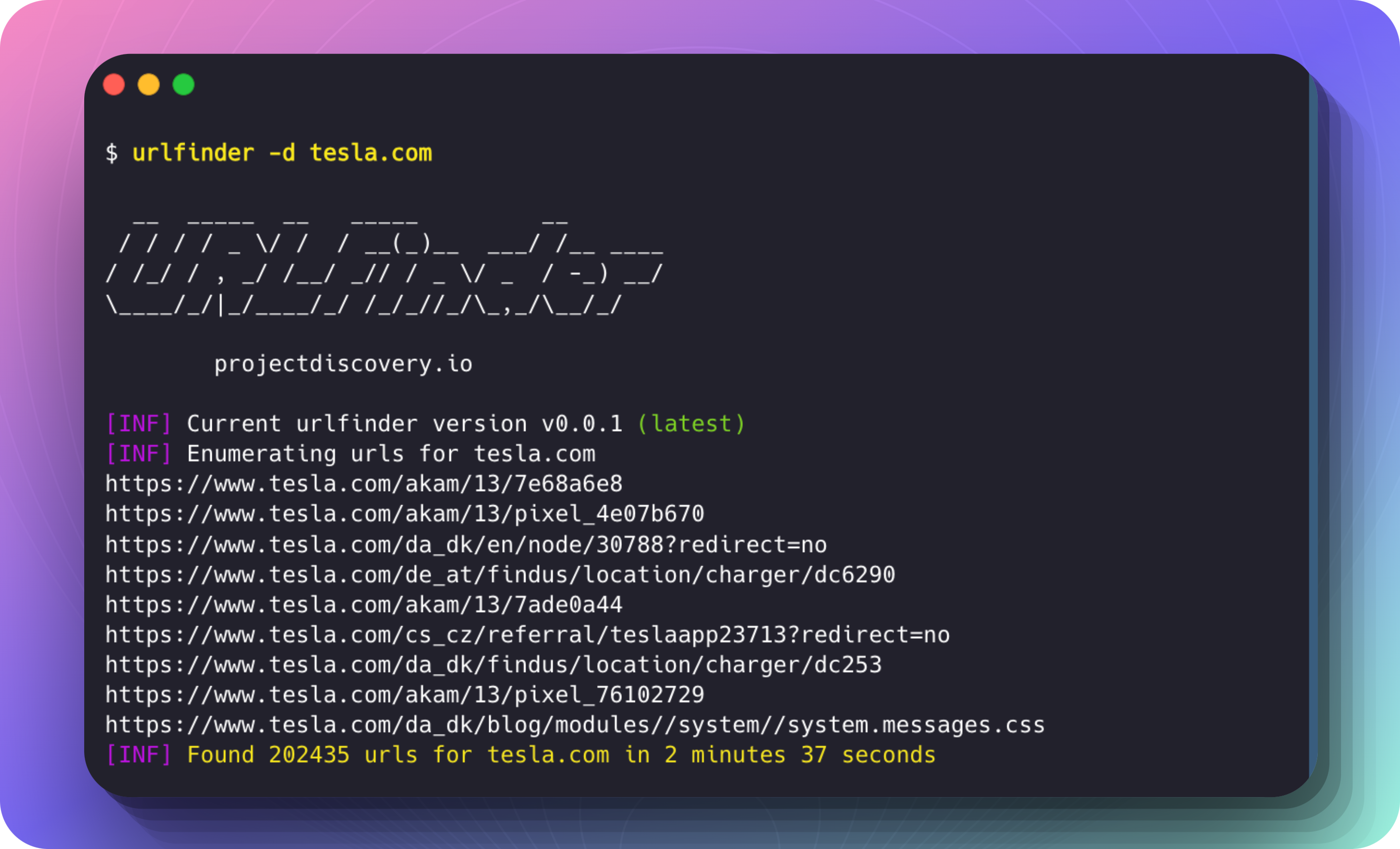
실행 예시:
$ urlfinder -d tesla.com

  __  _____  __   _____         __
 / / / / _ \/ /  / __(_)__  ___/ /__ ____
/ /_/ / , _/ /__/ _// / _ \/ _  / -_) __/
\____/_/|_/____/_/ /_/_//_/\_,_/\__/_/

		projectdiscovery.io

[INF] Current urlfinder version v0.0.1 (latest)
[INF] Enumerating urls for tesla.com
https://www.tesla.com/akam/13/7e68a6e8
https://www.tesla.com/akam/13/pixel_4e07b670
https://www.tesla.com/da_dk/en/node/30788?redirect=no
https://www.tesla.com/de_at/findus/location/charger/dc6290
https://www.tesla.com/akam/13/7ade0a44
https://www.tesla.com/cs_cz/referral/teslaapp23713?redirect=no
https://www.tesla.com/da_dk/findus/location/charger/dc253
https://www.tesla.com/akam/13/pixel_76102729
https://www.tesla.com/da_dk/blog/modules//system/system.messages.js
...
[INF] Found 202435 urls for tesla.com in 2 minutes 37 seconds
-m(match) 및 -f(filter) 옵션을 사용하여 URL 패턴에 따라 결과를 세분화할 수 있습니다.
특정 패턴과 일치하는 URL 포함
"shop" 또는 "model"을 포함하는 URL만 포함하려면:
urlfinder -d tesla.com -m shop,model
특정 패턴과 일치하는 URL 제외
"privacy" 또는 "terms"를 포함하는 URL을 제외하려면:
urlfinder -d tesla.com -f privacy,terms
일치 및 필터 결합
"support"를 포함하지만 "faq"가 포함된 URL은 제외하려면:
urlfinder -d tesla.com -m support -f faq
패턴을 파일로 제공합니다:
urlfinder -d tesla.com -m include-patterns.txt -f exclude-patterns.txt
-j 또는 --jsonl 플래그를 사용하여 결과를 JSONL(JSON Lines) 형식으로 출력합니다. 각 줄은 별도의 JSON 객체입니다. 이 형식은 대용량 출력을 구조적으로 처리할 때 유용합니다.
urlfinder -d tesla.com -j
{"url":"https://shop.tesla.com/product/model-s-plaid","input":"tesla.com","source":"waybackarchive"}
{"url":"https://www.tesla.com/inventory/used/ms","input":"tesla.com","source":"waybackarchive"}
{"url":"https://forums.tesla.com/discussion/101112/model-3-updates","input":"tesla.com","source":"waybackarchive"}
각 JSON 객체에는 다음이 포함됩니다:
url: 발견된 URL.input: 대상 도메인(예: tesla.com).source: URL 발견을 위한 데이터 소스(예: waybackarchive).