 projectdiscovery/uncover
여러 검색 엔진을 사용하여 인터넷에 노출된 호스트를 빠르게 발견하세요.







기능 • 설치 • 사용법 • 설정 • 실행 • Discord 참여
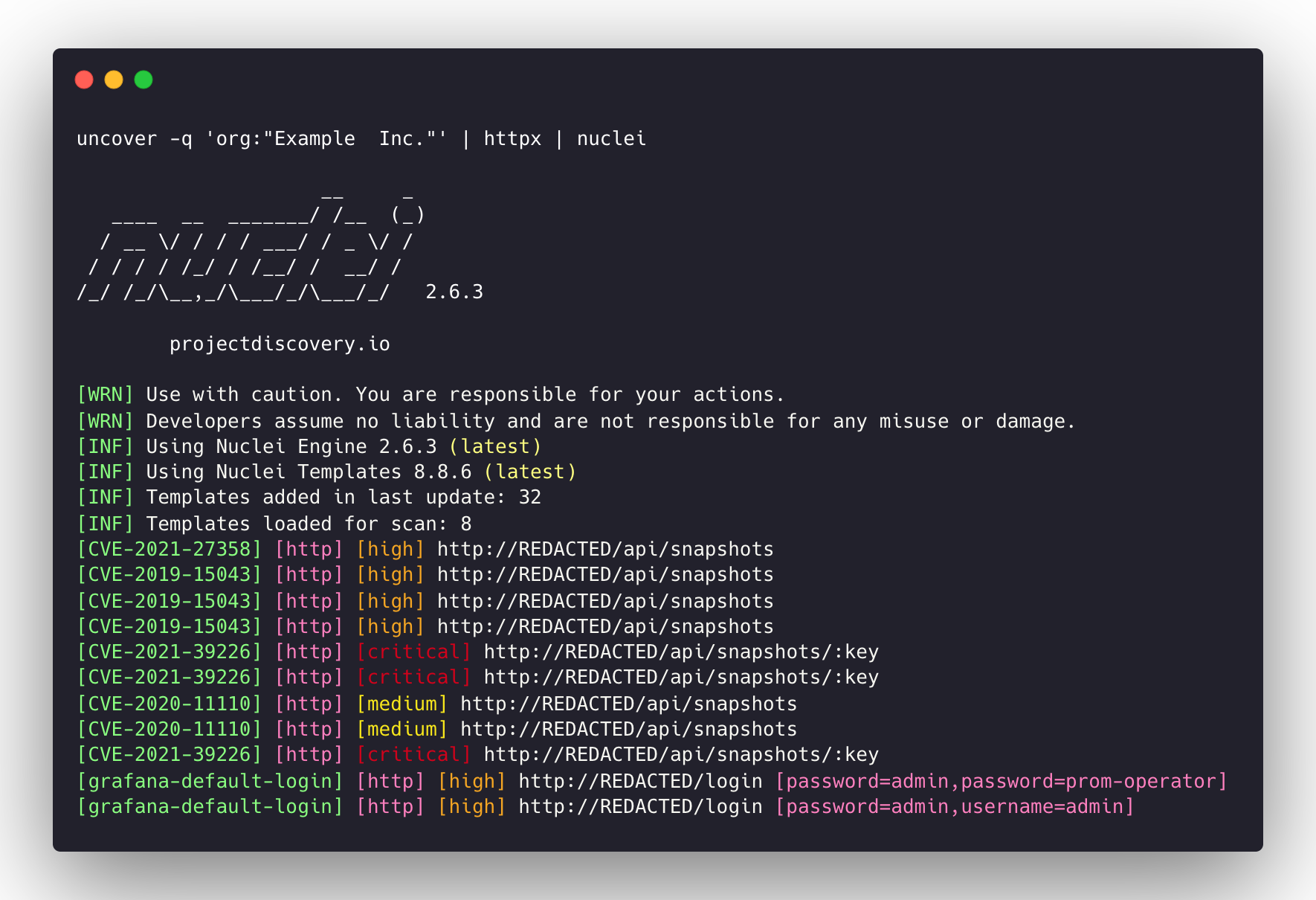
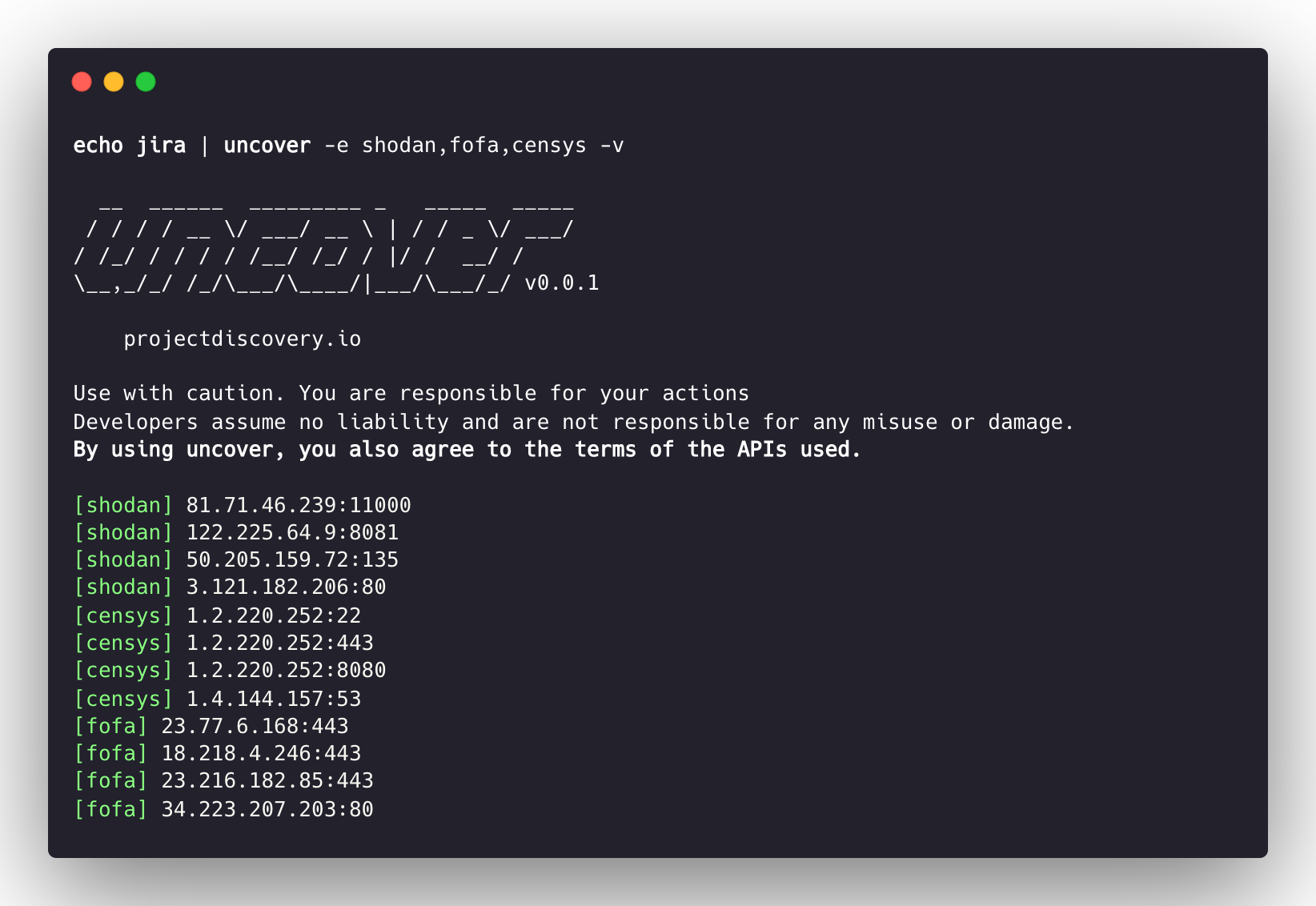
uncover는 잘 알려진 검색 엔진의 API를 사용하여 인터넷에서 노출된 호스트를 빠르게 발견하는 Go 래퍼입니다. 자동화를 염두에 두고 제작되어, 쿼리하고 결과를 현재 파이프라인 도구와 함께 사용할 수 있습니다.
uncover를 설치하려면 go1.21이 필요합니다. 다음 명령어를 실행하여 저장소를 가져오세요.
go install -v github.com/projectdiscovery/uncover/cmd/uncover@latest
uncover -h
그러면 도구의 도움말이 표시됩니다. 다음은 지원하는 모든 플래그입니다.
Usage:
  ./uncover [flags]

Flags:
INPUT:
   -q, -query string[]   search query, supports: stdin,file,config input (example: -q 'example query', -q 'query.txt')
   -e, -engine string[]  search engine to query (shodan,shodan-idb,fofa,censys,quake,hunter,zoomeye,netlas,criminalip,publicwww,hunterhow,google,driftnet,daydaymap) (default shodan)
   -asq, -awesome-search-queries string[]  use awesome search queries to discover exposed assets on the internet (example: -asq 'jira')

SEARCH-ENGINE:
   -s, -shodan string[]       search query for shodan (example: -shodan 'query.txt')
   -sd, -shodan-idb string[]  search query for shodan-idb (example: -shodan-idb 'query.txt')
   -ff, -fofa string[]        search query for fofa (example: -fofa 'query.txt')
   -cs, -censys string[]      search query for censys (example: -censys 'query.txt')
   -qk, -quake string[]       search query for quake (example: -quake 'query.txt')
   -ht, -hunter string[]      search query for hunter (example: -hunter 'query.txt')
   -ze, -zoomeye string[]     search query for zoomeye (example: -zoomeye 'query.txt')
   -ne, -netlas string[]      search query for netlas (example: -netlas 'query.txt')
   -cl, -criminalip string[]  search query for criminalip (example: -criminalip 'query.txt')
   -pw, -publicwww string[]   search query for publicwww (example: -publicwww 'query.txt')
   -hh, -hunterhow string[]   search query for hunterhow (example: -hunterhow 'query.txt')
   -gg, -google string[]       search query for google (example: -google 'query.txt')
   -on, -onyphe string[]      search query for onyphe (example: -onyphe 'query.txt')
   -df, -driftnet string[]    search query for driftnet (example: -driftnet 'query.txt')
   -ddm, -daydaymap string[]  search query for daydaymap (example: -daydaymap 'query.txt')

CONFIG:
   -pc, -provider string         provider configuration file (default "$CONFIG/uncover/provider-config.yaml")
   -config string                flag configuration file (default "$CONFIG/uncover/config.yaml")
   -timeout int                  timeout in seconds (default 30)
   -rl, -rate-limit int          maximum number of http requests to send per second
   -rlm, -rate-limit-minute int  maximum number of requests to send per minute
   -retry int                    number of times to retry a failed request (default 2)
   -proxy string                 http proxy to use with uncover

OUTPUT:
   -o, -output string  output file to write found results
   -f, -field string   field to display in output (ip,port,host) (default "ip:port")
   -j, -json           write output in JSONL(ines) format
   -r, -raw            write raw output as received by the remote api
   -l, -limit int      limit the number of results to return (default 100)
   -nc, -no-color      disable colors in output

DEBUG:
   -silent   show only results in output
   -version  show version of the project
   -v        show verbose output
uncover를 라이브러리로 사용하는 예제는 examples 디렉토리에서 확인할 수 있습니다.
기본 제공자 설정 파일은 $CONFIG/uncover/provider-config.yaml에 위치해야 하며, 예시 내용은 다음과 같습니다.
참고: API 키가 필요하며 uncover를 실행하기 전에 설정해야 합니다.
shodan:
  - SHODAN_API_KEY_1
  - SHODAN_API_KEY_2
censys:
  - CENSYS_API_TOKEN_1:CENSYS_ORGANIZATION_ID_1
  - CENSYS_API_TOKEN_2:CENSYS_ORGANIZATION_ID_2
fofa:
  - FOFA_EMAIL_1:FOFA_KEY_1
  - FOFA_EMAIL_2:FOFA_KEY_2
quake:
  - QUAKE_TOKEN_1
  - QUAKE_TOKEN_2
hunter:
  - HUNTER_API_KEY_1
  - HUNTER_API_KEY_2
zoomeye:
  - ZOOMEYE_API_KEY_1
  - ZOOMEYE_API_KEY_2
netlas:
  - NETLAS_API_KEY_1
  - NETLAS_API_KEY_2
criminalip:
  - CRIMINALIP_API_KEY_1
  - CRIMINALIP_API_KEY_2
publicwww:
  - PUBLICWWW_API_KEY_1
  - PUBLICWWW_API_KEY_2
hunterhow:
  - HUNTERHOW_API_KEY_1
  - HUNTERHOW_API_KEY_2
google:
  - GOOGLE_API_KEY_1:Google_API_CX_1
  - GOOGLE_API_KEY_2:Google_API_CX_2
onyphe:
  - ONYPHE_API_KEY_1
  - ONYPHE_API_KEY_2
driftnet:
  - DRIFTNET_API_KEY_1
  - DRIFTNET_API_KEY_2
daydaymap:
  - DAYDAYMAP_API_KEY_1
  - DAYDAYMAP_API_KEY_2
nerdydata:
  - NERDYDATA_API_KEY_1
  - NERDYDATA_API_KEY_2
설정 파일에서 동일한 제공자에 대해 여러 개의 키/자격 증명을 지정하면 실행할 때마다 임의의 키가 사용됩니다.
또는 bash 프로필에서 환경 변수로 API 키를 설정할 수도 있습니다.
export SHODAN_API_KEY=xxx
export CENSYS_API_TOKEN=xxx
export CENSYS_ORGANIZATION_ID=xxx
export FOFA_EMAIL=xxx
export FOFA_KEY=xxx
export QUAKE_TOKEN=xxx
export HUNTER_API_KEY=xxx
export ZOOMEYE_API_KEY=xxx
export NETLAS_API_KEY=xxx
export CRIMINALIP_API_KEY=xxx
export PUBLICWWW_API_KEY=xxx
export HUNTERHOW_API_KEY=xxx
export GOOGLE_API_KEY=xxx
export GOOGLE_API_CX=xxx
export ONYPHE_API_KEY=xxx
export DRIFTNET_API_KEY=xxx
export DAYDAYMAP_API_KEY=xxx
export NERDYDATA_API_KEY=xxx
