
여러 검색 엔진을 사용하여 인터넷에 노출된 호스트를 빠르게 발견하세요.
기능 • 설치 • 사용법 • 설정 • 실행 • Discord 참여
uncover는 잘 알려진 검색 엔진의 API를 사용하여 인터넷에서 노출된 호스트를 빠르게 발견하는 Go 래퍼입니다. 자동화를 염두에 두고 제작되어, 쿼리하고 결과를 현재 파이프라인 도구와 함께 사용할 수 있습니다.
uncover를 설치하려면 go1.21이 필요합니다. 다음 명령어를 실행하여 저장소를 가져오세요.
go install -v github.com/projectdiscovery/uncover/cmd/uncover@latest
uncover -h
그러면 도구의 도움말이 표시됩니다. 다음은 지원하는 모든 플래그입니다.
Usage:
./uncover [flags]
Flags:
INPUT:
-q, -query string[] search query, supports: stdin,file,config input (example: -q 'example query', -q 'query.txt')
-e, -engine string[] search engine to query (shodan,shodan-idb,fofa,censys,quake,hunter,zoomeye,netlas,criminalip,publicwww,hunterhow,google,driftnet,daydaymap) (default shodan)
-asq, -awesome-search-queries string[] use awesome search queries to discover exposed assets on the internet (example: -asq 'jira')
SEARCH-ENGINE:
-s, -shodan string[] search query for shodan (example: -shodan 'query.txt')
-sd, -shodan-idb string[] search query for shodan-idb (example: -shodan-idb 'query.txt')
-ff, -fofa string[] search query for fofa (example: -fofa 'query.txt')
-cs, -censys string[] search query for censys (example: -censys 'query.txt')
-qk, -quake string[] search query for quake (example: -quake 'query.txt')
-ht, -hunter string[] search query for hunter (example: -hunter 'query.txt')
-ze, -zoomeye string[] search query for zoomeye (example: -zoomeye 'query.txt')
-ne, -netlas string[] search query for netlas (example: -netlas 'query.txt')
-cl, -criminalip string[] search query for criminalip (example: -criminalip 'query.txt')
-pw, -publicwww string[] search query for publicwww (example: -publicwww 'query.txt')
-hh, -hunterhow string[] search query for hunterhow (example: -hunterhow 'query.txt')
-gg, -google string[] search query for google (example: -google 'query.txt')
-on, -onyphe string[] search query for onyphe (example: -onyphe 'query.txt')
-df, -driftnet string[] search query for driftnet (example: -driftnet 'query.txt')
-ddm, -daydaymap string[] search query for daydaymap (example: -daydaymap 'query.txt')
CONFIG:
-pc, -provider string provider configuration file (default "$CONFIG/uncover/provider-config.yaml")
-config string flag configuration file (default "$CONFIG/uncover/config.yaml")
-timeout int timeout in seconds (default 30)
-rl, -rate-limit int maximum number of http requests to send per second
-rlm, -rate-limit-minute int maximum number of requests to send per minute
-retry int number of times to retry a failed request (default 2)
-proxy string http proxy to use with uncover
OUTPUT:
-o, -output string output file to write found results
-f, -field string field to display in output (ip,port,host) (default "ip:port")
-j, -json write output in JSONL(ines) format
-r, -raw write raw output as received by the remote api
-l, -limit int limit the number of results to return (default 100)
-nc, -no-color disable colors in output
DEBUG:
-silent show only results in output
-version show version of the project
-v show verbose output
uncover를 라이브러리로 사용하는 예제는 examples 디렉토리에서 확인할 수 있습니다.
기본 제공자 설정 파일은 $CONFIG/uncover/provider-config.yaml에 위치해야 하며, 예시 내용은 다음과 같습니다.
참고: API 키가 필요하며 uncover를 실행하기 전에 설정해야 합니다.
shodan:
- SHODAN_API_KEY_1
- SHODAN_API_KEY_2
censys:
- CENSYS_API_TOKEN_1:CENSYS_ORGANIZATION_ID_1
- CENSYS_API_TOKEN_2:CENSYS_ORGANIZATION_ID_2
fofa:
- FOFA_EMAIL_1:FOFA_KEY_1
- FOFA_EMAIL_2:FOFA_KEY_2
quake:
- QUAKE_TOKEN_1
- QUAKE_TOKEN_2
hunter:
- HUNTER_API_KEY_1
- HUNTER_API_KEY_2
zoomeye:
- ZOOMEYE_API_KEY_1
- ZOOMEYE_API_KEY_2
netlas:
- NETLAS_API_KEY_1
- NETLAS_API_KEY_2
criminalip:
- CRIMINALIP_API_KEY_1
- CRIMINALIP_API_KEY_2
publicwww:
- PUBLICWWW_API_KEY_1
- PUBLICWWW_API_KEY_2
hunterhow:
- HUNTERHOW_API_KEY_1
- HUNTERHOW_API_KEY_2
google:
- GOOGLE_API_KEY_1:Google_API_CX_1
- GOOGLE_API_KEY_2:Google_API_CX_2
onyphe:
- ONYPHE_API_KEY_1
- ONYPHE_API_KEY_2
driftnet:
- DRIFTNET_API_KEY_1
- DRIFTNET_API_KEY_2
daydaymap:
- DAYDAYMAP_API_KEY_1
- DAYDAYMAP_API_KEY_2
nerdydata:
- NERDYDATA_API_KEY_1
- NERDYDATA_API_KEY_2
설정 파일에서 동일한 제공자에 대해 여러 개의 키/자격 증명을 지정하면 실행할 때마다 임의의 키가 사용됩니다.
또는 bash 프로필에서 환경 변수로 API 키를 설정할 수도 있습니다.
export SHODAN_API_KEY=xxx
export CENSYS_API_TOKEN=xxx
export CENSYS_ORGANIZATION_ID=xxx
export FOFA_EMAIL=xxx
export FOFA_KEY=xxx
export QUAKE_TOKEN=xxx
export HUNTER_API_KEY=xxx
export ZOOMEYE_API_KEY=xxx
export NETLAS_API_KEY=xxx
export CRIMINALIP_API_KEY=xxx
export PUBLICWWW_API_KEY=xxx
export HUNTERHOW_API_KEY=xxx
export GOOGLE_API_KEY=xxx
export GOOGLE_API_CX=xxx
export ONYPHE_API_KEY=xxx
export DRIFTNET_API_KEY=xxx
export DAYDAYMAP_API_KEY=xxx
export NERDYDATA_API_KEY=xxx
필요한 API 키는 다음 플랫폼에 가입하여 얻을 수 있습니다. Shodan, Censys, Fofa, Quake, Hunter, ZoomEye, Netlas, CriminalIP, Publicwww, Google [1],[2], Onyphe, Driftnet, DayDayMap 및 NerdyData.
uncover는 stdin 또는 -q 플래그를 포함한 여러 가지 방법으로 쿼리를 지원하며, 엔진을 지정하지 않으면 기본적으로 shodan 엔진을 사용하여 검색합니다.
echo 'ssl:"Uber Technologies, Inc."' | uncover
__ ______ _________ _ _____ _____
/ / / / __ \/ ___/ __ \ | / / _ \/ ___/
/ /_/ / / / / /__/ /_/ / |/ / __/ /
\__,_/_/ /_/\___/\____/|___/\___/_/ v0.0.9
projectdiscovery.io
[WRN] Use with caution. You are responsible for your actions
[WRN] Developers assume no liability and are not responsible for any misuse or damage.
[WRN] By using uncover, you also agree to the terms of the APIs used.
107.180.12.116:993
107.180.26.155:443
104.244.99.31:443
161.28.20.79:443
104.21.8.108:443
198.71.233.203:443
104.17.237.13:443
162.255.165.171:443
12.237.119.61:443
192.169.250.211:443
104.16.251.50:443
uncover를 파일 입력(각 줄에 여러 검색 쿼리 포함)으로 실행하기:
cat dorks.txt
ssl:"Uber Technologies, Inc."
title:"Grafana"
uncover -q dorks.txt
__ ______ _________ _ _____ _____
/ / / / __ \/ ___/ __ \ | / / _ \/ ___/
/ /_/ / / / / /__/ /_/ / |/ / __/ /
\__,_/_/ /_/\___/\____/|___/\___/_/ v0.0.9
projectdiscovery.io
[WRN] Use with caution. You are responsible for your actions
[WRN] Developers assume no liability and are not responsible for any misuse or damage.
[WRN] By using uncover, you also agree to the terms of the APIs used.
107.180.12.116:993
107.180.26.155:443
104.244.99.31:443
161.28.20.79:443
104.21.8.108:443
198.71.233.203:443
2607:7c80:54:3::74:3001
104.198.55.35:80
46.101.82.244:3000
34.147.126.112:80
138.197.147.213:8086
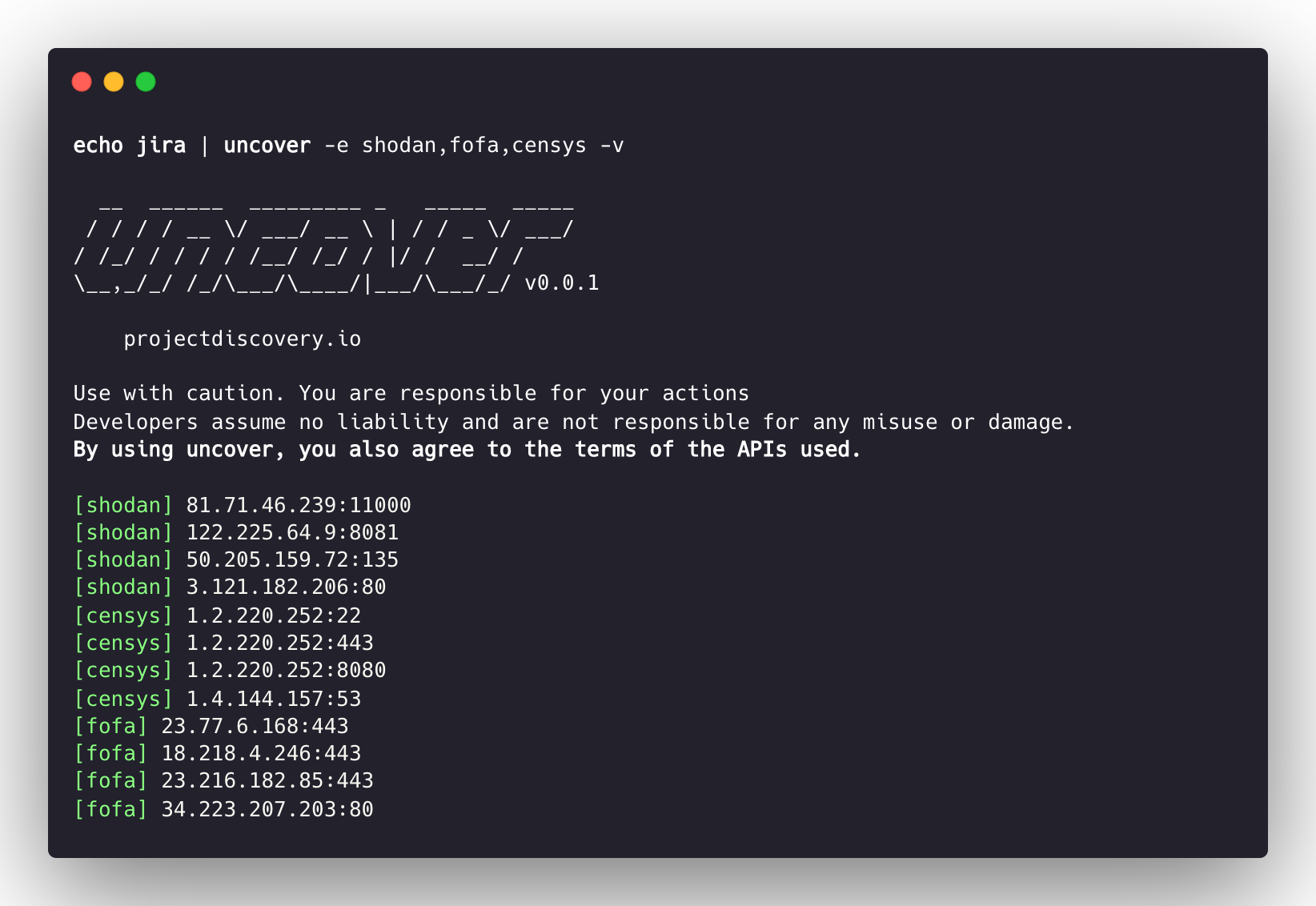
uncover는 여러 검색 엔진을 지원하며, 기본적으로 shodan이 사용되지만 -e 플래그를 통해 동일한 쿼리를 하나 또는 모든 검색 엔진에 대해 실행할 수 있습니다.
echo jira | uncover -e shodan,censys,fofa,quake,hunter,zoomeye,netlas,criminalip,driftnet,daydaymap
__ ______ _________ _ _____ _____
/ / / / __ \/ ___/ __ \ | / / _ \/ ___/
/ /_/ / / / / /__/ /_/ / |/ / __/ /
\__,_/_/ /_/\___/\____/|___/\___/_/ v0.0.9
projectdiscovery.io
[WRN] Use with caution. You are responsible for your actions
[WRN] Developers assume no liability and are not responsible for any misuse or damage.
[WRN] By using uncover, you also agree to the terms of the APIs used.
176.31.249.189:5001
13.211.116.80:443
43.130.1.221:631
192.195.70.29:443
52.27.22.181:443
117.48.120.226:8889
106.52.115.145:49153
13.69.135.128:443
193.35.99.158:443
18.202.109.218:8089
101.36.105.97:21379
42.194.226.30:2626
uncover -shodan 'http.component:"Atlassian Jira"' -censys 'services.software.product=`Jira`' -fofa 'app="ATLASSIAN-JIRA"' -quake 'Jira' -hunter 'Jira' -zoomeye 'app:"Atlassian JIRA"' -netlas 'jira' -criminalip 'Jira' -driftnet 'field=product-tag:jira' -daydaymap 'Jira'
__ ______ _________ _ _____ _____
/ / / / __ \/ ___/ __ \ | / / _ \/ ___/
/ /_/ / / / / /__/ /_/ / |/ / __/ /
\__,_/_/ /_/\___/\____/|___/\___/_/ v0.0.9
projectdiscovery.io
[WRN] Use with caution. You are responsible for your actions
[WRN] Developers assume no liability and are not responsible for any misuse or damage.
[WRN] By using uncover, you also agree to the terms of the APIs used.
104.68.37.129:443
162.222.160.42:443
34.255.84.133:443
52.204.121.166:443
23.198.29.120:443
136.156.180.95:443
54.194.233.15:443
104.117.55.155:443
149.81.4.6:443
54.255.218.95:443
3.223.137.57:443
83.228.124.171:443
23.202.195.82:443
52.16.59.25:443
18.159.145.227:443
104.105.53.236:443
uncover는 shodan-internetdb API를 지원하여 주어진 IP/CIDR 입력에 대해 사용 가능한 포트를 가져옵니다.
입력으로 IP/CIDR가 제공될 때 shodan-idb가 기본 엔진으로 사용되며, 그렇지 않으면 shodan 검색 엔진이 사용됩니다.
echo 51.83.59.99/24 | uncover
__ ______ _________ _ _____ _____
/ / / / __ \/ ___/ __ \ | / / _ \/ ___/
/ /_/ / / / / /__/ /_/ / |/ / __/ /
\__,_/_/ /_/\___/\____/|___/\___/_/ v0.0.9
projectdiscovery.io
[WRN] Use with caution. You are responsible for your actions
[WRN] Developers assume no liability and are not responsible for any misuse or damage.
[WRN] By using uncover, you also agree to the terms of the APIs used.
51.83.59.1:53
51.83.59.1:10000
51.83.59.2:53
51.83.59.3:25
51.83.59.3:80
51.83.59.3:389
51.83.59.3:443
51.83.59.3:465
51.83.59.3:587
51.83.59.3:993
uncover는 driftnet API를 사용하여 주어진 IP/CIDR 입력에 대해 열린 포트를 빠르게 조회할 수 있습니다.
echo 8.8.8.8/20 | uncover -e driftnet
__ ______ _________ _ _____ _____
/ / / / __ \/ ___/ __ \ | / / _ \/ ___/
/ /_/ / / / / /__/ /_/ / |/ / __/ /
\__,_/_/ /_/\___/\____/|___/\___/_/ v0.0.9
projectdiscovery.io
[WRN] Use with caution. You are responsible for your actions
[WRN] Developers assume no liability and are not responsible for any misuse or damage.
[WRN] By using uncover, you also agree to the terms of the APIs used.
...
8.8.4.4:443
8.8.4.4:53
8.8.4.4:853
8.8.6.29:443
8.8.6.40:443
8.8.6.70:443
8.8.6.94:443
8.8.11.1:22
8.8.11.253:22
8.8.11.64:443
8.8.8.8:443
8.8.8.8:53
8.8.8.8:853
...
-f, -field 플래그를 사용하여 반환할 필드를 지정할 수 있습니다. 현재 ip, port, host를 지원하며, 원하는 필드를 반환하는 데 사용할 수 있습니다.
uncover -q jira -f host -silent
ec2-44-198-22-253.compute-1.amazonaws.com
ec2-18-246-31-139.us-west-2.compute.amazonaws.com
tasks.devrtb.com
leased-line-91-149-128-229.telecom.by
74.242.203.213.static.inetbone.net
ec2-52-211-7-108.eu-west-1.compute.amazonaws.com
ec2-54-187-161-180.us-west-2.compute.amazonaws.com
185-2-52-226.static.nucleus.be
ec2-34-241-80-255.eu-west-1.compute.amazonaws.com
uncover에는 출력 형식을 사용자 정의하는 데 사용할 수 있는 -f, -field 플래그가 있습니다. 예를 들어, uncover -f https://ip:port/version의 경우 ip:port가 출력에서 결과로 대체되면서 정의된 형식이 유지됩니다. 또한 알려진 스키마/경로/파일을 지정하여 출력을 준비함으로써 파이프라인의 다른 도구에 바로 입력으로 전달할 수 있습니다.
echo kubernetes | uncover -f https://ip:port/version -silent
https://35.222.229.38:443/version
https://52.11.181.228:443/version
https://35.239.255.1:443/version
https://34.71.48.11:443/version
https://130.211.54.173:443/version
https://54.184.250.232:443/version
uncover의 출력은 stdin을 입력으로 받는 워크플로우의 다른 프로젝트로 파이프될 수 있습니다. 예를 들어:
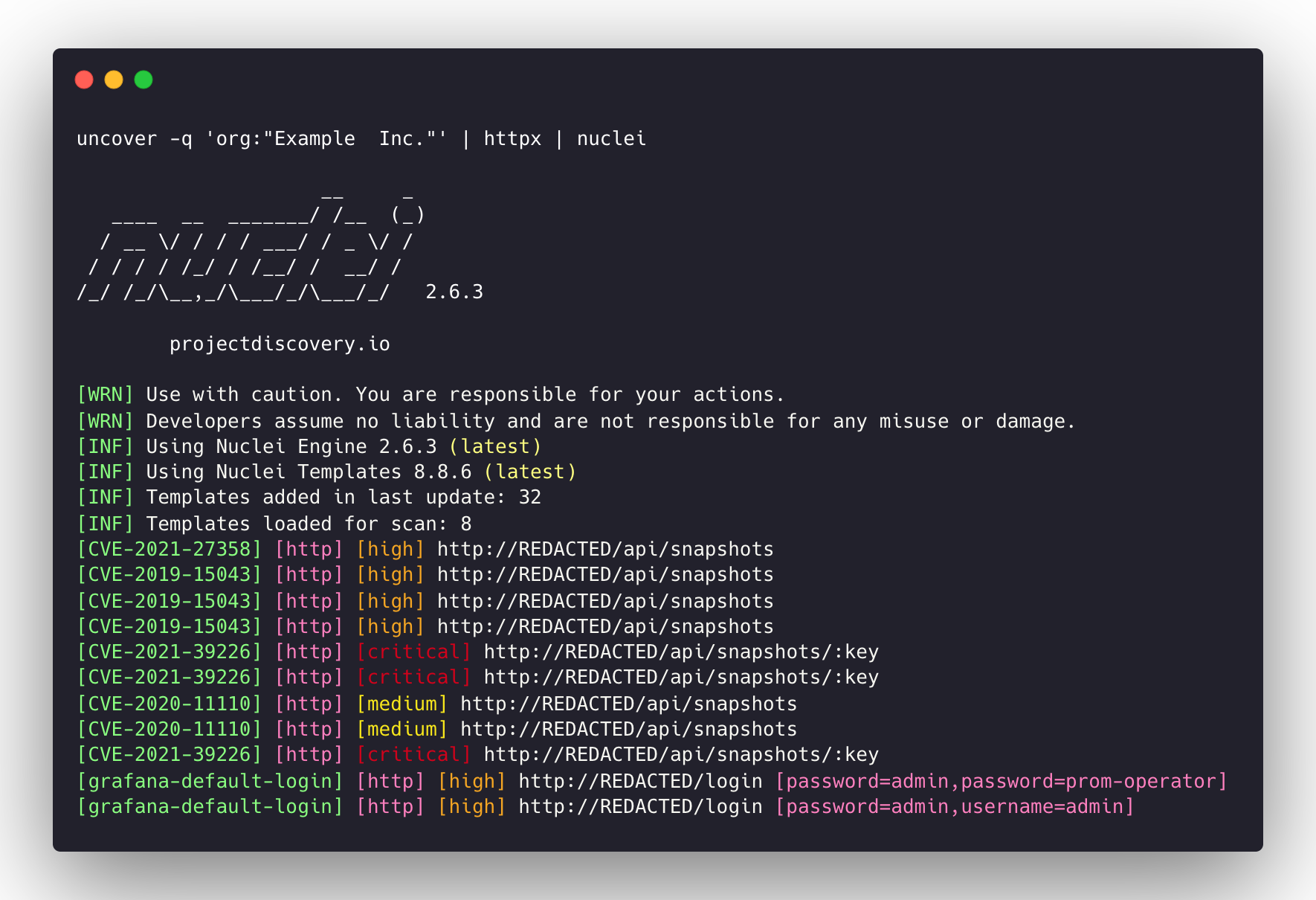
uncover -q example -f ip | naabu - 발견된 호스트에서 포트 스캐닝을 위해 naabu 실행uncover -q title:GitLab | httpx - 발견된 결과에 대해 웹 서버 프로빙을 위해 httpx 실행uncover -q 51.83.59.99/24 | httpx - shodan-internetdb에서 얻은 호스트/포트에 대해 httpx 실행uncover -q http.title:GitLab -silent | httpx -silent
https://15.185.150.109
https://139.162.137.16
https://164.68.115.243
https://135.125.215.186
https://163.172.59.119
http://15.236.10.197
https://129.206.117.248

query 플래그는 검색 엔진에서 지원하는 모든 필터만 지원합니다.100개로 제한되며 limit 플래그로 증가시킬 수 있습니다.shodan-idb API는 API 키가 필요 없으며 바로 사용할 수 있습니다.shodan-idb API는 입력으로 IP/CIDR가 제공될 때 기본 엔진으로 사용됩니다.uncover는 projectdiscovery 팀이 🖤로 만들었습니다.



