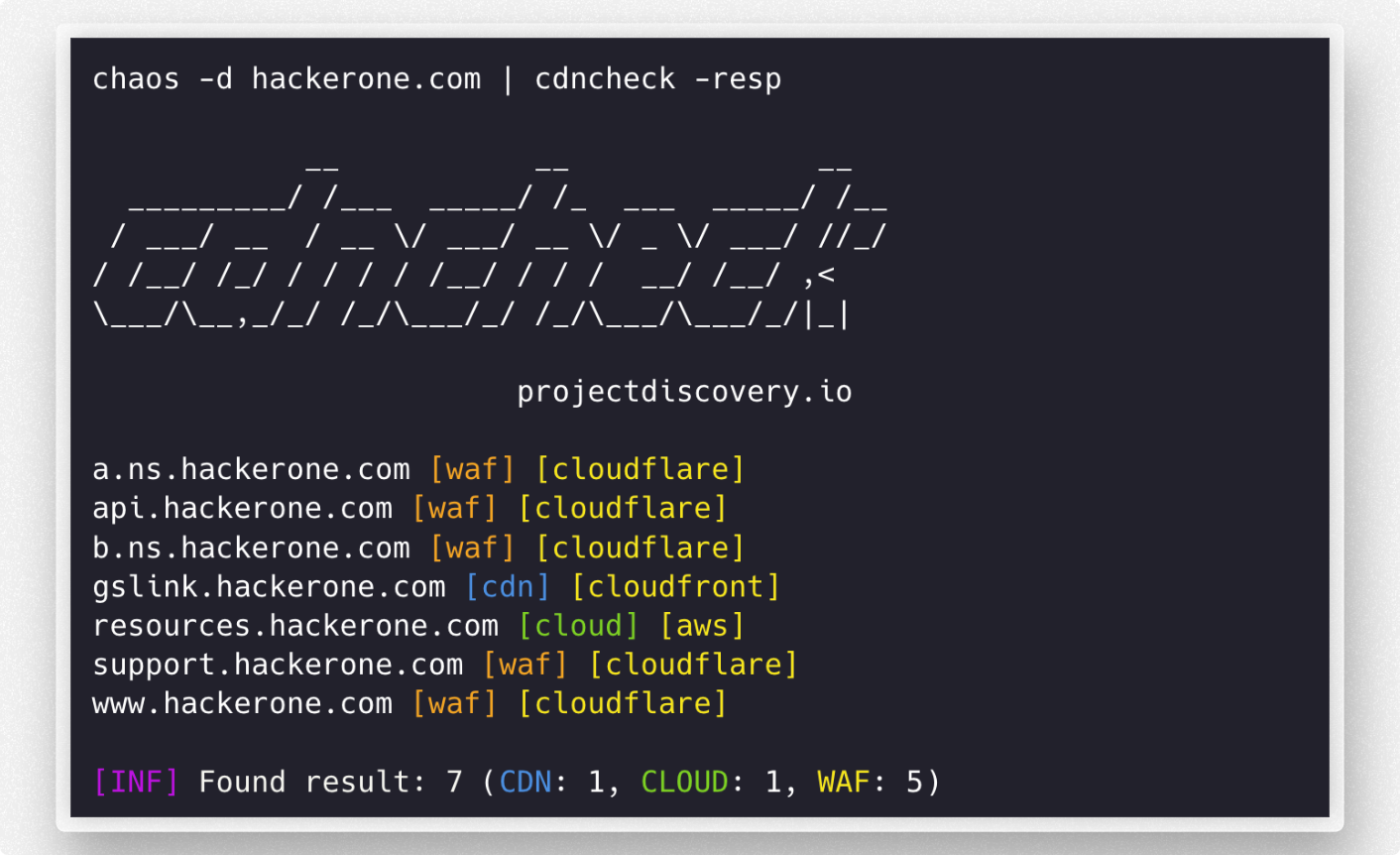
 projectdiscovery/cdncheck
주어진 IP 주소에 대한 다양한 기술을 탐지하는 유틸리티입니다.





기능 • 설치 • 사용법 • Discord 참여
cdncheck는 dns / ip 네트워크 주소와 연관된 기술을 식별하는 도구입니다.
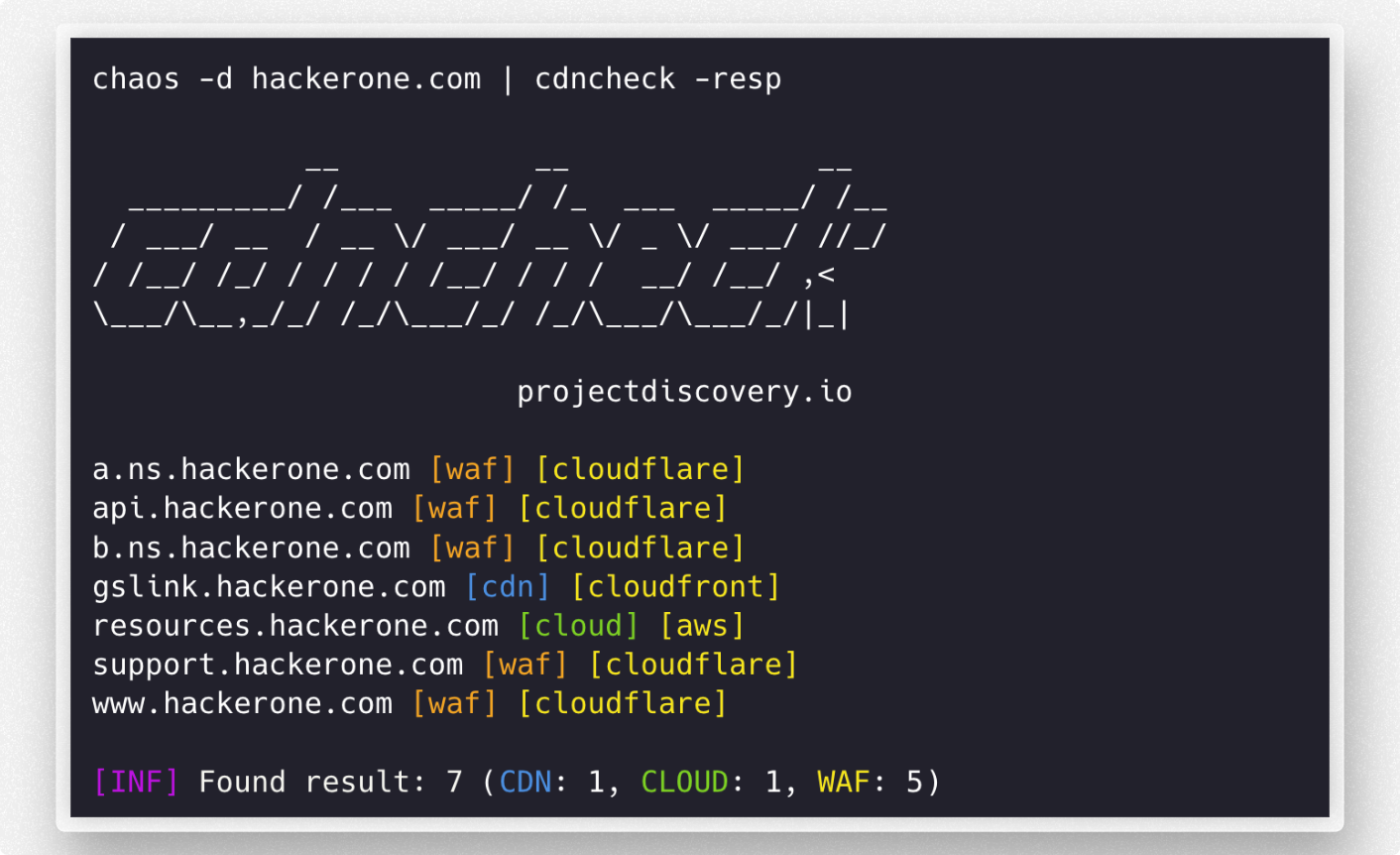
cdncheck는 성공적으로 설치하려면 go1.19가 필요합니다. 최신 버전을 설치하려면 다음 명령을 실행하세요:
go install -v github.com/projectdiscovery/cdncheck/cmd/cdncheck@latest
cdncheck -h
이 명령은 도구에 대한 도움말을 표시합니다. 지원하는 모든 스위치는 다음과 같습니다.
Usage:
  ./cdncheck [flags]

Flags:
INPUT:
   -i, -input string[]  list of ip / dns to process

DETECTION:
   -cdn    display only cdn in cli output
   -cloud  display only cloud in cli output
   -waf    display only waf in cli output

MATCHER:
   -mcdn, -match-cdn string[]      match host with specified cdn provider (cloudfront, fastly, google, leaseweb)
   -mcloud, -match-cloud string[]  match host with specified cloud provider (aws, google, oracle)
   -mwaf, -match-waf string[]      match host with specified waf provider (cloudflare, incapsula, sucuri, akamai)

FILTER:
   -fcdn, -filter-cdn string[]      filter host with specified cdn provider (cloudfront, fastly, google, leaseweb)
   -fcloud, -filter-cloud string[]  filter host with specified cloud provider (aws, google, oracle)
   -fwaf, -filter-waf string[]      filter host with specified waf provider (cloudflare, incapsula, sucuri, akamai)

OUTPUT:
   -resp               display technology name in cli output
   -o, -output string  write output in plain format to file
   -v, -verbose        display verbose output
   -j, -jsonl          write output in json(line) format
   -nc, -no-color      disable colors in cli output
   -version            display version of the project
   -silent             only display results in output

CONFIG:
   -r, -resolver string[]  list of resolvers to use (file or comma separated)
   -e, -exclude            exclude detected ip from output
   -retry int              maximum number of retries for dns resolution (must be at least 1) (default 2)

UPDATE:
   -up, -update                 update cdncheck to latest version
   -duc, -disable-update-check  disable automatic cdncheck update check
provider.yaml 파일에는 CDN, WAF 및 Cloud 프로바이더 목록이 포함되어 있습니다. 이 목록에는 URL, ASN 및 CIDR이 포함되며, 이후 generate-index 프로그램을 사용하여 최종 sources_data.json 파일로 컴파일됩니다.
provider.yaml 파일 예시 -
cdn:
  # asn contains the ASN numbers for providers
  asn:
    leaseweb:
      - AS60626

  # urls contains a list of URLs for CDN providers
  urls:
    cloudfront:
      - https://d7uri8nf7uskq.cloudfront.net/tools/list-cloudfront-ips
    fastly:
      - https://api.fastly.com/public-ip-list

  # cidr contains the CIDR ranges for providers
  cidr:
    akamai:
      - "23.235.32.0/20"
      - "43.249.72.0/22"
      - "103.244.50.0/24"
      - "103.245.222.0/23"
      - "103.245.224.0/24"
      - "104.156.80.0/20"
URL, ASN 또는 정적 CIDR 목록에서 가져올 수 있는 새 프로바이더는 아래에 나열된 간단한 단계에 따라 provider.yaml 파일에 추가할 수 있습니다:
cmd/generate-index/provider.yaml 파일이 포함된 GitHub 리포지토리를 포크하세요.cmd/generate-index 디렉토리로 이동하세요.provider.yaml 파일을 열고 추가하려는 프로바이더 유형(CDN, WAF 또는 Cloud)에 해당하는 섹션을 찾으세요.provider.yaml 파일의 적절한 섹션에 새 프로바이더 정보를 추가하세요.CNAME 및 Wappalyzer 기반 추가는 other.go 파일에서 수행할 수 있습니다. 변수에 값을 추가하기만 하면 됩니다.
// cdnCnameDomains contains a map of CNAME to domains to cdns
var cdnCnameDomains = map[string]string{
	"cloudfront.net":         "amazon",
	"amazonaws.com":          "amazon",
    ...
}

// cdnWappalyzerTechnologies contains a map of wappalyzer technologies to cdns
var cdnWappalyzerTechnologies = map[string]string{
	"imperva":    "imperva",
	"incapsula":  "incapsula",
	...
}
주어진 IP가 Cloud / CDN / WAF에서 실행 중인지 확인하는 헬퍼 라이브러리입니다.
이 라이브러리는 github.com/projectdiscovery/cdncheck를 임포트하여 사용할 수 있습니다. 기본 예제는 다음과 같습니다:
package main

import (
	"fmt"
	"net"
	"github.com/projectdiscovery/cdncheck"
)

func main() {
	client := cdncheck.New()
	ip := net.ParseIP("173.245.48.12")

	// checks if an IP is contained in the cdn denylist
	matched, val, err := client.CheckCDN(ip)
	if err != nil {
		panic(err)
	}

	if matched {
		fmt.Printf("%v is a %v\n", ip, val)
	} else {
		fmt.Printf("%v is not a CDN\n", ip)
	}

	// checks if an IP is contained in the cloud denylist
	matched, val, err = client.CheckCloud(ip)
	if err != nil {
		panic(err)
	}

	if matched {
		fmt.Printf("%v is a %v\n", ip, val)
	} else {
		fmt.Printf("%v is not a Cloud\n", ip)
	}

	// checks if an IP is contained in the waf denylist
	matched, val, err = client.CheckWAF(ip)
	if err != nil {
		panic(err)
	}

	if matched {
		fmt.Printf("%v WAF is %v\n", ip, val)
	} else {
		fmt.Printf("%v is not a WAF\n", ip)
	}
}
cdncheck는 projectdiscovery 팀이 ❤️로 만들었으며 MIT License에 따라 배포됩니다.