 praetorian-inc/titus
고성능 비밀 정보 스캐너. CLI, Go 라이브러리, Burp Suite 확장 기능 및 Chrome 확장 프로그램. 실시간 자격 증명 검증이 포함된 487개의 탐지 규칙.



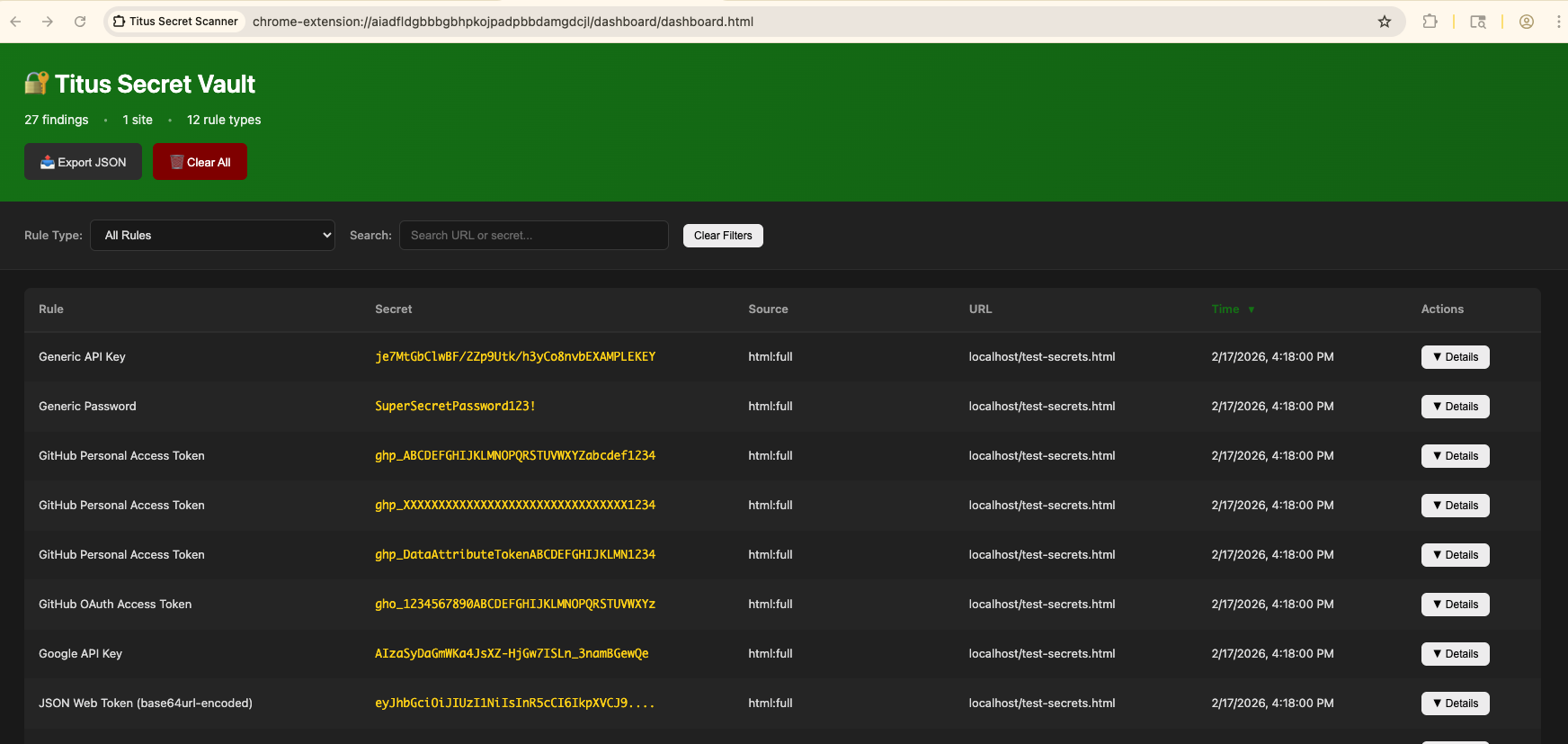
Titus는 소스 코드, 파일, git 이력에서 자격 증명, API 키, 토큰을 탐지하는 고성능 시크릿 스캐너입니다. 수백 개의 서비스와 자격 증명 유형을 포괄하는 487개의 탐지 규칙을 기본 제공하며, 이는 NoseyParker와 Kingfisher에서 가져온 것입니다. Titus는 CLI, Go 라이브러리, Burp Suite 확장, Chrome 브라우저 확장으로 실행되며, 모두 동일한 탐지 엔진과 규칙 세트를 공유합니다.
보안 엔지니어, 침투 테스터, DevSecOps 팀을 위해 설계된 Titus는 Hyperscan/Vectorscan 가속 정규식 매칭과 실시간 자격 증명 검증을 결합하여 전체 코드베이스에서 유출된 시크릿을 찾아내고 검증합니다.
Releases 페이지에서 미리 빌드된 바이너리를 다운로드하거나 소스에서 빌드하세요:```bash make build
바이너리는 `dist/titus`에 위치합니다.

## 빠른 시작```bash
# Scan a file for secrets
titus scan path/to/file.txt

# Scan a directory for leaked credentials
titus scan path/to/directory

# Scan a public GitHub repository (no token needed)
titus scan github.com/org/repo

# Scan a public GitLab project (no token needed)
titus scan gitlab.com/namespace/project

# Scan git history for secrets in past commits
titus scan --git path/to/repo

# Scan a Docker / OCI image (pulled from a registry — no docker daemon required)
titus scan --docker alpine:latest

# Validate detected secrets against source APIs
titus scan path/to/code --validate
결과는 데이터스토어(기본값 titus.ds)에 기록되고 콘솔에 출력됩니다.
API 토큰 없이 URL로 공개 저장소를 직접 스캔할 수 있습니다:```bash
titus scan github.com/kubernetes/kubernetes
titus scan gitlab.com/gitlab-org/cli
titus scan https://github.com/org/repo titus scan https://gitlab.com/namespace/project.git
조직 전체 또는 사용자 전체 스캔에는 전용 하위 명령을 사용하십시오:```bash
# Scan all public repos in a GitHub org
titus github --org kubernetes

# Scan all repos in a GitHub org with a token (private repos + higher rate limits)
titus github --org kubernetes --token $GITHUB_TOKEN

# Scan all repos for a GitHub user
titus github --user octocat

# Scan all projects in a GitLab group
titus gitlab scan --group mygroup --token $GITLAB_TOKEN

# Scan a single repo with git history (finds deleted secrets)
titus github owner/repo --git
토큰은 공개 저장소의 경우 선택 사항입니다. 비공개 저장소 접근과 더 높은 API 속도 제한을 위해 GITHUB_TOKEN 또는 GITLAB_TOKEN을 설정하세요 (또는 --token을 사용하세요).
컨테이너 이미지를 직접 스캔하세요 — docker 데몬도, docker 바이너리도 필요하지 않습니다. Titus는 HTTPS를 통해 모든 OCI 레지스트리에서 이미지를 바로 가져오거나 (~/.docker/config.json의 자격 증명 사용), 로컬 docker save tarball 또는 OCI 이미지 레이아웃 디렉터리에서 이미지를 읽습니다. 그런 다음 이미지 manifest/config 메타데이터와 모든 레이어의 모든 일반 파일을 스캔하며, 여기에는 이후 레이어에서 삭제된 하위 레이어 파일도 포함됩니다 (이미지 기록에서 시크릿이 복구 가능하게 남아 있을 수 있기 때문입니다).```bash
titus scan --docker alpine:latest titus scan docker://ghcr.io/owner/repo:tag
titus scan --docker ./my-app.tar
titus scan --docker ./img/
인증은 기존 Docker / Podman 설정(`~/.docker/config.json`, `${XDG_RUNTIME_DIR}/containers/auth.json`)을 사용합니다. 새로 로그인이 필요한 프라이빗 레지스트리는 먼저 `docker login`(또는 `podman login`, `crane auth login`)으로 인증해야 합니다 — titus는 자격 증명을 묻는 프롬프트를 표시하지 않습니다.

### 스캔 결과 보기

`report`를 사용하여 이전 스캔의 발견 사항을 다시 읽습니다:```bash
# Human-readable summary of detected secrets
titus report

# JSON output for programmatic processing
titus report --format json

# SARIF output for CI/CD integration with GitHub Advanced Security
titus report --format sarif

# Report from a specific datastore
titus report --datastore path/to/titus.ds
스캔 시 --format으로 출력 형식을 제어할 수도 있습니다:```bash
titus scan path/to/code --format json
### 탐지된 시크릿 검증

스캔 중 `--validate`를 전달하여 탐지된 시크릿을 해당 소스 API에 대해 확인합니다:```bash
titus scan path/to/code --validate
검증은 동시에 실행되며(기본적으로 4개의 워커, --validate-workers로 구성 가능) 각 발견 사항을 확인됨, 부인됨 또는 알 수 없음으로 표시합니다.
titus rules list
titus scan path/to/code --rules-include "aws,gcp"
titus scan path/to/code --rules-exclude "kingfisher.generic"
titus scan path/to/code --rules path/to/custom-rules.yaml
titus scan path/to/code --include-noisy
### 바이너리 파일에서 시크릿 추출

Titus는 바이너리 파일 형식에서 텍스트를 추출하고 내용에서 시크릿을 스캔할 수 있습니다:```bash
# Extract and scan all supported binary formats
titus scan path/to/files --extract=all

# Target specific formats
titus scan path/to/files --extract=xlsx,docx,pdf,zip
지원되는 형식에는 Office 문서(xlsx, docx, pptx, odp, ods, odt), PDF, Jupyter 노트북, SQLite 데이터베이스, 이메일(eml, rtf), 아카이브(zip, tar, tar.gz, jar, war, ear, apk, ipa, crx, xpi, 7z)가 포함됩니다. 아카이브는 구성 가능한 깊이와 크기 제한까지 재귀적으로 추출됩니다.```bash
titus scan path/to/files --extract=all
--extract-max-size 10MB
--extract-max-total 100MB
--extract-max-depth 5
SQLite 데이터베이스의 경우, Titus는 모든 테이블에서 텍스트를 추출합니다(기본적으로 테이블당 1000행). 조정하려면 `--sqlite-row-limit`을 사용하세요:```bash
# Full dump of all SQLite tables (no row limit)
titus scan path/to/files --extract=all --sqlite-row-limit 0

# Custom row limit per table
titus scan path/to/files --extract=all --sqlite-row-limit 5000
Titus가 생성하는 모든 파인딩은 0–100 범위의 숫자 점수와 심각도 등급을 가집니다:
| 점수 | 심각도 |
|---|---|
| 0–20 | info |
| 21–40 | low |
| 41–60 | medium |
| 61–80 | high |
| 81–100 | critical |
점수는 규칙의 base_score에서 시작하며, 자격 증명에 대해 알려진 정보를 기반으로 점수를 높이거나 낮추는 수정자(modifier) 에 의해 조정됩니다:```bash
titus scan path/to/code
titus scan path/to/code --score-scope

